
The content management system market is undergoing a structural shift. Platforms that dominated enterprise shortlists five years ago are losing ground — not because they failed to innovate, but because WordPress and Webflow moved faster, built better ecosystems, and aligned more precisely with how modern development teams actually work. For B2B companies evaluating their web infrastructure, the gap between these two platforms and the rest of the field is no longer marginal. It is decisive.
This post breaks down why that gap exists, what it means for businesses choosing a CMS today, and where the real competitive advantage lives for teams that know how to use these platforms at depth.
The Market Realignment Nobody Predicted
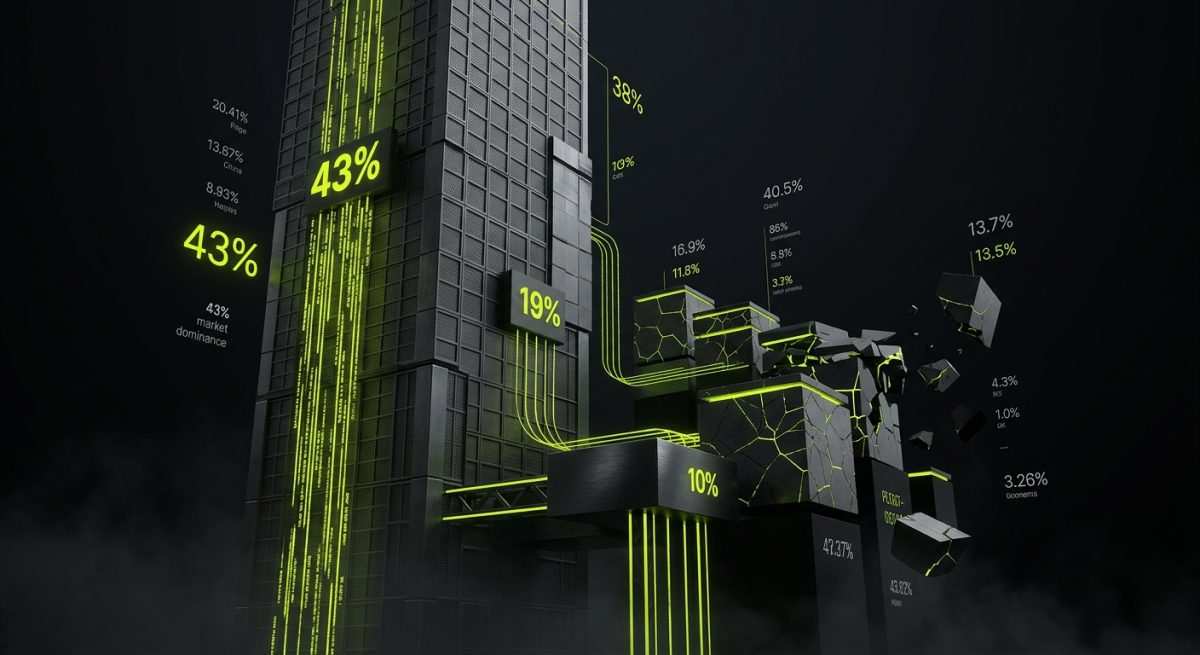
For most of the 2010s, the CMS landscape looked like a three-tier hierarchy: WordPress dominated the long tail, enterprise platforms like Sitecore, Adobe Experience Manager, and Drupal served large organizations, and a cluster of mid-market tools — Squarespace, Wix, Contentful, Prismic — competed for the space in between. That model has fractured.
The numbers tell a clear story. WordPress now powers approximately 43% of all websites on the internet, a figure that has grown consistently year over year despite the proliferation of alternatives. More significantly, its share of the CMS market sits above 62% — meaning that among sites using any identifiable CMS, nearly two in three run WordPress. Webflow, meanwhile, has grown from a niche design tool to a platform hosting over 3.5 million sites, with enterprise adoption accelerating sharply since the launch of its Localization and Enterprise plans.
What happened to the competition?
The Headless Bet That Backfired
Several mid-market CMS platforms staked their future on headless architecture — decoupling the content backend from the presentation layer and positioning themselves as API-first content repositories. Contentful, Sanity, and Prismic built genuine technical credibility in this space. But the headless promise came with a hidden cost: it pushed enormous complexity onto development teams.
For every business that genuinely needed a headless CMS — multi-channel content distribution, native apps, complex editorial pipelines — there were ten that needed a fast, maintainable website with good content editing and reliable hosting. Headless solved the wrong problem for the majority of the market.
WordPress responded by building a hybrid model. The Block Editor (Gutenberg), Full Site Editing, and the REST API gave WordPress teams the flexibility to go headless when it made sense — while keeping the full-stack, all-in-one experience intact for the majority of projects. Webflow went further in the opposite direction, making the visual-first, integrated experience so capable that the question of "why would we go headless?" became genuinely difficult to answer for most marketing sites and business platforms.
Enterprise Platforms Priced Themselves Out
Adobe Experience Manager and Sitecore built formidable feature sets, but their total cost of ownership — licensing, implementation, training, ongoing maintenance — pushed them out of reach for all but the largest organizations. A mid-market B2B company with a $150,000 website budget simply cannot absorb a $200,000 annual AEM license.
The result: a massive addressable market with real content complexity requirements, no budget for enterprise platforms, and growing frustration with the limitations of simpler tools. WordPress and Webflow absorbed that market almost entirely.
The Developer Ecosystem Advantage
WordPress has over 59,000 plugins in its official repository and a global developer community that produces tooling, tutorials, and integrations at a rate no proprietary platform can match. Webflow's ecosystem, while smaller, has grown rapidly — with a thriving marketplace of templates, third-party integrations via Zapier, Memberstack, Outseta, and Airtable, and a community of certified partners building increasingly sophisticated solutions.
For businesses, this ecosystem depth translates directly into reduced development cost and faster time to market. When a WooCommerce extension already handles 80% of your subscription billing requirements, the custom development scope shrinks considerably.
What WordPress Does That Nothing Else Can Match
WordPress's dominance is not accidental, and it is not simply the result of first-mover advantage. The platform has made deliberate architectural decisions that compound over time, creating a development environment that rewards depth of knowledge.
At werun.dev, our WordPress practice is built around that depth. The difference between a WordPress site built to professional standards and one assembled from off-the-shelf themes and plugins is the difference between an asset and a liability.
The Plugin Architecture Is a Genuine Competitive Moat
WordPress's hook and filter system — the action and filter API that underlies virtually every plugin and theme — creates an extensibility model that is genuinely difficult to replicate. It allows developers to modify core behavior without touching core files, build plugins that interact cleanly with each other, and create integration points that third-party tools can hook into without requiring coordination.
When we build custom plugins at werun.dev, we use this architecture the way it was designed to be used:
// Registering a custom REST API endpoint with proper permission callbacks
add_action( 'rest_api_init', function () {
    register_rest_route( 'werun/v1', '/data', array(
        'methods'             => 'GET',
        'callback'            => 'werun_get_data',
        'permission_callback' => function () {
            return current_user_can( 'edit_posts' );
        },
    ) );
} );
Every plugin ships with proper nonces, capability checks, sanitization, and escaping — not as an afterthought, but as the baseline. And because we deploy auto-updates via GitHub releases, client sites stay current without manual intervention.
WooCommerce as a B2B Platform
The conventional wisdom treats WooCommerce as a small-business e-commerce tool. That framing is outdated. WooCommerce handles complex B2B requirements that would require expensive custom development on Shopify Plus or a proprietary platform:
- Custom product types and pricing rules — tiered wholesale pricing, customer-group-specific catalogs, quote-based ordering
- ERP and CRM integration — direct API connections to SAP, HubSpot, Salesforce, and fulfillment platforms
- Subscription and recurring billing — complex billing cycles, prorated upgrades, dunning management
- Checkout logic customization — conditional fields, custom validation, payment gateway routing based on order attributes
For B2B companies that need e-commerce functionality deeply integrated with their content and marketing infrastructure, WooCommerce on WordPress remains the most flexible option available at any price point.
Full Site Editing and the Block Paradigm
Gutenberg's evolution into Full Site Editing has fundamentally changed what non-developers can do inside WordPress. Block themes allow content editors to control site-wide layout, typography, and color systems through a visual interface — without touching PHP or CSS. For agencies and their clients, this means a genuine handoff: the development team builds the system, and the content team runs it.
Custom Gutenberg blocks extend this further. When we build blocks for clients, we're creating reusable, constrained components that enforce design consistency while giving editors real flexibility:
// Registering a custom Gutenberg block
registerBlockType( 'werun/cta-card', {
    title: 'CTA Card',
    category: 'design',
    attributes: {
        heading: { type: 'string' },
        buttonLabel: { type: 'string' },
        buttonUrl: { type: 'string' },
    },
    edit: EditComponent,
    save: SaveComponent,
} );
The result is a content management experience that scales with the organization — not one that breaks when the developer who built it leaves.
Webflow's Structural Advantages in the Visual Web

Webflow occupies a different position in the market from WordPress, and understanding that distinction is critical for making the right platform choice. Webflow is not a simpler WordPress. It is a fundamentally different tool built around a different set of priorities: visual precision, design-to-production fidelity, and a CMS architecture designed for editorial workflows rather than developer customization.
For marketing sites, campaign landing pages, brand platforms, and content-heavy business sites, Webflow's advantages are structural — they emerge from the platform's architecture rather than from any individual feature.
The Designer-to-Developer Handoff Problem, Solved
In traditional web development, the gap between a Figma file and a production website is where projects lose time, budget, and fidelity. Designers spec interactions that developers approximate. Spacing systems that look precise in Figma become inconsistent in code. Responsive behavior gets simplified under deadline pressure.
Webflow eliminates most of this gap. When we take a Figma file and build it in Webflow, we're working in a visual environment that generates clean, semantic HTML and CSS — not inline styles or div soup. Our class architecture follows BEM conventions, which means the codebase is maintainable by any developer who picks it up later:
- Component-level classes that encapsulate styling without leaking
- Utility classes for spacing, typography, and color that mirror the design system
- Responsive breakpoints that are set at the component level, not overridden globally
The output is a production site that looks like the design because it was built from the design — not approximated from it.
CMS Architecture for Real Editorial Teams
Webflow's CMS is frequently misunderstood as a limitation compared to WordPress. In practice, for the majority of business websites, it is a more appropriate tool. Webflow CMS collections are structured, relational, and visually manageable — content editors can see exactly how their content will appear as they're editing it.
The architecture we build for clients at werun.dev treats CMS collections as a data model:
- Reference fields that create relationships between collections (blog posts linked to authors, case studies linked to industries)
- Multi-reference fields for many-to-many relationships (resources tagged with multiple topics)
- Conditional visibility that shows or hides content blocks based on CMS field values
- Dynamic lists that pull and filter collection items based on category, date, or custom criteria
For a B2B company managing a resource library, a case study archive, and a team directory simultaneously, this architecture handles the complexity without requiring developer intervention for routine content operations.
Custom Code and Integration Depth
Webflow's visual editor handles 90% of most projects. The remaining 10% — complex interactions, third-party integrations, membership logic, custom data fetching — is where custom code extensions become essential.
We extend Webflow with custom JavaScript, the Webflow API, and middleware integrations:
// Fetching CMS data via Webflow API and rendering dynamically
const fetchCollectionItems = async (collectionId) => {
  const response = await fetch(
    `https://api.webflow.com/v2/collections/${collectionId}/items`,
    {
      headers: {
        Authorization: `Bearer ${API_TOKEN}`,
        'accept-version': '2.0.0',
      },
    }
  );
  return response.json();
};
For clients who need membership portals, we integrate Memberstack or Outseta to gate content and manage user accounts. For e-commerce requirements, Stripe integration handles payment flows. For CRM connectivity, HubSpot and Airtable connections sync form submissions and contact data automatically.
When Webflow's native capabilities genuinely cannot serve the requirement — complex application logic, server-side processing, real-time data — we build hybrid architectures using Next.js or Astro as the front-end, with Webflow serving as the CMS and design system. This gives clients the editorial experience of Webflow with the technical flexibility of a custom application.
Why Platform Choice Is a Strategic Decision, Not a Technical One
The question "WordPress or Webflow?" is frequently framed as a technical comparison. It is more accurately a strategic one. The right platform depends on the organization's content model, team capabilities, integration requirements, and growth trajectory — not on feature checklists.
WordPress is the right choice when:
- E-commerce is central — WooCommerce's flexibility and the WordPress ecosystem's depth make it the strongest option for complex online stores
- Custom application logic is required — plugins, REST API endpoints, and background processing give WordPress capabilities that no visual platform can match
- Long-term content volume is high — WordPress scales to millions of posts with proper infrastructure, and its editorial tools are mature
- Multisite architecture is needed — WordPress Multisite handles network-level content management that Webflow cannot replicate
Webflow is the right choice when:
- Design fidelity is non-negotiable — for brand platforms and marketing sites where visual precision drives business outcomes
- Editorial teams need autonomy — Webflow's CMS gives non-technical users genuine control without the risk of breaking the site
- Speed to market is the priority — a well-architected Webflow project moves from Figma to production faster than any comparable WordPress build
- Interaction and animation quality matters — GSAP integrations and Webflow's native interactions deliver motion design that is difficult to match in WordPress without significant custom development
The Platforms That Are Losing
Against this backdrop, several platforms are in structural decline:
- Squarespace and Wix — adequate for personal sites and micro-businesses, but the ceiling is too low for any organization with real growth ambitions. Customization is superficial, performance is mediocre, and the developer ecosystem is thin.
- Drupal — technically capable but the developer talent pool is shrinking, the learning curve remains steep, and the administrative interface has never been resolved for non-technical users. New projects on Drupal are increasingly difficult to justify.
- Joomla — market share has declined consistently for a decade. The ecosystem is fragmented and the community has not produced the kind of sustained innovation that keeps a platform relevant.
- Contentful and Sanity — excellent tools for genuinely headless use cases, but the market for pure headless CMS is smaller than the hype suggested. Most businesses need a website, not a content API.
The Integration Layer as Differentiator
One of the most significant shifts in the CMS market over the past three years is the growing importance of integration capability. A website that cannot connect to a CRM, marketing automation platform, ERP, or payment system is an island — and islands are expensive to maintain.
Both WordPress and Webflow have strong integration stories, but they work differently:
WordPress integrations tend to be deep and programmatic. A custom plugin can hook into WooCommerce order events, push data to a CRM via REST API, trigger fulfillment workflows, and log results — all within a single, maintainable codebase. The WordPress REST API makes it straightforward to expose custom data to external systems.
Webflow integrations tend to be connector-based and event-driven. Zapier, Make, and n8n handle the majority of integration requirements without custom code. For more complex needs, Webflow's API and custom code embeds allow direct integration with external platforms.
At werun.dev, our AI and automation practice extends both platforms further. We build n8n workflows that connect WordPress and Webflow sites to business systems — automating lead qualification, content publishing pipelines, customer data enrichment, and reporting — so that the website functions as an active participant in business operations rather than a passive publishing tool.
The platforms that cannot participate in this integration layer — that treat themselves as self-contained systems — are the ones losing ground. WordPress and Webflow are winning precisely because they were designed to connect outward, not to contain everything within their own walls.