
Architectural Foundations of Autonomous Agents in B2B Ecosystems

The transition from traditional, deterministic automation to agentic AI represents a paradigm shift for B2B enterprises. While standard automation follows a rigid "if-this-then-that" logic, autonomous agents powered by OpenAI’s latest models possess the capability to reason, plan, and execute multi-step tasks with minimal human intervention. For a web development agency like werun.dev, the value of these agents lies in their ability to bridge the gap between static content management systems—like WordPress, Webflow, or Shopify—and dynamic business intelligence. Building an agent is not merely about wrapping a LLM in a chat interface; it is about creating a functional entity that can interact with your existing tech stack via REST APIs and webhooks.
At the core of an autonomous agent is the "reasoning loop." Unlike a simple chatbot that retrieves a predefined response, an agent analyzes a request, identifies the necessary tools to fulfill it, and executes those tools in a logical sequence. For instance, in a complex WooCommerce environment, an agent doesn't just tell a customer where their package is; it authenticates the user, queries the shipping API, interprets the tracking data, and provides a contextualized update. This level of autonomy requires a robust architectural foundation. We categorize these agents into three primary layers: the Brain (the LLM), the Memory (the Knowledge Base or RAG), and the Limbs (the Actions/Tools).
Implementing these agents within a B2B framework requires a deep understanding of infrastructure. At werun.dev, we emphasize that 99.97% uptime isn't just for your website; it must extend to your AI agents. If an agent is responsible for processing B2B wholesale orders on Shopify Plus, its reliability is paramount. This is why we integrate agents using professional standards—utilizing GitHub for version control of agent instructions and implementing robust error handling within n8n workflows. By offloading complex decision-making to an agent, businesses can reduce manual overhead by up to 40%, allowing human teams to focus on high-level strategy rather than repetitive data entry or ticket sorting. The goal is to move beyond "chat" and toward "execution," where the agent becomes a tireless extension of your development and operations team.
Furthermore, the security implications of autonomous agents cannot be overstated. In a B2B context, agents often handle sensitive client data or proprietary business logic. Building with OpenAI’s Agent Builder requires a strict adherence to security protocols, including the use of nonces, capability checks, and data sanitization—principles we apply to every custom WordPress plugin we develop. An agent must be "sandboxed" in its permissions, ensuring it can only access the specific API endpoints it needs. For example, an agent tasked with updating Webflow CMS items should not have the permission to delete the entire database. This granular control is what separates a professional, enterprise-grade agent from a generic implementation.
Technical Implementation: Configuring OpenAI Agents for Production
Building an autonomous agent begins within the OpenAI platform, but the real work happens in the integration layer. To start, you must define the "Instructions" or the System Prompt. This is the most critical component of the agent’s configuration. A professional B2B agent needs a clearly defined persona, a specific set of constraints, and a hierarchical priority list. For a werun.dev client, we might define an agent as a "Technical Project Liaison" that understands the nuances of WordPress hooks and filters. The instructions should be explicit: "You are an expert in WordPress development. When asked about site performance, prioritize analyzing the WP Cron logs and REST API latency before suggesting front-end optimizations."
Step 1: Knowledge Retrieval and RAG
The second pillar is the Knowledge Base. OpenAI allows you to upload files that the agent can query using Retrieval-Augmented Generation (RAG). For a Shopify Plus merchant, this might include complex B2B pricing sheets, shipping policies, or technical documentation for a custom ERP integration. However, simply uploading a PDF is rarely enough for enterprise accuracy. We recommend structuring data into clean, machine-readable formats like JSON or Markdown. This ensures the agent can parse the information without the hallucinations often associated with unstructured text. At werun.dev, we often build custom middleware that dynamically updates this knowledge base by syncing it with the client’s CRM or product database, ensuring the agent never works with stale data.
Step 2: Defining Actions and API Integration
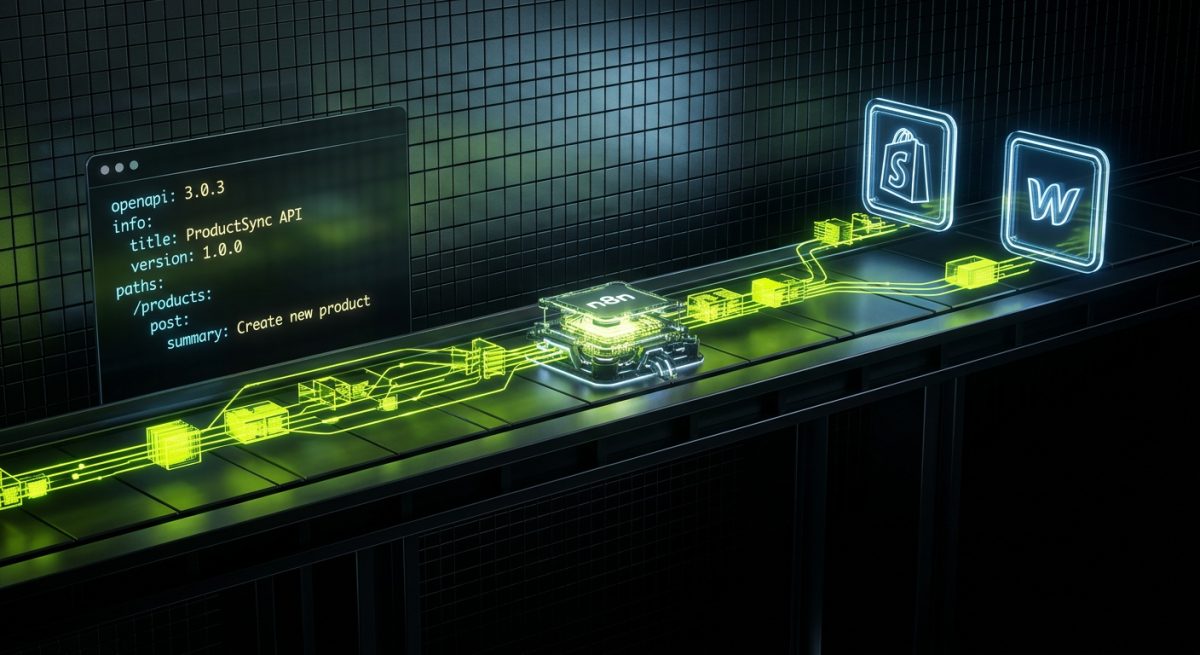
The true power of an autonomous agent is unlocked through "Actions." This is where the agent interacts with the outside world. To build an action, you must provide an OpenAPI specification (JSON or YAML) that describes your API endpoints. If we are building an agent for a Webflow site, we might create an action that connects to the Webflow Data API.
{
  "openapi": "3.1.0",
  "info": {
    "title": "Webflow CMS Manager",
    "version": "1.0.0"
  },
  "paths": {
    "/collections/{collection_id}/items": {
      "post": {
        "operationId": "createCmsItem",
        "summary": "Creates a new item in a Webflow Collection",
        "parameters": [
          { "name": "collection_id", "in": "path", "required": true, "schema": { "type": "string" } }
        ]
      }
    }
  }
}
When the agent receives a request like "Add a new blog post about AI to the site," it parses the OpenAPI spec, identifies the createCmsItem operation, and generates the necessary POST request. This requires a secure bridge. We often use n8n as the orchestration layer, acting as a secure proxy between OpenAI and the client’s website. This setup allows for advanced logic, such as multi-step verification or logging every agent action into a centralized database for auditing purposes. For WordPress environments, we leverage custom REST API endpoints with JWT (JSON Web Token) authentication to ensure that only authorized agents can modify site content.
Step 3: Testing and Iteration
Testing an autonomous agent is an iterative process. You must employ "red-teaming" techniques to see if the agent can be coerced into bypassing its instructions. In a B2B setting, this means testing for edge cases: What happens if a user asks for a discount that doesn't exist? What if the API returns a 500 error? At werun.dev, we build "shadow environments" where agents can run in a sandbox, interacting with a staging version of the Shopify or WordPress site. This prevents any accidental data corruption on the live production environment. We monitor the agent’s "run logs" to identify where the reasoning chain might be breaking down, refining the instructions or the API documentation until the success rate exceeds 99%.
Deployment, Monitoring, and Long-Term Maintenance
Deploying an autonomous agent is not a "set it and forget it" task. Just as we provide maintenance retainers for WordPress and Shopify sites, AI agents require ongoing oversight to ensure they remain performant and secure. The first step in a production deployment is establishing a robust monitoring pipeline. We utilize tools like n8n’s execution logs combined with custom logging within WordPress (using the Action Scheduler or WP Cron) to track every interaction the agent has with the site’s backend. This allows us to visualize the "agentic flow" and identify bottlenecks. For instance, if an agent is consistently timing out when querying a large WooCommerce database, we can optimize the SQL queries or add an intermediate caching layer.
One of the most significant challenges in maintaining autonomous agents is "model drift." As OpenAI updates its underlying models (e.g., moving from GPT-4 to GPT-4o), the way an agent interprets instructions can change. This is why werun.dev treats agent configurations as code. We store the system prompts and OpenAPI specs in GitHub, allowing for versioned deployments. If a model update causes the agent to become too verbose or start ignoring certain constraints, we can quickly roll back to a previous version of the instructions or tweak the prompt to align with the new model's behavior. This DevOps approach to AI is essential for B2B clients who cannot afford fluctuations in customer service quality or data processing accuracy.
Security and compliance are the final, and perhaps most important, pieces of the maintenance puzzle. For our clients in Europe or those handling international data, GDPR compliance is mandatory. This means ensuring that the agent does not store PII (Personally Identifiable Information) in its long-term memory or use it to train future models. We configure OpenAI agents with strict data privacy settings and often use middleware to scrub sensitive data before it ever reaches the OpenAI API. Furthermore, we implement "Human-in-the-loop" (HITL) triggers for high-stakes actions. If an agent on a Shopify Plus store attempts to issue a refund over a certain dollar amount, the n8n workflow can pause the execution and send a Slack notification to a human manager for approval. This hybrid approach combines the speed of AI with the accountability of human oversight.
Finally, scalability must be built into the agent's DNA. As your business grows, the volume of requests the agent handles will increase. We architect our integrations using asynchronous processing—utilizing message queues and background workers. If an agent is tasked with generating 500 personalized SEO descriptions for a Webflow CMS, it shouldn't block the main thread of the website. By using n8n nodes or custom WP-CLI commands, we can scale the agent's workload horizontally. This ensures that whether the agent is handling 10 requests or 10,000, the performance of the core website remains unaffected. At werun.dev, we don't just build agents that work; we build agents that scale with your enterprise, maintained by a team that understands the full stack from the database to the LLM.