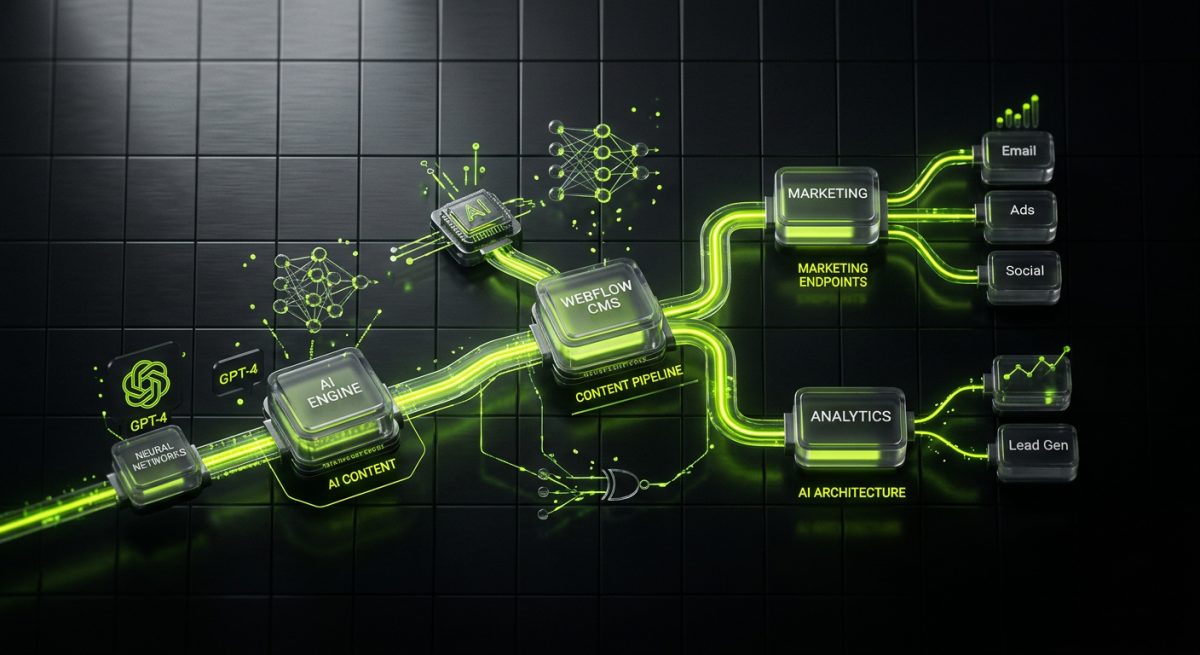
Webflow has matured far beyond a visual website builder. Today it sits at the center of sophisticated marketing stacks — connected to CRMs, automation platforms, and increasingly, AI systems that generate, personalize, and distribute content without human intervention at every step. For marketing teams running lean and growth-stage companies scaling fast, this combination is not a future aspiration. It is a deployable architecture available right now.
This post walks through the concrete layers of an AI-augmented Webflow setup: what the integration points look like, which tools do the heavy lifting, and how a properly engineered system connects Webflow's CMS and API to AI models, automation workflows, and your broader business stack.
The Architecture: How AI Connects to Webflow
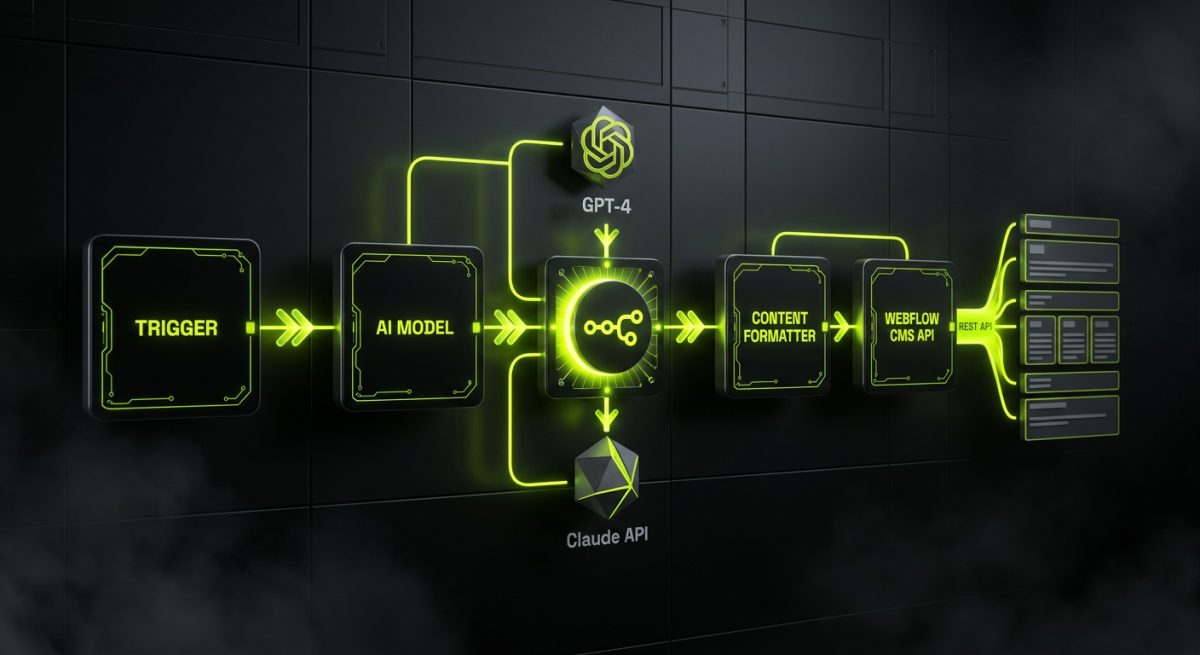
Webflow does not have native AI content generation built into its CMS. That is not a limitation — it is an integration opportunity. The platform exposes a well-documented REST API that allows external systems to create, update, and publish CMS items programmatically. That single capability is the foundation of every AI content automation system built on Webflow.
The architectural pattern looks like this:
[Trigger] → [AI Model] → [Content Formatter] → [Webflow CMS API] → [Published Page]
Each layer is replaceable and composable. The trigger could be a scheduled cron job, a webhook from your CRM when a new product is added, a form submission, or a manual approval step in an editorial workflow. The AI model is typically GPT-4 or Claude, called via API with a structured prompt that enforces your brand voice and content schema. The formatter maps AI output to Webflow's CMS field structure. The Webflow API handles the actual write operation.
The Webflow CMS API in Practice
Webflow's CMS API lets you interact with Collections — the structured content containers that power blog posts, case studies, product pages, landing pages, and any other repeatable content type. A typical API call to create a new CMS item looks like this:
const response = await fetch(
  `https://api.webflow.com/v2/collections/${COLLECTION_ID}/items`,
  {
    method: 'POST',
    headers: {
      'Authorization': `Bearer ${WEBFLOW_API_TOKEN}`,
      'Content-Type': 'application/json'
    },
    body: JSON.stringify({
      fieldData: {
        name: generatedTitle,
        slug: generatedSlug,
        'post-body': generatedHTML,
        'meta-description': generatedMetaDescription,
        'featured-image': imageUrl,
        _archived: false,
        _draft: true // Send to draft for human review before publish
      }
    })
  }
);
Setting _draft: true is a critical design decision in any responsible AI content pipeline. It keeps a human approval step in the loop before content goes live, which matters for brand consistency, factual accuracy, and SEO quality control.
Middleware: n8n as the Orchestration Layer
Rather than building a custom application to connect every service, the most maintainable architecture uses a workflow automation platform as the orchestration layer. At werun.dev, we build these pipelines on n8n — self-hosted, version-controlled, and extensible with custom JavaScript nodes when the built-in connectors are not enough.
An n8n workflow for AI-powered Webflow content automation typically includes:
- Trigger node — Schedule (cron), webhook, or CRM event
- Data preparation node — Fetch topic briefs, keywords, or product data from Airtable, HubSpot, or a database
- AI node — OpenAI or Anthropic API call with a structured system prompt
- Content validation node — Custom JS to check word count, keyword presence, schema completeness
- Webflow API node — HTTP Request node posting to the CMS API
- Notification node — Slack or email alert to the editorial team for review
This approach means the entire pipeline is visual, auditable, and modifiable without touching application code. When the prompt strategy changes or a new content type is added, the workflow is updated in the n8n editor — not in a deployed codebase.
AI-Powered Marketing Automation on Webflow: Real Use Cases
The abstract architecture becomes more tangible when mapped to specific marketing workflows. These are the integrations that deliver measurable time savings and content velocity improvements for marketing teams.
Automated Blog and SEO Content Pipeline
The most common starting point is automated long-form content generation. A marketing team maintains a content calendar in Airtable — titles, target keywords, content briefs, pillar page assignments. An n8n workflow polls this Airtable base on a schedule, picks up approved briefs, sends them to GPT-4 or Claude with a detailed system prompt encoding brand voice, heading structure, internal linking rules, and SEO requirements, then pushes the output to Webflow CMS as a draft.
The editorial team receives a Slack notification with a direct link to the Webflow draft. They review, edit, and publish. The pipeline does not replace editorial judgment — it eliminates the blank page and the first-draft labor.
For SEO-focused teams, the prompt engineering layer is where the most value is created. A well-designed system prompt will instruct the model to:
- Target a specific primary keyword and semantic cluster
- Structure headings to match search intent (informational, transactional, comparative)
- Include FAQ sections formatted for featured snippet capture
- Generate a meta title within 55 characters and a meta description within 155 characters
- Suggest internal links to existing Webflow CMS items (passed in as context)
Dynamic Landing Page Personalization
Webflow's CMS can power landing pages at scale — one Collection, many items, each targeting a different audience segment, industry vertical, or geographic market. AI makes it economically viable to generate the copy variations that would otherwise require a copywriter for each permutation.
The workflow: a CRM event (new lead segment identified, new market entered) triggers an n8n workflow that calls an AI model with segment-specific context, generates a complete landing page copy set (headline, subheadline, body sections, CTA text, social proof framing), and creates a new CMS item in Webflow. The page inherits the same design system and layout — only the copy varies.
This is particularly powerful for B2B companies running account-based marketing campaigns, where a dedicated landing page per target account or industry segment significantly improves conversion rates.
AI-Generated Product and Case Study Content
For companies with large product catalogs or frequent case study production, AI automation removes a significant content bottleneck. When a new product is added to a PIM or a project is marked complete in a project management tool, an automation workflow fires:
- Fetches structured product data or project metadata
- Calls an AI model to generate a product description, feature highlights, and FAQ section — or a case study narrative following a defined problem/solution/result structure
- Enriches the content with relevant internal links and CTAs
- Creates a draft CMS item in Webflow
- Notifies the content team for review and image assignment
The result is a content operation that scales with business output rather than headcount.
AI Chatbot Integration on Webflow Sites
Beyond CMS content generation, AI can be embedded directly into the Webflow site experience as a customer-facing chatbot. A custom JavaScript embed in Webflow loads a chatbot interface connected to a knowledge-base agent — built on RAG (Retrieval-Augmented Generation) — that answers pre-sales questions, qualifies leads, and routes inquiries to the right team.
At werun.dev, we build these AI chatbots and virtual agents powered by GPT-4 or Claude, trained on your site content, product documentation, and support materials, and embedded into Webflow via a lightweight custom code block. The chatbot connects to your CRM to log conversations and create leads automatically.
Implementation Considerations and Technical Boundaries

Building an AI content automation system on Webflow is not a weekend project. There are real technical constraints, architectural decisions, and quality control requirements that determine whether the system delivers value or creates a content liability.
Webflow CMS API Rate Limits and Plan Constraints
Webflow enforces API rate limits that vary by plan tier. On the CMS plan, the API allows 60 requests per minute. For high-volume content operations, this requires the automation pipeline to implement request queuing and throttling. An n8n workflow handles this with a rate-limiting node or by batching operations and adding deliberate delays between API calls.
Webflow also caps the number of CMS items per collection depending on the plan — 10,000 items on the CMS plan, 20,000 on Business. For most content operations this is not a constraint, but for programmatic SEO strategies generating thousands of location or product pages, it is a hard limit to plan around.
Prompt Engineering and Content Quality
The quality of AI-generated content is directly proportional to the quality of the prompt engineering. A generic "write a blog post about X" prompt produces generic content. A production-grade prompt includes:
- System role definition — Brand voice guidelines, writing style, audience description
- Content schema — Required sections, heading hierarchy, approximate word counts per section
- SEO constraints — Primary keyword, semantic keywords to include, meta field requirements
- Negative instructions — Topics to avoid, phrases that conflict with brand positioning, competitor mentions
- Output format — JSON schema matching Webflow CMS field structure, or HTML with specific class conventions
When we build these systems as part of our Webflow development and integration work, prompt templates are version-controlled alongside the workflow definitions. When the brand voice evolves or the content strategy shifts, the prompt is updated and the change propagates to every future content generation run.
Human Review Gates
No responsible AI content pipeline publishes directly to production without a human review step. The _draft: true flag in the Webflow API is the technical implementation of this gate, but the process design matters equally. The review workflow should define:
- Who is responsible for reviewing AI drafts (content editor, subject matter expert, legal for regulated industries)
- What the review checklist covers (factual accuracy, brand voice, SEO field completeness, internal links, image assignment)
- What the turnaround SLA is (if the pipeline generates 20 drafts per week, the review capacity must match)
- How feedback is captured and used to improve prompt quality over time
Infrastructure and Security
AI content pipelines handle API keys for multiple services — Webflow, OpenAI or Anthropic, your CRM, your database. Proper secret management is non-negotiable. In n8n, credentials are stored encrypted and referenced by name in workflows — never hardcoded. Self-hosted n8n instances are deployed behind authentication and restricted network access.
For Webflow API tokens, use site-specific tokens with the minimum required scopes (CMS read/write, no publishing permissions if a human approval step handles publishing). Rotate tokens on a schedule and log all API activity for audit purposes.
┌─────────────────────────────────────────────────────────────────┐
│           AI CONTENT AUTOMATION PIPELINE FOR WEBFLOW           │
├─────────────┬───────────────┬──────────────┬───────────────────┤
│   TRIGGER   │  AI LAYER     │  VALIDATION  │  WEBFLOW OUTPUT   │
├─────────────┼───────────────┼──────────────┼───────────────────┤
│ Cron/Sched  │               │              │                   │
│ CRM Event   │ GPT-4 /       │ Word count   │ CMS Draft Item    │
│ Webhook     │ Claude API    │ Schema check │ (awaiting review) │
│ Form Submit │ +Prompt Tmpl  │ SEO fields   │                   │
│ Manual Trig │               │ Brand voice  │ → Slack Alert     │
└─────────────┴───────────────┴──────────────┴───────────────────┘
         │                                           │
         └──────── n8n Orchestration Layer ──────────┘
                  (self-hosted, version-controlled)
Connecting Webflow to the Broader Marketing Stack
AI content automation does not exist in isolation. The most effective implementations connect Webflow to the surrounding marketing infrastructure:
- HubSpot or Salesforce — New leads captured via Webflow forms are enriched with AI-generated insights and synced to CRM with lead scoring
- Klaviyo or email platforms — Published Webflow content triggers automated email sequences via webhook
- Airtable — Content calendar management, brief storage, and approval status tracking that feeds the automation pipeline
- Analytics platforms — Content performance data feeds back into the brief generation process, prioritizing topics with demonstrated traffic potential
This is the full-stack marketing automation picture that werun.dev's AI and automation practice designs and builds — not isolated point solutions, but integrated systems where Webflow sits as the content delivery layer connected to the intelligence and data layers that make it perform.
Ready to build an AI-powered content system on your Webflow site? Start a project with werun.dev — we'll scope the right architecture for your content operation and marketing stack.