Scaling an ecommerce operation has traditionally meant one thing: hiring more people. More orders meant more customer service agents, more inventory managers, more marketers manually segmenting lists and writing product descriptions. That equation is breaking down fast.
The combination of Shopify's native automation tooling — particularly Shopify Flow and its expanding app ecosystem — with external AI orchestration layers like n8n, OpenAI GPT-4, and Claude is fundamentally changing what a lean team can accomplish. Merchants running seven and eight-figure stores are now operating with headcounts that would have seemed impossible five years ago, not because they've cut corners, but because they've automated the right processes at the right layer of their stack.
This post breaks down exactly where that automation lives, how it's architected at the technical level, and what a realistic implementation roadmap looks like for a Shopify or Shopify Plus merchant who wants to scale output without scaling payroll.
The Automation Stack: Where Shopify Ends and AI Begins
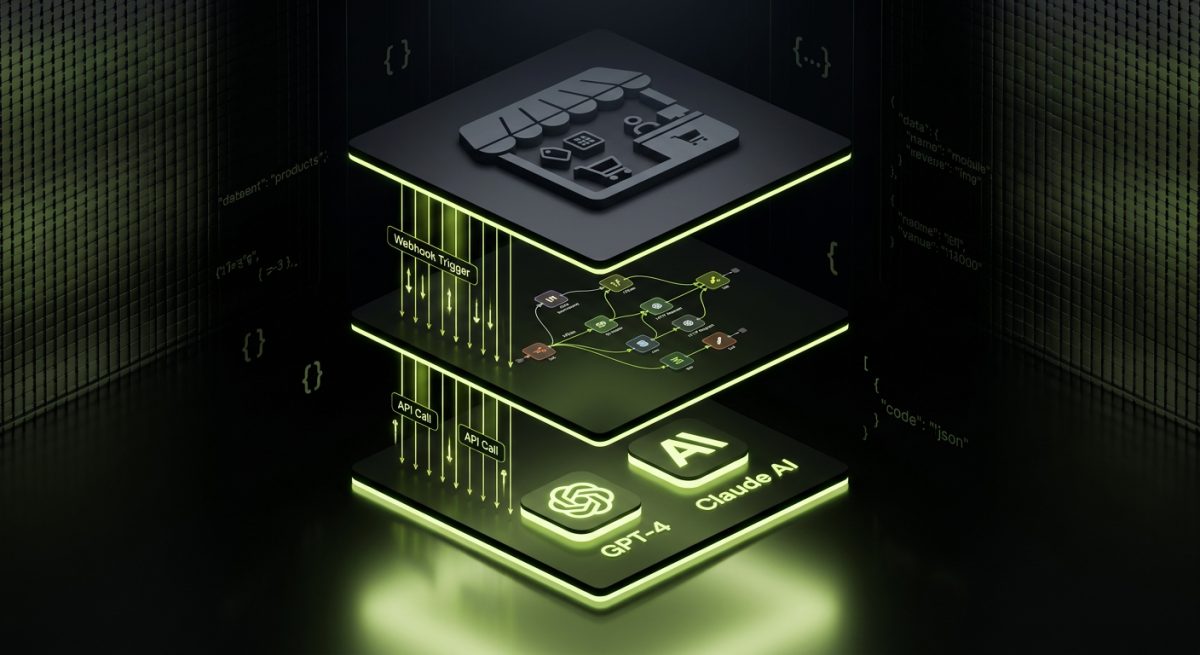
Before diving into specific workflows, it's worth being precise about what "AI automation" actually means in a Shopify context, because the term gets used loosely. There are three distinct layers where automation operates, and confusing them leads to underbuilt systems.
Layer 1: Shopify-Native Automation (Flow)
Shopify Flow is available on Shopify Plus and handles event-driven logic inside the Shopify ecosystem. It's rule-based: when X happens, do Y. Common use cases include:
- Order tagging based on product type, customer location, or order value
- Inventory alerts when stock drops below a threshold
- Fraud risk escalation — automatically holding orders that trigger risk signals
- Customer segmentation — tagging customers as VIP after a second purchase over a certain value
- Loyalty reward triggers — sending discount codes after milestone events
Flow is powerful within its lane, but it has hard limits. It can't reason about data, it can't generate content, and it can't make decisions that require context beyond simple conditional logic. That's where the next layers come in.
Layer 2: Integration Middleware (n8n, Zapier, Make)
Middleware tools sit between Shopify and your broader business stack — your CRM, ERP, 3PL, email platform, and data warehouse. n8n is the tool we use at werun.dev for serious production automation because it's self-hostable, supports custom JavaScript and Python code nodes, and handles complex multi-branch workflows with proper error handling, retry logic, and execution logs.
A typical n8n workflow connecting Shopify might:
- Receive a webhook from Shopify when an order is fulfilled
- Query your 3PL API to pull the tracking number
- Enrich the customer record in your CRM with purchase data
- Trigger a personalized post-purchase email sequence in Klaviyo
- Log the transaction to your ERP or accounting platform
All of that happens in seconds, without a human touching it.
Layer 3: AI Decision and Generation Layer
This is where GPT-4 and Claude enter the workflow. AI nodes in n8n can be called at any point in a pipeline to handle tasks that require language understanding, content generation, or probabilistic reasoning:
- Classifying customer support tickets by intent and routing them to the right queue
- Generating first-draft responses to common support queries based on your knowledge base
- Writing product descriptions from structured metafield data
- Scoring leads from wholesale inquiry forms
- Summarizing customer feedback from post-purchase surveys at scale
The architecture looks like this:
[Shopify Event] → [n8n Webhook Trigger]
       ↓
[Conditional Logic Branch]
       ↓                    ↓
[API Call to 3PL]    [AI Node: GPT-4 / Claude]
       ↓                    ↓
[CRM Update]         [Generate Response Draft]
       ↓                    ↓
[ERP Log]            [Send via Support Platform]
Understanding these three layers is essential because it determines where you invest engineering time. Flow handles the in-store logic. n8n handles the cross-platform orchestration. AI handles the tasks that previously required human judgment or content creation.
High-Impact Automation Workflows for Shopify Merchants
Theory is useful; specifics are better. Here are the automation workflows that consistently deliver the highest ROI for Shopify merchants, ranked roughly by implementation complexity.
1. AI-Powered Customer Support Triage
Customer support is the most labor-intensive function at most ecommerce companies. The majority of tickets fall into a small number of categories: order status, return requests, product questions, and shipping issues. An AI triage system handles this at scale.
How it works:
- Customer submits a support ticket via your helpdesk (Gorgias, Zendesk, or a custom form)
- n8n receives the ticket via webhook
- The ticket text is passed to a GPT-4 or Claude node with a classification prompt
- The AI categorizes the intent and extracts key entities (order number, product name, issue type)
- Based on classification, n8n routes the ticket: auto-responds to simple queries using templated answers, escalates complex issues to a human agent with a pre-written context summary
- For order status queries, n8n queries the Shopify Admin API in real time and includes live order data in the auto-response
Result: 40–60% of tickets handled without human intervention. Support agents spend their time on issues that actually require judgment.
2. Automated Product Content Generation at Scale
Merchants with large catalogs — thousands of SKUs — face an impossible content problem. Writing unique, SEO-optimized product descriptions for every variant is not feasible manually.
How it works:
- Product data lives in Shopify metafields: material, dimensions, use case, target audience, key features
- An n8n workflow triggers on a schedule or when a new product is created
- Metafield data is pulled via the Shopify Admin API and structured into a prompt
- GPT-4 generates a product description following your brand voice guidelines (defined in the system prompt)
- The generated content is written back to the product via the Admin API
- A Slack notification is sent to a content reviewer for spot-checking before publishing
This workflow can process hundreds of products per hour. The human reviewer's job shifts from writing to editing and approving — a fraction of the time.
3. Inventory and Reorder Intelligence
Stockouts kill conversion. Overstock kills margins. Most Shopify merchants manage this reactively, checking inventory reports manually and placing purchase orders based on gut feel.
How it works:
- A scheduled n8n workflow runs daily, pulling inventory levels from Shopify and sales velocity data from your analytics platform
- An AI node analyzes the data and flags SKUs that are trending toward stockout based on current sell-through rate
- The workflow generates a draft purchase order and sends it to your procurement team via email or Slack, with the AI's reasoning attached
- Upon approval, the PO is automatically created in your ERP
4. Post-Purchase Personalization Pipelines
The period immediately after a purchase is the highest-engagement window you have with a customer. Most stores waste it with generic transactional emails.
How it works:
- Shopify Flow tags orders by product category and customer segment (first-time vs. returning, AOV tier)
- n8n picks up the tag event and queries the customer's full purchase history via the Admin API
- An AI node generates a personalized follow-up message — a usage tip, a complementary product recommendation, or a re-engagement offer — based on what they bought and what they've bought before
- The message is pushed to Klaviyo as a custom event, triggering the appropriate email flow
Each of these workflows connects directly to the Shopify automation and integration services we build at werun.dev — from custom Shopify Flow configurations to private app integrations with your ERP and 3PL.
Building the Architecture: What a Real Implementation Looks Like
Most merchants understand the value proposition of automation in the abstract. Where projects stall is in the implementation — specifically, in underestimating the infrastructure required to run these systems reliably in production.
The Infrastructure Requirements
A production-grade Shopify automation stack requires:
Self-hosted n8n instance — Cloud-hosted n8n works for prototyping, but for production workflows handling sensitive order and customer data, self-hosted is the right call. It gives you full control over execution logs, data residency, and custom node deployment. At werun.dev, we handle the full n8n setup and workflow development on your infrastructure, including SSL termination, database configuration, and backup policies.
Shopify API access configuration — Depending on the workflows, you'll need a private app or custom app with the correct Admin API scopes. For read/write access to orders, products, customers, and metafields, scope management matters both for security and for staying within Shopify's API rate limits (the leaky bucket algorithm at 2 requests/second for standard, 4 for Plus).
Error handling and alerting — This is the part that separates amateur automation from production systems. Every n8n workflow needs:
- Retry logic with exponential backoff for transient API failures
- Dead letter queues for failed executions that need manual review
- Slack or email alerts when a workflow errors out
- Execution logging with enough context to debug failures quickly
AI API key management and cost controls — GPT-4 and Claude API calls have per-token costs that can escalate if workflows aren't properly scoped. Prompts should be engineered to be concise, and workflows should include token usage logging so you can monitor costs alongside execution metrics.
The Implementation Roadmap
For a Shopify Plus merchant starting from scratch, a realistic phased rollout looks like this:
Phase 1 (Weeks 1–2): Foundation
- Audit existing manual processes and rank by time cost
- Set up self-hosted n8n with proper authentication and logging
- Configure Shopify webhooks and API credentials
- Build and test one high-value workflow end-to-end (typically support triage)
Phase 2 (Weeks 3–5): Core Workflows
- Deploy inventory intelligence pipeline
- Build post-purchase personalization pipeline
- Integrate CRM and ERP connectors
- Set up monitoring dashboards
Phase 3 (Weeks 6–8): AI Layer
- Integrate GPT-4 or Claude nodes into existing workflows
- Build knowledge base for support AI (product FAQs, return policies, shipping rules)
- Deploy product content generation pipeline
- A/B test AI-generated content against manual copy
Phase 4 (Ongoing): Optimization
- Monitor execution logs and refine error handling
- Expand automation coverage to new processes
- Retrain AI prompts based on output quality data
- Monthly retainer reviews to adapt workflows as the business scales
The Shopify Plus Advantage
It's worth being explicit: Shopify Plus merchants have access to capabilities that make this architecture significantly more powerful. Shopify Flow is only available on Plus. The checkout extensibility API — which allows AI-driven upsell logic at checkout — is Plus-only. B2B wholesale automation, multi-store orchestration, and custom checkout scripts all live behind the Plus tier.
For merchants on standard Shopify plans, the n8n + AI layer still delivers substantial value, but the in-store automation is more limited. If you're approaching the revenue threshold for Plus ($1M+ ARR), the automation capabilities alone make the upgrade ROI-positive.
At werun.dev, our Shopify Plus enterprise builds are architected from the start to support automation — metafields structured for programmatic content generation, webhook configurations that feed into n8n pipelines, and Flow automations that handle the in-store logic while our AI workflows handle everything outside the platform.
Measuring the ROI: What Actually Changes
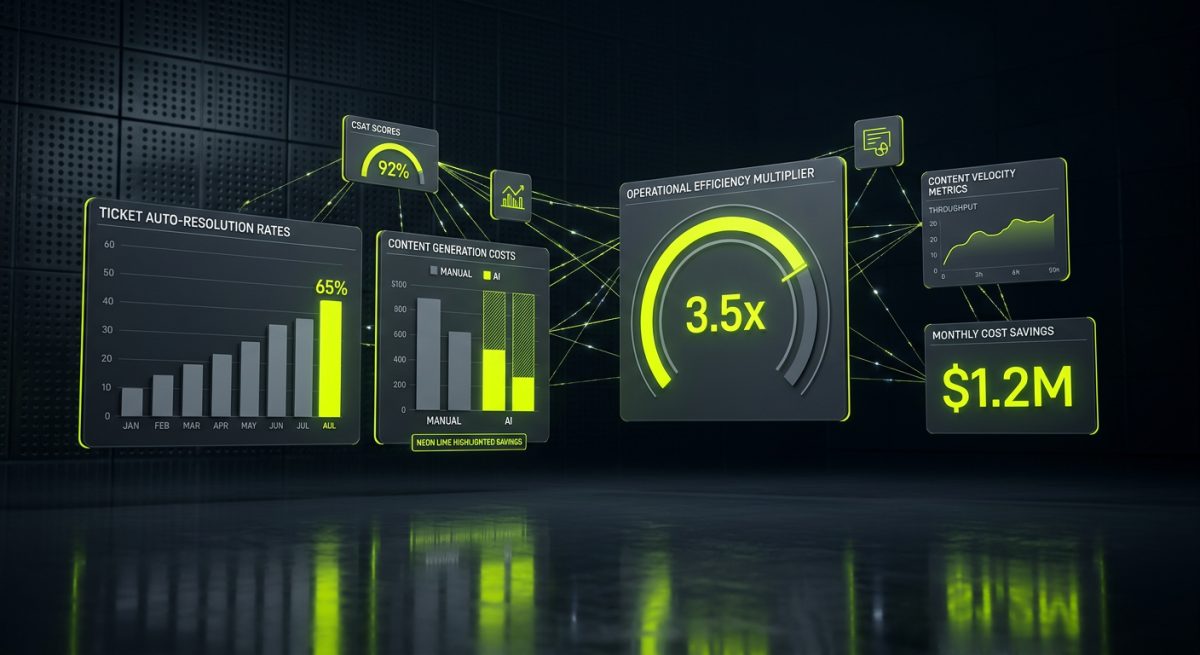
Automation projects live and die by their measurable outcomes. Here's how to frame the ROI for each major workflow category, and the metrics that matter.
Support Automation ROI
The baseline metric is tickets resolved without human intervention — typically expressed as a percentage of total ticket volume. A well-implemented AI triage system targeting common query types should achieve 40–65% auto-resolution within 90 days of deployment.
Secondary metrics:
- First response time — drops from hours to seconds for auto-handled queries
- Agent handle time — decreases because agents receive pre-classified tickets with context summaries
- Customer satisfaction (CSAT) — typically improves because faster responses outweigh any slight impersonality in AI-drafted replies
For a store handling 500 tickets per month at an average agent cost of $15/ticket, a 50% auto-resolution rate saves $3,750/month — before accounting for the quality improvements.
Content Generation ROI
The baseline metric here is content production velocity — how many product descriptions, email copy variants, or collection page texts can be produced per hour. The comparison point is your current manual throughput.
For a catalog of 2,000 SKUs where manual description writing costs $5–10 per product, automated generation at $0.05–0.15 per product (AI API costs) represents a 30–100x cost reduction. The quality gap, when prompts are properly engineered with brand voice guidelines and reviewed by a human editor, is negligible for most product categories.
Operational Efficiency ROI
For inventory and order processing automation, the primary metric is hours saved per week on manual data entry, report generation, and cross-platform updates. A typical mid-size Shopify merchant running manual inventory management and manual ERP updates spends 15–25 hours per week on tasks that a properly built n8n pipeline can handle in minutes.
At a fully-loaded cost of $30–50/hour for operations staff, that's $1,800–$5,000/month in recovered capacity — capacity that can be redirected to growth activities rather than data entry.
The Compounding Effect
The metrics above are additive. A merchant who implements support triage, content generation, inventory intelligence, and post-purchase personalization isn't just saving in four separate buckets — they're building a compounding operational advantage. Each workflow frees up human attention that can be applied to higher-order problems: product strategy, supplier relationships, brand development, and market expansion.
This is the real value proposition of AI automation for ecommerce: it doesn't just reduce costs, it changes what your team is capable of. A five-person team running a well-automated Shopify stack can execute at the operational level of a fifteen-person team — not by working harder, but by reserving human judgment for the decisions that actually require it.
If you're ready to build this infrastructure for your Shopify store, start a project with werun.dev. We scope, build, and maintain the full automation stack — from Shopify Flow configurations and custom Liquid themes to n8n workflows and AI integrations — as a single, accountable partner.
The Automation Architecture at a Glance
To make the three-layer stack concrete, here's a visual breakdown of how data and triggers flow through a production Shopify automation system:
┌─────────────────────────────────────────────────────────┐
│                   SHOPIFY STORE                         │
│  Orders │ Products │ Customers │ Inventory │ Metafields  │
└──────────────────────┬──────────────────────────────────┘
                       │ Webhooks / Admin API
                       ▼
┌─────────────────────────────────────────────────────────┐
│              SHOPIFY FLOW (Plus Only)                   │
│  In-store rules │ Order tagging │ Customer segmentation  │
│  Fraud holds │ Loyalty triggers │ Inventory alerts       │
└──────────────────────┬──────────────────────────────────┘
                       │ Events / Tags
                       ▼
┌─────────────────────────────────────────────────────────┐
│           n8n ORCHESTRATION LAYER (Self-hosted)         │
│                                                         │
│  ┌──────────┐  ┌──────────┐  ┌──────────┐             │
│  │  CRM     │  │  ERP     │  │  3PL     │             │
│  │ HubSpot  │  │  SAP     │  │ ShipBob  │             │
│  │Salesforce│  │  Odoo    │  │ Shipwire │             │
│  └──────────┘  └──────────┘  └──────────┘             │
│                                                         │
│  ┌──────────┐  ┌──────────┐  ┌──────────┐             │
│  │  Email   │  │ Support  │  │Analytics │             │
│  │ Klaviyo  │  │ Gorgias  │  │ BigQuery │             │
│  └──────────┘  └──────────┘  └──────────┘             │
└──────────────────────┬──────────────────────────────────┘
                       │ AI Node Calls
                       ▼
┌─────────────────────────────────────────────────────────┐
│              AI LAYER (GPT-4 / Claude)                  │
│                                                         │
│  Ticket Classification  │  Content Generation           │
│  Response Drafting      │  Inventory Scoring            │
│  Lead Qualification     │  Feedback Summarization       │
└─────────────────────────────────────────────────────────┘
Each layer has a distinct role. Shopify handles commerce data and in-store events. n8n handles cross-platform orchestration, routing, and API calls. The AI layer handles tasks that require language understanding or probabilistic judgment. Conflating these layers — trying to do AI reasoning inside Flow, or handling in-store logic entirely in n8n — creates fragile systems that are hard to debug and maintain.
The merchants who scale most effectively with automation are the ones who respect these boundaries and invest in each layer appropriately. The AI and automation services at werun.dev are built around this architecture — we don't bolt AI onto existing workflows as an afterthought, we design the full stack with each layer doing what it does best.