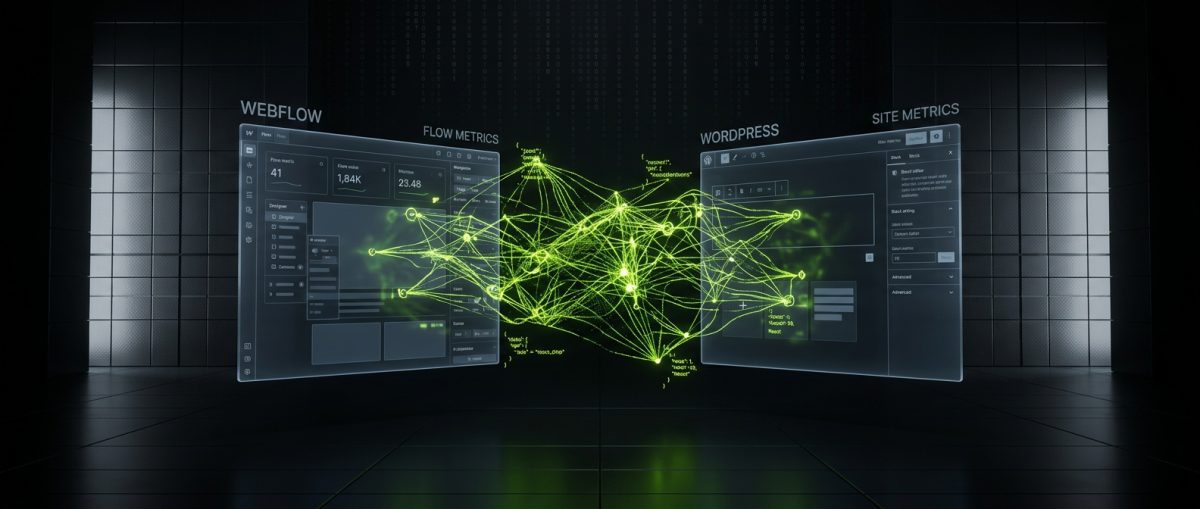
The conversation around Webflow versus WordPress has been running for years. Each camp has its advocates, its use cases, and its trade-offs. But artificial intelligence is rewriting the rules of that conversation — not by declaring a winner, but by changing what the platforms can do, how fast teams can build, and what "good" looks like for a B2B web project in 2024 and beyond.
This is not a beginner's comparison. If you are a founder, a marketing director, or a digital lead weighing a serious web investment, you need a clear-eyed view of how AI is reshaping both platforms — and what that means for the decision in front of you.
How AI Is Changing the Webflow Development Workflow
Webflow's core promise has always been visual development — the ability to build production-quality sites without writing raw HTML and CSS by hand. AI is accelerating that promise in meaningful ways, but it is also exposing where Webflow still requires experienced hands to get right.
AI-Assisted Design and Layout Generation
Webflow has been integrating AI tooling directly into its Designer interface, with features that can generate layouts, suggest component structures, and assist with copy placement. For marketing teams, this reduces the time between brief and first draft. For developers, it changes the nature of the work — less time on boilerplate layout, more time on architecture decisions, CMS schema, and custom interactions.
The practical effect in a production Webflow project looks like this:
- Faster wireframe-to-Webflow translation — AI suggestions compress the early layout phase, particularly for page types that follow known patterns (landing pages, pricing pages, feature grids).
- Copy and SEO scaffolding — AI-generated meta descriptions, heading hierarchies, and alt text suggestions built into the editorial workflow reduce the manual overhead on content-heavy CMS builds.
- Interaction prototyping — While GSAP and Webflow's native interactions still require a skilled developer to implement cleanly, AI tools are beginning to suggest interaction patterns based on design intent.
What AI does not solve in Webflow is the structural work. A Webflow CMS architecture built for a real editorial team — with properly scoped collection schemas, reference fields, multi-image fields, and conditional visibility logic — still demands the kind of deliberate planning that no AI tool replaces. At werun.dev, our Webflow builds start with a CMS architecture session before a single class is created in the Designer, because the decisions made at that stage determine whether the site scales or becomes a maintenance problem in six months.
Custom Code Extensions in an AI-Augmented Webflow Stack
Webflow's visual layer handles a lot, but production B2B sites consistently need things that live outside the Designer: custom JavaScript interactions, third-party API integrations, membership logic, and data pipelines that connect the site to a CRM or marketing platform.
AI coding assistants — GitHub Copilot, Claude, GPT-4 — have materially improved the speed and quality of custom code work in Webflow projects. A developer writing a custom embed that pulls live data from an Airtable base and renders it inside a Webflow CMS template can now move significantly faster, with AI handling boilerplate fetch logic, error handling patterns, and DOM manipulation scaffolding.
The code still needs to be reviewed, tested, and integrated by someone who understands Webflow's rendering model and the constraints of the embed system. But the ceiling on what a skilled Webflow developer can deliver in a given sprint has risen.
Our Webflow service stack at werun.dev covers exactly this layer — custom JS, Webflow API integrations, Memberstack and Outseta portals, Airtable and HubSpot connections, and GSAP animation work — all of which benefit from AI-assisted development without being replaced by it.
How AI Is Changing the WordPress Development Workflow
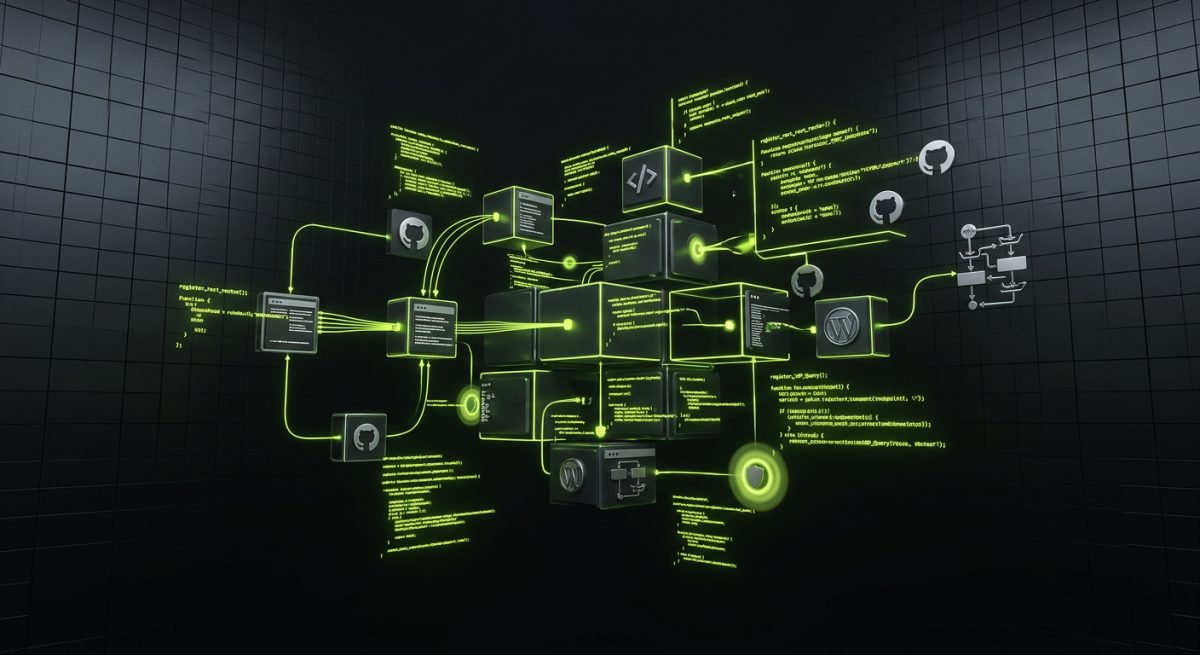
WordPress is a fundamentally different animal. Where Webflow is a hosted, opinionated platform, WordPress is open-source infrastructure that you own, extend, and maintain. AI's impact on WordPress development is broader, deeper, and in some ways more disruptive — because there is simply more surface area to work with.
Plugin Development and Custom Code Generation
Custom WordPress plugin development is one of the most technically demanding areas of the WordPress ecosystem. A properly built plugin uses WordPress hooks and filters correctly, implements nonces and capability checks for security, sanitizes and escapes all data, registers REST API endpoints with proper authentication, and ships with a documentation layer that makes it maintainable by someone other than the original author.
AI has become a genuine accelerant here. Developers using Claude or GPT-4 alongside their IDE can:
- Generate boilerplate plugin scaffolding (plugin header, activation hooks, settings page registration) in seconds
- Draft REST API endpoint handlers with proper
register_rest_route()calls, permission callbacks, and sanitization - Write WP_Query arguments and explain their performance implications
- Produce PHPDoc blocks and inline documentation automatically
- Identify security anti-patterns in existing code
Here is a simple example of the kind of scaffolding AI tools now generate reliably:
// Register a custom REST API endpoint
add_action( 'rest_api_init', function () {
    register_rest_route( 'werun/v1', '/leads', array(
        'methods'             => 'POST',
        'callback'            => 'werun_handle_lead_submission',
        'permission_callback' => function () {
            return current_user_can( 'edit_posts' );
        },
        'args' => array(
            'email' => array(
                'required'          => true,
                'sanitize_callback' => 'sanitize_email',
                'validate_callback' => function( $param ) {
                    return is_email( $param );
                },
            ),
        ),
    ));
});
This is not revolutionary code — any senior WordPress developer knows this pattern. But AI tools generate it correctly, consistently, and fast. The developer's time shifts toward architecture decisions: which hooks to use, how the plugin interacts with the rest of the site, what the update mechanism looks like, and how the admin UI should be structured for the client's actual workflow.
At werun.dev, every plugin we build ships with GitHub-powered auto-updates, full documentation, and a settings architecture that a non-developer can manage. AI has compressed our build time on the repeatable parts without changing our standards on the parts that matter.
Gutenberg, Full-Site Editing, and AI Content Tooling
The Gutenberg editor and the Full-Site Editing (FSE) framework have made WordPress's content layer significantly more powerful — and significantly more complex to build correctly. Custom blocks with InnerBlocks support, block patterns, theme.json configuration, and proper attribute persistence require a developer who understands both React and WordPress's block API.
AI tooling is helping here in two distinct ways:
On the build side, AI assistants accelerate the scaffolding of block registration code, block.json configuration, and Edit/Save component structure. A developer building a custom testimonial block with nested content and dynamic rendering can get a working scaffold in minutes rather than starting from the WordPress block handbook from scratch.
On the content side, AI writing tools integrated into the WordPress editor (Jetpack AI, Bertha AI, and others) are giving editorial teams the ability to draft, rewrite, and optimize content without leaving the CMS. For B2B clients managing large content operations, this is a meaningful workflow improvement — though it requires governance to maintain quality and brand voice.
The FSE layer also intersects with AI in template generation. Tools are emerging that can generate theme.json configurations and block template markup from design references, compressing the gap between a Figma file and a working block theme. The output still needs expert review — theme.json has significant performance and accessibility implications — but the starting point is better.
Choosing the Right Platform When AI Is in the Stack
The question of Webflow versus WordPress has never been purely technical. It is a question of ownership, flexibility, editorial workflow, integration depth, and long-term cost of change. AI makes both platforms faster to build on and easier to extend — but it does not collapse the fundamental differences between them.
What Webflow Does Better with AI
Webflow's strength is speed-to-market for visually sophisticated marketing sites. With AI-assisted layout generation, copy scaffolding, and a hosted infrastructure that eliminates server management overhead, a Webflow project can move from Figma to live faster than almost any WordPress equivalent — when scoped correctly.
For B2B companies that need:
- A high-performance marketing site with complex animations and pixel-perfect design fidelity
- A content team that manages the site directly through Webflow's Editor interface
- Integrations with modern SaaS tools (HubSpot, Stripe, Memberstack, Airtable) via API and custom code
- A predictable monthly cost without hosting management overhead
Webflow with AI-augmented development is a compelling choice. The platform's limitations — CMS item caps, the absence of server-side logic, the constraints of the hosting environment — are real, but they are manageable for the right project scope.
What WordPress Does Better with AI
WordPress's strength is ownership and extensibility. When your web platform needs to be the core of a product — when you need custom database tables, background processing, complex user roles, WooCommerce with custom product types, or a REST API that other systems consume — WordPress gives you the infrastructure to build it.
AI makes that infrastructure faster to extend. A custom plugin that would have taken three days to scaffold and document can now be prototyped in one, with the developer's time concentrated on the decisions that actually require expertise. For B2B companies running complex digital operations — subscription commerce, multisite networks, ERP integrations, custom editorial workflows — WordPress with AI-assisted development is not just viable, it is the right architecture.
The Hybrid Reality
Many of the most effective B2B web stacks in 2024 are not either/or. Webflow handles the marketing layer — fast, visually polished, editable by the marketing team. WordPress or a custom backend handles the application layer — user accounts, commerce, data processing, API endpoints. AI automation tools (n8n, GPT-4, Claude) connect them, moving data between systems, triggering workflows, and surfacing intelligence at the right moments.
At werun.dev, we build across all three layers. Our AI and automation practice — built on n8n, OpenAI GPT-4, and Claude — means we are not just building sites on Webflow and WordPress. We are building the systems that make those sites intelligent: lead qualification chatbots embedded in Webflow, data enrichment pipelines triggered by WordPress form submissions, knowledge-base agents trained on client content and deployed across both platforms.
The choice between Webflow and WordPress in the age of AI is less about which platform is better and more about which architecture serves your actual business requirements — and whether the team building it understands both the platforms and the AI layer that connects them.
AI Automation as the Third Layer in Any Serious Web Stack
Platform selection — Webflow or WordPress — is increasingly only part of the decision. The more consequential question for B2B companies in 2024 is how their web platform connects to the rest of their business: their CRM, their support systems, their sales pipeline, their data infrastructure.
This is where AI automation becomes a first-class architectural concern, not an afterthought.
n8n as the Connective Tissue
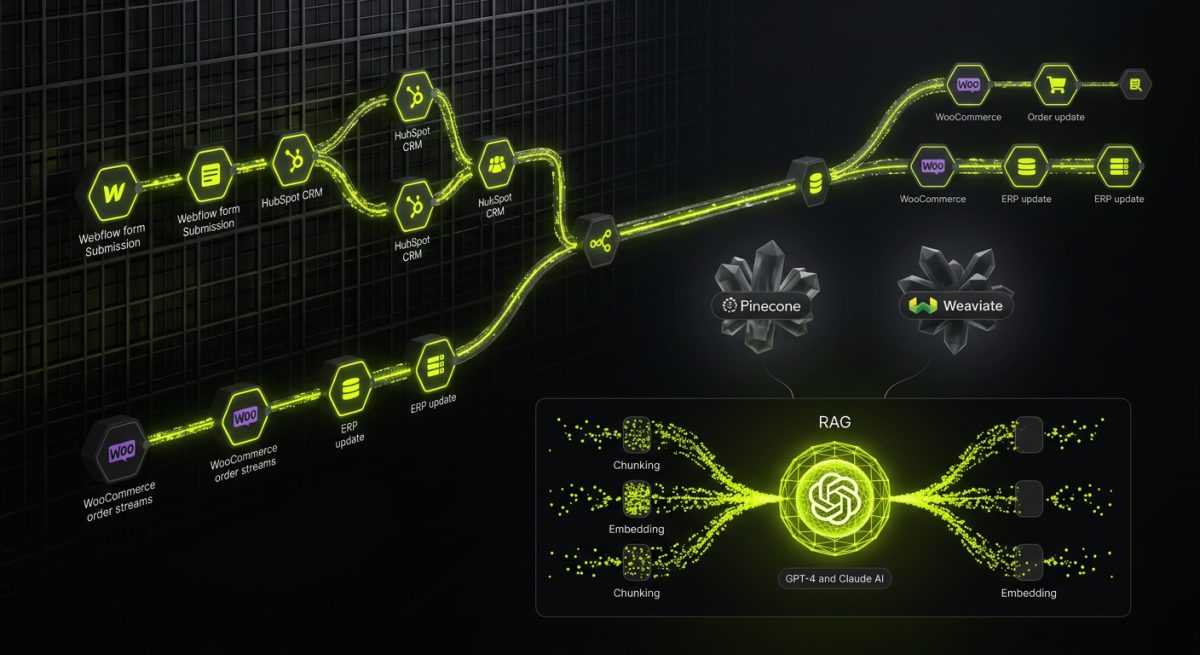
n8n is an open-source workflow automation platform that sits between your web properties and your business systems. Where Zapier handles simple trigger-action automations, n8n handles complex multi-branch pipelines with custom code nodes, conditional logic, error handling, and AI model integrations.
In a typical werun.dev automation build, n8n connects:
- Webflow form submissions → lead scoring logic → HubSpot CRM → Slack notification to the sales team
- WordPress WooCommerce orders → fulfillment platform → ERP update → customer email sequence
- AI chatbot conversations → intent classification → support ticket creation → knowledge-base update
The AI layer inside these workflows — GPT-4 for text classification, Claude for document analysis, vector search for knowledge retrieval — is what transforms them from simple data pipes into intelligent systems. A lead qualification workflow that uses an AI model to score and categorize inbound leads before they reach a human is qualitatively different from a Zapier automation that just moves data.
RAG-Powered Knowledge Bases on Webflow and WordPress
Retrieval-Augmented Generation (RAG) is the architecture behind knowledge-base chatbots that answer questions from a specific corpus of content — your documentation, your product catalog, your support articles — rather than from general training data.
Building a RAG system on top of a Webflow or WordPress site involves:
- Content extraction — pulling structured content from Webflow CMS collections or WordPress posts via API
- Chunking and embedding — splitting content into semantic chunks and generating vector embeddings via OpenAI or a local model
- Vector storage — storing embeddings in a vector database (Pinecone, Weaviate, or pgvector)
- Retrieval and generation — at query time, retrieving relevant chunks and passing them as context to GPT-4 or Claude for response generation
- Embedding the interface — deploying the chat interface as a custom embed on the Webflow or WordPress site
This architecture gives B2B companies a support and sales tool that is grounded in their actual content, not hallucinating from general knowledge. It works on both platforms. The platform choice affects how the content is extracted and how the interface is embedded — not whether the system is possible.
At werun.dev, we build these systems end-to-end: content extraction pipelines, vector databases, AI agent logic, and the front-end chat interface, deployed on whatever platform the client runs. The AI layer does not care whether the site is Webflow or WordPress. The business logic does.
What This Means for Your Platform Decision
If your primary concern is the web platform in isolation — design fidelity, CMS usability, hosting cost — Webflow versus WordPress remains a meaningful choice with clear trade-offs. But if your concern is building a web presence that actively participates in your business operations — capturing, qualifying, and routing leads; answering customer questions without human intervention; syncing data across your stack in real time — then the platform decision is subordinate to the automation architecture.
The companies getting the most value from their web investments in 2024 are not the ones who picked the best platform. They are the ones who built the most coherent system — platform, integrations, and AI automation — and had a development partner who could build across all three layers without stitching together three different agencies.
That is the capability werun.dev is built around: deep platform expertise in Webflow and WordPress, combined with production-grade AI and automation engineering. Not as separate service lines, but as a single integrated practice that treats your web ecosystem as exactly that — an ecosystem.