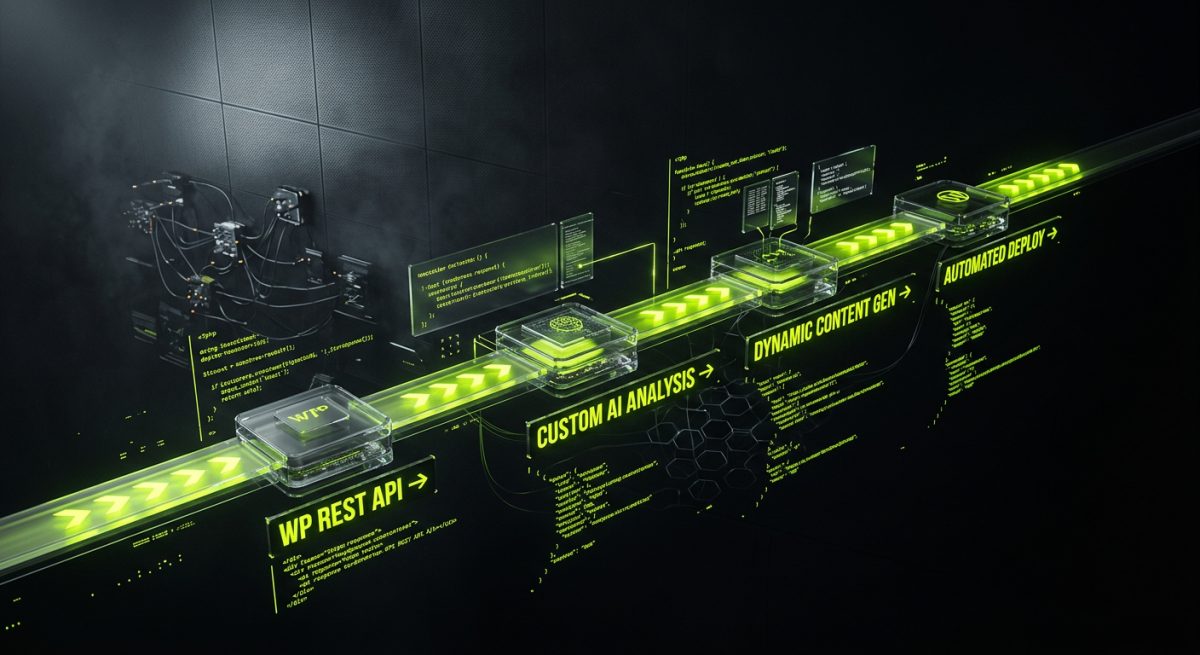
The average WordPress site runs between 20 and 40 active plugins. Each one adds weight, introduces potential conflicts, creates update dependencies, and expands the attack surface. For agencies and product teams managing business-critical WordPress environments, this is not a scaling strategy — it is a liability stack.
The smarter path is to replace bloated plugin collections with purposeful automation: custom code, AI-powered workflows, and direct API integrations that do exactly what the business needs and nothing more. This post breaks down how to architect that approach on WordPress — and where AI fits into the picture as a genuine productivity multiplier, not a gimmick.
Why Plugin Overload Is a Real Engineering Problem
Plugin proliferation on WordPress is rarely intentional. It happens incrementally: one plugin for contact forms, another for redirects, a third for SEO meta, a fourth for caching, a fifth for social sharing, and suddenly you have thirty-five plugins performing tasks that could be consolidated, custom-coded, or automated at the infrastructure level.
The consequences are measurable and compounding:
- Performance degradation: Every plugin that hooks into
wp_head,wp_footer, orinitadds execution time. Even well-coded plugins accumulate overhead when stacked. - Security exposure: Each plugin is a potential vulnerability vector. Unmaintained plugins — and there are thousands — are among the most common WordPress compromise entry points.
- Update fragility: Plugin updates frequently break each other. The more plugins you run, the higher the probability that any given update cycle will introduce a regression.
- Maintenance cost: Someone has to review every update, test for conflicts, and handle breakages. On a retainer model, this cost is real and recurring.
- Vendor lock-in: Many plugins store data in proprietary formats or custom tables. Migrating away from them later is expensive.
The alternative is not to avoid extending WordPress — it is to extend it deliberately. That means writing custom functionality where it is warranted, integrating via APIs where external services are involved, and using AI-powered automation pipelines to handle repeatable processes that previously required a plugin to manage.
The Plugin Audit Framework
Before adding AI or automation to the picture, the first step is a structured audit of what is currently running and why. For each active plugin, ask:
- What specific function does this plugin perform?
- Is that function core to the business, or a convenience feature?
- Could this be replaced by a small custom function, a REST API integration, or an n8n workflow?
- What is the maintenance burden and security track record of this plugin?
Plugins that survive this audit are the ones worth keeping. Everything else is a candidate for replacement — either through custom code or through an automation layer that sits outside WordPress entirely.
At werun.dev, this is often the starting point for WordPress engagements: understanding what the site is actually doing versus what it needs to do, then rebuilding the extension layer cleanly.
Building a Custom Plugin Layer That Replaces Multiple Dependencies
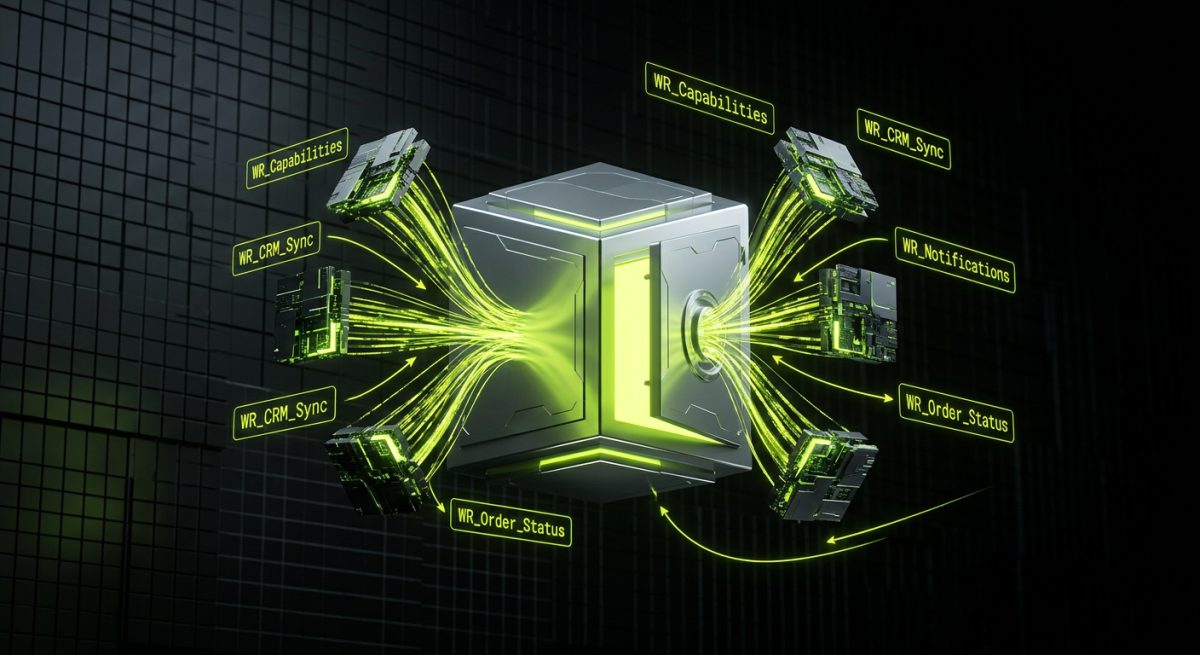
One of the most effective strategies for reducing plugin count is consolidating related functionality into a single, well-architected custom plugin. Instead of running separate plugins for custom post types, admin UI customizations, REST API endpoints, and background processing, all of these live in one codebase — versioned, documented, and deployed via GitHub.
This is precisely the approach we take with flagship plugin development at werun.dev. Every plugin we ship uses WordPress APIs correctly: proper nonces, capability checks, sanitization and escaping throughout, and a GitHub-powered auto-update system so clients always run the latest version without manual intervention.
What a Consolidated Custom Plugin Looks Like
Consider a mid-size B2B company running WordPress with WooCommerce. Their plugin list might include:
- A plugin for custom user roles and capabilities
- A plugin for custom order statuses
- A plugin for syncing orders to their CRM
- A plugin for sending internal Slack notifications on new orders
- A plugin for generating PDF invoices
- A plugin for adding custom fields to the checkout
Every single one of these can be replaced by a single custom plugin that:
// Registers custom capabilities via a dedicated class
add_action( 'init', [ 'WR_Capabilities', 'register' ] );

// Adds custom WooCommerce order statuses
add_filter( 'wc_order_statuses', [ 'WR_Order_Status', 'add_statuses' ] );

// Hooks into order completion to trigger CRM sync via REST
add_action( 'woocommerce_order_status_completed', [ 'WR_CRM_Sync', 'push_order' ] );

// Fires a background job for Slack notification via Action Scheduler
add_action( 'woocommerce_order_status_completed', [ 'WR_Notifications', 'schedule_slack' ] );
Each concern is separated into its own class, but they all live under one plugin namespace, one update cycle, and one codebase. The result is dramatically lower maintenance overhead and a site that is far easier to reason about.
Background Processing Without a Plugin
One of the most common reasons teams reach for plugins is background processing — sending emails, syncing data, generating files. WordPress has WP_Cron and the Action Scheduler library (which ships with WooCommerce) built in. There is no need for a dedicated plugin to handle this:
// Schedule a background job
as_schedule_single_action(
    time() + 60,
    'wr_sync_contact_to_crm',
    [ 'user_id' => $user_id ]
);

// Handle the job
add_action( 'wr_sync_contact_to_crm', function( $user_id ) {
    $sync = new WR_CRM_Sync();
    $sync->push_user( $user_id );
});
This pattern — custom action, scheduled via Action Scheduler, processed in the background — replaces entire categories of plugins that exist solely to manage async tasks.
For teams that need deeper integrations between WordPress and external platforms like Salesforce, HubSpot, or SAP, our WordPress integrations and REST API service handles exactly this: custom endpoints, webhook processors, and bidirectional sync built to production standards.
Where AI Fits: Automation Pipelines That Work Alongside WordPress
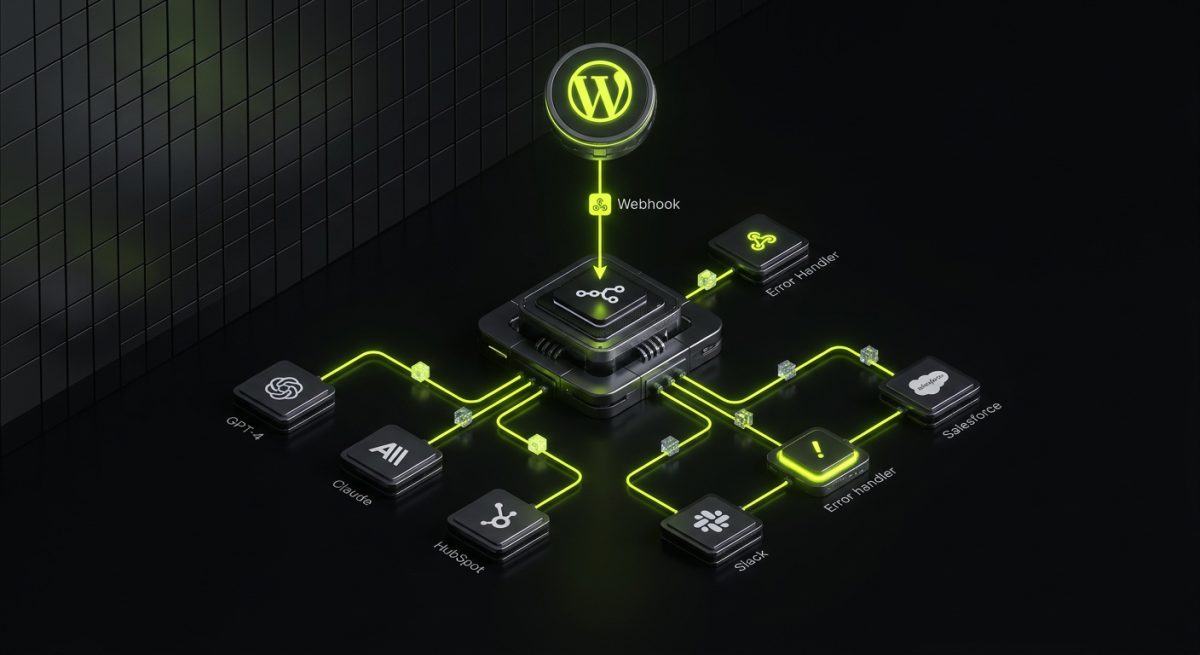
Reducing plugin count through custom code is a significant improvement. But the real unlock for modern WordPress operations is combining that clean custom codebase with an AI-powered automation layer that handles the processes that previously required plugins, manual work, or both.
This is where tools like n8n — and AI models like GPT-4 and Claude — change the calculus entirely.
The Architecture: WordPress as a Data Source, n8n as the Orchestrator
Rather than installing a plugin every time a new automation need arises, the architecture works like this:
WordPress (REST API / Webhooks)
        │
        ▼
   n8n Workflow Engine
    ┌───────────────────────────────────────┐
    │  Trigger: Webhook from WordPress      │
    │  ↓                                    │
    │  Branch: Check event type             │
    │  ↓                                    │
    │  AI Node: GPT-4 / Claude processing   │
    │  ↓                                    │
    │  Action: CRM update / Email / Slack   │
    │  ↓                                    │
    │  Error handler: Retry + alert         │
    └───────────────────────────────────────┘
        │
        ▼
  External Systems (CRM, ERP, Email, etc.)
WordPress fires a webhook — on new user registration, order completion, form submission, post publication — and n8n receives it, routes it through whatever logic is required, optionally passes data through an AI model, and then takes action in external systems.
This means:
- No CRM sync plugin — n8n handles the sync, with proper error handling and retry logic
- No email marketing plugin — n8n pushes contacts to Klaviyo, ActiveCampaign, or HubSpot directly
- No notification plugin — n8n sends Slack or Teams alerts based on configurable conditions
- No lead scoring plugin — an AI node evaluates the lead and assigns a score before pushing to the CRM
Practical AI Automation Use Cases on WordPress
1. AI-Powered Content Moderation Instead of a moderation plugin with limited rule sets, a webhook fires on comment submission, n8n sends the content to Claude or GPT-4 for semantic analysis, and the result determines whether the comment is approved, held, or deleted — with reasoning logged for review.
2. Intelligent Lead Qualification When a contact form is submitted on a WordPress site, n8n receives the data, passes it to an AI model with a qualification prompt, and routes the lead to the appropriate sales pipeline stage in HubSpot or Salesforce — without a single additional plugin.
3. Automated Customer Support Triage New WooCommerce support requests trigger an n8n workflow that uses AI to classify the issue (shipping, billing, product defect, etc.), draft an initial response, and assign the ticket to the right team member — all before a human has touched it.
4. Dynamic Content Personalization A custom REST endpoint on WordPress exposes user behavior data. An n8n workflow processes that data through an AI model and writes personalized content recommendations back to user meta — which the theme then uses to surface relevant content.
These workflows replace entire categories of plugins. More importantly, they are maintainable, observable, and extensible in ways that plugin stacks are not.
Our AI & Automation service builds exactly these kinds of systems — n8n workflows with custom code nodes, AI agents powered by Claude and GPT-4, and knowledge-base chatbots that connect directly to your WordPress data.
Building the WordPress Side Correctly
For this architecture to work, WordPress needs to be set up as a proper API source. That means:
// Register a custom webhook endpoint that fires on order completion
add_action( 'woocommerce_order_status_completed', function( $order_id ) {
    $order = wc_get_order( $order_id );
    $payload = [
        'order_id'   => $order_id,
        'customer'   => $order->get_billing_email(),
        'total'      => $order->get_total(),
        'items'      => array_map( fn($item) => [
            'name' => $item->get_name(),
            'qty'  => $item->get_quantity(),
        ], $order->get_items() ),
        'timestamp'  => current_time( 'timestamp' ),
    ];

    wp_remote_post( WEBHOOK_URL, [
        'body'    => wp_json_encode( $payload ),
        'headers' => [
            'Content-Type'  => 'application/json',
            'X-WR-Signature' => hash_hmac( 'sha256', wp_json_encode( $payload ), WEBHOOK_SECRET ),
        ],
        'blocking' => false, // Fire and forget
    ]);
});
The signature verification on the n8n side ensures that only legitimate WordPress events are processed. The blocking => false flag means WordPress does not wait for a response, so there is zero performance impact on the checkout flow.
This is the foundation of a plugin-light, automation-heavy WordPress architecture — and it scales in ways that plugin stacks simply cannot.
Maintaining What You Build: The Case for a Retainer Model
Replacing a plugin stack with custom code and automation pipelines is not a one-time project. It is an ongoing engineering relationship. The custom plugin needs to stay current with WordPress core. The n8n workflows need monitoring, error handling review, and updates when upstream APIs change. The AI models need prompt refinement as business requirements evolve.
This is why the retainer model exists — and why it is the right structure for businesses that take their WordPress infrastructure seriously.
What a WordPress + AI Retainer Covers
A well-scoped monthly retainer for a WordPress site running this kind of architecture typically includes:
- Custom plugin maintenance: Compatibility testing against new WordPress and WooCommerce releases, security patches, and feature additions as the business grows
- n8n workflow monitoring: Reviewing execution logs, handling failed runs, updating workflows when external API schemas change
- AI prompt and model management: Refining prompts as business logic evolves, evaluating new model capabilities, and adjusting token usage for cost efficiency
- REST API endpoint maintenance: Keeping custom endpoints documented, versioned, and compatible with any frontend or integration that consumes them
- Performance and security audits: Regular review of the plugin footprint, database query performance, and security posture
The economics are straightforward: a retainer that maintains a lean, custom-built system is almost always cheaper than the accumulated cost of plugin licenses, emergency debugging sessions, and the developer time that plugin conflicts consume.
Observability: Knowing What Is Actually Happening
One of the underappreciated advantages of replacing plugins with custom automation is observability. When a plugin fails, the failure is often opaque — an error log entry, a missing email, a sync that did not happen. When n8n fails, you get:
- Full execution logs with input and output at every node
- Configurable Slack or email alerts on workflow failures
- Retry logic that handles transient API errors automatically
- A dashboard showing exactly which workflows ran, when, and what they did
This is a fundamentally different operational posture. Instead of discovering that the CRM sync has been broken for three days because a plugin update changed a hook, you get an alert within minutes and a full log of what went wrong.
For teams managing complex WordPress environments — WooCommerce stores, membership sites, multisite networks — this level of observability is not optional. It is the difference between a system you can trust and one you are constantly firefighting.
When to Start
The right time to move away from plugin dependency is before the next major breakage, not after. If your WordPress site is running more than 20 plugins, has experienced plugin-related downtime in the past year, or is spending significant developer time on update management, the architecture review is overdue.
The starting point is an audit — understanding exactly what each plugin does and whether there is a cleaner alternative. From there, the replacement roadmap becomes clear: some plugins get replaced by custom code in a consolidated plugin, some get replaced by n8n workflows, some get replaced by direct API integrations, and a small number stay because they genuinely earn their place.
If you are ready to move your WordPress infrastructure in this direction, start a conversation with the werun.dev team. We work with B2B businesses, agencies, and product teams to architect WordPress environments that are lean, maintainable, and built to last — with AI automation where it genuinely adds value, and custom code where it does not.