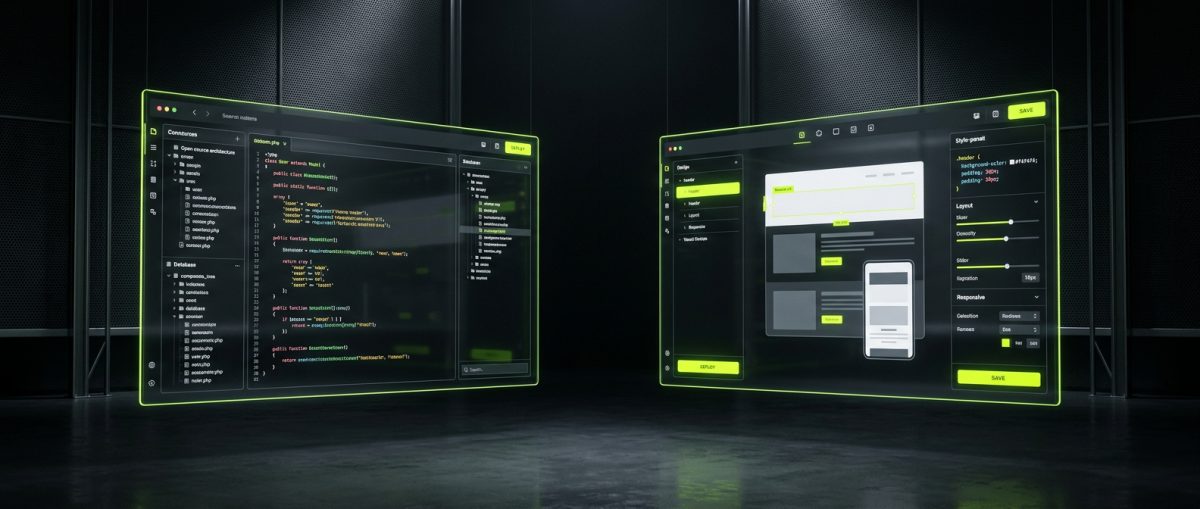
The debate between WordPress and Webflow is not a simple one, and anyone who frames it as "which is better" is asking the wrong question. These are two fundamentally different tools built on different philosophies, with different cost structures, different ceilings, and different ideal use cases. If you are a business owner, marketing director, or technical lead trying to make a platform decision, the answer depends entirely on what you are building, who will maintain it, and where you expect to be in three years.
This post breaks down the architectural, editorial, and commercial differences between WordPress and Webflow — not from a beginner's perspective, but from the vantage point of a team that has built production systems on both platforms for over a decade.
What WordPress Actually Is — And Why "Open-Source" Changes Everything
WordPress powers approximately 43% of all websites on the internet. That statistic is cited constantly, but what it actually means in practice is rarely unpacked. WordPress is not just a CMS — it is a software framework. The core application is open-source, licensed under GPLv2, which means you can download it, modify it, redistribute it, and run it on any server you control. You own the code. You own the database. You own the hosting relationship.
This has profound implications for what you can build.
The Plugin Architecture Is the Product
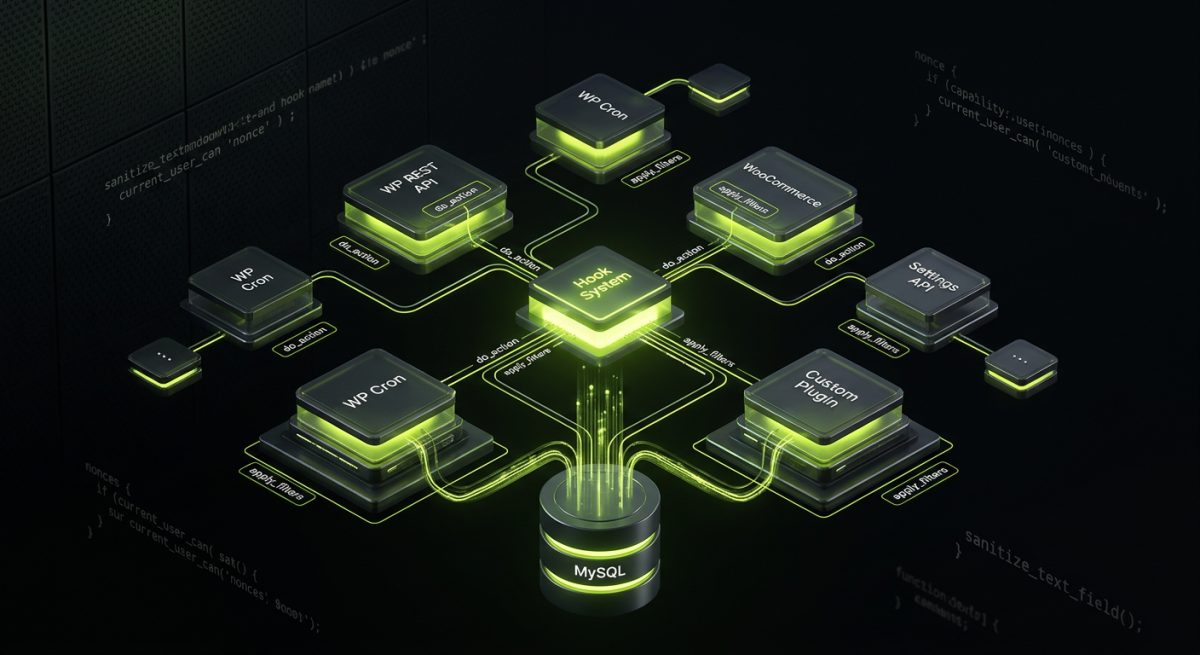
WordPress's real power is not its editor or its themes — it is its hook system. Every meaningful action in WordPress fires hooks (do_action) and filters (apply_filters), which means you can intercept, modify, or extend almost any behavior without touching core files. This is how the entire plugin ecosystem works, and it is why WordPress can be simultaneously a blog, a membership platform, a headless API backend, an e-commerce engine, and an enterprise intranet.
At werun.dev, our WordPress work starts here. We build custom plugins that extend WordPress using proper WordPress coding standards — nonces, capability checks, sanitization, escaping, Settings API, WP REST API endpoints, and WP Cron for background jobs. Every plugin we ship includes a GitHub-powered auto-update mechanism so client sites always run the latest version without manual intervention.
The Database Is Yours
WordPress stores everything in a MySQL database that you control. Want to export your entire content library and migrate to a different host? Done. Want to write a custom SQL query against your post meta? Possible. Want to build a custom REST API endpoint that exposes your product catalog to a mobile app? Straightforward. The data portability of WordPress is absolute — and that matters enormously for businesses that expect to grow, pivot, or integrate with external systems.
This is particularly relevant for WooCommerce builds. A complex WooCommerce store — with custom product types, B2B pricing rules, subscription billing, and ERP integration — is only viable because WordPress gives you full database access and a mature hook system for intercepting every step of the checkout flow.
What Open-Source Actually Costs
Free to download does not mean free to run. WordPress requires hosting, a domain, SSL, regular core and plugin updates, security monitoring, and ongoing maintenance. These are not optional — a neglected WordPress install is a liability. The total cost of ownership for a well-maintained WordPress site includes:
- Managed hosting: WP Engine, SiteGround, or similar — typically $30–$300/month depending on traffic
- Premium plugins: Many enterprise-grade plugins carry annual license fees
- Development and maintenance: Custom builds require ongoing developer attention
- Security hardening: Especially important for sites processing transactions or storing user data
For businesses that want to offload this operational overhead, a monthly maintenance retainer with a specialist team is the most cost-effective path. Our retainers cover core, plugin, and theme updates, security hardening, uptime monitoring, and developer availability for changes.
When WordPress Is the Right Choice
WordPress is the right platform when:
- You need custom functionality that does not exist in any plugin
- You are building a WooCommerce store with complex pricing, subscriptions, or B2B logic
- You need deep third-party integrations (Salesforce, HubSpot, SAP, Stripe, custom ERP)
- You require full data ownership and portability
- You are building a multisite network for an agency, franchise, or SaaS product
- Your content team needs a mature, flexible editorial workflow with custom post types and taxonomies
- You want to build a headless front-end (Next.js, Astro) powered by the WordPress REST API
What Webflow Actually Is — And Where the Visual Builder Ends
Webflow is a SaaS platform that combines a visual design tool, a CMS, a hosting service, and an e-commerce layer into a single product. You design in the browser using a visual interface that maps directly to real HTML and CSS — there is no proprietary rendering engine converting your layout into unrecognizable markup. The output is clean, semantic code.
This is Webflow's core differentiator: it closes the gap between design and development without sacrificing code quality. A skilled Webflow designer can produce pixel-perfect, responsive, accessible markup without writing a line of CSS by hand.
The CMS Is Structured, Not Extensible
Webflow's CMS is built around Collections — structured content types with defined fields. You create a Collection for Blog Posts, Case Studies, or Team Members, define the fields (rich text, images, references, multi-reference, etc.), and Webflow renders that content dynamically using Collection templates and Collection lists.
This works well for marketing sites, portfolio sites, and content-heavy sites with predictable data structures. Where it diverges from WordPress is in extensibility. You cannot add custom database tables. You cannot write server-side logic. You cannot build a plugin. The CMS is what it is — powerful within its constraints, but those constraints are real.
At werun.dev, we architect Webflow CMS structures designed for real editorial workflows — not just for the initial launch, but for the content team that will manage the site for the next three years. That means thinking carefully about Collection limits (Webflow's CMS plan caps at 10,000 items per Collection), reference field relationships, and how dynamic content will be filtered and displayed.
Custom Code Is the Escape Hatch
Webflow allows custom code embeds in the <head>, <body>, and inside individual elements. This is where experienced Webflow developers earn their keep. Custom JavaScript can extend Webflow's native interactions, integrate third-party tools, implement client-side filtering, and connect to external APIs.
Our Webflow work regularly includes:
- GSAP animations layered on top of Webflow's native Interactions 2.0
- Webflow API integrations connecting CMS data to external platforms
- Memberstack and Outseta for gated content and membership portals
- Custom JS interactions for complex UI patterns Webflow's Designer cannot produce natively
- Webflow to Next.js or Astro migrations when the platform's ceiling has been reached
The Webflow API also allows programmatic CMS management — useful for syncing product data, blog content, or team profiles from an external source of truth.
Hosting Is Non-Negotiable
Webflow hosts your site on its own infrastructure. This is a feature and a constraint simultaneously. The feature: Webflow's hosting is fast, globally distributed via Fastly CDN, and requires zero server management. The constraint: you cannot move your site to a different host without exporting the code and rebuilding the dynamic CMS functionality elsewhere.
For most marketing sites, this is an entirely acceptable trade-off. For businesses that need absolute infrastructure control, it is worth factoring into the decision.
When Webflow Is the Right Choice
Webflow is the right platform when:
- You are building a marketing site, landing page system, or content hub
- Design fidelity is paramount and you want pixel-perfect output without a separate design-to-development handoff
- Your content structure is predictable and fits Webflow's CMS model
- You want fast time-to-launch without server configuration
- Your team includes designers who want to make layout changes without developer involvement
- You need GSAP-powered animations and polished interactions as a core part of the experience
- You are building a portfolio, agency site, or SaaS marketing site
The Real Architectural Differences: Extensibility, Data, and Integration Depth
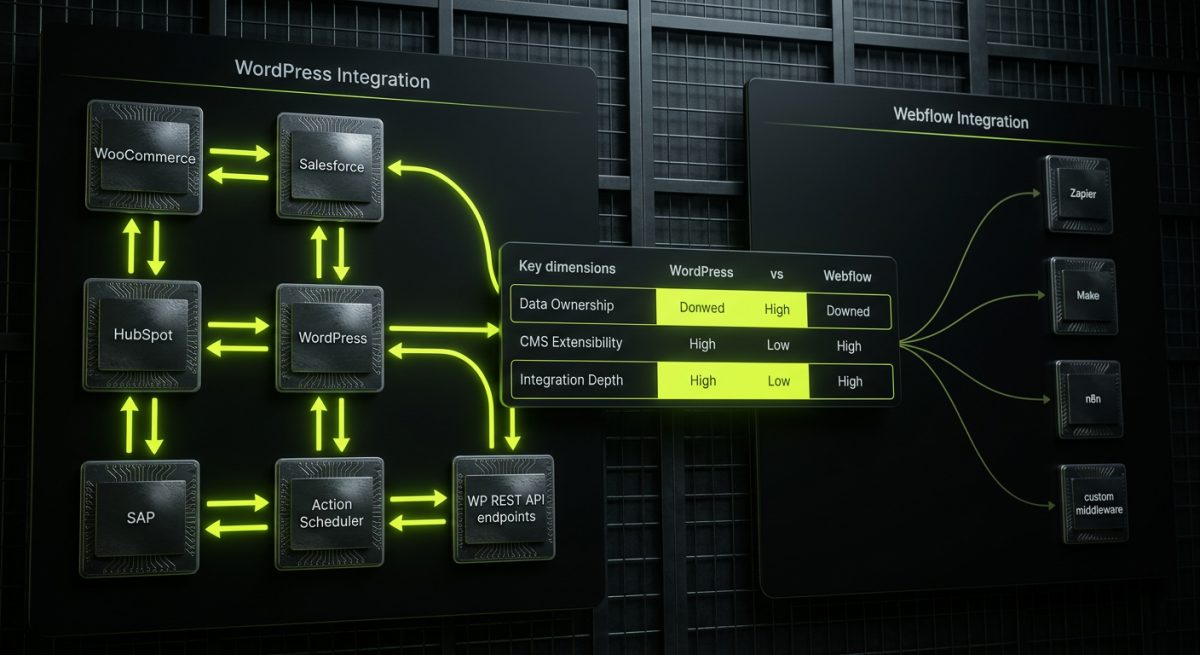
Beyond the surface-level comparison of "drag-and-drop vs. code," the meaningful differences between WordPress and Webflow come down to three architectural dimensions: extensibility, data ownership, and integration depth. These are the dimensions that matter for B2B decisions.
Extensibility: WordPress Has No Ceiling
WordPress is infinitely extensible because you have access to the server, the database, and every hook in the application. You can build a custom REST API endpoint that accepts POST requests from a mobile app, processes the data through a custom business logic layer, writes to custom database tables, and fires a webhook to your CRM — all within a single plugin.
Webflow's extensibility is bounded by what can be achieved client-side with JavaScript and what the Webflow API exposes. Server-side logic requires external services (Zapier, Make, n8n, custom middleware). This is not a dealbreaker for many use cases — but it is a hard architectural limit.
For businesses that need deep custom functionality, WordPress is the only choice. For businesses whose needs fit within Webflow's model, the visual tooling and managed hosting are genuine advantages.
Data Ownership and Portability
With WordPress, your data lives in a MySQL database on a server you control. You can export it, query it directly, replicate it, and migrate it at will. With Webflow, your CMS data lives in Webflow's infrastructure. You can export CMS content as CSV, but the site's structure, design, and interactions are not portable in any meaningful sense.
This matters for long-term planning. A business that anticipates significant growth, platform migration, or complex data integrations should weight data ownership heavily in the decision.
Integration Depth
WordPress integrations can be arbitrarily deep. We regularly build bidirectional sync between WordPress/WooCommerce and Salesforce, HubSpot, SAP, Odoo, and custom ERPs using the WP REST API, Action Scheduler, and webhook processors. These integrations run server-side, handle authentication properly, implement retry logic, and process data in background queues without blocking the user experience.
Webflow integrations are typically handled through:
- Webflow API for CMS data management
- Client-side JavaScript for embedding third-party widgets
- Zapier, Make, or n8n for workflow automation between platforms
- Custom middleware (a separate server-side application) for complex logic
For a marketing site that needs to push form submissions to HubSpot and trigger a Slack notification, Webflow plus Zapier is perfectly adequate. For a B2B platform that needs real-time inventory sync with an ERP, a bidirectional CRM integration, and a custom checkout flow — that is a WordPress build.
A Practical Decision Framework
Rather than a binary choice, consider this framework:
| Dimension | WordPress | Webflow |
|---|---|---|
| Custom server-side logic | Full control | Requires external services |
| Data ownership | Complete | Platform-dependent |
| Design flexibility | Theme/block-based | Pixel-perfect visual |
| CMS extensibility | Unlimited | Structured, bounded |
| E-commerce complexity | WooCommerce, unlimited | Webflow Commerce, limited |
| Integration depth | Arbitrary | API + middleware |
| Time to launch (simple site) | Slower | Faster |
| Hosting control | Full | Managed only |
| Maintenance overhead | Higher | Lower |
| Long-term cost (complex builds) | Lower | Higher (plan pricing) |
Neither platform wins across every dimension. The right answer is the one that matches your actual requirements — not the platform your agency is most comfortable selling.
When You Need Both
Some of the most effective web ecosystems we build use both platforms. A Webflow marketing site feeds leads into a WordPress-powered application backend via the REST API. A WordPress multisite network powers the product platform while Webflow handles the public-facing marketing site with its visual design tooling. These are not competing platforms — they are complementary tools that can coexist in a well-architected stack.
Our team works across both platforms at a production level. We are not a Webflow-only agency that learned WordPress last year, or a WordPress shop that picked up Webflow for a single project. We maintain over 200 sites across both platforms and have built 80+ custom plugins — which means we can give you an honest recommendation based on your requirements, not our comfort zone.
Maintenance, Longevity, and the Real Cost of Each Platform
Platform selection is not just a launch decision — it is a three-to-five-year operational commitment. The total cost of ownership, the maintenance burden, and the risk profile of each platform look very different over a multi-year horizon.
WordPress Maintenance: Necessary and Manageable
WordPress requires active maintenance. Core updates ship regularly, plugins need to be kept current, and security vulnerabilities are discovered and patched on an ongoing basis. A WordPress site left unmaintained for six months is a security risk. This is not a flaw — it is the nature of open-source software that runs on infrastructure you control.
The solution is a structured maintenance process, not platform avoidance. Our WordPress maintenance retainers cover:
- Core, plugin, and theme updates — tested in staging before deployment
- Security hardening — file permissions, login protection, malware scanning
- Uptime monitoring — with immediate alerts and response
- Performance optimization — caching, database cleanup, image optimization
- Developer availability — for changes, fixes, and new feature requests
For businesses running revenue-critical WordPress sites, a maintenance retainer is not optional overhead — it is risk management.
Webflow Maintenance: Lower Overhead, Different Risks
Webflow's managed hosting eliminates the server maintenance layer entirely. You do not manage PHP versions, MySQL, server security, or caching configuration. Webflow handles it. This is a genuine advantage for teams without dedicated technical staff.
The maintenance overhead for a Webflow site is primarily:
- CMS content management — adding and updating collection items
- Designer updates — layout and component changes
- Custom code maintenance — JavaScript embeds and integrations need to be monitored for third-party API changes
- Plan management — Webflow's pricing tiers have CMS item limits and bandwidth caps that need to be monitored as sites grow
The risk profile is different but not absent. Webflow controls the platform, which means breaking changes in the Designer, CMS API, or hosting infrastructure are outside your control. Webflow has a strong track record, but platform dependency is a real consideration for businesses with mission-critical web infrastructure.
The Hidden Cost of Platform Mismatch
The most expensive outcome in platform selection is not choosing the wrong platform on day one — it is discovering the mismatch twelve months into a build. A Webflow site that has outgrown the CMS and needs server-side logic requires either a full rebuild or a complex middleware architecture. A WordPress site that was over-engineered for a simple marketing use case carries unnecessary maintenance overhead.
This is why the discovery and scoping phase of any project we take on starts with an honest assessment of requirements — current and projected. We would rather tell a client that their project is a Webflow build (and lose the higher-ticket WordPress engagement) than build the wrong thing.
Long-Term Scalability
WordPress scales in two directions: vertically (better hosting, more resources) and horizontally (multisite, headless architecture, load-balanced infrastructure). For enterprise-scale applications, WordPress can be deployed as a headless CMS — exposing content via the REST API or GraphQL (via WPGraphQL) to a decoupled front-end built in Next.js or Astro. This architecture delivers the content management flexibility of WordPress with the performance and developer experience of a modern JavaScript framework.
Webflow scales within its platform constraints. For sites that grow beyond those constraints — high CMS item volumes, complex dynamic filtering, server-side business logic — the path forward is either a migration to a more extensible platform or a hybrid architecture where Webflow handles the visual layer and a separate backend handles the logic.
Both paths are valid. Both require planning. The businesses that navigate platform transitions most smoothly are the ones that made the initial platform decision with a clear-eyed view of where they expected to be in three years — not just where they were at launch.
If you are working through a platform decision for a new build, a migration, or a site that has outgrown its current architecture, we are happy to have a direct conversation about what the right choice looks like for your specific situation.
Talk to our team at werun.dev/contact — no sales pitch, just a technical conversation about your requirements.