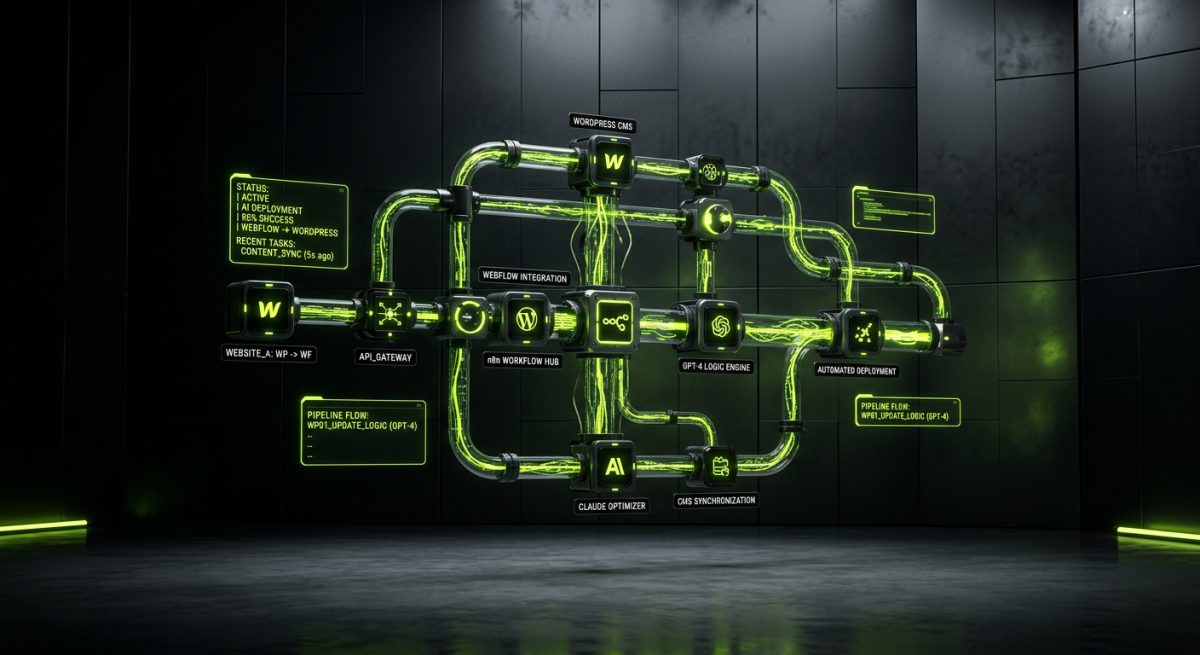
Managing a portfolio of client sites is one of the most operationally demanding challenges a web agency faces. When that portfolio grows past a dozen sites — each with its own CMS, content workflows, plugin stack, and deployment cadence — the manual overhead compounds fast. Developers spend hours on repetitive tasks: running updates, checking uptime, formatting content, migrating data, and fielding the same support requests across different platforms.
AI-powered automation changes the math. By combining tools like n8n, OpenAI GPT-4, and Claude with the APIs that power Webflow and WordPress, agencies can eliminate entire categories of manual work — without sacrificing quality or control. This is not about replacing developers. It is about freeing them to do the work that actually requires expertise.
The Real Cost of Manual Site Management at Scale
Before mapping out what automation can do, it is worth being precise about where the time actually goes. Agencies running 20, 50, or 200+ client sites — a scale we operate at directly at werun.dev — encounter a consistent set of operational bottlenecks that grow linearly with portfolio size.
Where Agency Hours Disappear
Content operations are a significant drain. When a client sends a batch of 40 blog posts in a Google Doc, someone has to format each one, assign categories, set featured images, write meta descriptions, and publish or schedule them. Multiply that across clients and it becomes a full-time job.
Routine maintenance is another category. WordPress sites need core, plugin, and theme updates — and those updates need to be tested, logged, and reported. Without automation, this is a manual checklist repeated indefinitely.
Cross-platform reporting eats time invisibly. Clients want to know their site is healthy: uptime, Core Web Vitals, form submissions, e-commerce metrics. Pulling that data manually from multiple sources and formatting it into a readable report is the kind of low-leverage work that should not require a developer.
Support triage is perhaps the most disruptive. When a client submits a ticket — "my form isn't working" or "can you update the team page?" — someone has to read it, classify it, route it to the right person, and track it to resolution. At scale, this creates constant context-switching that fragments developer focus.
The aggregate cost is not just hours. It is the opportunity cost of developer attention diverted from architecture, custom builds, and the technically complex work that actually differentiates an agency.
Why Traditional Solutions Fall Short
Most agencies try to solve this with project management tools, SOPs, and offshore support staff. These approaches help at the margins but do not fundamentally change the throughput ceiling. The underlying problem is that the work is still being done manually — just by different people.
What changes with AI automation is the nature of the work itself. Structured, repeatable tasks can be handled by automated systems that operate continuously, log every action, and escalate exceptions to humans only when judgment is actually required.
Building AI-Powered Workflows for WordPress at Scale
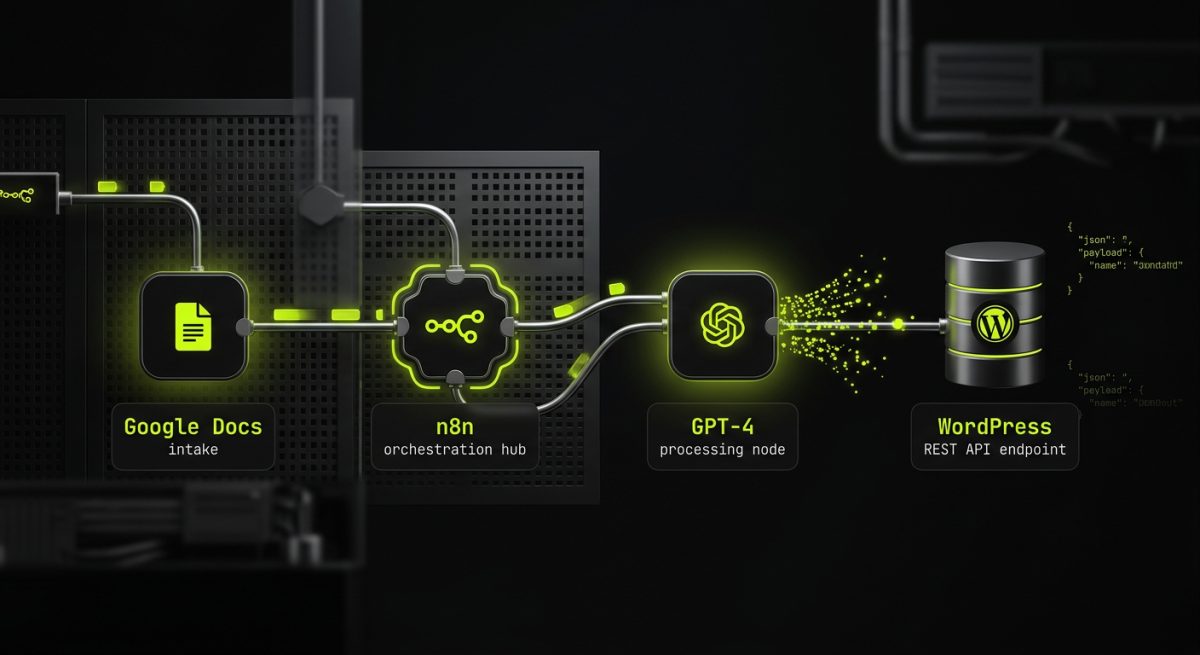
WordPress is the most automation-friendly CMS in the stack, largely because of the REST API. Every piece of content — posts, pages, custom post types, users, taxonomies, media — is accessible and writable via authenticated HTTP requests. Combined with WP-Cron for scheduled jobs and the plugin architecture for custom endpoints, WordPress becomes a first-class participant in any automation pipeline.
Automated Content Publishing with AI Formatting
The most immediately valuable workflow for content-heavy WordPress clients is an AI-assisted publishing pipeline. The architecture typically looks like this:
- Client submits raw content via a form, shared folder, or CMS draft
- An n8n workflow triggers on the new submission
- A GPT-4 or Claude node processes the content: generates a meta title and description, suggests categories and tags, formats headings, and flags any SEO issues
- The processed content is pushed to WordPress via the REST API as a draft
- A Slack or email notification is sent to the editor for final review and approval
// n8n Function node: prepare WordPress REST API payload
const title = $input.item.json.title;
const content = $input.item.json.formatted_content;
const seoMeta = $input.item.json.ai_meta;

return {
  json: {
    title: title,
    content: content,
    status: 'draft',
    meta: {
      _yoast_wpseo_title: seoMeta.seo_title,
      _yoast_wpseo_metadesc: seoMeta.seo_description
    }
  }
};
This workflow does not eliminate editorial oversight — it eliminates the formatting work that precedes it. Editors receive a draft that is already structured, already has meta fields populated, and already has a category suggestion. Their job becomes reviewing and approving, not building from scratch.
Automated Plugin Update Management
For agencies managing WordPress sites on retainer — a core part of how werun.dev structures long-term client relationships — plugin update management is a recurring operational cost. A well-designed automation pipeline can handle this systematically:
- Nightly audit: An n8n cron workflow queries each site's REST API (or WP-CLI over SSH) to retrieve the list of installed plugins and their current versions
- Update detection: The workflow compares installed versions against the WordPress.org API and a private registry for custom plugins distributed via GitHub releases
- Staged rollout: Updates are applied to a staging environment first, a Lighthouse or synthetic monitoring check is run, and only if the score holds does the workflow apply the update to production
- Logging and reporting: Every update action is logged to a central database and included in the monthly client maintenance report, generated automatically by an AI summarization node
This is especially powerful for agencies that have built custom plugins distributed via GitHub — a pattern we use at werun.dev. The GitHub Releases API can be polled by the same n8n workflow, triggering update pushes to all sites running a given plugin the moment a new release is tagged.
AI-Powered Support Triage
For agencies running support retainers, an AI triage layer on top of the helpdesk can dramatically reduce the time developers spend on ticket classification. An n8n workflow connected to the support inbox can:
- Use a Claude or GPT-4 node to classify tickets by type (content update, bug report, billing question, feature request)
- Extract the relevant site URL and affected component from the ticket body
- Route to the appropriate team member or queue based on classification
- Auto-respond to simple requests ("please update the phone number on the contact page") by executing the change directly via the WordPress REST API and closing the ticket
The last point is significant. For a class of simple, well-defined content updates, the AI agent can complete the task without human involvement at all — logging the action, updating the ticket, and notifying the client.
Automating Webflow Site Operations with the Webflow API
Webflow's API surface is more constrained than WordPress's, but it covers the operations that matter most for agency workflows: CMS item management, publishing, form submissions, and site metadata. For agencies managing multiple Webflow sites on monthly retainers — another core service model at werun.dev — automation here directly reduces the labor cost of ongoing maintenance.
Bulk CMS Management Across Client Sites
Webflow's CMS API allows full CRUD operations on collection items. This opens up automation patterns that would otherwise require manual work in the Designer:
Scheduled content publishing: A client maintains a content calendar in Airtable or Notion. An n8n workflow reads upcoming publish dates, fetches the corresponding Webflow CMS draft items, and calls the Webflow API to update their status to published at the scheduled time.
Cross-site content syndication: For agencies managing a network of related Webflow sites — a franchisor and its regional sites, for example — content created in a master CMS can be automatically replicated to child sites via the API, with locale-specific fields adjusted by an AI translation or localization node.
AI-assisted CMS enrichment: When a client adds a new CMS item with minimal data, an n8n workflow can trigger on the new item, pass the content to a GPT-4 node to generate an SEO description, open graph summary, and suggested tags, then write those fields back to the Webflow item via a PATCH request.
// Webflow API PATCH to update CMS item fields
const response = await fetch(
  `https://api.webflow.com/v2/collections/${collectionId}/items/${itemId}`,
  {
    method: 'PATCH',
    headers: {
      'Authorization': `Bearer ${apiToken}`,
      'Content-Type': 'application/json'
    },
    body: JSON.stringify({
      fieldData: {
        'seo-description': aiGeneratedDescription,
        'og-summary': aiGeneratedSummary,
        'tags': suggestedTags
      }
    })
  }
);
Automated Form Submission Processing
Webflow's native form handling is limited to email notifications and Zapier. For clients with complex lead qualification requirements, an AI-powered processing layer adds significant value.
An n8n webhook receives the Webflow form payload. A Claude node scores the lead based on the form fields — company size, use case, budget range — and routes high-quality leads directly to a CRM deal creation, while lower-quality submissions go into a nurture sequence. The entire classification and routing process happens in seconds, without manual review.
For agencies that have built membership portals on Webflow using Memberstack or Outseta — another area where werun.dev has deep experience — automation can handle onboarding sequences, access provisioning, and renewal reminders without any manual intervention.
Proactive Monitoring and Anomaly Detection
Webflow sites on maintenance retainers benefit from proactive monitoring that goes beyond basic uptime checks. An n8n workflow running on a scheduled trigger can:
- Pull Core Web Vitals data from the PageSpeed Insights API for each client site
- Compare current scores against a stored baseline
- If a score drops below a threshold, trigger a Slack alert to the assigned developer with the specific failing metrics and a link to the PageSpeed report
- Log the data point to a time-series database for inclusion in the monthly performance report
This gives retainer clients a genuinely proactive service — issues are identified and flagged before the client notices them, which is a meaningful differentiator in a market where most agencies are reactive.
Designing Automation Systems That Agencies Can Actually Maintain
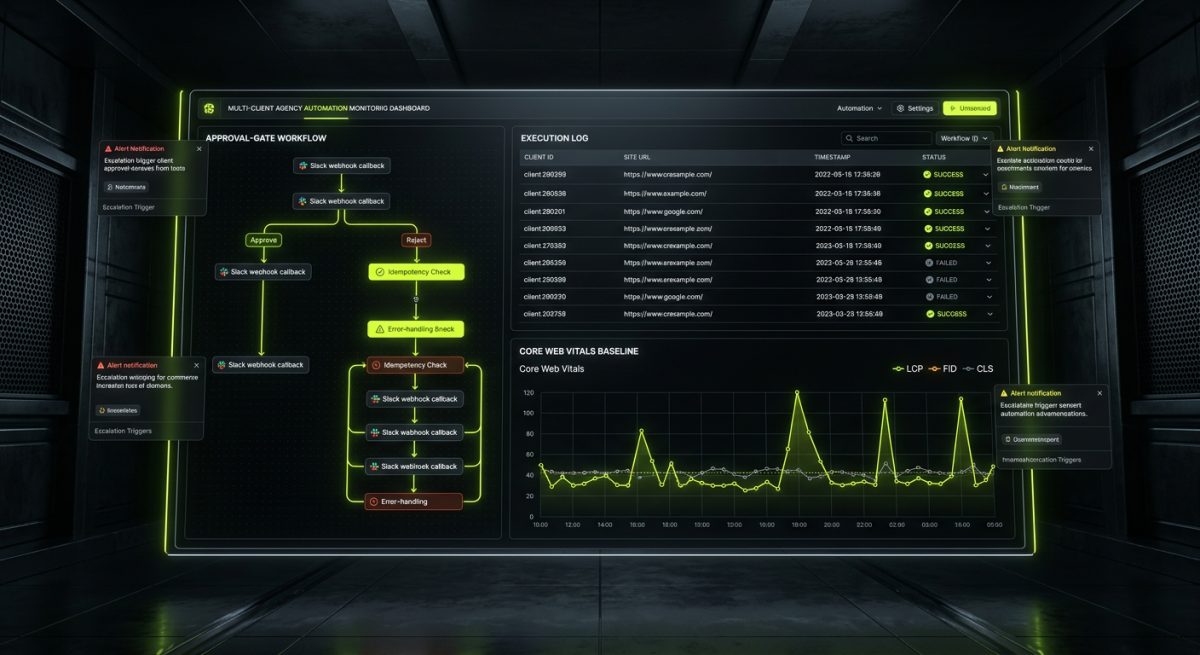
The technical capability to build these workflows is only part of the challenge. The harder problem is building automation systems that are reliable, observable, and maintainable by a team — not just the developer who originally built them.
Architecture Principles for Production Automation
Idempotency by design: Every workflow node should be safe to re-run. If a network error causes a partial execution, re-running the workflow should not create duplicate content or double-fire API calls. Build idempotency checks — query whether the CMS item already exists before creating it, use upsert operations where the API supports them.
Structured error handling: Every n8n workflow should have explicit error branches that catch failures, log them with context, and send alerts. A workflow that silently fails is worse than no automation at all because it creates the illusion of work being done.
Execution logging to a central store: For agencies managing multiple clients, all workflow executions should write structured logs to a central database — client ID, site URL, action type, timestamp, success or failure, and any relevant metadata. This makes it possible to audit what happened on any given site and produce accurate maintenance reports.
Human-in-the-loop gates for high-stakes actions: Not every action should be fully autonomous. Publishing content to a live site, applying a major plugin update, or modifying checkout logic should require a human approval step — a Slack message with approve/reject buttons, implemented via n8n's wait node and a webhook callback.
// n8n workflow structure for approval-gated actions
Trigger → Process & Prepare → Send Approval Request (Slack)
  → Wait for Webhook Response
    → [Approved] Execute Action → Log → Notify
    → [Rejected] Log Rejection → Notify → Close
    → [Timeout after 24h] Escalate → Notify Manager
Choosing the Right AI Model for Each Task
Not all AI tasks are equal, and model selection matters for both quality and cost.
- GPT-4o is well-suited for structured data extraction, JSON generation, and tasks requiring precise format adherence — ideal for generating WordPress meta fields or Webflow CMS payloads
- Claude (Anthropic) excels at longer-form content analysis, nuanced tone matching, and support ticket classification where context and intent matter
- Smaller, faster models (GPT-4o-mini, Claude Haiku) are appropriate for high-volume, low-complexity tasks like tag suggestion or spam filtering — where running a premium model on every request would be cost-prohibitive
For agencies building these systems for clients, model selection should be documented in the workflow specification so it can be revisited as models evolve and pricing changes.
When to Build vs. When to Integrate
Not every automation problem requires a custom n8n workflow. The decision framework is straightforward:
- Use existing integrations (Zapier, Make, native platform automations) for simple, linear, low-volume workflows where the cost of custom development outweighs the benefit
- Build custom n8n workflows when the logic is complex, the volume is high, the data is sensitive, or the workflow needs to connect multiple systems that do not have native integrations
- Build custom plugins or API extensions when the automation needs to run inside WordPress itself — background jobs, event-driven hooks, or operations that need direct database access
At werun.dev, the typical architecture for a mature agency automation system combines all three: native platform features handle simple triggers, n8n orchestrates the multi-step logic and AI processing, and custom WordPress plugins or Webflow custom code provide the platform-side endpoints that the workflows call into.


