
Why Cloud Scalability Is No Longer Optional for Growing Startups
Local startups face a paradox that used to have no clean solution: build infrastructure for the traffic you have today and get crushed the moment a product launch goes viral, or over-provision servers and burn runway on idle capacity. Cloud scalability—specifically through AWS, GCP, and Azure—eliminates that false choice entirely.
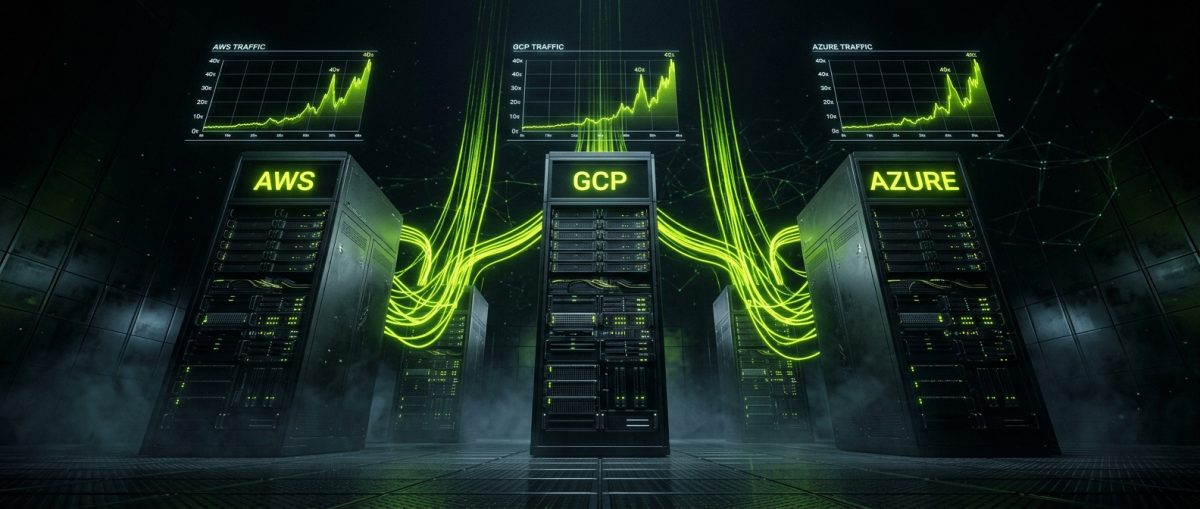
The shift matters more now than it did five years ago. Regional markets are no longer isolated. A local e-commerce brand in Medellín or a SaaS startup in Warsaw can land a feature in a global newsletter and see traffic spike 40x within hours. Without elastic infrastructure, that moment of success becomes a moment of failure.
Cloud scalability is not just about handling spikes. It is about building a technical foundation that grows proportionally with business demand—paying for what you use, scaling down when you don't need it, and never losing a customer because your servers couldn't keep up.
The Three Dimensions of Cloud Scalability
Before choosing a provider, it helps to understand what scalability actually means in infrastructure terms:
- Vertical scaling (scale-up): Adding more CPU, RAM, or storage to an existing instance. Fast to implement, but has hard limits and usually requires downtime.
- Horizontal scaling (scale-out): Adding more instances behind a load balancer. This is the model cloud providers are built around and the one that enables true elasticity.
- Auto-scaling: Automatically adjusting the number of running instances based on real-time metrics like CPU utilization, request count, or custom application metrics.
For most startups, the goal is to architect for horizontal scaling from day one, even if you start with a single instance. The cost of refactoring a tightly coupled, vertically-scaled application later is significantly higher than building with distribution in mind upfront.
The Real Cost Calculation
One of the most common misconceptions among local startup founders is that cloud infrastructure is expensive. The comparison that matters is not cloud vs. free—it is cloud vs. the true cost of managing your own hardware.
A dedicated server in a local data center might look cheaper on a monthly invoice. But factor in: physical maintenance, power redundancy, network uptime SLAs, security patching, hardware failure replacement, and the engineering hours required to manage all of it. Cloud providers absorb all of that operational overhead.
AWS, GCP, and Azure all offer free tiers and startup credit programs. AWS Activate provides up to $100,000 in credits for qualifying startups. Google for Startups Cloud Program offers up to $200,000 in GCP credits over two years. Microsoft for Startups provides Azure credits alongside access to development tools. For a bootstrapped or seed-stage startup, these programs can fund 12 to 18 months of infrastructure at meaningful scale.
AWS vs. GCP vs. Azure: Choosing the Right Platform for Your Stack
The three major cloud providers are not interchangeable. Each has architectural strengths, pricing models, and ecosystem advantages that map better to specific startup profiles. Picking the wrong one early is not catastrophic—migration is possible—but it creates friction and technical debt that compounds over time.
AWS: The Default for Flexibility and Ecosystem Depth
Amazon Web Services remains the largest cloud provider by market share and the default choice for startups that prioritize ecosystem breadth. The AWS Marketplace alone contains thousands of pre-integrated third-party tools. The talent pool of engineers with AWS certifications and experience is the deepest globally.
Key AWS services for startup scalability:
- EC2 Auto Scaling Groups: Define minimum, desired, and maximum instance counts. Attach scaling policies based on CloudWatch metrics.
- Elastic Load Balancing (ALB/NLB): Distribute traffic across instances with health checks and path-based routing.
- RDS with Multi-AZ: Managed relational databases with automatic failover across availability zones.
- Lambda: Event-driven serverless compute that scales to zero when idle and handles millions of invocations without provisioning.
- ECS / EKS: Container orchestration for teams running Docker workloads or Kubernetes.
A typical scalable WordPress or Shopify-adjacent backend on AWS might look like this:
# Simplified AWS Auto Scaling configuration (CloudFormation)
Resources:
  WebAutoScalingGroup:
    Type: AWS::AutoScaling::AutoScalingGroup
    Properties:
      MinSize: '1'
      MaxSize: '10'
      DesiredCapacity: '2'
      LaunchTemplate:
        LaunchTemplateId: !Ref WebLaunchTemplate
        Version: !GetAtt WebLaunchTemplate.LatestVersionNumber
      TargetGroupARNs:
        - !Ref WebTargetGroup
      MetricsCollection:
        - Granularity: '1Minute'
GCP: The Choice for Data-Intensive and ML-Forward Startups
Google Cloud Platform is the strongest option for startups where data pipelines, machine learning, or analytics are core to the product. BigQuery, Vertex AI, and Dataflow are genuinely best-in-class. GCP's global network infrastructure also gives it a latency edge for applications serving users across multiple continents.
Key GCP services for startup scalability:
- Cloud Run: Fully managed serverless containers. Zero infrastructure management, scales to zero, and bills per request. Ideal for API backends and microservices.
- GKE Autopilot: Managed Kubernetes where Google handles node provisioning, scaling, and security patching.
- Cloud SQL with read replicas: Managed PostgreSQL and MySQL with automatic storage increases and point-in-time recovery.
- Cloud CDN + Load Balancing: Global anycast load balancing that routes users to the nearest healthy backend.
# Deploy a containerized app to Cloud Run with auto-scaling
gcloud run deploy my-startup-api \
  --image gcr.io/my-project/api:latest \
  --platform managed \
  --region us-central1 \
  --allow-unauthenticated \
  --min-instances 0 \
  --max-instances 50 \
  --concurrency 80
Azure: The Enterprise Bridge for B2B Startups
Microsoft Azure is the strategic choice for startups targeting enterprise customers, particularly those in regulated industries or organizations already embedded in the Microsoft ecosystem. Azure Active Directory integration, compliance certifications (SOC 2, ISO 27001, HIPAA), and native integration with Office 365 and Teams give Azure-based startups a credibility advantage in enterprise sales cycles.
For web development agencies building client platforms on WordPress or custom stacks, Azure App Service with deployment slots provides a clean staging-to-production workflow that non-technical stakeholders can understand and trust.
Practical Scalability Patterns for Startup Web Applications
Theory is useful. Architecture patterns that you can actually implement in a sprint are more useful. The following patterns apply regardless of which cloud provider you choose and are particularly relevant for startups running WordPress, Webflow-adjacent backends, Shopify apps, or custom SaaS products.
Pattern 1: Stateless Application Tier
The single most important architectural decision for horizontal scalability is making your application tier stateless. If your application stores session data, uploaded files, or any user-specific state on the local filesystem of the web server, you cannot scale horizontally—adding a second server means users randomly lose their sessions depending on which instance handles their request.
The fix:
- Sessions: Store in Redis or Memcached (AWS ElastiCache, GCP Memorystore, Azure Cache for Redis)
- File uploads: Write directly to object storage (S3, GCS, Azure Blob Storage) from the application, never to local disk
- Configuration: Use environment variables or a secrets manager, never hardcoded files that differ between instances
Pattern 2: Database Read Replicas and Connection Pooling
As traffic grows, the database becomes the bottleneck before the application tier does. Read replicas distribute SELECT query load across multiple database instances while the primary handles writes.
# Python example: routing reads to replica, writes to primary
import psycopg2

PRIMARY_DB = "postgresql://primary-host:5432/mydb"
REPLICA_DB = "postgresql://replica-host:5432/mydb"

def get_db_connection(read_only=False):
    dsn = REPLICA_DB if read_only else PRIMARY_DB
    return psycopg2.connect(dsn)

# Write operation
with get_db_connection(read_only=False) as conn:
    conn.execute("INSERT INTO orders ...")

# Read operation
with get_db_connection(read_only=True) as conn:
    results = conn.execute("SELECT * FROM products WHERE ...")
Connection pooling via PgBouncer (for PostgreSQL) or ProxySQL (for MySQL) prevents the database from being overwhelmed by thousands of simultaneous connection attempts during traffic spikes.
Pattern 3: CDN-First Static Asset Strategy
Every asset that doesn't need to be dynamically generated should be served from a CDN edge node, not from your application servers. This includes images, CSS, JavaScript, fonts, and any pre-rendered HTML.
For WordPress deployments, this means:
- Offloading media to S3 + CloudFront using a plugin like WP Offload Media
- Serving the entire frontend through Cloudflare or the native CDN of your cloud provider
- Using full-page caching (Redis Object Cache, Varnish, or Nginx FastCGI cache) to serve cached HTML without hitting PHP or the database
Pattern 4: Asynchronous Job Queues for Heavy Operations
Operations like sending bulk emails, processing image uploads, generating PDF reports, or syncing data with third-party APIs should never run synchronously inside a web request. They belong in a background job queue.
- AWS: SQS + Lambda or SQS + EC2 worker
- GCP: Cloud Tasks + Cloud Run
- Azure: Service Bus + Azure Functions
This pattern keeps your HTTP response times fast regardless of what's happening in the background, and the workers themselves can scale independently of the web tier based on queue depth.
Pattern 5: Infrastructure as Code from Day One
Manually clicking through cloud consoles to provision infrastructure is not scalable—not for your team and not for your architecture. Infrastructure as Code (IaC) tools like Terraform, Pulumi, or provider-native tools (CloudFormation, Deployment Manager, Bicep) let you version-control your infrastructure, reproduce environments exactly, and onboard new engineers without tribal knowledge.
# Terraform example: AWS RDS with Multi-AZ
resource "aws_db_instance" "startup_db" {
  identifier           = "startup-production"
  engine               = "postgres"
  engine_version       = "15.4"
  instance_class       = "db.t3.medium"
  allocated_storage    = 100
  storage_encrypted    = true
  multi_az             = true
  deletion_protection  = true

  db_name  = var.db_name
  username = var.db_username
  password = var.db_password

  backup_retention_period = 7
  skip_final_snapshot     = false
}
Startups that treat infrastructure as code from the beginning avoid the "it works on my machine" problem at the infrastructure level and can recover from catastrophic failures in minutes rather than days.
Cost Control Without Sacrificing Scale

Cloud bills that grow faster than revenue are a real risk. The flexibility that makes cloud infrastructure powerful also makes it easy to accumulate waste. Local startups operating with limited budgets need to be deliberate about cost architecture from the beginning.
Right-Sizing and Reserved Capacity
Most startups start on instance sizes that are either too large (wasted spend) or too small (performance issues). Cloud providers offer monitoring tools—AWS Cost Explorer, GCP Recommender, Azure Advisor—that analyze actual utilization and recommend instance type changes.
Once your baseline traffic patterns are established (typically after three to six months of production data), purchasing Reserved Instances (AWS), Committed Use Discounts (GCP), or Reserved VM Instances (Azure) for your baseline capacity can reduce compute costs by 30% to 60% compared to on-demand pricing. Spot or preemptible instances can handle stateless, fault-tolerant workloads at up to 90% discount.
Scaling Down Is as Important as Scaling Up
Auto-scaling policies that only scale up are incomplete. Define scale-in policies that terminate excess instances during low-traffic periods. For many startups with B2B products, weekend traffic is 20% to 30% of weekday traffic—running full capacity on Saturday night is pure waste.
// AWS Auto Scaling scheduled action: scale down on weekends
{
  "ScheduledActionName": "weekend-scale-down",
  "Recurrence": "0 20 * * 5",
  "MinSize": 1,
  "MaxSize": 3,
  "DesiredCapacity": 1
}
Tagging and Budget Alerts
Every cloud resource should be tagged with at minimum: environment (production, staging, development), team or product, and cost center. Without consistent tagging, cost attribution becomes impossible as the infrastructure grows.
Set up budget alerts at 50%, 80%, and 100% of your monthly budget threshold. These alerts should notify both the engineering lead and the founder or CFO—cloud cost visibility is a business function, not just a DevOps concern.
Serverless for Variable Workloads
For workloads that are genuinely unpredictable or intermittent—webhook processors, scheduled data sync jobs, image resizing pipelines—serverless compute (Lambda, Cloud Functions, Azure Functions) is almost always cheaper than running a dedicated instance. You pay only for actual execution time, measured in milliseconds, and the provider handles all scaling automatically.
The trade-off is cold start latency and execution time limits, which make serverless unsuitable for long-running processes or latency-sensitive synchronous API endpoints. For everything else, it is the most cost-efficient scaling model available.


