What Headless CMS Actually Means for Modern Web Projects
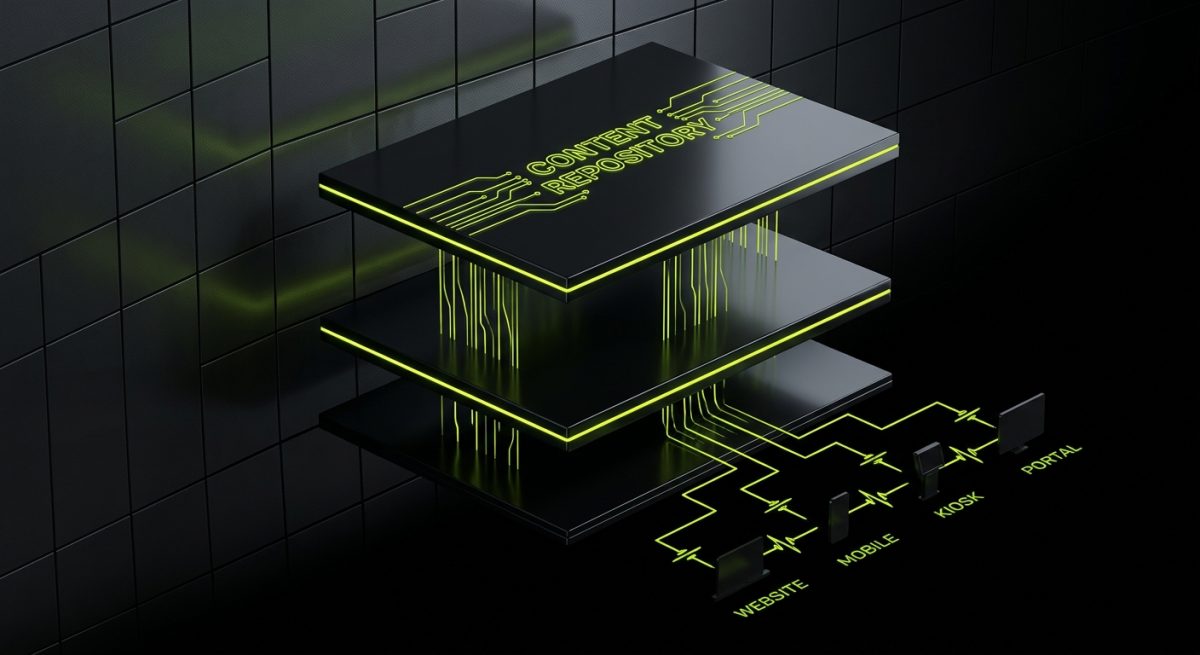
Traditional CMS platforms like WordPress couple the content management layer directly to the presentation layer. The backend stores content, and the frontend renders it — both within the same system, using the same templating engine. This works well until it doesn't. When a business needs to publish the same content to a website, a mobile app, a digital kiosk, and a third-party partner portal simultaneously, the monolithic approach starts to crack.
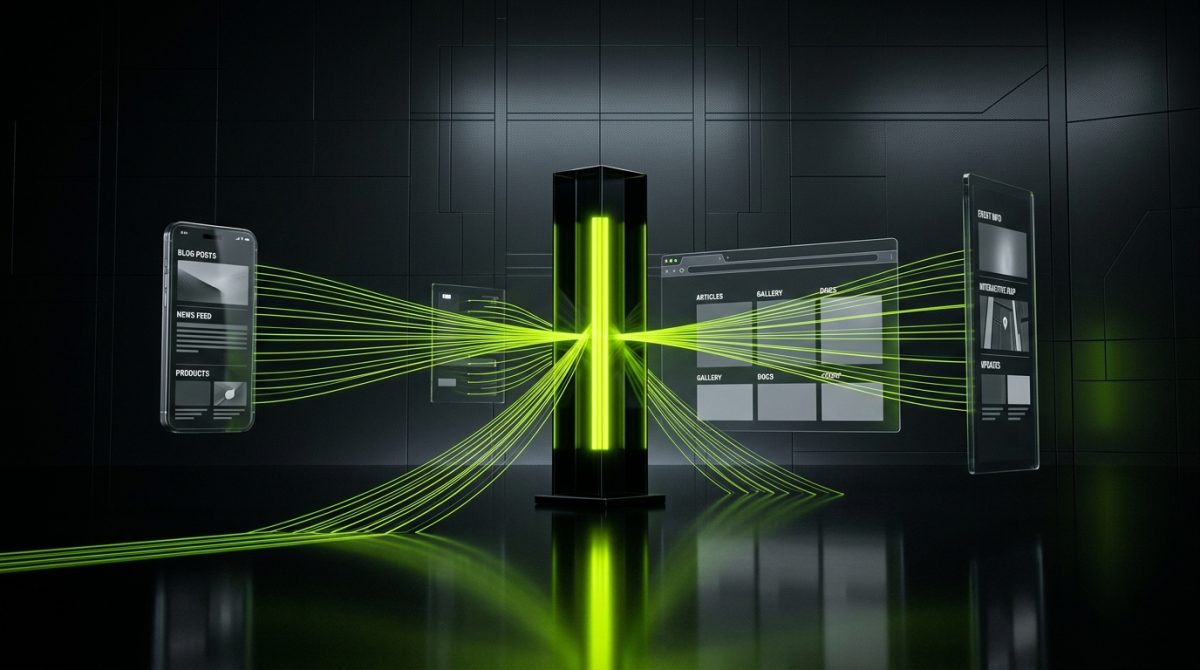
A headless CMS removes the "head" — the frontend — entirely. What remains is a pure content repository with a structured API layer, typically REST or GraphQL, that delivers content to any frontend or application that requests it. The presentation logic lives entirely in a separate codebase: a Next.js application, a React Native app, a Vue.js site, or any other consumer.
The Core Architecture
The decoupled model separates concerns into three distinct layers:
- Content layer: The headless CMS itself — Strapi, Contentful, Sanity, or similar. This is where editors create, structure, and manage content.
- API layer: The delivery mechanism. Most headless platforms expose both REST and GraphQL endpoints. Some add a CDN-backed content delivery API for performance at scale.
- Presentation layer: Any frontend framework or application that consumes the API. This could be a static site generator like Gatsby, a server-rendered framework like Next.js, or a native mobile application.
This separation delivers tangible business value. Development teams can work on the frontend and backend independently. Content editors operate in a purpose-built interface without touching code. New channels — a smartwatch app, a voice interface, a partner integration — can consume the same content API without requiring any changes to the CMS itself.
Why B2B Companies Are Moving in This Direction
For B2B organizations managing complex content ecosystems — product catalogs, documentation libraries, multi-regional marketing sites — the headless model solves real operational problems:
- Content reuse across channels: Write once, publish everywhere. A product description created in the CMS can appear on the website, in a PDF generator, in an email template, and in a sales tool simultaneously.
- Performance: Decoupled frontends are typically statically generated or server-side rendered with aggressive caching, resulting in faster load times than database-driven monolithic sites.
- Security: Removing the frontend from the CMS eliminates an entire category of attack vectors. The CMS admin interface is never exposed to public traffic.
- Scalability: Frontend and backend scale independently. A traffic spike on the marketing site doesn't affect the CMS infrastructure.
The tradeoff is architectural complexity. Headless projects require more upfront planning, stronger developer expertise, and more deliberate tooling choices. For teams accustomed to WordPress's all-in-one model, the shift demands a different way of thinking about content modeling, deployment pipelines, and editorial workflows.
Strapi, Contentful, and Sanity: A Technical Comparison

Not all headless CMS platforms are built the same way. Strapi, Contentful, and Sanity each represent a different philosophy about where control, flexibility, and scalability should live. Choosing the right one depends on team size, project complexity, hosting requirements, and content modeling needs.
Strapi: Open-Source and Self-Hosted
Strapi is the leading open-source headless CMS. It runs on Node.js, stores data in PostgreSQL, MySQL, SQLite, or MongoDB, and gives teams complete control over their infrastructure. Because the entire codebase is open, developers can extend it with custom plugins, modify the admin panel, and integrate it into any deployment environment.
Key technical characteristics:
- Self-hosted on any cloud provider (AWS, GCP, DigitalOcean, Railway)
- Auto-generated REST and GraphQL APIs based on content type definitions
- Role-based access control with fine-grained permissions
- Plugin ecosystem for integrations (email, media upload, i18n)
- TypeScript support in Strapi v5
A basic Strapi content type definition looks like this:
// src/api/article/content-types/article/schema.json
{
  "kind": "collectionType",
  "collectionName": "articles",
  "info": {
    "singularName": "article",
    "pluralName": "articles",
    "displayName": "Article"
  },
  "attributes": {
    "title": { "type": "string", "required": true },
    "slug": { "type": "uid", "targetField": "title" },
    "body": { "type": "richtext" },
    "publishedAt": { "type": "datetime" }
  }
}
Strapi is the right choice when data sovereignty matters — regulated industries, enterprise clients with strict compliance requirements, or teams that need deep customization without vendor lock-in.
Contentful: Enterprise SaaS at Scale
Contentful is a fully managed SaaS headless CMS used by large enterprises. It removes all infrastructure concerns in exchange for a subscription model. The platform is battle-tested at scale — it handles billions of API calls per month across its global CDN.
Key technical characteristics:
- Hosted infrastructure with 99.99% uptime SLA
- Content Delivery API (CDA) for read operations, Content Management API (CMA) for writes
- Rich content modeling with references, localization, and versioning built in
- Webhooks for triggering rebuild pipelines in CI/CD systems
- Environments and branching for staging workflows
Contentful suits organizations that want a proven, scalable platform and are willing to pay for managed infrastructure. The pricing model scales with API calls and user seats, which can become expensive for large teams.
Sanity: Structured Content with Real-Time Collaboration
Sanity takes a different approach. Content is stored as portable, structured JSON documents in Sanity's hosted data store. The editing interface — Sanity Studio — is a fully customizable React application that developers configure in code.
Key technical characteristics:
- GROQ (Graph-Relational Object Queries) — a powerful proprietary query language
- Real-time collaboration with presence indicators and conflict resolution
- Portable Text for rich content that travels cleanly across rendering environments
- Sanity Studio is deployable anywhere as a standalone React app
- Strong TypeScript integration with schema type generation
A simple GROQ query to fetch published articles with author references:
*[_type == "article" && defined(publishedAt)] | order(publishedAt desc) {
  _id,
  title,
  slug,
  publishedAt,
  author->{ name, image }
}
Sanity is particularly strong for content-heavy projects where editorial flexibility and real-time collaboration are priorities — media companies, large marketing teams, and projects where the content model evolves frequently.
Implementing a Decoupled Architecture: Practical Patterns and Considerations
Choosing a headless CMS is only the first decision. Implementing a decoupled architecture that performs well, scales cleanly, and supports editorial workflows requires deliberate engineering choices across several dimensions.
Content Modeling Strategy
Content modeling is the most consequential decision in any headless CMS project. A poorly designed content model creates technical debt that compounds over time — rigid structures that can't accommodate new requirements, duplicated content that creates consistency problems, and API responses that require excessive client-side transformation.
Effective content modeling principles:
- Model content, not pages: Define reusable content types (Product, Author, FAQ Item) rather than page-specific structures. Pages are compositions of content types, not monolithic documents.
- Use references liberally: Relate content types to each other rather than duplicating data. An article references an author; a product references a category.
- Plan for localization early: If the project will ever need multiple languages, build localization into the content model from the start. Retrofitting i18n into an existing content model is painful.
- Keep fields semantic: Name fields by what they represent, not how they'll be displayed. A field called
summaryis more reusable than one calledhero_subtitle.
Frontend Integration Patterns
Most modern headless projects pair a headless CMS with Next.js or a similar framework. The integration pattern depends on content update frequency and performance requirements.
Static Site Generation (SSG) fetches content at build time and generates static HTML. This delivers maximum performance and the lowest hosting costs, but requires a rebuild pipeline triggered by CMS webhooks whenever content changes.
// Next.js 14 — fetching Contentful content at build time
export async function generateStaticParams() {
  const entries = await contentfulClient.getEntries({
    content_type: 'article',
    select: 'fields.slug'
  });
  return entries.items.map(item => ({ slug: item.fields.slug }));
}
Incremental Static Regeneration (ISR) extends SSG by allowing individual pages to revalidate on a schedule or on demand. This eliminates full-site rebuilds for large content libraries.
Server-Side Rendering (SSR) fetches content at request time. Appropriate for personalized content, real-time data, or situations where build times would be prohibitively long.
Deployment and Preview Workflows
Editorial preview — the ability for content editors to see unpublished content in context — is a non-trivial engineering requirement in decoupled architectures. Without it, editors are working blind.
Next.js Draft Mode (formerly Preview Mode) solves this by allowing the frontend to bypass static caching and fetch draft content from the CMS API:
// app/api/draft/route.js
import { draftMode } from 'next/headers';

export async function GET(request) {
  const { searchParams } = new URL(request.url);
  const secret = searchParams.get('secret');
  const slug = searchParams.get('slug');

  if (secret !== process.env.PREVIEW_SECRET) {
    return new Response('Invalid token', { status: 401 });
  }

  draftMode().enable();
  return Response.redirect(new URL(`/articles/${slug}`, request.url));
}
The CMS is configured to open preview links using this endpoint, giving editors a live preview of unpublished content without any changes to the production build.
Webhook-Driven Build Pipelines
Content changes in a headless CMS need to trigger frontend rebuilds. The standard pattern uses CMS webhooks to notify a CI/CD system — Vercel, Netlify, GitHub Actions — to initiate a new build or trigger ISR revalidation.
For large sites with thousands of pages, full rebuilds become impractical. On-demand ISR revalidation — where the CMS webhook calls a Next.js revalidation endpoint targeting only the affected pages — is the scalable solution:
// app/api/revalidate/route.js
import { revalidatePath } from 'next/cache';

export async function POST(request) {
  const payload = await request.json();
  const slug = payload?.fields?.slug;

  if (slug) {
    revalidatePath(`/articles/${slug}`);
  }

  return Response.json({ revalidated: true });
}
This approach keeps the frontend fast and the editorial workflow immediate — content changes appear on the live site within seconds without rebuilding the entire application.
When Decoupled Architecture Is the Wrong Choice
Decoupled architecture adds complexity. For straightforward projects — a small business website, a simple blog, a brochure site — the engineering overhead rarely justifies the benefits. WordPress with a well-configured caching layer and a modern theme will outperform a headless setup in time-to-market and total cost for projects that don't have multi-channel content requirements.
The headless model earns its complexity premium when:
- Content must be delivered to multiple frontends or applications simultaneously
- The development team has strong JavaScript/TypeScript expertise
- Performance requirements exceed what a traditional CMS can deliver
- The organization needs to decouple content management from frontend release cycles
- Long-term scalability and infrastructure flexibility are strategic priorities
For B2B organizations evaluating this architecture, the decision should be driven by content operations requirements, not by technology preference. The best architecture is the one that solves the actual problem at the actual scale of the project.


