
WordPress powers over 43% of the web. That statistic is extraordinary — and it exists largely because of plugins. The plugin ecosystem transformed a blogging platform into a universal application framework. It democratized web functionality, letting non-developers add e-commerce, SEO optimization, membership systems, and booking engines without writing a single line of code.
But that same ecosystem is also responsible for some of the most expensive, frustrating, and avoidable problems in professional web development. Bloated sites, conflicting dependencies, abandoned codebases, security vulnerabilities, and update cycles that break production environments — these are the realities that agencies and in-house teams deal with every week.
The plugin problem is not a reason to abandon WordPress. It is a reason to understand it deeply.
Why Plugins Are WordPress's Greatest Strength
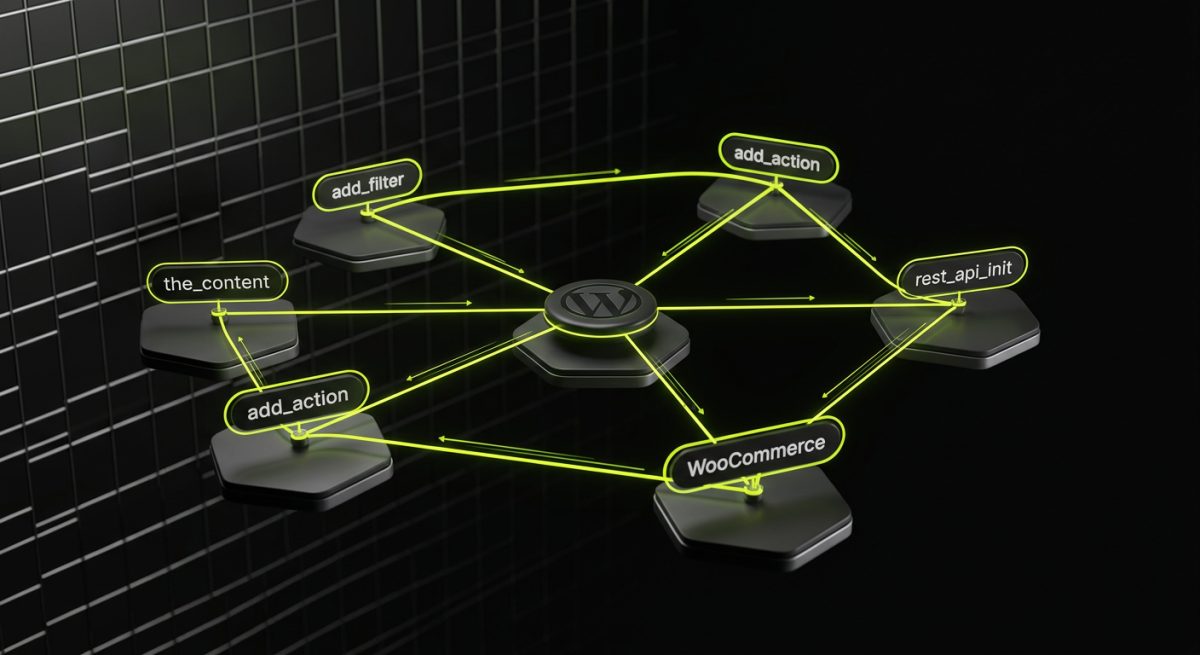
The WordPress plugin architecture is genuinely elegant. At its core, the system is built on hooks — actions and filters that let external code modify or extend WordPress behavior without touching core files. This is not an afterthought; it is the foundational design philosophy of the platform.
// A simple filter hook — modify post content without editing core
add_filter( 'the_content', function( $content ) {
    if ( is_single() ) {
        $content .= '<p class="author-note">Written by our team.</p>';
    }
    return $content;
} );
This hook system means that a developer in 2024 can write a plugin that integrates cleanly with WordPress without ever forking the codebase. Updates to WordPress core do not break the integration — as long as the plugin follows the rules.
The Scale of What's Possible
The WordPress Plugin Directory hosts over 59,000 free plugins. WooCommerce alone has an extension ecosystem exceeding 800 official add-ons, plus thousands of third-party integrations. For businesses, this translates to:
- Speed to market: Functionality that would take weeks to build custom can be deployed in hours
- Lower initial cost: Free and premium plugins reduce upfront development investment significantly
- Proven reliability: Popular plugins like WooCommerce, Yoast SEO, and Advanced Custom Fields have millions of active installations and years of battle-testing
- Community maintenance: Open-source plugins benefit from community bug reports, security patches, and feature contributions
The REST API and Modern Integration Patterns
Beyond traditional plugin functionality, WordPress's REST API has opened an entirely different category of power. Plugins can now register custom endpoints, expose data to external applications, and power headless or decoupled architectures.
// Register a custom REST API endpoint
add_action( 'rest_api_init', function() {
    register_rest_route( 'myapp/v1', '/products/(?P<id>\d+)', array(
        'methods'             => 'GET',
        'callback'            => 'myapp_get_product',
        'permission_callback' => '__return_true',
        'args'                => array(
            'id' => array(
                'validate_callback' => function( $param ) {
                    return is_numeric( $param );
                }
            ),
        ),
    ) );
} );
This capability transforms WordPress from a monolithic CMS into a data layer that can serve mobile apps, third-party dashboards, and complex multi-platform workflows. The plugin system is the mechanism that makes this extensibility accessible to teams without deep WordPress core knowledge.
For B2B organizations especially, this extensibility is not a nice-to-have — it is the entire value proposition. A WordPress site that integrates with a CRM, syncs inventory with an ERP, and triggers fulfillment workflows via WooCommerce is only possible because the plugin architecture allows that level of customization without rebuilding the platform from scratch.
Where the Ecosystem Becomes a Liability
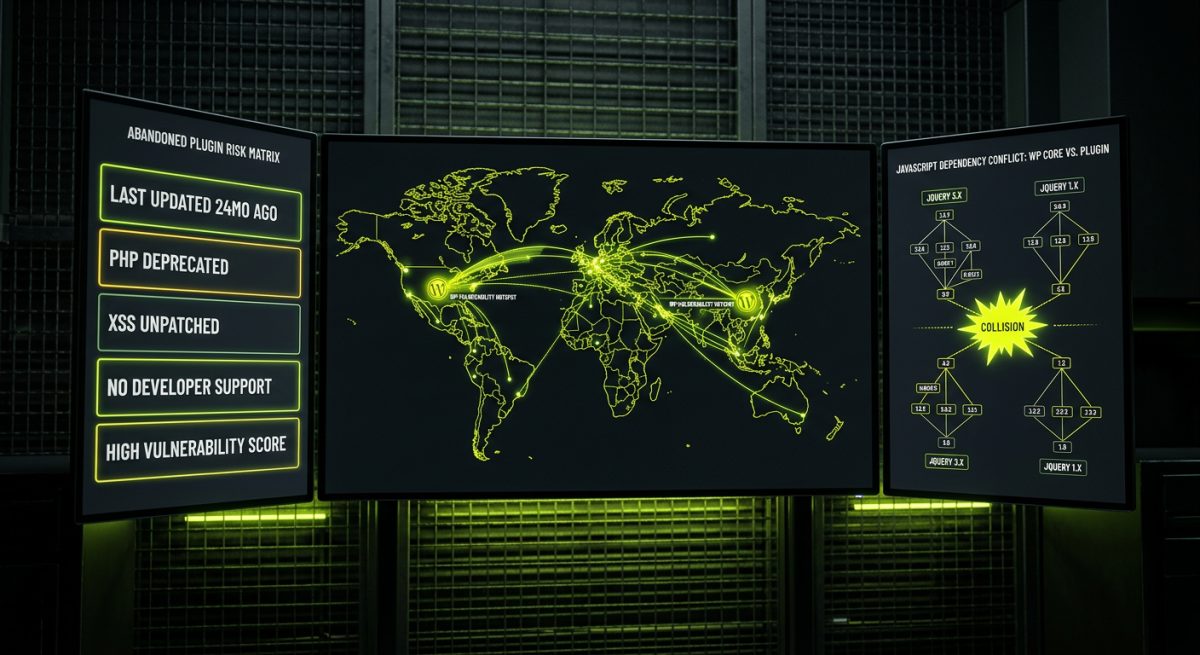
The same openness that makes WordPress powerful also means there is no enforced quality standard for what gets published. Any developer can submit a plugin to the WordPress directory. Any vendor can sell a premium plugin on their own site. The result is a wildly uneven ecosystem where excellent, professionally maintained code exists alongside abandoned, insecure, and poorly written plugins — often indistinguishable to non-technical buyers.
The Abandonment Problem
Plugin abandonment is one of the most underappreciated risks in WordPress development. A plugin that has not been updated in two years may still function — until it does not. WordPress core updates, PHP version upgrades, and changes in browser security standards can break unmaintained plugins without warning.
The consequences are not always immediately visible. A deprecated function may throw a PHP notice that gets suppressed in production. A security vulnerability may sit dormant until it is exploited. An incompatibility may only surface when a client upgrades their hosting environment.
Common indicators of a risky plugin:
- Last updated more than 12 months ago
- Fewer than 1,000 active installations with no clear commercial backer
- No response to support threads reporting errors
- Compatibility listed only up to a WordPress version two or three releases behind current
- No changelog or commit history available
Plugin Conflicts and the Dependency Stack
A typical business WordPress site runs between 20 and 40 active plugins. Each plugin is an independent codebase with its own assumptions about the environment. When two plugins attempt to register the same action hook, load conflicting JavaScript libraries, or modify the same database tables, the results range from minor visual glitches to complete site failure.
The classic example is JavaScript conflicts. Plugin A loads jQuery at version 3.x. Plugin B expects jQuery 1.x behavior and uses deprecated methods. Neither plugin is wrong in isolation — but together they break functionality that both clients and developers assumed was stable.
// Plugin conflict example: two plugins both trying to initialize on DOMContentLoaded
// Plugin A
document.addEventListener('DOMContentLoaded', function() {
    initPluginA(); // Assumes jQuery is loaded and available
});

// Plugin B loads jQuery in noConflict mode, breaking Plugin A's assumptions
var $j = jQuery.noConflict();
Debugging these conflicts is time-consuming and often requires disabling plugins one by one — a process that cannot safely be done on a live production site without proper staging infrastructure.
Security: The Real Cost of an Unvetted Ecosystem
According to Wordfence's annual threat intelligence reports, vulnerable plugins and themes account for the majority of WordPress compromises — consistently outpacing brute-force attacks and credential theft as the primary attack vector. The pattern is predictable: a popular plugin with millions of installations ships a version containing an authenticated or unauthenticated SQL injection, XSS, or privilege escalation vulnerability. Before the patch is widely applied, automated scanners have already indexed vulnerable installations.
The security risk is not theoretical. It is the operational reality of running a platform where third-party code executes with full database access and often with elevated WordPress capabilities. Every plugin added to a site increases the attack surface — which means plugin selection and maintenance are security decisions, not just functional ones.
Building on WordPress Without Inheriting Its Worst Problems
The answer to the plugin problem is not to avoid WordPress or to minimize plugin use to the point of limiting capability. It is to apply professional engineering discipline to how plugins are selected, built, and maintained — treating the plugin layer as a first-class architectural concern rather than an implementation detail.
Custom Plugin Development as a Strategic Choice
For many B2B WordPress projects, the right answer is not finding the best available plugin — it is building a purpose-built plugin that does exactly what the business needs and nothing more. A custom plugin eliminates the bloat of a general-purpose solution, removes the dependency on a third-party vendor's roadmap, and gives the development team full control over the codebase.
At werun.dev, custom plugin development follows WordPress coding standards from the ground up. That means proper use of nonces for form security, capability checks before any privileged operation, sanitization on input and escaping on output — not as optional best practices but as non-negotiable requirements.
// Proper nonce verification and capability check before processing form data
add_action( 'admin_post_save_custom_data', function() {
    // Verify nonce
    if ( ! isset( $_POST['_wpnonce'] ) || ! wp_verify_nonce( $_POST['_wpnonce'], 'save_custom_data_action' ) ) {
        wp_die( 'Security check failed.' );
    }

    // Check user capability
    if ( ! current_user_can( 'manage_options' ) ) {
        wp_die( 'Insufficient permissions.' );
    }

    // Sanitize input before saving
    $value = sanitize_text_field( $_POST['custom_field'] ?? '' );
    update_option( 'my_custom_option', $value );

    wp_redirect( admin_url( 'options-general.php?page=my-plugin&updated=true' ) );
    exit;
} );
Every plugin built at werun.dev ships with documentation and a GitHub-powered auto-update system. This means clients are not dependent on a third-party vendor pushing updates to the WordPress directory — the plugin updates automatically from the agency's own GitHub releases, ensuring the latest version is always running without manual intervention.
Plugin Auditing and Maintenance as Ongoing Practice
For existing WordPress sites, the plugin stack requires regular audit cycles — not just checking that plugins are updated, but evaluating whether each plugin still belongs in the stack. Questions that should be asked quarterly:
- Is this plugin still actively maintained by its developer?
- Has a better alternative emerged that is lighter, faster, or more secure?
- Is this plugin's functionality now available natively in WordPress core or in a plugin already installed?
- Does this plugin's performance overhead justify what it provides?
- Has the original business requirement this plugin addressed changed or been eliminated?
This kind of systematic review is part of the monthly maintenance retainers werun.dev offers — not just applying updates, but making informed decisions about what should and should not be running on a production site.
Choosing Third-Party Plugins with Professional Criteria
When a third-party plugin is the right choice, the selection process should be rigorous. Beyond star ratings and installation counts, professional evaluation includes:
- Code quality review: Is the plugin using WordPress APIs correctly? Are there obvious security issues visible in the public codebase?
- Update frequency: Does the plugin ship updates that track WordPress core releases closely?
- Commercial backing: Is there a company or funded open-source project behind the plugin, or a single developer who may lose interest?
- Support responsiveness: How does the developer respond to reported issues? Are critical bugs patched quickly?
- Conflict history: Does the plugin have a documented history of conflicting with other widely-used plugins in similar stacks?
For WooCommerce projects specifically, extension selection carries additional weight because payment, inventory, and checkout logic are business-critical. A poorly written WooCommerce extension does not just slow down a site — it can corrupt order data, expose customer payment information, or silently fail in ways that cost real revenue before anyone notices.
The Architecture Question: When to Use Plugins and When to Build
Not every piece of functionality needs a plugin. One of the most common mistakes in WordPress development — particularly on sites that have grown organically over years — is using a plugin to solve a problem that should be solved in the theme or a small custom function.
The decision framework is straightforward:
- Use a plugin when the functionality is genuinely reusable across sites, when a well-maintained open-source or commercial solution exists, or when the functionality needs to persist independently of the theme
- Build a custom plugin when the requirement is specific to the business, when no existing plugin matches the need without significant customization, or when third-party dependency represents unacceptable risk
- Use theme functions or a site-specific plugin when the functionality is tightly coupled to the current site's design or content structure and has no reuse potential
Getting this decision right at the start of a project prevents the accumulation of technical debt that makes WordPress sites expensive to maintain and risky to update over time.