
The CMS Landscape Has Fundamentally Shifted
For most of the last decade, the conversation around content management systems was relatively straightforward. WordPress dominated with somewhere north of 40% of the entire web running on it, and everything else — Joomla, Drupal, Squarespace, Wix — competed for the remaining share. Then Webflow arrived with a different proposition entirely, and the entire CMS market began to feel genuine competitive pressure from two very different directions at once.
What makes the current moment so interesting for B2B decision-makers is not simply that Webflow and WordPress are competing with each other — they are, and we will get into that — but that together they are squeezing out the middle tier of CMS platforms that once served as reasonable compromises. Platforms like Squarespace, Wix, and even Drupal are losing ground not because they became worse, but because the gap between "easy" and "powerful" has closed significantly on both sides.
WordPress has evolved from a blogging platform into a full application framework. The introduction of the Block Editor (Gutenberg), the Full Site Editing (FSE) initiative, and the maturation of headless WordPress via the REST API and WPGraphQL have transformed it into something far more capable than most people outside the development community appreciate. Meanwhile, Webflow built a visual development environment that genuinely produces production-quality code, integrated a CMS and e-commerce layer directly into the designer, and has been methodically targeting the agency and in-house marketing team market with a precision that legacy platforms simply cannot match.
The result is a two-front disruption. Enterprise clients who once defaulted to Drupal for its flexibility are increasingly evaluating headless WordPress. Marketing teams who once accepted the limitations of Squarespace because setup was fast are now discovering that Webflow's learning curve is shorter than expected and the output is dramatically more professional. Understanding how this happened — and what it means for your next platform decision — requires looking at the technical and commercial mechanics underneath both platforms.
Why Legacy CMS Platforms Are Losing Ground
The platforms feeling the most pressure share a common weakness: they were built for a specific moment in web history and have struggled to evolve their core architecture.
- Drupal remains powerful but carries significant developer overhead. The talent pool is smaller, the onboarding time for new developers is longer, and the visual editing experience has historically been poor compared to modern alternatives.
- Squarespace and Wix built their reputations on simplicity, but that simplicity now feels like a ceiling rather than a feature. As soon as a business needs custom functionality, third-party integrations, or serious SEO control, these platforms expose their limitations.
- Adobe Experience Manager (AEM) and similar enterprise platforms carry licensing and implementation costs that are increasingly difficult to justify when headless WordPress can deliver comparable flexibility at a fraction of the total cost of ownership.
The platforms that are not losing ground — and are in fact gaining — are the ones that solved the developer-marketer tension. That is precisely where both WordPress and Webflow have invested most heavily.
How WordPress Maintains Dominance While Evolving

WordPress powering over 43% of all websites on the internet is a statistic that gets cited frequently, but the more telling figure is its trajectory in the enterprise and mid-market segments. According to W3Techs data, WordPress's market share among the top 1 million websites has grown consistently year over year, which signals that adoption is not just happening at the small business level — it is happening where budgets are larger and decisions are more deliberate.
The technical evolution of WordPress over the last four years has been substantial, even if the public narrative has not always kept pace with the engineering reality.
Full Site Editing and the Block Ecosystem
Gutenberg's phased rollout — from post editor to Full Site Editing — represents the most significant architectural shift in WordPress history. FSE allows developers to build themes entirely from blocks, exposing template-level editing to non-technical users through the Site Editor. For agencies, this changes the delivery model significantly.
Instead of building a theme and then training a client on a page builder plugin (Elementor, WPBakery, Divi), developers can now build block-based themes that expose precisely the right level of customization to clients — no more, no less. This reduces post-launch support requests and gives clients genuine autonomy without the risk of breaking the layout.
The block ecosystem itself has matured rapidly. Custom blocks built with @wordpress/scripts and React are now the standard for serious WordPress development:
import { registerBlockType } from '@wordpress/blocks';
import { useBlockProps, RichText } from '@wordpress/block-editor';

registerBlockType('werun/custom-hero', {
  title: 'Custom Hero Block',
  category: 'layout',
  attributes: {
    heading: { type: 'string', default: '' },
    subheading: { type: 'string', default: '' },
  },
  edit: ({ attributes, setAttributes }) => {
    const blockProps = useBlockProps();
    return (
      <div {...blockProps}>
        <RichText
          tagName="h1"
          value={attributes.heading}
          onChange={(heading) => setAttributes({ heading })}
          placeholder="Enter heading..."
        />
      </div>
    );
  },
  save: ({ attributes }) => {
    const blockProps = useBlockProps.save();
    return (
      <div {...blockProps}>
        <h1>{attributes.heading}</h1>
      </div>
    );
  },
});
This level of control — building React components that integrate natively into the WordPress editor — is something no visual-first platform can replicate. It is also why WordPress remains the platform of choice when content complexity is high and editorial workflows need to be carefully designed.
Headless WordPress as a Competitive Weapon
The headless architecture pattern — using WordPress purely as a content backend while serving the front end through a modern JavaScript framework like Next.js or Gatsby — has become one of WordPress's most powerful competitive arguments against purpose-built headless CMS platforms like Contentful, Sanity, and Prismic.
The value proposition is straightforward: organizations that already have WordPress expertise and content infrastructure do not need to migrate to a new CMS to get the performance and developer experience benefits of a decoupled architecture. WPGraphQL provides a typed GraphQL API over all WordPress content, and the Faust.js framework (maintained by WP Engine) provides a structured Next.js integration that handles authentication, preview mode, and incremental static regeneration out of the box.
This matters commercially because it dramatically lowers the switching cost for WordPress shops looking to modernize. Rather than a full platform migration, it becomes a front-end rebuild — a much more manageable project scope.
How Webflow Is Redefining the Agency and Marketing Platform Category
Webflow's growth trajectory tells a different story than WordPress, but an equally compelling one. The platform crossed 3.5 million users and is reportedly valued at over $4 billion following its most recent funding rounds. More importantly for B2B context, Webflow has been methodically building the infrastructure needed to capture enterprise and agency contracts that previously defaulted to WordPress.
The core insight that Webflow built its product around is that the traditional separation between design tool and CMS creates friction that costs real money. Designers work in Figma or Sketch, hand off to developers who build in a CMS, and then marketing teams struggle to make updates without breaking the design. Webflow collapses this workflow by making the design environment and the CMS the same environment.
The Designer-Developer-Marketer Triad
Webflow's competitive advantage is not any single feature — it is the workflow it enables across three roles that traditionally work in silos:
For designers: The Webflow Designer operates at the CSS level, giving designers access to flexbox, CSS Grid, custom animations (GSAP-powered interactions), and responsive breakpoints without writing code. The output is semantic HTML and clean CSS — not the div-soup that visual builders like Elementor historically produced.
For developers: Webflow now supports custom code injection at the page, section, and site level. The Webflow JavaScript API allows developers to extend CMS-driven pages with dynamic behavior. For projects that need backend logic, Webflow integrates cleanly with tools like Xano, Memberstack, and Zapier, and the recent introduction of Webflow Logic (their native automation layer) reduces dependency on third-party tools for common workflow scenarios.
For marketers: The Editor mode gives non-technical users the ability to update CMS content, swap images, and modify text within the live design context — without ever touching the Designer. This is a critical distinction from WordPress, where the editing interface (even with FSE) is still abstracted from the rendered front end.
Webflow's CMS and the Structured Content Argument
Webflow's CMS is collection-based, which maps well to structured content models. A B2B SaaS company might have Collections for blog posts, case studies, team members, integrations, and pricing tiers — each with their own field schemas. Reference and multi-reference fields allow relational data structures that were previously the domain of database-backed custom development.
The limitation — and it is an honest one — is that Webflow's CMS has item caps (10,000 items per collection on the Business plan) and lacks the editorial workflow features (content staging, role-based approval chains, scheduled publishing with granular controls) that large editorial teams require. This is where WordPress retains a clear advantage for content-heavy operations.
However, for the 80% of B2B websites that have fewer than 500 CMS items and a small content team, Webflow's CMS is not just sufficient — it is faster to build on, easier to maintain, and produces better design outcomes than most WordPress implementations at the same budget level.
Webflow Localization and the Global Market Push
Webflow's native localization feature — launched in 2023 and iterated significantly since — directly challenges platforms like WPML and Polylang in the WordPress ecosystem, as well as dedicated localization platforms. With native localization, Webflow sites can serve translated content with locale-specific slugs, hreflang tags generated automatically, and visual editing for each locale in the Designer. For B2B companies expanding into new markets, this reduces what was previously a complex multilingual setup into a manageable configuration task.
The Technical Decision Framework for B2B Organizations
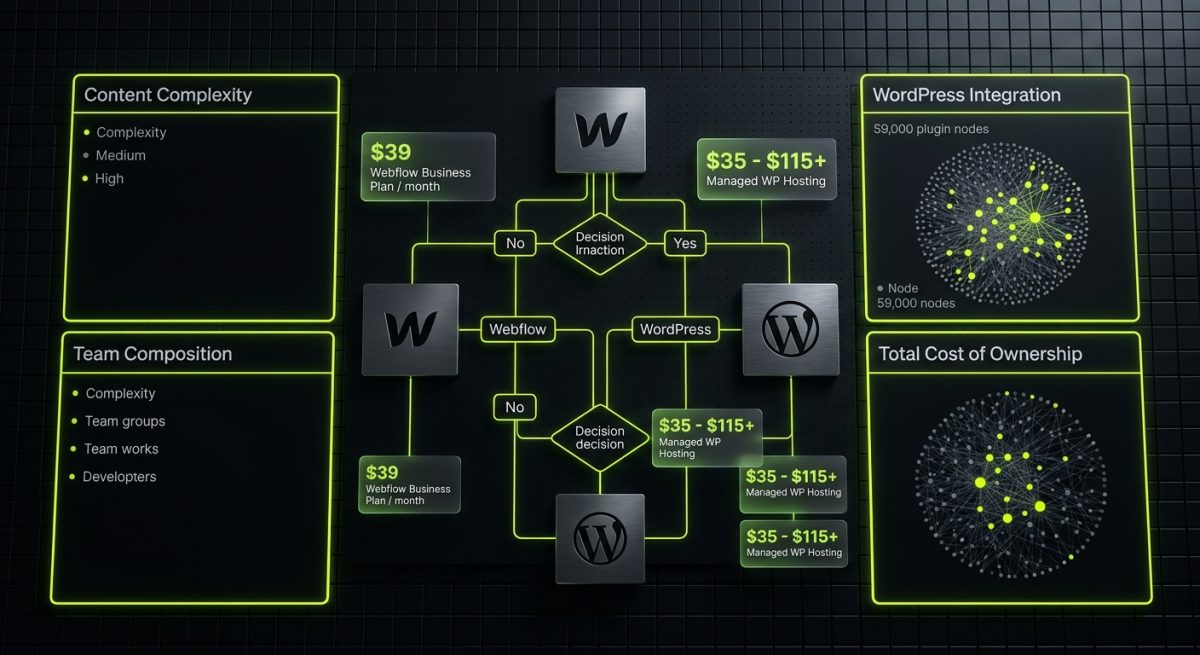
Choosing between Webflow and WordPress — or evaluating either against an incumbent CMS — should not be a philosophical exercise. It should be driven by a structured assessment of four variables: content complexity, team composition, integration requirements, and long-term ownership cost.
Content Complexity
Content complexity is the single most reliable predictor of which platform will serve a B2B organization better over time.
- High complexity (large editorial teams, multi-author workflows, complex taxonomies, 1,000+ content items, multilingual at scale): WordPress with a well-architected content model and potentially a headless front end.
- Moderate complexity (marketing site, blog, case studies, team pages, fewer than 500 CMS items, 1-3 content editors): Webflow CMS handles this comfortably and delivers faster time-to-launch.
- Low complexity (brochure site, landing pages, minimal content updates): Webflow is almost always the faster, more cost-effective choice.
Integration Requirements
WordPress's plugin ecosystem — with over 59,000 plugins in the official repository — remains unmatched in breadth. If a specific integration exists, there is almost certainly a WordPress plugin for it. For organizations with complex CRM integrations, custom e-commerce logic, or specialized industry software connections, WordPress's extensibility is a genuine advantage.
Webflow's integration story has improved substantially but still relies more heavily on middleware platforms (Make, Zapier, n8n) and purpose-built third-party tools. For organizations already running a modern SaaS stack with well-documented APIs, this is rarely a blocker. For organizations with legacy systems or unusual integration requirements, it can be.
Total Cost of Ownership
This is where the comparison becomes most nuanced for B2B decision-makers. Webflow's hosting is included in the plan pricing, which simplifies cost modeling but also means less control over infrastructure. WordPress requires separate hosting, which adds a management layer but also allows for significant cost optimization at scale — a high-traffic WordPress site on a managed host like Kinsta or WP Engine can be extremely cost-effective compared to Webflow's enterprise plan pricing.
Development costs also differ. Webflow projects typically have lower initial development costs for marketing sites because the design and build process is unified. WordPress projects often have lower long-term maintenance costs for content-heavy sites because the editorial tooling is more mature and requires less custom development to meet editorial team needs.
- Webflow Business Plan: $39/month per site (includes hosting, SSL, CMS)
- WordPress on managed hosting: $30–$100/month for hosting alone, plus plugin licensing, plus ongoing maintenance
- WordPress headless (Next.js + Vercel + WP Engine): $100–$300/month infrastructure cost, significantly higher development investment upfront
The right answer depends entirely on the specific project parameters — which is precisely why the decision deserves a structured evaluation rather than a default to either platform based on familiarity.


