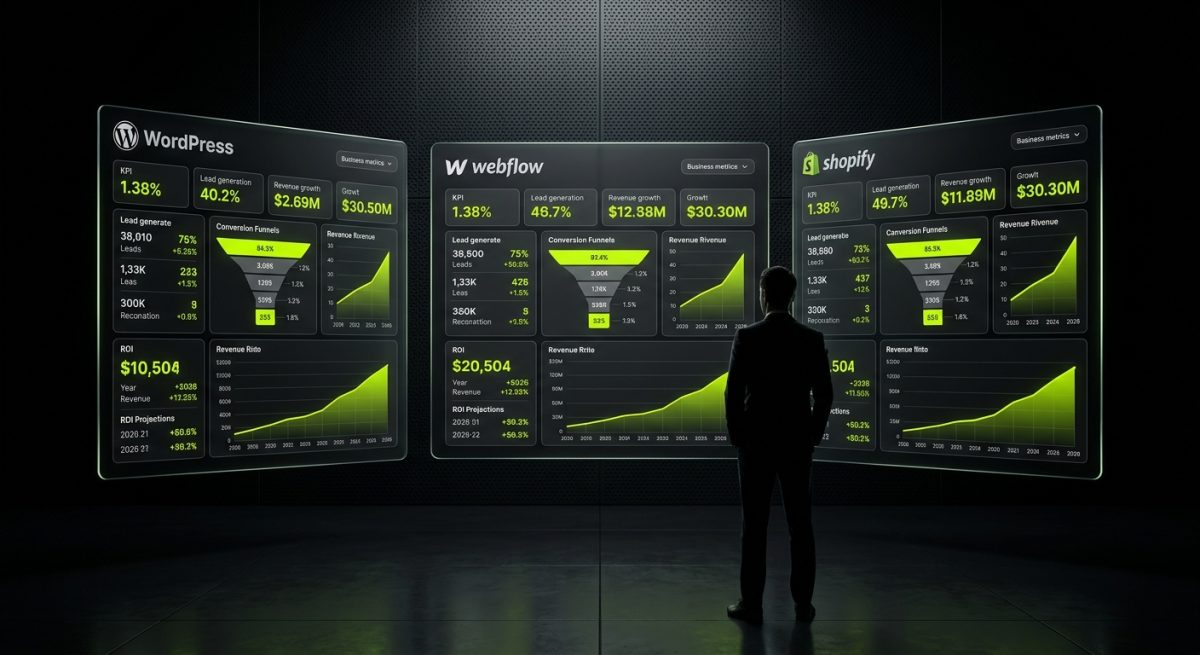
The platform debate never really ends — it just gets more expensive when you pick the wrong one. In 2026, WordPress, Webflow, and Shopify are more capable than ever, and that makes the decision harder, not easier. Every platform can produce a site that looks polished. The real question is which one produces outcomes: leads, sales, recurring revenue, and a codebase your team can actually maintain without calling a developer every Tuesday.
This post cuts through the marketing noise. We'll look at each platform through a single lens — business return — and give you a framework for making the right call based on what your business actually does.
WordPress in 2026: The Revenue Engine Nobody Talks About Correctly
WordPress powers roughly 43% of the web, and that statistic gets cited so often it's lost all meaning. What matters more is why serious B2B businesses, SaaS companies, publishers, and WooCommerce merchants keep choosing it — and why they keep investing in it year after year.
The honest answer: WordPress gives you more control over revenue-generating functionality than any other platform at this price point. That control is the product.
Where WordPress Wins on Revenue
Custom plugin development is the clearest example. When your business has a pricing model, a membership tier, a booking flow, or a data integration that doesn't fit a standard template, WordPress lets you build exactly what you need using proper APIs — custom post types, the Settings API, WP REST API endpoints, WP-Cron for background processing. You're not hacking around a platform's limitations; you're extending a framework designed to be extended.
At werun.dev, every plugin we ship uses WordPress's native hook system, proper nonces, capability checks, and sanitization — not because it's fashionable, but because a plugin that breaks under load or gets exploited is a plugin that costs your business money. We also deploy an auto-update system via GitHub releases, so the plugin your site depends on today stays current six months from now without manual intervention.
WooCommerce deserves its own paragraph because it's frequently underestimated. For B2B businesses with complex pricing rules, wholesale tiers, subscription billing, or ERP integrations, WooCommerce is not just an option — it's often the only realistic option at a cost that doesn't require enterprise procurement approval. We've built WooCommerce stores with custom product types, dynamic pricing engines, and direct integrations into fulfillment platforms that would cost five times as much to replicate on Shopify Plus.
Full Site Editing and block themes have matured significantly. Gutenberg in 2026 is not the clunky experiment it was in 2019. Custom blocks built with the Block API give content editors structured, brand-consistent publishing workflows without the fragility of page builder shortcodes. For content-heavy businesses — media, SaaS, agencies, professional services — this is a genuine revenue driver because it compresses the time from content idea to published page.
Where WordPress Costs You
WordPress is not self-managing. Hosting decisions matter. Plugin conflicts happen. Security requires active attention — not paranoia, but a maintenance posture. Businesses that treat WordPress as a set-and-forget platform eventually pay for it in downtime, bloated databases, or a hacked contact form.
The solution isn't to avoid WordPress — it's to budget for proper maintenance. A monthly retainer with a team that knows WordPress internals (hooks, filters, the REST API, multisite architecture) is not overhead; it's insurance on your primary revenue channel. We run maintenance retainers for clients on WP Engine and SiteGround precisely because the cost of prevention is a fraction of the cost of recovery.
Bottom line: WordPress makes you money when you invest in it correctly. It's the highest-ceiling platform in this comparison — and the one most often undermined by underinvestment.
Webflow in 2026: Where Design ROI Meets Real Business Logic
Webflow has earned its place in serious B2B stacks, but not for the reasons its marketing team leads with. It's not just a pretty site builder. In the right context — and with the right implementation — Webflow is a conversion and content platform that generates measurable pipeline.
The key phrase is right context. Webflow without a proper CMS architecture, without custom code extensions, and without integrations into your business stack is an expensive brochure. Webflow with those things is a different product entirely.
The Revenue Case for Webflow
Speed to market for marketing teams is real and quantifiable. When your demand generation team can publish a landing page, update a case study, or launch a campaign microsite without opening a support ticket, your cost per lead drops. The CMS collection architecture in Webflow — when it's built correctly, with editorial workflows in mind rather than developer convenience — gives non-technical teams genuine autonomy.
The operative phrase is "built correctly." We've inherited Webflow projects where the CMS was structured around what was easy to build, not what was easy to edit. The result is content editors working around the system rather than through it. A proper build starts with the editorial workflow and works backward to the collection schema.
Conversion-focused design fidelity is another legitimate advantage. Webflow's design-to-production pipeline — particularly when starting from a Figma file — produces sites where the live product matches the design intent with a precision that's genuinely difficult to achieve in WordPress without custom theme development. For businesses where brand consistency directly affects conversion (SaaS, professional services, high-consideration B2B), that fidelity has dollar value.
At werun.dev, our Webflow builds use BEM-style class architecture and clean component structures specifically because maintainability compounds over time. A site built with scalable naming conventions in year one costs significantly less to extend in year two.
Integrations unlock the real value. A Webflow site connected to HubSpot, Stripe, Memberstack, or Airtable via custom code embeds and middleware is not a brochure — it's a business system. Gated content portals, client dashboards, and membership experiences built on Webflow with Outseta or custom JWT authentication serve real revenue models. We've built portals that handle recurring billing, content access control, and member onboarding entirely within the Webflow ecosystem.
Where Webflow Has Real Limits
Webflow's CMS has item limits that matter at scale. Its native e-commerce is functional but not sophisticated — complex pricing rules, B2B wholesale, and multi-currency scenarios push you toward Shopify or WooCommerce quickly. And when Webflow's constraints genuinely block a feature, the right answer is sometimes a hybrid: Webflow as the front-end CMS, Next.js or Astro handling the logic-heavy rendering. We build those architectures when the project warrants it.
Bottom line: Webflow makes you money when it's implemented as a business platform, not a design showcase. The ROI comes from marketing velocity, conversion fidelity, and integration depth — not from how the homepage looks on a 4K monitor.
Shopify in 2026: The Clearest Path to E-Commerce Revenue — If You Use It Right

For businesses whose primary revenue model is selling products online, Shopify's ROI case is the most direct of the three platforms. The infrastructure is battle-tested, the checkout conversion rates are among the highest in the industry, and Shopify Plus gives enterprise merchants tools — B2B portals, custom checkout extensibility, Flow automations — that used to require bespoke development.
But "Shopify makes money" is only true if the implementation is serious. A modified free theme with default settings and no conversion optimization is not a revenue engine — it's a digital storefront with no foot traffic strategy.
Where Shopify Drives Revenue
Custom Liquid theme development is the foundation. We build Shopify themes from scratch using Online Store 2.0 — JSON templates, Sections Everywhere, app blocks, and metafield integration. Not modified Debut clones. The performance difference between a purpose-built theme and a heavily customized template is measurable in Core Web Vitals scores, and Core Web Vitals scores are measurable in conversion rates. A 100ms improvement in Largest Contentful Paint has documented correlation with purchase completion rates.
Shopify Plus changes the calculus for merchants above a certain revenue threshold. Custom checkout pages, B2B wholesale portals with company accounts and negotiated pricing, Shopify Flow automations that replace manual operational work — these are not premium features for their own sake. They're tools that reduce cost per order and increase average order value. A checkout extensibility build that surfaces the right upsell at the right moment pays for itself in weeks on a high-volume store.
App integrations and custom apps are where Shopify's ecosystem either becomes an asset or a liability. The app store is vast, but generic apps installed without architectural consideration create performance drag, data conflicts, and vendor lock-in on functionality you could own. Private Shopify apps built with the Admin API and Storefront API — connecting your store to your 3PL, ERP, or CRM — give you clean data flows and operational efficiency that scales with volume.
Store migrations are another revenue conversation. Merchants moving from WooCommerce, Magento, or BigCommerce to Shopify often see immediate improvements in checkout conversion and operational overhead. We handle those migrations with zero data loss — products, customers, orders, metafields — because a botched migration that corrupts historical order data is not a technical inconvenience; it's a financial and compliance problem.
Where Shopify Costs You
Shopify's transaction fees on non-Shopify Payments gateways are a real cost at scale. The platform's content management for non-product pages is limited — blogs, landing pages, and editorial content are better served by Webflow or WordPress. And Shopify's customization ceiling, while higher than it used to be, still exists: genuinely complex business logic sometimes requires a custom app rather than a theme workaround.
Bottom line: Shopify is the right choice when selling products is the business model and you're willing to invest in a proper implementation. The platform's conversion infrastructure is excellent; the returns come from using it fully, not from installing it and hoping.
The Decision Framework: Match Platform to Revenue Model

The platform that makes you money is the one that aligns with how your business actually generates revenue — not the one with the best conference booth or the most Instagram-worthy case studies.
A Practical Matching Guide
| Business Model | Primary Platform | Key Consideration |
|---|---|---|
| Content + lead generation (B2B SaaS, agencies, professional services) | WordPress or Webflow | Editorial velocity and CMS flexibility matter most |
| Complex e-commerce (B2B wholesale, subscriptions, high SKU count) | WooCommerce / WordPress | Custom pricing logic and ERP integration depth |
| Direct-to-consumer product sales (DTC, mid-market retail) | Shopify | Checkout conversion and operational tooling |
| High-design marketing site + CRM pipeline | Webflow | Integration depth and marketing team autonomy |
| Enterprise e-commerce at scale | Shopify Plus | Checkout extensibility and multi-region architecture |
| Membership, gated content, community | WordPress or Webflow | Depends on content complexity and tech stack |
The Questions That Actually Matter
Before choosing a platform, answer these:
- Where does your revenue come from? Transactions, leads, subscriptions, or content? The platform should serve the primary model, not the secondary one.
- Who maintains it after launch? A platform your team can't manage becomes a development dependency. A platform your team mismanages becomes a security liability.
- What integrations are non-negotiable? Map your CRM, ERP, payment, and marketing stack before you commit to a platform. Integration friction compounds over time.
- What does scale look like? A platform that handles 100 products cleanly might not handle 10,000. A CMS that works for 5 editors might not work for 50.
- What's the total cost of ownership? Licensing, hosting, maintenance, and development time — not just the monthly subscription fee.
When You Need More Than One
The most sophisticated setups in 2026 are often multi-platform. A Webflow marketing site feeding leads into a WordPress membership portal. A Shopify store with a WordPress editorial hub driving organic traffic. A Webflow front-end proxying content from a headless WordPress backend.
These architectures work when they're intentional — when each platform is doing what it does best and the integration layer is clean. They fail when they're the result of platform sprawl: different tools acquired at different times without a coherent strategy.
If you're running multiple platforms or considering a migration, the starting point is always an audit of where your revenue actually comes from and which platform is closest to that flow. Everything else is secondary.
What "Built to Make Money" Actually Looks Like in Practice
Every platform claim in this post is only as good as the implementation behind it. WordPress with poor plugin architecture, Webflow with an unmaintainable CMS, and Shopify with a bloated theme all cost money instead of making it. The platform is the foundation; the build quality is what determines the return.
At werun.dev, our work on all three platforms follows the same principle: build it to the standard where it can be maintained, extended, and measured. That means WordPress plugins shipped with documentation and GitHub-powered auto-updates. It means Webflow sites with BEM class architecture that a new developer can understand in an hour. It means Shopify themes built with Online Store 2.0 that a merchant can extend without breaking the template logic.
The Maintenance Equation
Revenue from a web platform is not a launch-day event — it's a compounding return on a maintained asset. Businesses that treat their website as a project with an end date consistently underperform businesses that treat it as an ongoing investment.
Monthly maintenance retainers exist for this reason. Not to keep developers busy, but to keep the asset performing: security updates applied before they become incidents, performance regressions caught before they affect conversion rates, new integrations built on a codebase that's already clean.
Conversion Optimization Is Platform-Agnostic
One more thing worth stating plainly: conversion optimization is not a Shopify feature or a Webflow feature. It's a discipline applied on top of any platform. Page speed, UX clarity, form friction, trust signals, checkout flow — these are decisions made during the build and refined through measurement. The platform enables or constrains them; it doesn't guarantee them.
The businesses that extract the most revenue from their web platform are the ones that treat it as a system to be optimized, not a project to be completed. That mindset — more than any platform choice — is what separates sites that look good from sites that make money.
If you're ready to have that conversation about your specific platform, revenue model, and what a proper build looks like, werun.dev's contact form gets a response within four hours.


