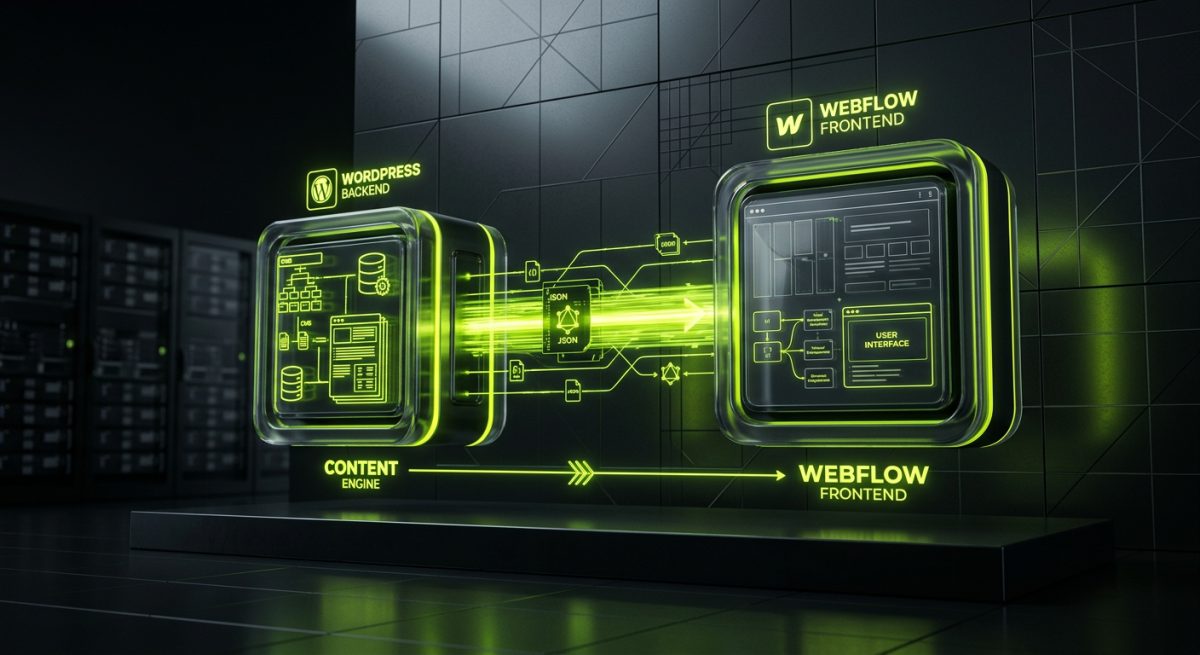
Headless architecture has moved from experimental curiosity to production-ready pattern. More agencies and in-house teams are reaching for decoupled setups where the content management layer is completely separated from the presentation layer — and one of the most practical combinations available today is WordPress handling the backend while Webflow drives the frontend experience.
This isn't a theoretical exercise. It's an architecture werun.dev has implemented for clients who need the editorial power and extensibility of WordPress without sacrificing the design flexibility and visual development speed that Webflow offers. Understanding when and how to build this stack correctly is what separates a clean, maintainable system from a fragile integration that creates more problems than it solves.
Why Combine WordPress and Webflow at All
Before committing to any decoupled architecture, the question has to be asked: what problem does this actually solve? The answer depends heavily on the team structure and business requirements of the project.
WordPress powers over 43% of the web for a reason. Its data model is mature, its REST API is well-documented, and its ecosystem of plugins covers nearly every content and commerce requirement imaginable. When you need custom post types, complex taxonomies, WooCommerce product catalogs, membership logic, or deep third-party integrations with CRMs and ERPs, WordPress is the right tool. It gives editorial teams a familiar, proven interface, and it gives developers a robust set of APIs to build against.
Webflow, on the other hand, excels at the presentation layer. Its visual canvas allows designers to produce pixel-precise layouts without writing CSS by hand, and its interactions engine handles animations and transitions that would otherwise require significant JavaScript development time. For marketing-heavy sites, landing pages, or brand-forward experiences, Webflow's design velocity is genuinely hard to match.
The problem is that each platform has a ceiling. WordPress themes — even modern block themes built for Full Site Editing — require developer involvement to push past standard layout patterns. Webflow's native CMS is powerful for straightforward content structures, but it hits hard limits with relational data, complex filtering, and any content model that requires programmatic logic rather than manual editorial input.
The decoupled approach removes both ceilings simultaneously. WordPress manages the data, the business logic, the user authentication, and the integrations. Webflow renders the experience. The two systems communicate through the WordPress REST API, and each team — developers working in WordPress, designers working in Webflow — operates in the environment where they are most productive.
When This Architecture Makes Sense
This stack is not the right choice for every project. It introduces additional complexity in the form of API calls, data synchronization, caching strategy, and deployment coordination. It makes sense when:
- The content model is too complex for Webflow CMS alone (deeply relational data, programmatic content generation, WooCommerce product data)
- The design requirements exceed what WordPress themes can deliver without disproportionate frontend development effort
- The client team includes both non-technical editors who need a familiar CMS and designers who work natively in Webflow
- The project requires backend logic — pricing rules, access control, subscription management — that WordPress handles better than any Webflow-native solution
- Performance and SEO are critical, and the team wants full control over rendering and caching at the API layer
Building the WordPress Backend: REST API as the Foundation
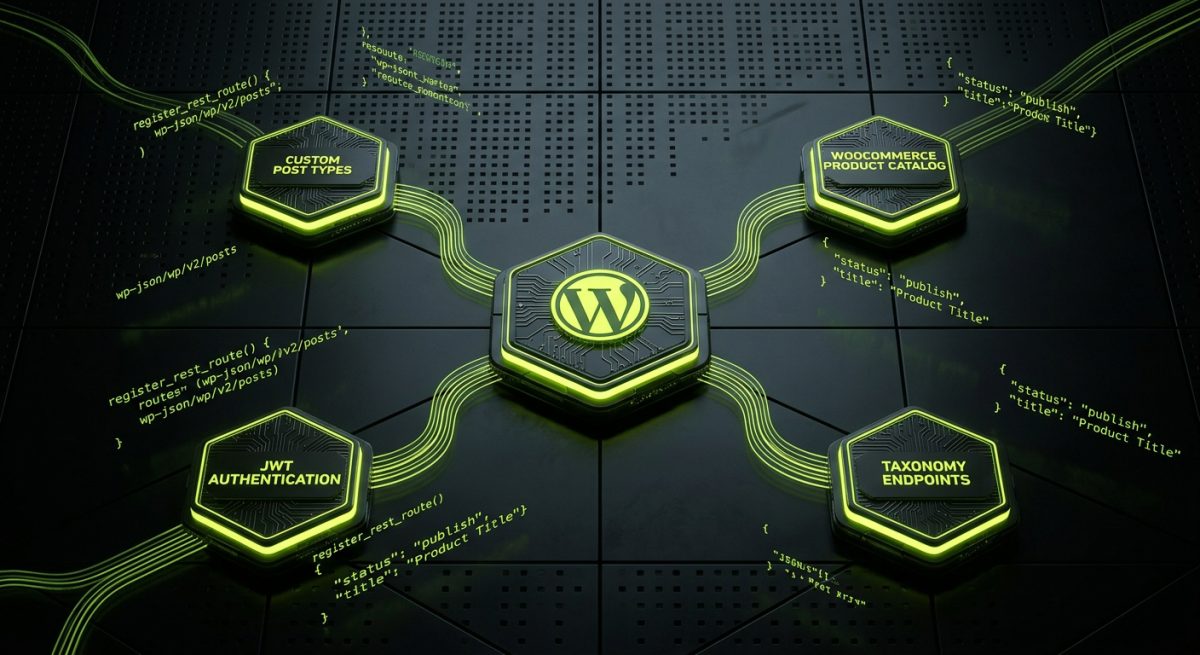
The WordPress side of this architecture is where the engineering work lives. The goal is to build a clean, well-structured API layer that Webflow — or any frontend — can consume reliably. This means going well beyond the default REST API endpoints that ship with WordPress core.
At werun.dev, every WordPress build follows the same coding standards: proper use of hooks and filters, capability checks on every endpoint, nonce verification for authenticated requests, and full sanitization and escaping of all data. When the REST API is the primary interface between systems, these standards are not optional — a poorly secured API endpoint is an open door.
Custom REST API Endpoints
The default WordPress REST API exposes posts, pages, and standard taxonomies, but a real project requires custom endpoints shaped around the actual data model. Building these correctly means registering routes with register_rest_route(), defining permission callbacks that enforce proper capability checks, and returning structured JSON that the frontend team can work with predictably.
add_action( 'rest_api_init', function() {
    register_rest_route( 'werun/v1', '/products/featured', array(
        'methods'             => WP_REST_Server::READABLE,
        'callback'            => 'werun_get_featured_products',
        'permission_callback' => '__return_true',
        'args'                => array(
            'limit' => array(
                'default'           => 6,
                'sanitize_callback' => 'absint',
            ),
        ),
    ) );
} );

function werun_get_featured_products( WP_REST_Request $request ) {
    $limit = $request->get_param( 'limit' );

    $query = new WP_Query( array(
        'post_type'      => 'product',
        'posts_per_page' => $limit,
        'meta_key'       => '_featured',
        'meta_value'     => 'yes',
    ) );

    $products = array();

    foreach ( $query->posts as $post ) {
        $products[] = array(
            'id'    => $post->ID,
            'title' => get_the_title( $post ),
            'price' => get_post_meta( $post->ID, '_price', true ),
            'image' => get_the_post_thumbnail_url( $post, 'large' ),
            'slug'  => $post->post_slug,
        );
    }

    return rest_ensure_response( $products );
}
This pattern — a versioned namespace, typed arguments with sanitization callbacks, and structured response data — is the baseline for every custom endpoint in a headless WordPress build.
Custom Post Types and Data Modeling
Webflow's CMS has a fixed content model. WordPress does not. When the project requires content types that go beyond what Webflow can natively represent — events with complex recurrence rules, products with wholesale pricing tiers, courses with prerequisite relationships — WordPress custom post types and custom taxonomies handle the data modeling, and the REST API surfaces that data in whatever shape the frontend needs.
For WooCommerce-powered projects, the product catalog, inventory, pricing rules, and checkout logic all live in WordPress. The Webflow frontend can display product listings and details by consuming WooCommerce REST API endpoints, while the actual cart and checkout flow either redirects to a WordPress-hosted page or uses WooCommerce's headless capabilities with a custom checkout UI.
Authentication and Protected Data
Not all API data is public. Member-only content, order history, account details, and any personalized experience require authenticated API requests. The standard approach in a WordPress-Webflow decoupled setup is JWT authentication using a plugin like wp-jwt-auth or a custom implementation, combined with Webflow's custom code capabilities to handle token storage and request headers.
For simpler cases where Webflow is only consuming public content — a blog, a product catalog, a team directory — no authentication layer is needed, and the architecture remains straightforward.
Connecting Webflow to the WordPress API
With the WordPress API layer in place, the Webflow side of the integration uses custom JavaScript embedded in Webflow's page settings or site-wide custom code to fetch data and render it into the page. This is where the architecture requires careful planning around performance, caching, and the user experience during data loading.
Fetching and Rendering Data in Webflow
Webflow does not have a native data-fetching mechanism for external APIs. The integration relies on JavaScript running in the browser — typically using the fetch API — to retrieve data from WordPress and inject it into pre-built Webflow layout components.
The standard pattern involves building the visual layout in Webflow using placeholder elements with specific IDs or data attributes, then using JavaScript to populate those elements with real data from the WordPress API.
async function loadFeaturedProducts() {
  const container = document.getElementById('featured-products-grid');
  if ( !container ) return;

  try {
    const response = await fetch(
      'https://api.yourdomain.com/wp-json/werun/v1/products/featured?limit=6'
    );

    if ( !response.ok ) throw new Error( 'API request failed' );

    const products = await response.json();

    container.innerHTML = products.map( product => `
      <div class="product-card" data-id="${product.id}">
        <img src="${product.image}" alt="${product.title}" loading="lazy" />
        <h3 class="product-title">${product.title}</h3>
        <span class="product-price">$${product.price}</span>
        <a href="/products/${product.slug}" class="product-link">View Product</a>
      </div>
    ` ).join('');

  } catch ( error ) {
    console.error( 'Failed to load products:', error );
    container.innerHTML = '<p class="error-message">Products temporarily unavailable.</p>';
  }
}

document.addEventListener( 'DOMContentLoaded', loadFeaturedProducts );
This approach works well for content that does not need to be indexed by search engines. For SEO-critical content, a different strategy is required.
SEO Considerations and Rendering Strategy
Client-side rendering of API data creates a real SEO challenge. Googlebot can execute JavaScript and index dynamically rendered content, but the process is slower and less reliable than indexing static HTML. For content that needs to rank — blog posts, product pages, service pages — relying entirely on client-side fetching is not advisable.
The practical solutions in a WordPress-Webflow architecture are:
- Use Webflow CMS for SEO-critical content: Sync data from WordPress to Webflow CMS using Make (formerly Integromat), Zapier, or a custom webhook-driven sync script. Webflow then renders this content as static HTML at build time, preserving full SEO value.
- Hybrid rendering: Use Webflow CMS for primary page content and client-side fetching for supplementary dynamic data (related products, user-specific content, real-time inventory).
- WordPress as the canonical source with Webflow as the display layer: For blog content specifically, WordPress handles the canonical URL and full rendering, while Webflow handles the marketing site. A subdomain pattern (
blog.yourdomain.comon WordPress,yourdomain.comon Webflow) keeps the architecture clean.
Automating Data Sync Between Systems
For projects where Webflow CMS needs to stay in sync with WordPress content, automation tools eliminate the manual work. A WordPress plugin with a custom webhook that fires on save_post can push updated content to the Webflow CMS API whenever an editor publishes or updates a post. This creates a near-real-time sync without requiring the frontend to make API calls at page load time.
The sync script handles field mapping between WordPress post meta and Webflow CMS fields, image URL translation, and Webflow's publish API to trigger a site rebuild when content changes. This is custom development work — there is no off-the-shelf plugin that handles the full sync reliably for complex content models — but it results in a system where editorial teams work entirely in WordPress while the public-facing site is always current.
Performance, Caching, and Infrastructure Considerations

A decoupled architecture introduces additional network requests and potential latency that a traditional monolithic WordPress or Webflow site does not have. Getting performance right requires deliberate decisions at the infrastructure level, not just code optimization.
Caching the WordPress REST API
By default, WordPress REST API responses are not cached. Every request hits PHP and the database. At any meaningful traffic level, this is a problem. The solution is object caching at the WordPress level using Redis or Memcached (available on managed hosts like WP Engine, which werun.dev partners with), combined with transient-based caching for expensive queries.
function werun_get_featured_products( WP_REST_Request $request ) {
    $limit     = $request->get_param( 'limit' );
    $cache_key = 'werun_featured_products_' . $limit;
    $cached    = get_transient( $cache_key );

    if ( false !== $cached ) {
        return rest_ensure_response( $cached );
    }

    // ... query logic ...

    set_transient( $cache_key, $products, HOUR_IN_SECONDS );

    return rest_ensure_response( $products );
}
For high-traffic scenarios, a CDN layer in front of the WordPress API — Cloudflare with appropriate cache rules, for example — can serve cached API responses globally with minimal latency, removing the database entirely from the critical path for read-heavy endpoints.
CORS Configuration
Webflow pages are served from Webflow's CDN. The WordPress API is hosted on a separate domain. This cross-origin setup requires correct CORS headers on the WordPress side, or the browser will block API requests entirely.
add_action( 'rest_api_init', function() {
    remove_filter( 'rest_pre_serve_request', 'rest_send_cors_headers' );

    add_filter( 'rest_pre_serve_request', function( $value ) {
        $allowed_origins = array(
            'https://www.yourdomain.com',
            'https://yourdomain.webflow.io',
        );

        $origin = $_SERVER['HTTP_ORIGIN'] ?? '';

        if ( in_array( $origin, $allowed_origins, true ) ) {
            header( 'Access-Control-Allow-Origin: ' . $origin );
            header( 'Access-Control-Allow-Methods: GET, POST, OPTIONS' );
            header( 'Access-Control-Allow-Credentials: true' );
        }

        return $value;
    } );
}, 15 );
This configuration whitelists specific origins rather than using a wildcard, which is the correct approach for any API that serves authenticated data or operates in a production environment.
Hosting and Deployment Architecture
The WordPress backend in this architecture should be treated as infrastructure, not just a website. It needs reliable uptime, fast response times, and a deployment process that does not introduce downtime during updates. Managed WordPress hosting — WP Engine or SiteGround, both werun.dev partners — provides the server-level optimizations, staging environments, and automated backups that a headless backend requires.
For the WordPress codebase itself, all custom plugins and themes should be version-controlled in Git and deployed through a CI/CD pipeline rather than through the WordPress admin or manual FTP. This is standard practice at werun.dev: every plugin ships with a GitHub repository, and updates are pushed through GitHub releases with the auto-update system ensuring production sites receive changes without manual intervention.
Webflow handles its own hosting and CDN, which is one of the genuine advantages of this architecture. The frontend infrastructure is fully managed, globally distributed, and requires no DevOps work from the development team. The engineering effort concentrates entirely on the WordPress backend and the integration layer between the two systems.