
When a business chooses a web platform, the conversation almost always centres on the build cost. How much to design it? How much to develop it? How long until launch? These are the visible numbers — the ones that appear on proposals and get approved in budget meetings. What rarely makes it onto a spreadsheet is everything that comes after: the ongoing hosting infrastructure, the maintenance overhead, and the slow accumulation of technical debt that can quietly double or triple the total cost of ownership over a three-to-five year period.
This post breaks down the real, ongoing costs of the three platforms we work with most — WordPress, Webflow, and Shopify — and explains how to evaluate them honestly before you commit to a build.
WordPress: Powerful, but the Cost of Ownership Is on You
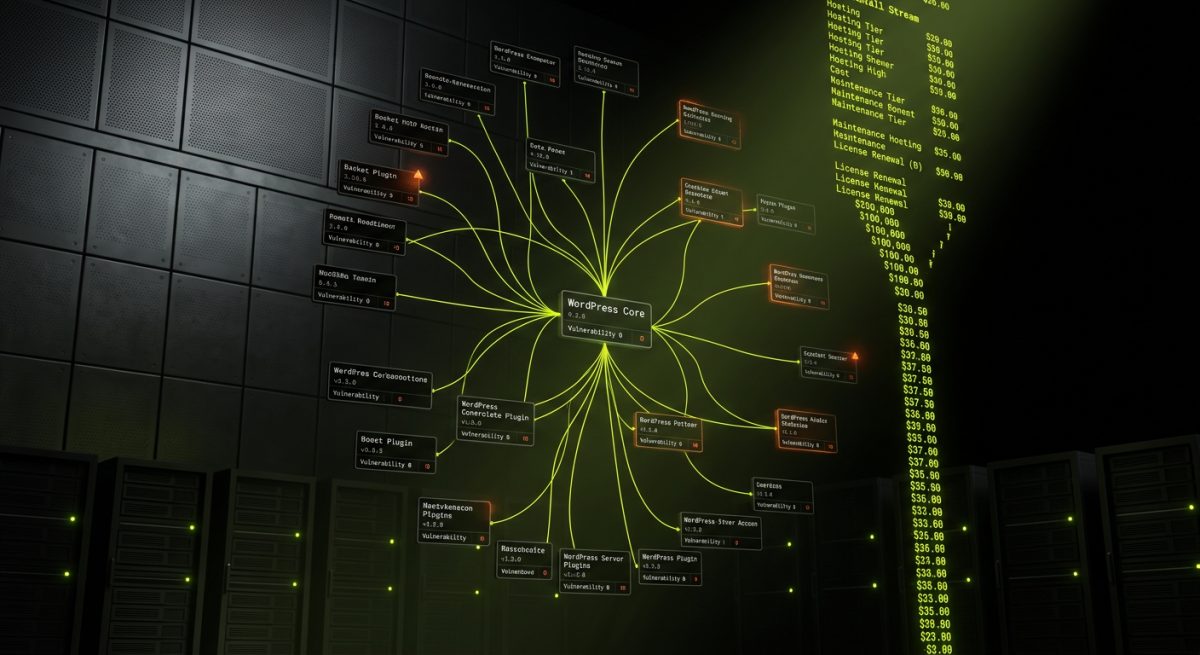
WordPress powers around 43% of all websites on the internet, and for good reason. The platform is extraordinarily flexible, has a mature plugin ecosystem, and gives developers complete control over every layer of the stack. But that flexibility comes with a responsibility that many clients don't fully price in at the start: you own the infrastructure, and you own the consequences.
Hosting Costs Are Not a Commodity
WordPress hosting ranges from £3/month on a shared server to £500+/month for enterprise managed hosting. That spread is not arbitrary — it reflects genuine differences in performance, security posture, and support quality. A site running on cheap shared hosting will behave like it. Slow Time to First Byte, no server-side caching, limited PHP memory, and support teams who cannot help with application-level issues.
For serious business sites, the realistic floor for managed WordPress hosting is around £30–£80/month on platforms like WP Engine or SiteGround — both of which we partner with at werun.dev. At that tier, you get staging environments, automated backups, CDN integration, and server-level caching. For high-traffic or WooCommerce stores, you're looking at £150–£400/month before you've written a single line of code.
Plugin Maintenance Is a Full-Time Concern
The WordPress plugin ecosystem is one of its greatest strengths and one of its most persistent liabilities. A typical WordPress site runs 15–30 plugins. Each one is a dependency. Each dependency has a release cycle, a security track record, and a compatibility matrix with every other plugin and with WordPress core itself.
Left unmanaged, plugins drift. A plugin that was secure and compatible at launch can become a vulnerability vector within six months if it stops receiving updates. The WordPress security team disclosed over 2,800 plugin vulnerabilities in 2023 alone. This isn't a reason to avoid WordPress — it's a reason to take maintenance seriously.
At werun.dev, every WordPress plugin we build ships with a GitHub-powered auto-update system, so custom code stays current without manual intervention. But third-party plugins still need human oversight. That's why we offer monthly maintenance retainers that cover:
- Core, theme, and plugin updates with compatibility testing
- Security scanning and malware monitoring
- Performance audits against Core Web Vitals benchmarks
- Database optimisation and log management
- Uptime monitoring with incident response
Technical Debt in WordPress
Technical debt in WordPress typically accumulates in one of three ways. First, theme customisation through child themes or direct edits that get overwritten on update. Second, plugin sprawl — installing five plugins to solve a problem that one well-written custom plugin could handle cleanly. Third, shortcuts taken during the original build: hardcoded strings that break internationalisation, direct database queries instead of the WP Query API, or missing capability checks that create privilege escalation risks.
A site built to WordPress coding standards — using hooks and filters correctly, registering REST API endpoints properly, sanitising and escaping all output — is dramatically cheaper to maintain than one that was built fast and cheap. The difference shows up not at launch, but in every subsequent hour of development work. When a developer has to spend two hours understanding what a previous developer did before they can make a one-line change, that's technical debt being paid with interest.
The honest cost model for WordPress over three years on a mid-complexity business site looks something like this:
- Hosting: £1,200–£4,800
- Maintenance retainer: £2,400–£7,200
- Unplanned emergency fixes (if no retainer): £800–£3,000
- Plugin licence renewals: £300–£1,500
- Total three-year overhead: £4,700–£16,500+
None of that appears on a build quote.
Webflow: Lower Ops Overhead, but Platform Lock-In Is Real
Webflow has a fundamentally different cost structure to WordPress. Because Webflow is a hosted SaaS platform, the infrastructure layer is abstracted away. You don't manage servers, you don't patch PHP, and you don't worry about whether your hosting provider has enabled HTTP/2. Webflow handles all of that, and it does it well — the platform runs on AWS and Fastly's CDN, and performance out of the box is genuinely strong.
This makes Webflow attractive for marketing sites and content-heavy properties where the primary concern is editorial speed and design fidelity, not application-level customisation. The operational overhead is lower, but it doesn't disappear — and the cost model has its own hidden layers.
Webflow Pricing: What the Plans Actually Include
Webflow's pricing is plan-based and scales with site complexity and traffic. At the time of writing, the relevant tiers for business sites are:
- Basic: ~£14/month — no CMS, limited for any real content site
- CMS: ~£23/month — up to 2,000 CMS items, suitable for small blogs or marketing sites
- Business: ~£36/month — up to 10,000 CMS items, higher form submissions
- Enterprise: custom pricing — SSO, SLA, advanced security
For e-commerce, Webflow adds a separate layer of transaction fees on lower plans (2% on the Standard plan, dropping to 0% on Plus and Advanced). A growing DTC brand on the Standard plan at £29/month plus 2% transaction fees on £50,000/month in revenue is paying an effective £1,000/month in platform costs — before hosting, before development.
Beyond the plan cost, serious Webflow projects often require third-party tools to fill functionality gaps. Membership and gated content requires Memberstack or Outseta. Advanced search requires Finsweet or Jetboost. Multi-language support requires Weglot (£99–£490/year depending on word count). These costs are real and recurring.
The Maintenance Profile Is Different, Not Zero
Webflow sites don't need plugin updates or server patches, but they do need ongoing attention. CMS architecture that wasn't designed for scale becomes painful to manage as content volume grows. Custom JavaScript interactions — particularly GSAP animations or Webflow API integrations — can break when Webflow updates its Designer or changes its embed behaviour. Class naming conventions that weren't established at build time create a spaghetti stylesheet that slows every subsequent design change.
At werun.dev, our Webflow builds use BEM-style class architecture and structured CMS collections designed for editorial workflows, not just for the initial launch. That investment in structure pays back in lower maintenance costs over the life of the site. A Webflow site built without that discipline can become genuinely expensive to modify — not because the platform is difficult, but because the implementation is.
Technical Debt in Webflow
Webflow's visual editor makes it easy to build quickly, and that speed can mask structural problems. Common sources of technical debt in Webflow projects include:
- Combo class overuse: Applying multiple classes to a single element to achieve a one-off style, rather than creating a reusable component. This creates a class list that is impossible to reason about at scale.
- Unstructured CMS collections: Collections created reactively as content needs arise, rather than designed upfront to support the full editorial model. Refactoring CMS architecture in Webflow is expensive and disruptive.
- Custom code embeds without documentation: JavaScript added via embed blocks that no one documented, that no one fully understands, and that breaks silently when the third-party API it calls changes its schema.
- No staging discipline: Making live edits directly to a published Webflow site because the workflow was never established to use staging properly.
The three-year cost model for a mid-complexity Webflow marketing site:
- Platform plan: £828–£1,296
- Third-party tools (Memberstack, Weglot, etc.): £600–£2,400
- Maintenance retainer: £1,800–£5,400
- Unplanned redesign work due to structural debt: £1,000–£4,000
- Total three-year overhead: £4,228–£13,096+
Shopify: Predictable Until It Isn't
Shopify is the most opinionated of the three platforms, and that opinionation is part of its value. The platform makes a set of decisions for you — about checkout, about payment processing, about inventory management — and in exchange, you get a system that is genuinely optimised for retail at scale. For straightforward DTC brands and B2C e-commerce, Shopify's cost model is relatively predictable.
For complex B2B scenarios, high-volume wholesale operations, or businesses with non-standard fulfilment logic, the cost model becomes considerably less predictable — and technical debt accumulates in ways that are specific to Shopify's architecture.
The App Ecosystem Tax
Shopify's app ecosystem is its most powerful feature and its most significant ongoing cost driver. The platform's core functionality is intentionally lean. Most real-world stores need apps to handle subscriptions, loyalty programmes, advanced product filtering, bundle pricing, B2B wholesale pricing, custom shipping logic, and review systems. Each of these apps has a monthly fee, typically ranging from £10 to £150+/month per app.
A mid-complexity Shopify store running 8–12 apps is paying £80–£600/month in app fees before Shopify's own plan cost. The Business plan is £65/month. Shopify Plus starts at £2,000/month. Add transaction fees (0.5–2% depending on plan and payment gateway), and the monthly platform cost for a scaling brand can reach £3,000–£5,000 before any development work.
App sprawl also creates technical debt. Each app injects its own JavaScript, CSS, and Liquid snippets into the theme. Over time, this creates:
- Page weight bloat: Multiple apps loading their own asset bundles, often redundantly
- Checkout conflicts: Apps that modify checkout behaviour conflicting with each other or with Shopify's own checkout extensibility system
- Theme lock-in: A theme so heavily modified by app injections that upgrading or switching themes requires a full audit and rebuild
Shopify Theme and Custom Development Costs
Shopify themes range from free to £300+ for premium options on the Theme Store. Custom Shopify theme development — building from scratch or heavily modifying a purchased theme — typically costs £5,000–£25,000 depending on complexity. That's a one-time cost, but it creates a long-term maintenance commitment.
Shopify's Liquid templating language is not difficult, but it is proprietary. Developers who know Liquid well command a premium, and the pool of genuinely skilled Shopify developers is smaller than the WordPress equivalent. When a custom theme needs modification — to support a new product type, to improve Core Web Vitals scores, to accommodate a new app's requirements — the hourly rate reflects that scarcity.
Technical Debt Specific to Shopify
Shopify's most insidious form of technical debt is checkout dependency. Shopify controls the checkout experience, and customisation options — even on Plus — are constrained by what Checkout Extensibility allows. Businesses that have built operational processes around specific checkout behaviours can find themselves unable to upgrade Shopify versions or adopt new features without rebuilding those processes.
The metafield system, introduced to replace the older metafield apps, is powerful but requires disciplined implementation. Metafields defined inconsistently across products, collections, and pages create a data model that is difficult to query, difficult to display conditionally, and expensive to migrate if the store ever moves to a headless architecture.
The three-year cost model for a mid-complexity Shopify store:
- Platform plan: £2,340–£72,000 (Basic to Plus)
- App fees: £2,880–£21,600
- Theme development and updates: £3,000–£15,000
- Custom development work: £2,000–£10,000
- Total three-year overhead: £10,220–£118,600+
The Plus range is wide because Shopify Plus pricing is negotiated and scales with GMV. High-volume merchants pay significantly more.
How to Evaluate Total Cost of Ownership Before You Build
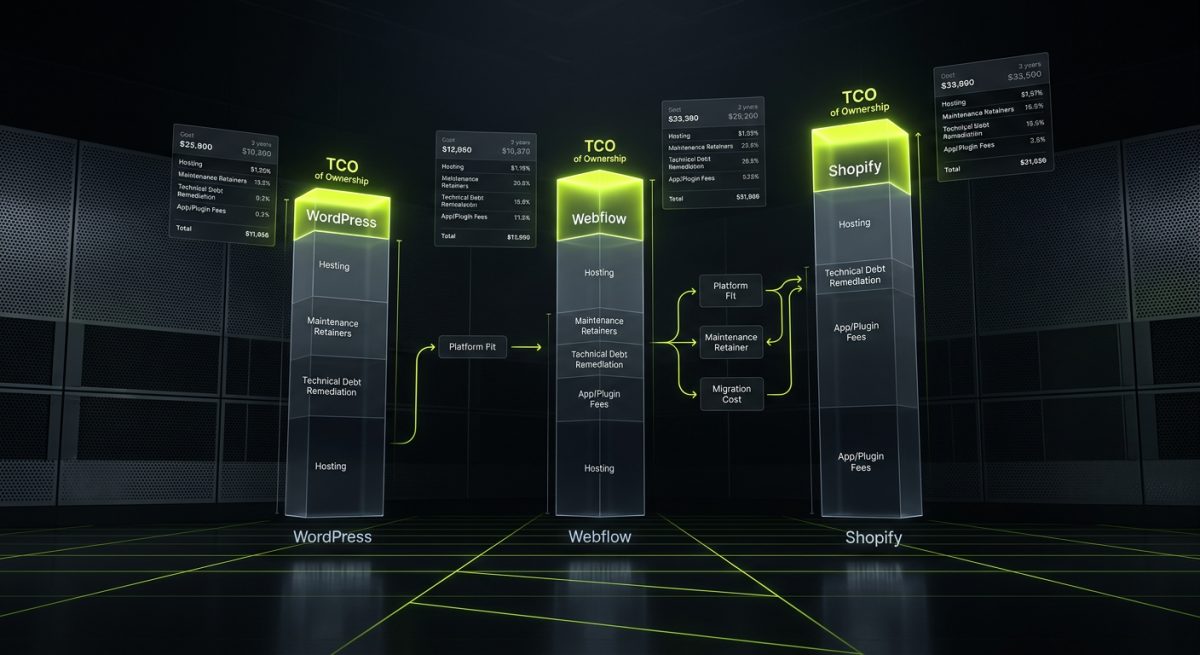
The platform decision should never be made on build cost alone. A £15,000 WordPress build with a £400/month maintenance retainer has a lower three-year TCO than a £8,000 Webflow build that accumulates £20,000 in structural debt and requires a full rebuild in year two. The numbers that matter are the ones that extend across the full lifecycle of the site.
The Questions That Surface Hidden Costs
Before committing to a platform, these questions should be answered explicitly:
On hosting and infrastructure:
- Who is responsible for server-level security patches?
- What is the disaster recovery plan, and what does it cost to activate?
- Is the hosting cost fixed, or does it scale with traffic in ways that could create surprise invoices?
- What happens to the site if the platform vendor changes pricing or discontinues a plan tier?
On maintenance:
- How many third-party dependencies does this build require, and what is their combined annual licence cost?
- What is the process for testing updates before they go live?
- Who is monitoring uptime, and what is the incident response SLA?
- Is there documentation for every custom integration, or is knowledge locked in the original developer's head?
On technical debt:
- Is the codebase written to the platform's published standards, or to the fastest path to launch?
- Are there automated tests for critical user journeys?
- Is the CMS architecture designed for the editorial team's actual workflow, or for the developer's convenience?
- What would it cost to migrate this site to a different platform in three years if the business needs change?
The Maintenance Retainer as Insurance
One of the most consistent patterns we see at werun.dev is clients who declined a maintenance retainer at launch and then spent two to four times the retainer cost on emergency fixes within eighteen months. A retainer is not an upsell — it is the mechanism by which technical debt is prevented from accumulating in the first place.
For WordPress, a retainer covers the update cycle, security monitoring, and performance maintenance that the platform requires to stay healthy. For Webflow, it covers CMS architecture reviews, custom code audits, and the iterative improvements that keep a site aligned with the business as it grows. For Shopify, it covers app compatibility testing, theme maintenance, and the ongoing optimisation work that keeps conversion rates from degrading as the store scales.
The retainer cost is predictable. The cost of not having one is not.
Platform Fit Reduces Long-Term Cost
The single most effective way to reduce total cost of ownership is to choose the right platform for the actual use case. A content-heavy marketing site that needs fast editorial workflows and strong design fidelity is well-served by Webflow — and will accumulate less debt there than on a WordPress installation that requires constant plugin management for features Webflow handles natively. A complex WooCommerce build with custom pricing logic, ERP integration, and wholesale functionality belongs on WordPress, where the plugin architecture and REST API give developers the control they need without fighting the platform.
Platform fit is not about which platform is objectively best. It is about which platform's constraints align with the project's requirements — because every platform has constraints, and the cost of fighting those constraints is always higher than the cost of working within them.
At werun.dev, every project starts with a platform recommendation that is based on the client's editorial model, integration requirements, growth trajectory, and internal technical capacity. The build cost is one input into that recommendation. The three-year total cost of ownership is another — and it is always the more important one.