
When a business chooses a web platform, the conversation almost always centres on the upfront build cost. What does it cost to launch? How long will it take? Those are legitimate questions — but they're only half the picture. The other half accumulates quietly in the background: monthly hosting fees, security patches, plugin renewals, performance degradation, and the compounding weight of technical debt that makes every future change more expensive than the last.
This post breaks down the real total cost of ownership (TCO) across WordPress, Webflow, and Shopify — the three platforms werun.dev builds on every day — so you can make an informed decision before you commit, not after you've already paid for it twice.
What "Platform Cost" Actually Means Over Three Years
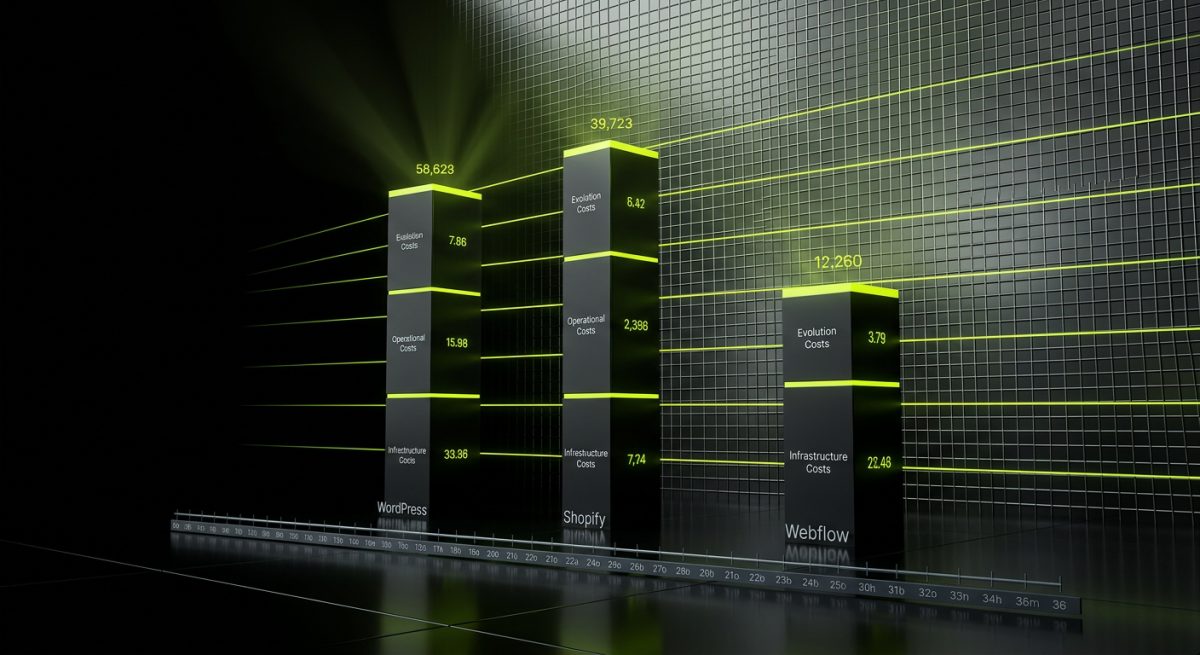
Most platform comparisons stop at the monthly subscription or the initial agency quote. That's a misleading frame. A more honest comparison looks at a rolling 36-month window and accounts for every recurring and unpredictable cost category.
The Three Cost Layers Every Platform Has
Regardless of which platform you choose, you're always paying across three layers:
- Infrastructure costs — hosting, CDN, SSL, DNS, email deliverability
- Operational costs — updates, backups, monitoring, security audits, support
- Evolution costs — new features, integrations, design refreshes, performance optimisation
The difference between platforms isn't whether these costs exist. It's how visible they are, who controls them, and how much leverage you have to reduce them.
WordPress: High Control, High Responsibility
WordPress powers roughly 43% of the web, and that ubiquity cuts both ways. On one hand, the ecosystem is enormous — thousands of plugins, themes, and hosting providers compete for your business, keeping prices competitive. On the other hand, that openness means you own the maintenance burden entirely.
A professionally hosted WordPress site on a managed platform like WP Engine or SiteGround (both partners of werun.dev) typically runs:
- Hosting: £30–£150/month depending on traffic and configuration
- Plugin licences: £200–£800/year for premium plugins (SEO, forms, caching, security)
- Core, theme, and plugin updates: 2–4 hours/month of developer time if done properly
- Security monitoring and backups: included on managed hosts, but requires configuration
- Performance audits: quarterly is best practice — 2–3 hours per audit
Over 36 months, a mid-market WordPress site with no dedicated maintenance retainer will typically accumulate £4,000–£9,000 in deferred maintenance costs — patches not applied, plugins not updated, database tables not optimised. That deferred work doesn't disappear. It surfaces as a security incident, a failed WooCommerce update, or a site that scores 48 on Core Web Vitals and haemorrhages organic traffic.
The answer isn't to avoid WordPress. It's to budget for maintenance from day one. werun.dev's monthly maintenance retainers exist precisely to prevent this accumulation — covering auto-updates via GitHub for every custom plugin we build, regular security reviews, and performance monitoring.
Webflow: Predictable Costs, Invisible Ceiling
Webflow's pricing model is deliberately simple. You pay a monthly CMS or Business plan fee (roughly £23–£79/month per site), and Webflow handles the infrastructure. No server configuration, no plugin updates, no hosting vendor negotiations.
For marketing sites, brochure sites, and content-heavy platforms, that simplicity has genuine value. But the hidden costs appear when you push against Webflow's boundaries:
- Custom logic: Webflow has no native backend. Complex forms, conditional pricing, member portals, or API-driven content require third-party tools (Memberstack, Outseta, Make/Zapier) that each carry their own subscription costs — easily £100–£400/month combined
- E-commerce limitations: Webflow's native store is functional but limited. Transaction fees, no subscription billing, and restricted product variant logic mean many e-commerce businesses eventually migrate to Shopify or WooCommerce — absorbing migration costs on top of what they already spent
- Editor lock-in: Non-technical editors sometimes struggle with Webflow's CMS structure, leading to either expensive training or a dependency on agency edits for routine content changes
Over 36 months, a Webflow site with moderate integration requirements often costs more in third-party tooling than the platform subscription itself.
Shopify: The Subscription That Grows With You (Whether You Want It To)
Shopify is the most transparent about its base pricing and the least transparent about its ceiling. The Basic plan starts at £25/month. Enterprise brands on Shopify Plus pay £2,000+/month. Between those points, costs scale with revenue, features, and app dependencies.
The app ecosystem is Shopify's most significant hidden cost vector. The average Shopify store runs 6–12 paid apps. At £15–£80/month per app, that's £90–£960/month in app subscriptions before you've paid for development, design, or marketing. Apps for reviews, loyalty programmes, upsells, subscriptions, B2B pricing, advanced reporting, and custom shipping logic each add a line item that compounds annually.
Transaction fees on non-Shopify Payments gateways (0.5%–2% per transaction depending on plan) can also represent a substantial hidden cost for high-volume merchants who need a specific payment provider for compliance or regional reasons.
Technical Debt: The Cost Nobody Budgets For

Technical debt is the interest you pay on decisions made quickly, cheaply, or without a long-term view. It's not unique to any platform — it's a product of how a site is built and maintained, not which platform it runs on. But certain platform choices make technical debt more likely to accumulate, and harder to repay.
How Technical Debt Accumulates on Each Platform
WordPress technical debt most commonly appears as:
- Plugins installed to solve immediate problems without evaluating long-term compatibility or maintenance status
- Custom code written outside WordPress coding standards — no proper use of hooks, filters, nonces, or capability checks
- Themes built on page builder frameworks (Elementor, Divi) that embed shortcodes throughout post content, making theme migration nearly impossible without a full content rebuild
- Outdated PHP versions running on cheap shared hosting because an upgrade was never prioritised
At werun.dev, every WordPress plugin we build uses WordPress APIs correctly — proper nonces, capability checks, sanitization and escaping throughout. Every plugin ships with a GitHub-powered auto-update system. This isn't pedantry. It's the difference between a codebase that's maintainable in three years and one that requires a full rewrite.
Webflow technical debt is subtler but real:
- Class naming conventions that were never established, leading to hundreds of one-off utility classes that make global style changes a manual, error-prone process
- CMS structures built for the site's current content rather than its future content, requiring structural rebuilds as the business grows
- Interactions and animations built directly in the Webflow Designer that nobody on the team understands how to modify
Shopify technical debt frequently manifests as:
- Theme customisations made directly in the Shopify admin (via the code editor) with no version control, no documentation, and no way to safely test changes
- Liquid template logic that's grown organically over years, with conditional blocks layered on top of conditional blocks that no single developer fully understands
- App conflicts — two apps both modifying the same checkout behaviour, producing intermittent bugs that are nearly impossible to reproduce reliably
The Compound Interest Problem
Technical debt compounds. A site with moderate technical debt is slower to update, which means updates get deferred. Deferred updates mean more compatibility issues when updates finally happen. More compatibility issues mean more expensive developer time to resolve them. That developer time displaces the feature work that would have grown the business.
A rough industry benchmark: every £1 of technical debt costs £3–£5 to repay once it's embedded in a production system. For a mid-market e-commerce site, that can translate to £15,000–£40,000 in catch-up development work that produces zero new functionality — it simply restores the site to a position it should never have left.
Measuring Technical Debt Before You Inherit It
If you're acquiring a site or migrating from an existing platform, a technical audit before migration is non-negotiable. Key signals to look for:
- WordPress: Run
wp plugin listand check each plugin's last update date and active installation count. Any plugin not updated in 12+ months with fewer than 1,000 active installs is a liability. Check PHP version compatibility across all plugins before any PHP upgrade. - Shopify: Export the theme code and search for inline styles, hardcoded product IDs, and commented-out blocks of legacy code. Each one is a signal of unmaintained customisation.
- Webflow: Export the site's CSS and count unique class names. A well-structured Webflow project uses a consistent naming system (BEM or similar). A debt-laden one has thousands of classes like
div-block-47andtext-block-12.
Making the Right Platform Decision for the Right Reasons
Platform selection should be driven by total cost of ownership over a realistic time horizon, not by the lowest initial quote or the most impressive demo. The right platform is the one whose cost structure aligns with your team's capabilities, your growth trajectory, and your tolerance for operational complexity.
A Framework for Honest Platform Comparison
Before committing to any platform, run through these five questions:
- Who owns the infrastructure? Managed platforms (Shopify, Webflow) reduce operational overhead but reduce control. Self-hosted WordPress gives you full control but requires you to exercise it responsibly.
- What's the marginal cost of a new feature? On WordPress with a well-structured codebase, adding a new feature to an existing plugin can be a few hours of work. On a Shopify store with twelve apps all touching checkout, the same feature might require a custom app build to avoid conflicts.
- What happens if the platform changes its pricing? Shopify has raised prices. Webflow has changed plan structures. WordPress.org is free and open source — the core will never charge you a subscription fee.
- Does your team have the skills to maintain it? A WordPress site maintained by someone who doesn't understand PHP, hooks, or the update process is a security incident waiting to happen. A Webflow site maintained by a team that doesn't understand its CMS structure will accumulate structural debt quickly.
- What does migration cost if you outgrow it? Migrating a WooCommerce store with five years of order history, customer accounts, and custom product data to Shopify is a significant project. Migrating a Webflow site to WordPress because you need custom backend logic is another. Factor migration risk into your platform choice from the start.
Where werun.dev Fits Into This Picture
The work werun.dev does across WordPress, Webflow, and Shopify is deliberately structured to reduce long-term cost, not just deliver a working site at launch. On WordPress, that means building plugins to coding standards that make them maintainable, using GitHub for version control and auto-updates, and recommending managed hosting partners (WP Engine, SiteGround) whose infrastructure reduces operational risk. On WooCommerce, it means building integrations with ERPs, CRMs, and fulfilment platforms that eliminate manual processes — reducing the operational cost of running the store. On Webflow, it means establishing design systems and CMS structures upfront that scale cleanly rather than accumulating class-name chaos.
The monthly maintenance retainer model exists because the alternative — ad hoc updates when something breaks — is always more expensive. A retainer converts unpredictable emergency costs into a predictable operational line item, and it keeps technical debt from compounding.
The Numbers That Should Change How You Think About Platform Cost
To make this concrete, consider a three-year TCO comparison for a mid-market e-commerce business with moderate customisation requirements:
| Cost Category | WordPress (Managed) | Shopify (Growth) | Webflow + Apps |
|---|---|---|---|
| Platform/hosting | £3,600 | £2,700 | £2,772 |
| App/plugin licences | £1,800 | £12,960 | £7,200 |
| Development (maintenance) | £5,400 | £3,600 | £4,800 |
| Technical debt repayment | £2,000 | £4,500 | £3,000 |
| 36-month total | £12,800 | £23,760 | £17,772 |
These are illustrative figures based on typical project profiles, not guarantees — but the structure they reveal is consistent: the platform with the lowest subscription cost is not always the platform with the lowest total cost. And the platform with the highest upfront development investment (a properly built WordPress site) often has the lowest long-term cost when maintained correctly.
The goal isn't to sell you on any single platform. It's to ensure that when you make a platform decision, you're making it with accurate information about what you're actually committing to — not just for the launch, but for the three to five years that follow it.