
Marketing teams live and die by speed. A campaign window closes, a product launches, a competitor moves — and the team that ships first wins. For years, that speed was bottlenecked by one thing: engineering. Every landing page, every A/B test, every seasonal refresh required a developer ticket, a sprint slot, and a waiting game that could stretch days into weeks.
Webflow changes that equation fundamentally. Not by making developers irrelevant — but by shifting the boundary of what a marketing team can own, ship, and iterate on without touching a single line of code. This post breaks down exactly how that works in practice, where the real design control lives, and what a properly architected Webflow setup looks like when it's built to support a marketing team rather than just impress a client.
Why Marketing Teams Lose Time in Traditional Web Stacks
The problem isn't that developers are slow. The problem is that traditional CMS and web infrastructure was never designed with marketing autonomy in mind. WordPress, for all its flexibility, requires a developer the moment you step outside a theme's predefined layout options. Custom page templates, new section types, layout variations — all of it lives in PHP files and ACF configurations that a marketer cannot safely touch.
The result is a predictable bottleneck pattern:
- Marketing identifies a campaign need or conversion opportunity
- A ticket is written and prioritized against product and engineering backlogs
- The developer builds, QA reviews, and deploys — often one to two weeks later
- The campaign window has narrowed or closed entirely
This isn't a people problem. It's an architecture problem. The stack wasn't built for the speed that modern marketing demands.
The Hidden Cost of Slow Publishing
Beyond missed campaign windows, slow publishing creates compounding costs that rarely show up in a single line item:
Conversion testing debt. Every week a landing page variant isn't live is a week of conversion data you don't have. Teams that can iterate weekly accumulate months of optimization advantage over teams on a monthly deploy cycle.
Brand inconsistency. When marketers can't build pages themselves, they improvise — using tools like Canva embeds, iframe hacks, or off-brand microsite builders that fragment the visual identity.
Engineering resentment. Developers who spend their time resizing hero images and swapping CTA copy are not doing the work they were hired to do. It creates friction in the team and slows down the engineering work that actually requires engineering skill.
Opportunity cost on SEO. Programmatic SEO strategies — city pages, comparison pages, feature pages — require the ability to spin up new page templates and populate them at scale. Without that capability, the strategy stays in a deck.
Webflow addresses all four of these failure modes when it's set up correctly. The operative phrase is set up correctly — a Webflow site built without a scalable CMS architecture and a thoughtful editor experience just moves the bottleneck from engineering to design.
What Webflow Actually Gives Marketing Teams
The Webflow Editor — the simplified publishing interface separate from the Designer — allows non-technical team members to edit content within predefined structures. But the power isn't just in the Editor. It's in what a well-built Webflow CMS architecture enables:
- CMS Collections for blog posts, case studies, product pages, team members, and any repeating content type — all editable without touching the design
- Dynamic embeds and conditional visibility so that content variations (localized CTAs, gated content blocks, feature flags) can be controlled from the CMS rather than from code
- Symbols and components that enforce brand consistency — a marketer editing a landing page cannot accidentally break the global nav or footer
- Staging and publishing controls that let teams preview changes before they go live, without needing a separate staging environment managed by IT
The distinction between what a marketer can edit and what requires a developer is set at build time. That's why the architecture decisions made during the initial Webflow build have an outsized impact on marketing team velocity for the entire life of the site.
Building Webflow CMS Architecture for Editorial Workflows
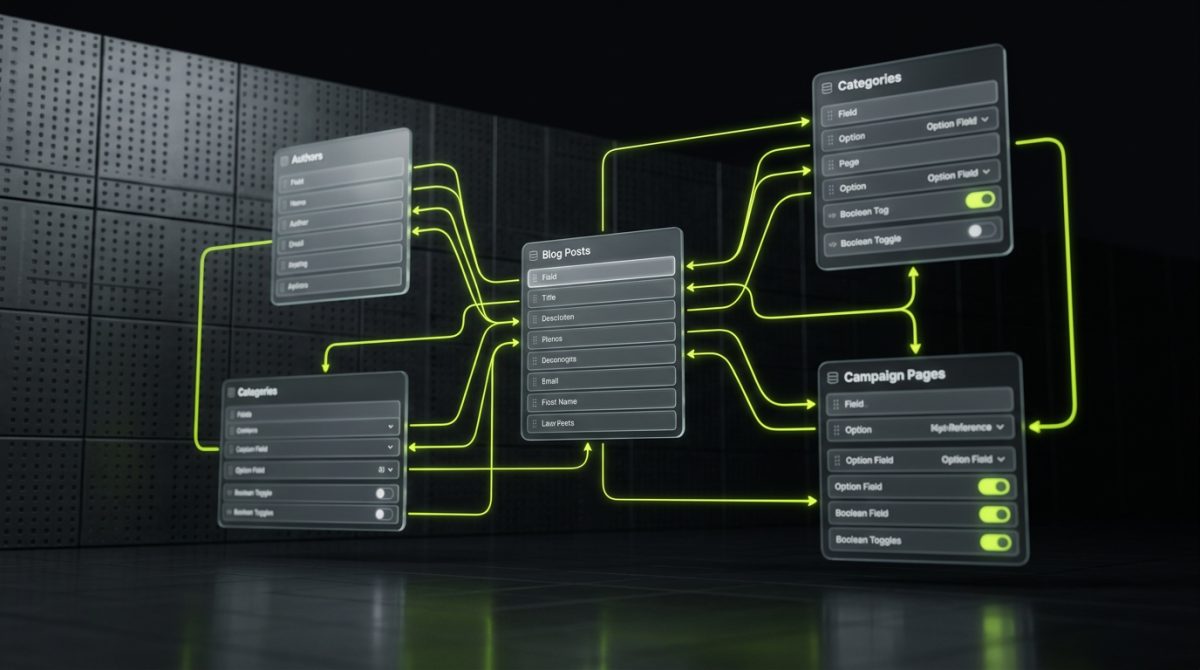
Most Webflow sites are built to look good at launch. Fewer are built to work well six months later, when the marketing team is managing 200 blog posts, running three active campaign landing pages, and trying to localize content for a new market. The difference is in how the CMS is architected from the start.
At werun.dev, every Webflow project is built with the content editor as the primary end user of the CMS — not just the developer who builds it. That means making deliberate decisions about collection structure, field naming, reference relationships, and what lives in the CMS versus what lives in static design.
Designing Collections That Scale
A CMS collection in Webflow is a structured content type — think of it as a database table with fields that map to design elements. The decisions made at the collection level determine how flexible the site is for future content needs.
Consider a B2B SaaS company's blog. A minimal collection might include:
Collection: Blog Posts
- Title (plain text)
- Slug (auto-generated)
- Author (reference → Authors collection)
- Publish Date
- Featured Image
- Body (rich text)
- Category (reference → Categories collection)
- SEO Title / Meta Description
- OG Image
A more sophisticated architecture adds:
- Content Type (option field: Article / Case Study / Guide / Changelog)
- Featured (boolean — controls homepage and sidebar promotion)
- Related Posts (multi-reference → Blog Posts)
- CTA Variant (option field: Demo / Trial / Contact / None)
- Estimated Read Time (number)
- Gated (boolean — triggers Memberstack or Outseta gate)
The second architecture gives the marketing team editorial controls that would otherwise require developer changes. Want to promote a post on the homepage? Toggle the Featured field. Want to swap the CTA block on a post without touching design? Change the CTA Variant field. Want to gate a guide behind a form? Enable the Gated toggle.
Reference Architecture for Multi-Template Campaigns
Campaign landing pages are where marketing teams most often hit walls in traditional stacks. Each campaign needs a slightly different layout — different hero, different social proof, different CTA placement — but rebuilding from scratch every time is wasteful and inconsistent.
In Webflow, the right pattern is a landing page collection with layout variant fields:
- Hero style (option: centered / split / video background)
- Social proof type (option: logos / testimonials / stats / none)
- Form position (option: hero / mid-page / footer)
- Color scheme (option: light / dark / brand)
Combined with Webflow's conditional visibility (show/hide elements based on CMS field values), a single collection template can render meaningfully different layouts without duplicating design. The marketing team creates a new campaign page by filling out a CMS item — not by asking a developer to clone and modify a template.
This is the architecture that enables real launch speed: not just editing existing pages faster, but creating new campaign pages in under an hour.
Integrating the CMS with the Business Stack
A Webflow CMS that lives in isolation is only half the picture. Marketing teams operate across HubSpot, Salesforce, Marketo, Segment, and a dozen other tools. The site needs to connect to those systems — not just for form submissions, but for behavioral data, personalization triggers, and lead routing.
Webflow's API allows external systems to read from and write to CMS collections. This opens up patterns like:
- HubSpot → Webflow sync for customer stories and case studies — when a deal closes and a case study is approved in HubSpot, a Zapier workflow creates the Webflow CMS item automatically
- Airtable as editorial calendar — content teams manage post metadata in Airtable, a Make.com workflow pushes approved items to Webflow CMS
- Webflow form → HubSpot contact + Slack alert — campaign form submissions route to the CRM and notify the sales team in real time
These integrations don't require a custom backend. They run on middleware (Zapier, Make, n8n) and Webflow's native API — which means a developer can set them up once and a marketing team can operate them independently.
Design Control Without Design Chaos

Giving marketing teams more control over the site is not the same as giving them unlimited control. The distinction matters enormously. Unlimited control leads to brand drift, accessibility regressions, and layouts that break on mobile. Structured control — the kind that Webflow enables when built correctly — gives teams the freedom to move fast within guardrails that protect the brand and the codebase.
This is the real value proposition of a professionally built Webflow site: not just that marketers can edit it, but that they can edit it safely.
Class Architecture as a Design System
Webflow's styling system is class-based, similar to CSS. The way classes are named and structured determines whether the site remains maintainable as it grows or becomes an inconsistent mess of one-off styles.
At werun.dev, all Webflow builds use a BEM-inspired class architecture:
/* Block */
.card

/* Element */
.card__title
.card__image
.card__body

/* Modifier */
.card--featured
.card--dark
.card--compact
This naming convention means:
- Any developer (or the client's future agency) can read the class structure and understand the design system immediately
- Global style changes (updating the brand's primary color, adjusting type scale) propagate correctly across all instances
- Marketing teams using the Editor cannot accidentally create orphan styles that conflict with the design system
The alternative — the default Webflow approach many agencies take — is a site full of classes named div-block-47 and text-block-12, which becomes unmaintainable within months and impossible to hand off.
GSAP and Interaction Design for Campaign Pages
One of Webflow's most underutilized capabilities for marketing teams is its interaction and animation system — and its compatibility with GSAP (GreenSock Animation Platform) for more sophisticated motion.
Campaign landing pages that use scroll-triggered animations, staggered content reveals, and micro-interactions consistently outperform static equivalents on engagement metrics. In a traditional stack, these animations require a frontend developer and significant implementation time. In Webflow:
- Native interactions handle the majority of scroll triggers, hover states, and entrance animations — configurable in the Designer without code
- GSAP via custom code embeds handles complex timeline animations, SVG morphing, counter animations, and anything that requires precise sequencing
- Lottie integration allows motion designers to export animations from After Effects and embed them as lightweight, scalable web animations
The marketing team doesn't build these animations themselves — but once they're built into the site's component library, the team can deploy them on new pages by using the components that already exist.
Responsive Design That Doesn't Break Under Editing
A common failure mode in Webflow sites built without proper structure: a marketer edits a headline, and the mobile layout breaks because the text was sized in a way that assumed a specific character count. Or a new image is uploaded at the wrong aspect ratio and the hero section collapses.
Preventing this requires intentional decisions at build time:
- Aspect ratio constraints on image containers so that any uploaded image fills correctly regardless of dimensions
- Min/max width and height on text containers so that content variations don't break the layout
- Flexbox and grid layouts that reflow naturally rather than relying on fixed positioning that breaks when content changes
- Responsive breakpoint testing as part of the QA process for every new component, not just the initial build
When these constraints are in place, marketing teams can edit content aggressively without creating visual regressions. The site absorbs content changes gracefully because the layout was designed to handle variability — not just the specific content that existed at launch.
When Webflow Reaches Its Limits
Webflow is not the right tool for every scenario. Marketing teams with highly complex personalization requirements, large-scale programmatic SEO needs (10,000+ pages), or deep e-commerce functionality will eventually hit Webflow's ceiling.
At that point, the right architecture is often a hybrid: Webflow as the CMS and content layer, with a custom Next.js or Astro frontend consuming the Webflow API. This pattern preserves the editorial experience that marketing teams rely on while removing the rendering and performance constraints of Webflow's native hosting.
werun.dev builds both — pure Webflow for teams that fit within its capabilities, and Webflow-to-Next.js migrations for teams that have outgrown the native platform but want to preserve their content workflows. The decision depends on scale, performance requirements, and how much custom functionality the site needs to support.
If your marketing team is currently waiting on engineering for every page change, or if your Webflow site was built without a scalable CMS architecture, the conversation starts here.