
Webflow has earned its reputation as one of the most powerful visual development platforms on the market. For marketing sites, portfolio builds, and content-driven projects, it genuinely delivers — clean code output, a capable CMS, and a designer-friendly interface that reduces the gap between design and production. But Webflow is not a universal solution, and treating it like one is how projects go sideways.
At werun.dev, we build in Webflow every week. We also tell clients when not to use it. This post is about that second part — the honest assessment of where Webflow's architecture creates friction, where its pricing model stops making sense, and where a different stack will serve your business better over a three-to-five-year horizon.
Where Webflow's CMS Architecture Breaks Down
Webflow's CMS is genuinely good for what it was designed to do: manage structured content like blog posts, team members, case studies, and product listings within a single-site context. The visual collection editor is intuitive, the dynamic binding system is clean, and for editorial teams publishing a few times a week, it works well.
The problems emerge when projects push beyond those assumptions.
The 10,000-Item CMS Limit
Webflow enforces a hard limit of 10,000 items per collection. For a company blog or a portfolio, that ceiling is irrelevant. For a real estate platform with 50,000 property listings, a job board with rolling inventory, or an e-commerce catalogue with variant-heavy SKUs, it is a project-ending constraint. There is no workaround inside Webflow's native CMS — you are either paginating aggressively, pruning old content on a schedule, or you are on the wrong platform.
Cross-Collection Relationships Are Shallow
Webflow allows multi-reference fields, but the relational depth stops there. You cannot query across collections with meaningful filters at the CMS level. A blog post can reference multiple authors, but you cannot build a page that dynamically pulls all posts by a specific author, filtered by category, sorted by engagement — not without custom JavaScript hitting the Webflow API, and even then you are fighting the platform rather than working with it.
For content models that require genuine relational logic — think a SaaS documentation site, a learning management system, or a multi-tenant directory — Webflow's CMS becomes a liability. The moment your editorial team needs to manage content relationships that mirror a real database schema, you are looking at either a headless CMS (Contentful, Sanity, Prismic) feeding a custom front-end, or a WordPress installation with a properly architected custom post type structure.
Webflow CMS and Real-Time Data Don't Mix
Webflow's CMS is not designed for real-time or frequently updated data. Publishing changes requires a site publish cycle. If your content updates on a schedule measured in minutes rather than days — live pricing, inventory counts, sports scores, financial data — Webflow's CMS is the wrong storage layer. You can pull external data via custom JavaScript and third-party APIs, but at that point the CMS itself is providing no value, and you are paying for Webflow infrastructure to serve a static shell around a custom data layer.
When to consider alternatives:
- Collections exceeding 5,000 items with growth trajectory
- Content models requiring multi-level relational queries
- Real-time or sub-hourly data update requirements
- Multi-site architectures sharing a single content source
E-Commerce: Where Webflow Hits a Structural Ceiling

Webflow launched its e-commerce product in 2019, and it has improved meaningfully since then. For small catalogues — a design studio selling prints, a consultancy selling a single course, a brand with fewer than 50 SKUs — Webflow Ecommerce is a reasonable choice. The design flexibility is genuinely superior to Shopify's default theme system, and the integration between the store and the marketing site is seamless.
But Webflow Ecommerce was not built to compete with Shopify at scale, and the gap becomes obvious quickly.
Variant and Inventory Management
Webflow supports product variants, but the variant management system is rudimentary compared to Shopify's. You get two option types per product. Complex apparel — size, color, fit, length — requires workarounds. Inventory tracking is basic. There is no native support for bundles, subscription products, or pre-orders without third-party tooling that adds cost and maintenance overhead.
Shopify's variant system, by contrast, supports up to three options with 100 variants per product natively, and Shopify Plus extends this further. More importantly, the entire Shopify ecosystem — apps, fulfillment integrations, POS systems, wholesale channels — is built around that variant architecture.
The App Ecosystem Gap
Shopify has over 8,000 apps in its marketplace. Webflow Ecommerce has a fraction of that. When a mid-market retailer needs subscription billing, loyalty programs, advanced product filtering, B2B pricing tiers, multi-currency support, and a returns management portal, Shopify has a mature app for each of those requirements. Webflow requires custom development for most of them.
This is not a criticism of Webflow's platform philosophy — it is simply a recognition that Shopify has a decade-long head start in the commerce infrastructure layer. For projects where commerce is the primary business function rather than a secondary revenue stream attached to a marketing site, Shopify Plus is almost always the correct choice.
Checkout Customization
Webflow's checkout is hosted and has limited customization options. You cannot inject custom logic into the checkout flow, implement custom upsell sequences, or deeply integrate with third-party fraud detection and compliance tools. Shopify Plus's Checkout Extensibility framework, by contrast, allows significant customization of the checkout experience through Checkout UI Extensions and Functions — a critical capability for high-volume merchants optimizing conversion.
Webflow Ecommerce is the right call when:
- Catalogue is under 100 SKUs with simple variant structure
- The store is secondary to a content or marketing site
- Design differentiation at the product page level is a priority
- Budget does not support a full Shopify Plus implementation
Move to Shopify when:
- Subscription or recurring revenue products are in scope
- B2B pricing, wholesale, or multi-channel commerce is required
- The app ecosystem is load-bearing for the business model
- Annual GMV exceeds $500k and operational tooling matters
Custom Application Logic and Authentication
Webflow is a website builder with CMS capabilities and a visual development environment. It is not an application framework. This distinction matters enormously when scoping projects that involve user authentication, role-based access control, complex form logic, or stateful user interactions.
Native Authentication Is Not a Webflow Feature
Webflow does not have native user authentication. Full stop. Everything in this space — member logins, gated content, client portals, user dashboards — requires a third-party service. Memberstack and Outseta are the two most mature options in the Webflow ecosystem, and both are capable tools for the right use cases. We use both at werun.dev and have built production membership sites on each.
But third-party authentication layers introduce constraints. Your user data lives in Memberstack or Outseta's infrastructure, not yours. The pricing scales with member count in ways that can become significant at volume. Custom authentication flows — OAuth integrations, SSO with enterprise identity providers, multi-factor authentication with custom UX — require significant custom JavaScript work and sometimes hit walls that no amount of clever code can resolve within Webflow's hosting environment.
For projects where authentication is a core product feature rather than a bolt-on requirement, a proper application framework — Next.js with NextAuth, a Django or Laravel backend, or a headless architecture with a dedicated auth service — is the correct foundation. At werun.dev, when Webflow's limitations in this area block a project, we build the front-end in Next.js or Astro, preserving the content management benefits of Webflow's CMS via the API while serving the application layer through a proper framework.
Server-Side Logic Is Off the Table
Webflow sites are statically rendered and hosted on Webflow's CDN. There is no server-side execution environment. If your project requires:
- Server-side rendering for SEO-sensitive dynamic content
- Webhook processing and event-driven logic
- Background jobs or scheduled tasks
- Secure API proxying to hide credentials from the client
- Custom caching strategies at the route level
...then Webflow cannot be the execution layer. You can work around some of these with Zapier, Make, or n8n workflows handling the middleware logic, but these are workarounds, not architecture. For projects where server-side logic is fundamental to the user experience, the honest answer is that Webflow should be scoped as a CMS or content layer at most, with a proper application server handling the runtime.
Form Logic Beyond the Basics
Webflow's native form handling is minimal. You get form submissions to Webflow's dashboard, a basic email notification, and a webhook to pipe data elsewhere. Multi-step forms, conditional field logic, file uploads with processing, payment-integrated forms, and form submissions that trigger complex downstream workflows all require custom JavaScript and third-party services.
This is manageable with the right development approach — we build complex form experiences in Webflow regularly using custom JS and services like Typeform, Fillout, or fully custom implementations. But the effort cost is real, and for projects where form logic is central to the product (applications, onboarding flows, complex quoting systems), a purpose-built solution will be faster to build and easier to maintain.
Signs your project needs more than Webflow's application layer:
- User roles with different content access levels are a core requirement
- The product generates user-specific data that needs to persist and be queried
- SSO or enterprise identity provider integration is in scope
- The "site" is really a web application with a marketing front door
- Secure server-side operations are required for compliance or security reasons
Webflow Pricing and the Total Cost of Ownership Question
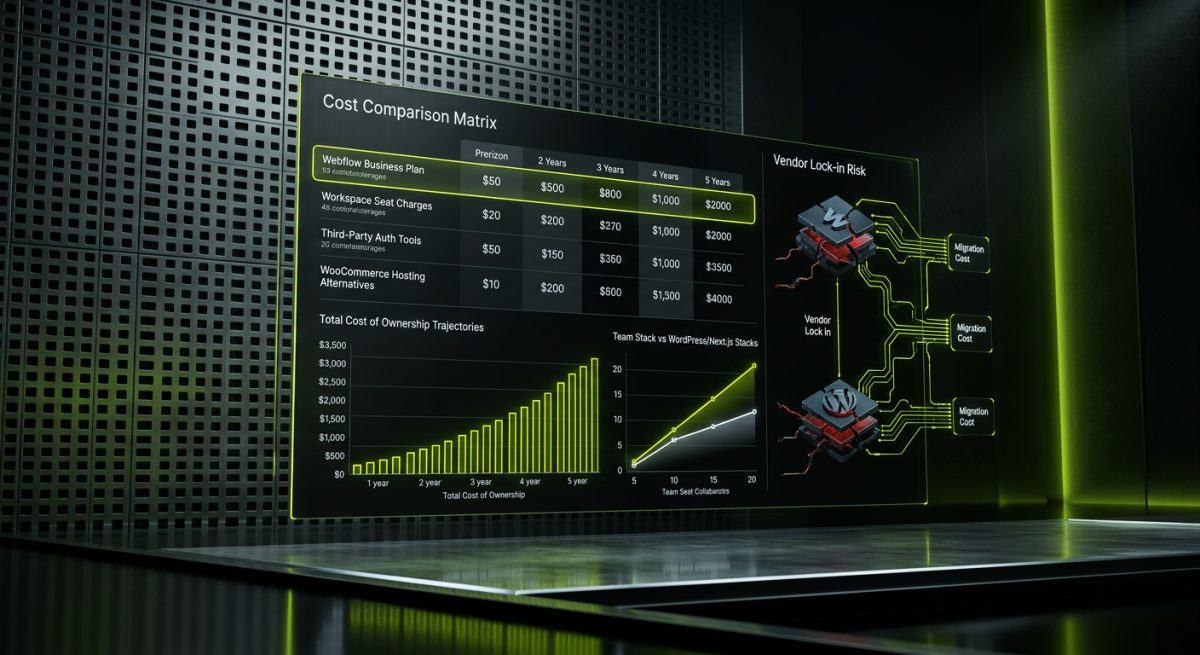
Webflow's pricing model is worth examining honestly, because it is frequently underestimated in project scoping conversations. The platform has moved aggressively toward a workspace and seat-based pricing model, and the total cost of ownership for a growing team on a complex site can surprise clients who initially chose Webflow for its perceived simplicity.
Hosting Costs at Scale
Webflow's site plans range from free to Enterprise, with the Business plan at $39/month covering most production marketing sites. That is reasonable. But add CMS hosting for a content-heavy site, Webflow Ecommerce transaction fees on lower-tier plans, and the workspace seats required for a team of designers and developers, and the monthly cost climbs faster than many clients expect.
For comparison, a WordPress site hosted on a managed provider like Kinsta or WP Engine costs $35–$100/month for hosting, with no per-seat charges for the development team and no platform-level transaction fees on WooCommerce. For a small business, the difference is marginal. For a 20-person marketing team managing a high-traffic site with multiple collaborators, the math shifts.
The Seat Pricing Model
Webflow's workspace pricing charges per seat for editors and collaborators above the free tier. For agencies managing client sites, this is a cost that gets passed through. For in-house teams where multiple stakeholders need CMS access — regional marketing managers, legal reviewers, content contributors — the seat count adds up. WordPress, by contrast, has no platform-level seat pricing; you pay for hosting and any premium plugins, but adding a content editor costs nothing at the platform level.
Vendor Lock-In Is Real
Webflow sites are not portable in the way a WordPress site is. Your design, CMS architecture, and hosting are all bound to Webflow's platform. Migrating away means rebuilding, not exporting. This is not unique to Webflow — Squarespace and Wix have the same characteristic — but it is worth naming explicitly when a client is evaluating a five-year platform commitment. WordPress, for all its complexity, runs on standard infrastructure and can be migrated between hosts, frameworks, and architectures without rebuilding from scratch.
At werun.dev, we are transparent about this trade-off with every Webflow client. For the right project profile — a marketing site for a growth-stage B2B company that needs design quality, editorial flexibility, and a manageable maintenance footprint — Webflow's lock-in is an acceptable trade for the productivity gains. For a business that anticipates significant platform evolution, multi-site expansion, or eventual migration to a custom stack, the lock-in cost deserves serious weight in the platform decision.
Total cost of ownership checklist for Webflow:
- Webflow site plan tier and projected traffic
- Workspace seats for all active collaborators
- Third-party tools required to fill Webflow's gaps (auth, forms, search, commerce)
- Developer time cost for custom code maintenance
- Migration cost if the platform decision needs to be revisited in 3–5 years
If the honest answer to that checklist produces a number that competes with a properly maintained WordPress or custom Next.js build, the platform decision should be reopened. Webflow earns its place on the right projects. On the wrong ones, it creates technical debt that compounds quietly until a rebuild becomes unavoidable.
If you are evaluating Webflow for a project and want an honest assessment of whether it fits — or whether a different stack would serve you better — get in touch with the werun.dev team. We work across Webflow, WordPress, Shopify, and custom front-end frameworks, and our first obligation is to recommend the right tool, not the one we happen to prefer.