Marketing teams have spent the better part of a decade fighting the same battles: waiting on developers to push copy changes, wrestling with plugin conflicts before a campaign launch, or watching a landing page load in four seconds because the theme carries forty unused scripts. The frustration is structural, not personal. Traditional CMS platforms were designed around content publishing workflows that predate modern performance expectations, visual brand standards, and the pace at which go-to-market teams need to move.
Webflow was built with a different set of assumptions. It treats design, development, and content management as a unified surface rather than three separate disciplines that have to be coordinated through tickets and handoffs. That architectural difference is why marketing teams at B2B SaaS companies, agencies, and growth-stage brands are migrating away from WordPress and Drupal installations toward Webflow — not as a trend, but as a deliberate infrastructure decision.
What Webflow Actually Is (Beyond the Marketing Copy)

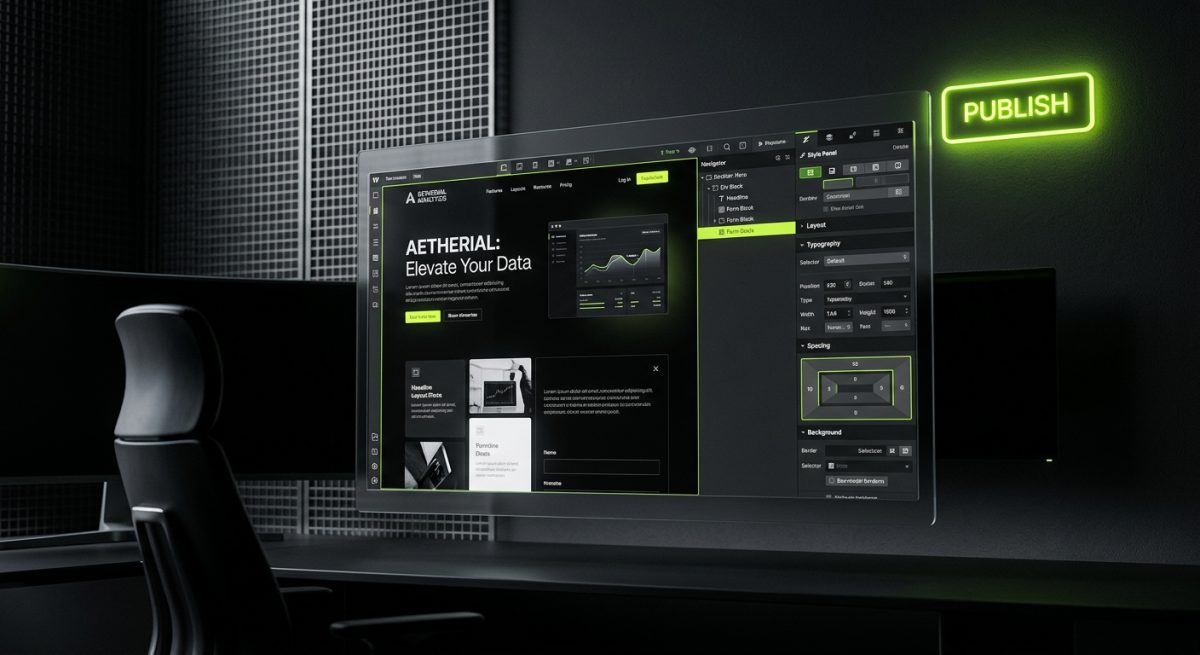
Webflow is a visual development platform that generates production-grade HTML, CSS, and JavaScript. Unlike page builders that wrap a layer of abstraction over a legacy CMS, Webflow's Designer outputs clean, semantic markup that a developer can inspect, extend, and maintain. The platform combines four distinct capabilities into one environment: a visual design tool, a CMS with structured content collections, a hosting layer built on AWS and Fastly's CDN, and a logic engine for interactions and animations.
Understanding the distinction between Webflow as a no-code tool and Webflow as a professional development platform matters for B2B buyers evaluating it seriously.
The Designer vs. the CMS vs. the Editor
Webflow separates concerns in a way that maps cleanly onto real team structures:
- The Designer is where developers and designers build the site — defining components, class architectures, responsive breakpoints, and interactions. This is not a drag-and-drop toy; it is a full CSS grid and flexbox implementation with support for custom code embeds, JavaScript, and third-party scripts.
- The CMS is where structured content lives — blog posts, case studies, team members, product features, pricing tiers. Collections are schema-defined, meaning a developer sets the fields and a content editor fills them without touching layout code.
- The Editor is the interface marketing teams actually use day-to-day. It surfaces only the content fields that are editable, on top of the live site, with no risk of accidentally breaking layout.
This separation is what makes Webflow genuinely useful for marketing organizations. A content manager can publish a new case study, swap hero copy before a campaign goes live, or add a new team member without opening a ticket. The developer's work — the class architecture, the CMS schema, the interaction logic — stays intact.
How the CMS Architecture Works in Practice
Webflow's CMS uses a collection-based model. Each collection is a content type with defined fields: rich text, images, references to other collections, multi-select options, switches, numbers, and more. A well-architected Webflow CMS might look like this:
Collections:
├── Blog Posts
│   ├── Title (Plain Text)
│   ├── Slug (Plain Text)
│   ├── Author (Reference → Team Members)
│   ├── Category (Reference → Categories)
│   ├── Featured Image (Image)
│   ├── Body (Rich Text)
│   └── Published Date (Date)
├── Case Studies
│   ├── Client Name (Plain Text)
│   ├── Industry (Option)
│   ├── Results Summary (Plain Text)
│   ├── Full Case Study (Rich Text)
│   └── Related Service (Reference → Services)
└── Team Members
    ├── Full Name (Plain Text)
    ├── Role (Plain Text)
    └── Headshot (Image)
Relational references between collections allow dynamic pages to pull in contextually relevant content — a blog post can display its author's bio and headshot, a case study can link to the service it relates to. This is the kind of editorial architecture that, in WordPress, requires custom post types, ACF Pro, and careful template management. In Webflow, it is native to the platform.
The practical ceiling for Webflow CMS is worth noting: the Business plan supports up to 10,000 CMS items. For most marketing sites, resource centers, and blog-driven content programs, that is more than sufficient. For content operations at enterprise scale, hybrid architectures using Webflow's CMS API to sync from external data sources are a viable path.
Why Marketing Teams Prefer It Over WordPress and Traditional CMS Platforms
The comparison between Webflow and WordPress is not a question of which platform is more powerful in absolute terms — WordPress, with its plugin ecosystem and hosting flexibility, can be configured to do nearly anything. The question is which platform produces the best outcomes for a marketing team operating at the speed modern campaigns require, without accumulating technical debt that eventually requires a full rebuild.
Deployment Speed and Autonomy
In a typical WordPress setup, a marketing manager who wants to change a homepage headline, add a new section to a landing page, or publish a new resource has one of three options: learn enough about the theme and page builder to make the change without breaking something, submit a request to the development team or agency, or use a page builder like Elementor or Divi that introduces its own fragility and performance overhead.
Webflow's Editor removes this bottleneck. Editable regions are explicitly defined at build time, so marketing teams can make content changes — including adding new CMS items, updating structured data, and modifying copy — without developer involvement. The site cannot be structurally broken through the Editor because the Editor only surfaces content fields, not layout controls.
This autonomy compounds over time. Marketing teams that can execute campaigns without development dependencies move faster, test more frequently, and reduce the cost per iteration.
Performance Without Optimization Theater
WordPress performance is achievable, but it requires deliberate effort: choosing a lightweight theme, auditing and removing unused plugins, configuring a caching layer (WP Rocket, W3 Total Cache), connecting a CDN, optimizing images through a service like Imagify or ShortPixel, and staying on top of Core Web Vitals as Google's algorithms evolve. Each of these is a maintenance surface.
Webflow sites are hosted on Fastly's global CDN by default. The platform generates static HTML where possible, serves WebP images automatically, and does not carry the plugin overhead that inflates WordPress page weight. A production Webflow site built with clean class architecture typically achieves strong Core Web Vitals scores without a separate performance optimization layer.
For marketing teams where organic search is a primary acquisition channel, this matters directly. Lighthouse scores affect rankings. Page load time affects conversion rates. The baseline Webflow infrastructure reduces the gap between a newly launched site and a performance-optimized one.
Design Fidelity and Brand Control
One of the persistent frustrations with WordPress themes — even premium ones — is the gap between what was designed in Figma and what gets built. Theme constraints, shortcode dependencies, and the visual complexity of page builders introduce compromises that accumulate into a site that looks approximately like the design but not exactly like it.
Webflow's Designer operates at the CSS level. A developer building a Webflow site from a Figma file is setting actual CSS properties — gap values, grid template columns, clip-path animations, custom cubic-bezier easing curves — not approximating them through theme options. The output is pixel-accurate to the design intent.
For B2B companies where the website is a primary sales tool and brand perception directly influences enterprise deal velocity, design fidelity is not a cosmetic concern. It is a revenue concern.
Reduced Plugin and Security Surface
A mature WordPress installation commonly runs between 20 and 40 active plugins. Each plugin is a dependency with its own update cycle, compatibility matrix, and potential security exposure. Plugin conflicts are a routine cause of site breakage. Security vulnerabilities in popular plugins — contact form plugins, SEO plugins, membership plugins — are a documented and recurring attack vector.
Webflow eliminates this surface almost entirely. The platform handles hosting, security patches, and infrastructure updates. Integrations with external services — CRMs, analytics platforms, chat tools — are implemented through script embeds or the Webflow API rather than plugins. The attack surface is fundamentally smaller.
What Professional Webflow Development Actually Looks Like
Webflow's visual interface creates an accurate but incomplete picture of what professional Webflow development involves. The Designer makes it possible for a non-developer to build a functional site. It does not make it easy to build a scalable, maintainable, integration-rich site that will serve a marketing team well for three to five years. That requires deliberate architectural decisions at every layer.
Class Architecture and Scalability
Webflow uses a class-based styling system. Without a disciplined naming convention, a site built by multiple contributors over time accumulates redundant classes, inconsistent spacing tokens, and layout components that cannot be safely modified without breaking other pages. Professional Webflow development applies BEM-style class architecture from the start:
/* Component: Feature Card */
.feature-card              /* Block */
.feature-card__icon        /* Element */
.feature-card__title       /* Element */
.feature-card__body        /* Element */
.feature-card--highlighted /* Modifier */
This naming convention makes the class list readable, makes component relationships explicit, and makes future modifications predictable. A developer joining a project six months after launch can understand the architecture without reverse-engineering it.
Scalable class architecture also enables efficient responsive design. Rather than overriding styles at each breakpoint in an ad hoc way, a well-structured Webflow project uses utility classes and component variants that compose predictably across device sizes.
Custom Code, Interactions, and Integrations
Webflow's native interaction engine covers a wide range of animation and scroll behavior use cases — entrance animations, parallax effects, sticky elements, hover states, progress-based animations. For more complex requirements, GSAP (GreenSock Animation Platform) integrates cleanly through custom code embeds and produces animation quality that is difficult to match with CSS alone.
Beyond animations, professional Webflow projects frequently require integrations that connect the site to the broader marketing and sales stack:
- HubSpot or Marketo for form submissions and lead routing
- Memberstack or Outseta for gated content, member dashboards, and client portals
- Airtable as a lightweight backend for dynamic data that does not fit cleanly into Webflow CMS collections
- Stripe for payment flows embedded within a Webflow page
- Zapier or Make for middleware automation between Webflow form submissions and downstream systems
These integrations are implemented through Webflow's custom code embeds, the Webflow API, or purpose-built middleware. At werun.dev, this integration layer is a core part of how we architect Webflow projects — the site is not a standalone artifact, it is a node in the client's broader business stack.
When Webflow Reaches Its Limits
Webflow is not the right tool for every project. The platform has meaningful constraints: the CMS item limit, the lack of native server-side rendering for highly dynamic content, limited native e-commerce capabilities for complex product catalogs, and the dependency on Webflow's hosting infrastructure. For projects where these constraints are binding, the right architecture may be a hybrid: Webflow as the CMS and content layer, with a Next.js or Astro front-end consuming the Webflow CMS API for rendering.
This pattern gives teams the editorial experience of Webflow — the Designer, the CMS, the Editor — while removing the hosting and rendering constraints. It is a more complex build, but it is the right call when performance requirements or content architecture complexity demand it. It is also a path we build at werun.dev for clients who have outgrown pure Webflow but do not want to abandon the editorial workflow it enables.
The Migration Decision: When It Makes Sense to Move

Migrating from WordPress or another CMS to Webflow is a significant undertaking. It is not the right decision for every organization, and it should not be made on the basis of platform enthusiasm alone. The cases where migration consistently delivers a strong return are well-defined.
Signs the Current CMS Is Costing You
The clearest indicators that a CMS migration deserves serious evaluation:
- Developer dependency for routine content changes. If your marketing team cannot publish a new landing page, update homepage copy, or add a case study without a development ticket, the current setup is creating a structural bottleneck.
- Recurring performance issues despite optimization investment. If Core Web Vitals scores require ongoing remediation, if caching configurations break after plugin updates, or if page load times are consistently above two seconds on mobile, the platform may be the root cause rather than the implementation.
- Design drift between brand standards and the live site. If the site looks noticeably different from current brand guidelines and updating it requires a theme rebuild, the cost of maintaining the current platform may exceed the cost of migrating.
- Security incidents or persistent plugin conflicts. A single significant security incident — database exposure, malware injection, defacement — typically costs more to remediate than a well-scoped Webflow migration.
- Inability to support new content types without custom development. If adding a new content type (a new resource format, a product comparison table, a dynamic pricing page) requires a developer to build custom post types and templates, the CMS is not serving the content strategy.
What a Professional Migration Involves
A Webflow migration from WordPress is not a content export and import. It is a rebuild — of the design, the CMS architecture, the integrations, and the content structure. Done well, it is an opportunity to rationalize the information architecture, improve the design system, and build a CMS schema that reflects how the content team actually works rather than how the original developer happened to configure it.
The migration process at werun.dev typically involves:
- Content audit — cataloging existing content types, identifying what is being used, what can be archived, and what needs to be migrated
- CMS architecture design — defining Webflow collections, field types, and relational references before any building begins
- Design-to-Webflow production build — translating Figma files into a scalable Webflow project with BEM class architecture and component-based structure
- Content migration — migrating existing content into the new CMS structure, either manually or through the Webflow CMS API
- Integration rebuild — reconnecting forms, analytics, CRM integrations, and any other third-party tools to the new site
- SEO continuity — mapping 301 redirects, preserving meta data, and validating that organic search equity is protected through the transition
- Editor training and handoff — ensuring the marketing team can operate the new site independently from day one
The timeline for a migration of this scope is typically eight to sixteen weeks depending on site complexity, content volume, and integration requirements. The output is not just a new website — it is a marketing infrastructure that the team can actually use.
Evaluating the Total Cost of Ownership
Webflow's pricing model is subscription-based: site plans range from approximately $23 to $212 per month depending on CMS item limits, form submissions, and e-commerce requirements. This is a predictable, recurring cost with no hosting, CDN, or security infrastructure to manage separately.
WordPress total cost of ownership is frequently underestimated. Managed WordPress hosting at a quality provider (WP Engine, Kinsta, Pressable) runs from $30 to several hundred dollars per month depending on traffic and storage. Premium plugins — SEO tools, page builders, form plugins, membership plugins, backup solutions — add another $500 to $2,000 per year in licensing. Developer time for plugin updates, security patches, and performance maintenance adds ongoing labor cost that is often invisible until it accumulates into a significant annual spend.
For most B2B marketing sites with moderate traffic and a content-driven acquisition strategy, the total cost of ownership comparison between a well-managed WordPress installation and a Webflow site on a Business plan is closer than it appears from the headline subscription price alone. When developer time savings for the marketing team are factored in, Webflow frequently comes out ahead.
The right framing for the migration decision is not "which platform costs less" but "which platform produces better outcomes for the marketing team at what total cost." For organizations where website velocity, design fidelity, and content team autonomy are strategic priorities, Webflow consistently produces better outcomes.
If your team is evaluating a Webflow migration or a new Webflow build and wants a direct assessment of what the right architecture looks like for your specific content and integration requirements, werun.dev's team responds within four hours.