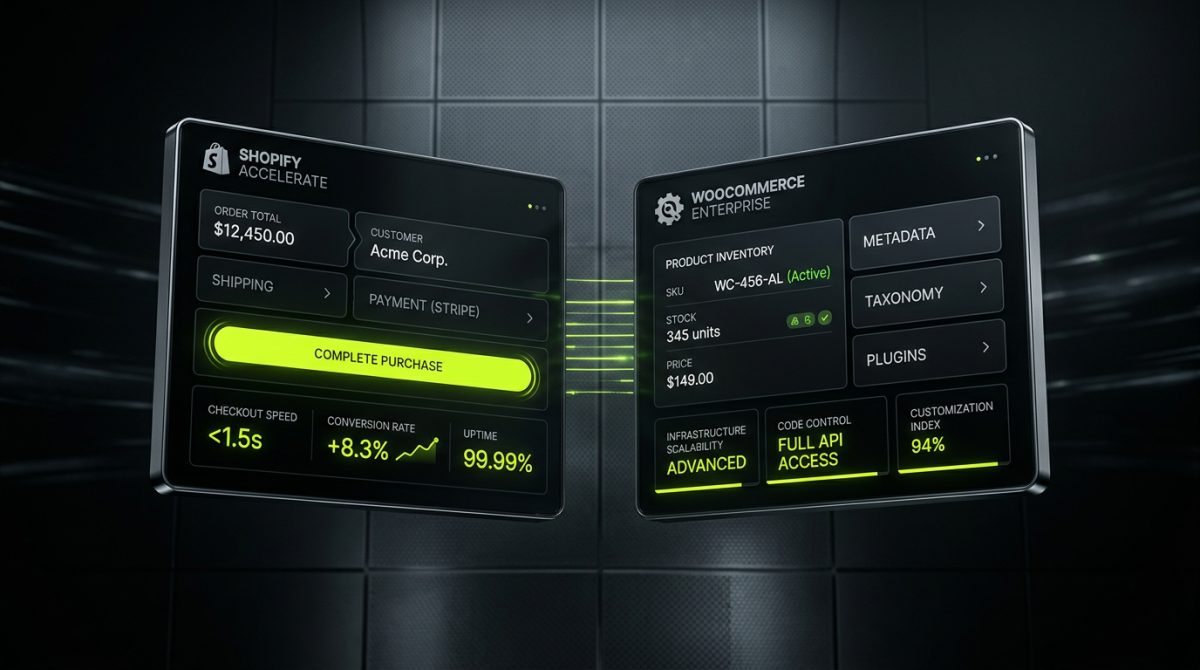
The WooCommerce vs. Shopify debate is one of the most consequential decisions a merchant or product team will make. Get it right and your platform becomes an accelerator. Get it wrong and you spend the next two years fighting infrastructure instead of growing revenue.
Both platforms are legitimate, battle-tested, and capable of powering eight-figure stores. The question is never which one is objectively better — it is which one is structurally better suited to your business model, your team's capabilities, and your growth trajectory. This post breaks down the real decision criteria, the hidden costs that rarely appear in comparison articles, and the specific scenarios where Shopify wins decisively.
The Core Architectural Difference That Changes Everything

WooCommerce is a plugin. It runs on top of WordPress, which runs on a server you either manage yourself or delegate to a hosting provider. That stack gives you extraordinary flexibility — you can modify anything at the PHP level, hook into every action and filter, and extend the platform in ways that no SaaS product can match. But that flexibility comes with a direct operational cost.
Shopify is a managed commerce platform. The infrastructure, CDN, SSL, PCI compliance, uptime, and core security patches are Shopify's problem, not yours. You work inside a defined environment — Liquid templating, the Storefront API, the Admin API, Online Store 2.0 JSON templates — and in exchange for those constraints, you get a platform that scales from your first sale to Black Friday at enterprise volume without you touching a server.
What "Managed" Actually Means in Practice
When a WooCommerce store hits a traffic spike, someone needs to:
- Provision additional server capacity or configure autoscaling on the hosting layer
- Ensure the database (typically MySQL) doesn't become the bottleneck
- Validate that caching layers (Redis, Varnish, object cache) are correctly configured
- Monitor plugin conflicts that surface only under load
- Confirm that payment gateways and third-party APIs don't timeout under concurrent requests
None of that exists on Shopify. Shopify's infrastructure handles concurrency at a platform level. A merchant running a flash sale to 50,000 simultaneous visitors on Shopify doesn't file a support ticket or upgrade a hosting plan — they just run the sale.
This is not a minor convenience. For brands running paid media at scale, for DTC companies with seasonal demand spikes, or for any business where downtime during a campaign is directly measurable in lost revenue, the operational risk profile of a self-hosted WooCommerce stack is a real liability.
The Hosting Cost Equation
WooCommerce is free software. That statement is technically accurate and practically misleading. A production-grade WooCommerce setup that can handle meaningful traffic typically requires:
- Managed WordPress hosting: $50–$500/month depending on traffic tier (Kinsta, WP Engine, Cloudways)
- A dedicated CDN configuration beyond what the host provides
- A premium caching plugin or server-level caching setup
- A database optimization strategy as the product catalog and order table grow
- A staging environment for safe deployments
- A developer on retainer or in-house to manage updates, plugin conflicts, and security patches
Shopify's pricing is visible and predictable. Basic starts at $39/month. Shopify plan at $105/month. Advanced at $399/month. Shopify Plus at $2,300/month for enterprise. Transaction fees exist on non-Shopify Payments gateways, but the total cost of ownership comparison — when you factor in hosting, security, maintenance, and developer time — frequently favors Shopify for stores doing consistent volume.
Specific Business Scenarios Where Shopify Wins
Platform selection should be driven by business requirements, not platform loyalty. These are the scenarios where Shopify is structurally the stronger choice.
High-SKU DTC Brands with Paid Media Dependency
If your customer acquisition model depends on Meta, Google, or TikTok ads driving traffic to product pages, your store's performance is directly tied to your ROAS. Page speed, checkout friction, and uptime are not technical concerns — they are revenue concerns.
Shopify's Online Store 2.0 architecture, combined with a custom Liquid theme built from scratch (not a modified free theme), consistently delivers Core Web Vitals scores that WooCommerce installations struggle to match at equivalent catalog sizes. The reason is structural: Shopify's rendering pipeline is optimized for storefront delivery, while WooCommerce's performance depends heavily on the quality of the hosting environment, the theme, and the plugin stack.
At werun.dev, our Shopify builds start with custom Liquid theme development — not cloned Debut templates. Every theme is architected using Online Store 2.0 JSON templates, Sections Everywhere, and metafield integration, with Core Web Vitals optimization built into the development process rather than retrofitted afterward.
Brands Requiring Checkout Customization at Scale
Shopify Plus unlocks checkout extensibility — the ability to modify the checkout flow using Checkout UI extensions and checkout.liquid customization. This matters for:
- Post-purchase upsell flows
- Custom gift messaging or personalization fields
- B2B-specific checkout logic (purchase orders, net terms, approval workflows)
- Multi-currency checkout with localized payment methods
- Subscription and installment payment UI
WooCommerce can technically implement all of these, but each one requires a plugin, a custom plugin, or significant PHP development. The maintenance burden of keeping those customizations compatible with WooCommerce core updates, WooCommerce Payments updates, and the broader plugin stack is non-trivial.
Shopify Plus checkout extensibility is built on a stable, versioned API surface. Customizations built against it don't break when Shopify ships a checkout update — Shopify maintains backward compatibility as a platform commitment.
Migrations Away from WooCommerce
A significant portion of Shopify projects aren't greenfield builds — they are migrations from WooCommerce stores that have hit a ceiling. Common triggers include:
- Performance degradation as the product catalog and order history grow
- Plugin conflicts that require increasing developer time to manage
- Hosting costs that have scaled faster than revenue
- A replatforming decision driven by a new investment round or brand acquisition
WooCommerce-to-Shopify migrations require careful handling of product data, customer records, order history, SEO URL structures, and redirect mapping. Done incorrectly, a migration can destroy organic search rankings built over years. Done correctly, it resets the technical foundation without losing the commercial equity the brand has built.
werun.dev handles store migrations from WooCommerce to Shopify with a zero data loss methodology — products, variants, metafields, customer accounts, order history, and SEO redirects all transfer with full validation before the domain cutover.
Shopify Plus: When the Enterprise Tier Is the Right Answer
Shopify Plus is not just Shopify with a higher price tag. It is a meaningfully different product with capabilities that don't exist on lower plans, and those capabilities matter for specific business models.
B2B and Wholesale Architecture
Shopify Plus includes native B2B functionality: company accounts, customer-specific price lists, net payment terms, draft order workflows, and quantity rules. For brands running both a DTC storefront and a wholesale channel, this eliminates the need for a separate WooCommerce B2B plugin stack or a parallel Magento installation.
The B2B portal in Shopify Plus is built on the same Liquid/Storefront API foundation as the DTC store, which means a single development team can maintain both surfaces. Custom B2B portals built on WooCommerce typically involve multiple plugins (WooCommerce Wholesale Prices, WooCommerce B2B, custom role logic) that create fragile interdependencies.
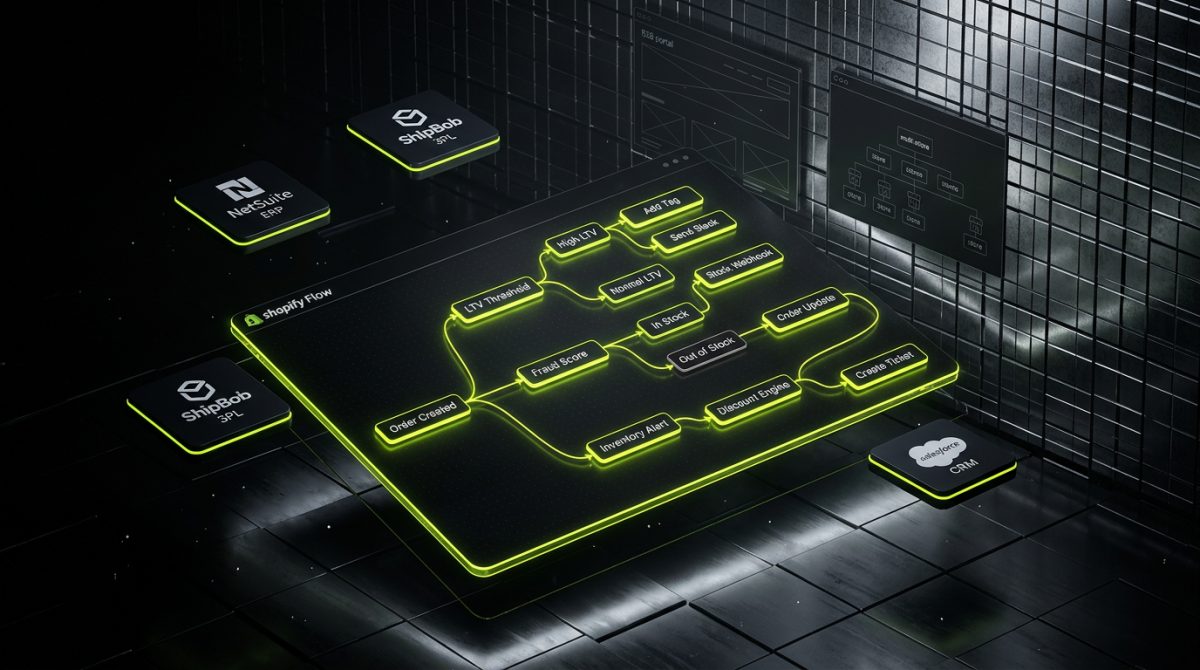
Shopify Flow Automations
Shopify Flow is a native automation builder available on Shopify Plus. It allows merchants to build event-driven workflows without code:
- Tag high-value customers automatically when they cross an LTV threshold
- Pause ad campaigns via API when inventory drops below a defined level
- Send internal Slack alerts when fraud scores exceed a threshold
- Auto-cancel high-risk orders and trigger a review workflow
- Apply discount codes to repeat customers at defined purchase intervals
WooCommerce equivalents require either AutomateWoo (a paid plugin) or custom development against WooCommerce hooks. Both are viable, but neither matches the maintainability and no-code accessibility of Shopify Flow for operations teams that need to own these workflows without developer involvement.
Multi-Store and Multi-Region Architecture
Shopify Plus organizations can manage multiple stores under a single organizational account with shared billing, shared staff permissions, and centralized reporting. For brands operating in multiple regions with different languages, currencies, and tax jurisdictions, this is a significant operational advantage.
Shopify Markets, available on all plans but significantly more powerful on Plus, handles:
- Localized domains or subfolders (
/en-gb/,mystore.de) - Local currency display and settlement
- Country-specific pricing and product availability
- Localized checkout language
Building equivalent multi-region functionality on WooCommerce requires WPML or Polylang for translation, a multi-currency plugin, careful configuration of tax rules per region, and a hosting infrastructure that can serve multiple locales efficiently. The complexity compounds quickly and the maintenance surface grows with every market added.
App Integration and Custom API Development
Shopify's Admin API and Storefront API are well-documented, versioned, and actively maintained. Integrating a Shopify store with an ERP (NetSuite, SAP), a 3PL (ShipBob, Flexport), a CRM (Salesforce, HubSpot), or a custom fulfillment system is a defined engineering problem with a stable API surface.
At werun.dev, we build private Shopify apps and custom integrations using both the Admin API and Storefront API — connecting stores to ERP systems, marketing platforms, and fulfillment infrastructure with documented, maintainable code rather than third-party connector plugins that introduce their own update cycles and failure modes.
WooCommerce integrations are typically built on REST API extensions or custom plugin development against WooCommerce hooks. Both approaches work, but the WooCommerce API surface is less consistently versioned, and the plugin ecosystem introduces dependency management overhead that compounds over time.
When WooCommerce Is Still the Right Call
Intellectual honesty requires acknowledging the cases where WooCommerce remains the stronger choice, because recommending Shopify for every scenario would be commercially convenient but technically wrong.
Content-Commerce Hybrid Sites
If the commerce component is secondary to a deep content strategy — a media publication with a merchandise store, a B2B SaaS company selling physical add-ons, a publisher monetizing through digital downloads — WooCommerce's native WordPress integration is a genuine advantage. The content management capabilities of WordPress, including custom post types, Gutenberg blocks, advanced taxonomy structures, and the full plugin ecosystem for editorial workflows, are not replicated in Shopify.
Shopify's blog functionality is functional but limited. For brands where content is a primary acquisition channel and the editorial team needs the full flexibility of WordPress, building the commerce layer on WooCommerce and investing in proper performance infrastructure is a defensible choice.
Highly Custom Product Configuration
Products with complex configuration logic — configurable bundles, products built from component selections, subscription boxes with per-item customization, or products requiring conditional pricing based on multiple variables — can be implemented in Shopify, but they often require custom app development or expensive third-party apps.
WooCommerce's PHP-level access allows developers to build arbitrarily complex product configuration logic directly into the platform. If your product catalog requires configuration complexity that maps poorly to Shopify's variant model (limited to three options, 100 variants per product), WooCommerce's open architecture may be the more practical foundation.
Existing WordPress Infrastructure Investment
For businesses that have already invested significantly in a WordPress ecosystem — custom plugins, editorial workflows, staff trained on the WordPress admin, integrations built against the WordPress REST API — the switching cost of moving to Shopify is real. If the WooCommerce store is performing well technically and the primary need is feature development rather than infrastructure improvement, extending the existing WooCommerce investment may have a better ROI than replatforming.
The decision to migrate should be driven by a genuine technical or commercial ceiling, not by platform trends. If WooCommerce is serving the business well, the migration cost is rarely justified by platform preference alone.
How to Make the Decision Systematically
Rather than relying on comparison articles or vendor marketing, the decision between Shopify and WooCommerce should be driven by a structured evaluation of your specific constraints and requirements.
The Five Questions That Determine the Right Platform
1. What is your team's technical capacity for infrastructure management?
If you have a dedicated DevOps function or a WordPress developer on staff who actively manages the hosting environment, WooCommerce's infrastructure requirements are manageable. If your technical team is focused on product development rather than server management, Shopify's managed infrastructure removes a category of operational risk.
2. What is your peak traffic profile?
Stores with predictable, moderate traffic can run efficiently on well-configured WooCommerce hosting. Stores with significant traffic spikes — seasonal campaigns, influencer-driven surges, major product launches — benefit from Shopify's elastic infrastructure without requiring manual scaling decisions.
3. How complex is your checkout and post-purchase flow?
Standard checkout with standard payment methods: either platform handles it well. Custom checkout logic, B2B payment terms, post-purchase upsells, or complex discount stacking: evaluate whether Shopify Plus's checkout extensibility or WooCommerce's plugin ecosystem better matches your specific requirements.
4. What is your integration footprint?
List every system your store needs to connect to: ERP, CRM, 3PL, marketing automation, customer service platform, analytics stack. For each integration, evaluate whether a native Shopify app, a custom Shopify API integration, or a WooCommerce plugin provides better coverage, reliability, and maintainability.
5. What is your five-year growth scenario?
A store projecting $500K in annual revenue has different platform requirements than one projecting $10M. Shopify Plus's enterprise capabilities — B2B portals, Flow automations, multi-store architecture, dedicated merchant success management — become relevant at higher revenue tiers. Evaluate the platform against where you expect to be, not just where you are.
A Decision Framework
| Scenario | Recommended Platform |
|---|---|
| DTC brand, paid media focused, no in-house DevOps | Shopify |
| Content-first site with secondary commerce | WooCommerce |
| B2B wholesale + DTC on one platform | Shopify Plus |
| Complex product configuration beyond 100 variants | WooCommerce |
| Multi-region, multi-currency, global brand | Shopify Plus |
| Existing WordPress investment performing well | WooCommerce |
| High traffic spikes, seasonal demand | Shopify |
| Deep editorial workflow requirements | WooCommerce |
| Custom checkout extensibility at scale | Shopify Plus |
This framework is a starting point, not a deterministic algorithm. Real projects have constraints that don't fit cleanly into any table. The value of working with a development partner who has built production stores on both platforms is the ability to pressure-test the decision against your actual requirements before a line of code is written.
If you're evaluating a Shopify build, a WooCommerce-to-Shopify migration, or a Shopify Plus enterprise architecture, werun.dev's team can scope the project and give you a direct technical recommendation based on your specific stack, catalog, and growth requirements.