For most businesses running a website on a traditional CMS, maintenance is a constant, low-grade tax on time and budget. Security patches, plugin conflicts, server configuration, PHP version mismatches, failed updates that break layouts — the list is long, and the cost is real. Webflow was architected from the ground up to remove most of that overhead. Not by cutting corners, but by shifting responsibility from the site owner to a managed infrastructure layer. Here is exactly how that works, and why it matters for B2B teams evaluating their platform options.
The Infrastructure Layer Webflow Manages For You
The single biggest source of WordPress maintenance cost is the self-managed infrastructure stack. You own the server (or the hosting account), which means you own the responsibility for everything running on it: PHP runtime, MySQL database, web server configuration, SSL certificates, CDN setup, DDoS mitigation, and uptime monitoring. Each of these has its own failure modes and its own update cadence.
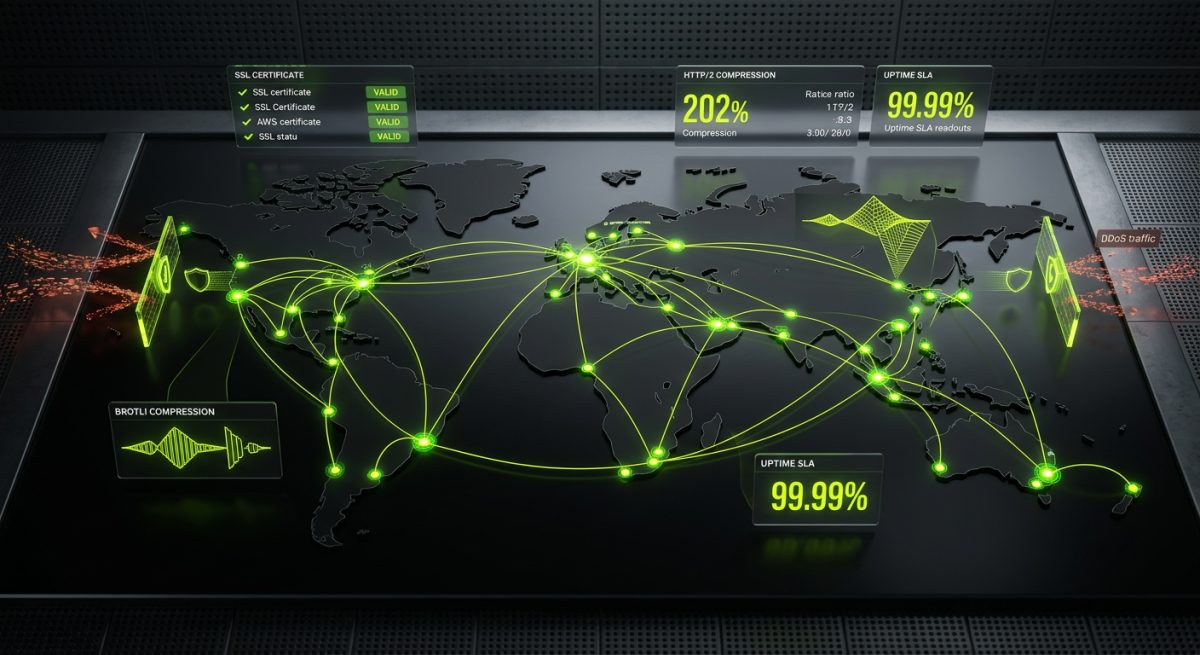
Webflow's hosting is a fully managed, globally distributed infrastructure built on AWS and Fastly's CDN. When you publish a Webflow site, you are not deploying files to a server you manage. You are publishing to a platform that handles:
- SSL certificate provisioning and auto-renewal — no Certbot cron jobs, no Let's Encrypt renewal failures at 3 AM
- Global CDN distribution — assets are served from edge nodes closest to each visitor without any configuration on your part
- Automatic HTTP/2 and Brotli compression — performance optimizations that require manual server configuration elsewhere are on by default
- 99.99% uptime SLA — backed by Webflow's infrastructure team, not your hosting provider's shared environment
- DDoS protection — handled at the network level through Fastly, not a plugin you install and forget to update
Compare this to a typical WordPress setup where a developer needs to configure Nginx or Apache, set up a caching layer (Redis, Varnish, or a plugin like WP Rocket), configure a CDN like Cloudflare manually, and monitor SSL certificate expiration. Each of those touchpoints is a potential failure point and a recurring maintenance task.
For a B2B company whose core business is not web infrastructure, this is a significant operational shift. Your team stops managing a server and starts managing a product.
What This Means for Your Hosting Bill
Webflow's hosting cost is baked into the plan pricing. You are not paying separately for a VPS, a managed WordPress host, a CDN subscription, a security plugin license, and a backup service. The total cost of ownership is more predictable, and the hidden labor cost of managing those separate services disappears entirely.
For agencies like werun.dev that build and hand off Webflow sites to clients, this is a direct benefit to the client relationship. A client on a Webflow Business or Enterprise plan does not need a retainer just to keep the lights on — retainer time can be allocated to actual growth work: new features, CMS content architecture, integrations, and performance improvements.
No Plugin Ecosystem Means No Plugin Debt
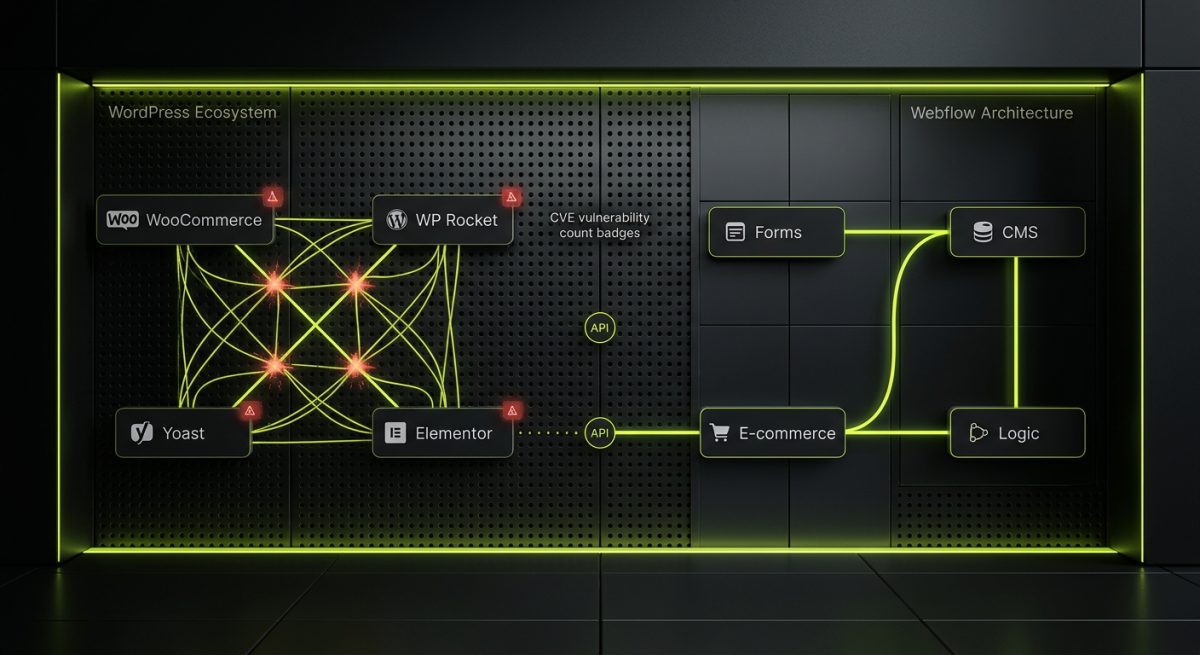
WordPress's plugin ecosystem is both its greatest strength and its most persistent maintenance liability. The average production WordPress site runs somewhere between 15 and 40 active plugins. Each plugin is a dependency. Each dependency has its own release schedule, its own compatibility matrix with the WordPress core version and with every other plugin, and its own security vulnerability surface.
Plugin conflicts are the number one cause of unplanned WordPress maintenance work. A WooCommerce update breaks a payment gateway plugin. A security plugin conflicts with a caching plugin. A page builder update changes how shortcodes render and breaks three pages of content. These are not edge cases — they are routine events on active WordPress sites.
Webflow does not have a plugin ecosystem in this sense. Functionality is either built natively into the platform or extended through:
- Custom code embeds — JavaScript and CSS injected at the page or site level, which you control entirely
- Third-party script integrations — tools like HubSpot, Intercom, or Google Tag Manager loaded via the
<head>or before</body>tags - Webflow API and middleware — server-side integrations via Zapier, Make, or custom Node.js middleware that connect Webflow CMS to external systems
- Native Webflow features — forms, CMS, e-commerce, memberships, and logic are all first-party, maintained by Webflow's engineering team
When Webflow updates its platform, it updates everything. There is no scenario where a Webflow core update breaks your form submission because a third-party form plugin has not been updated yet. The surface area for breakage is fundamentally smaller.
Security Patching Is Not Your Problem
The majority of WordPress security vulnerabilities are introduced through plugins and themes, not the core. The WordPress Vulnerability Database lists thousands of plugin CVEs. Managing those vulnerabilities means monitoring security feeds, testing updates in a staging environment, deploying patches, and verifying nothing broke in production. On a monthly cadence, that is a non-trivial amount of developer time.
In Webflow, the platform's security posture is maintained by Webflow's security team. Your custom code embeds are your responsibility, but the attack surface is orders of magnitude smaller than a full PHP application with a database, multiple plugins, and file system write access. There is no wp-login.php endpoint to brute-force. There is no database to SQL-inject through a vulnerable plugin. The CMS data is accessed through Webflow's API with token-based authentication, not through a publicly accessible database layer.
For clients in regulated industries or those who have experienced a WordPress compromise before, this architectural difference is often the deciding factor in platform selection.
CMS Updates and Content Editing Without Developer Involvement
One of the most underestimated maintenance costs on traditional CMS platforms is the overhead of keeping content editors productive. When a WordPress update changes the Gutenberg editor behavior, or when a page builder plugin updates its block library, editors frequently need retraining or developer intervention to continue their normal workflows. Layout breakage in the editor is common after major updates.
Webflow's Editor — the front-end content editing interface — is decoupled from the Designer. Content editors work directly on the live-preview of the site, editing text, images, and CMS collection entries without ever touching the design layer. This separation means:
- Platform updates to the Designer do not affect the Editor experience for non-technical users
- CMS collection fields are schema-defined by the developer at build time, so editors cannot accidentally break layouts by adding unsupported content types
- Rich text fields have controlled formatting options — you can restrict editors to only the typographic styles that exist in the design system, preventing the classic "pasted from Word" formatting disasters
At werun.dev, when we architect a Webflow CMS for a client, we build the collection schema around the actual editorial workflow — not around what is technically possible in Webflow, but around what the content team actually needs to publish efficiently. That means field-level validation, reference fields that pull from other collections, and clear naming conventions that make the Editor interface self-explanatory without documentation.
Designer Updates Are Additive, Not Breaking
Webflow ships new features continuously — new CSS properties, new interaction triggers, new CMS capabilities. Unlike WordPress major versions, which can introduce breaking changes to template hierarchies or hook systems, Webflow's updates are almost exclusively additive. Existing sites do not break when Webflow ships a new feature. The existing class structure, interactions, and CMS bindings remain intact.
This means the maintenance conversation with a Webflow client is almost never reactive. You are not patching, not firefighting, not rolling back a failed update. The conversation is about what to build next — which is exactly where agency-client time should be spent.
When You Do Need Ongoing Support
Webflow is not zero-maintenance. Sites that use custom JavaScript, third-party API integrations, or complex CMS architectures do benefit from a monthly retainer — but the nature of that retainer work is fundamentally different from a WordPress maintenance retainer.
On WordPress, a maintenance retainer is largely defensive: update core, update plugins, monitor security, test after updates, fix what broke. On Webflow, a maintenance retainer is offensive: build new CMS templates, extend integrations, add interactions, optimize Core Web Vitals, expand multi-language support via Weglot or Webflow's native localization.
werun.dev offers monthly Webflow maintenance retainers specifically structured around this model — not keeping the site alive, but keeping it growing. If you are evaluating whether Webflow is the right platform for your next build, or if you are already on Webflow and want a development partner who understands the platform at a code level, start a conversation with our team.