01
Client Feedback
Click anything on your site and say what you want. Your open round and its comments show on your home page.
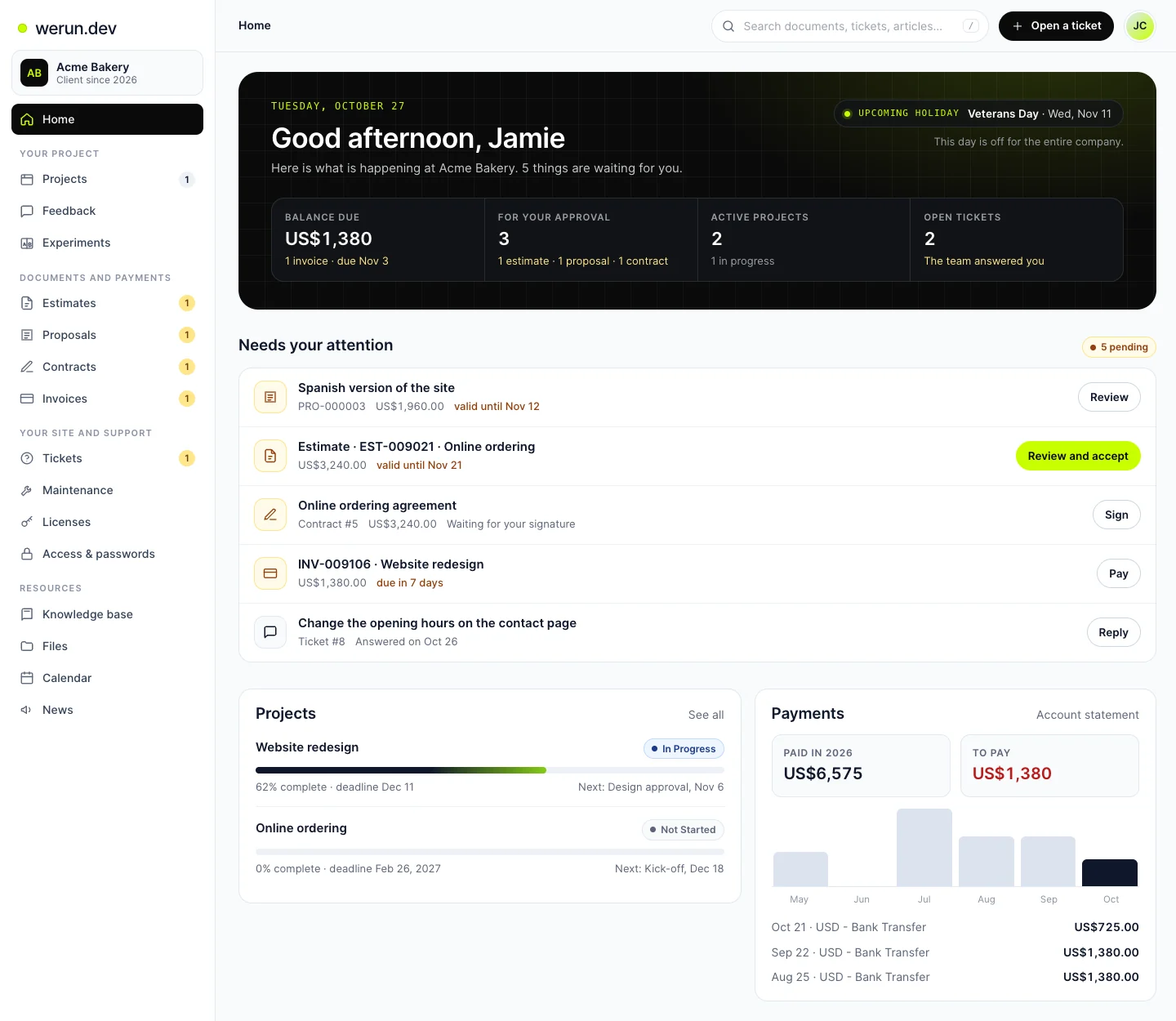
Invoices to pay, documents to approve and tickets the team answered, overdue first. One button takes you to each one.
Each active project with its progress, its deadline and the next milestone.
What you paid this year, what is left to pay and the last six months in a chart.
The people who look after your account, with their photo and their email.
The team’s next holiday shows up before it comes, so you can plan around it.
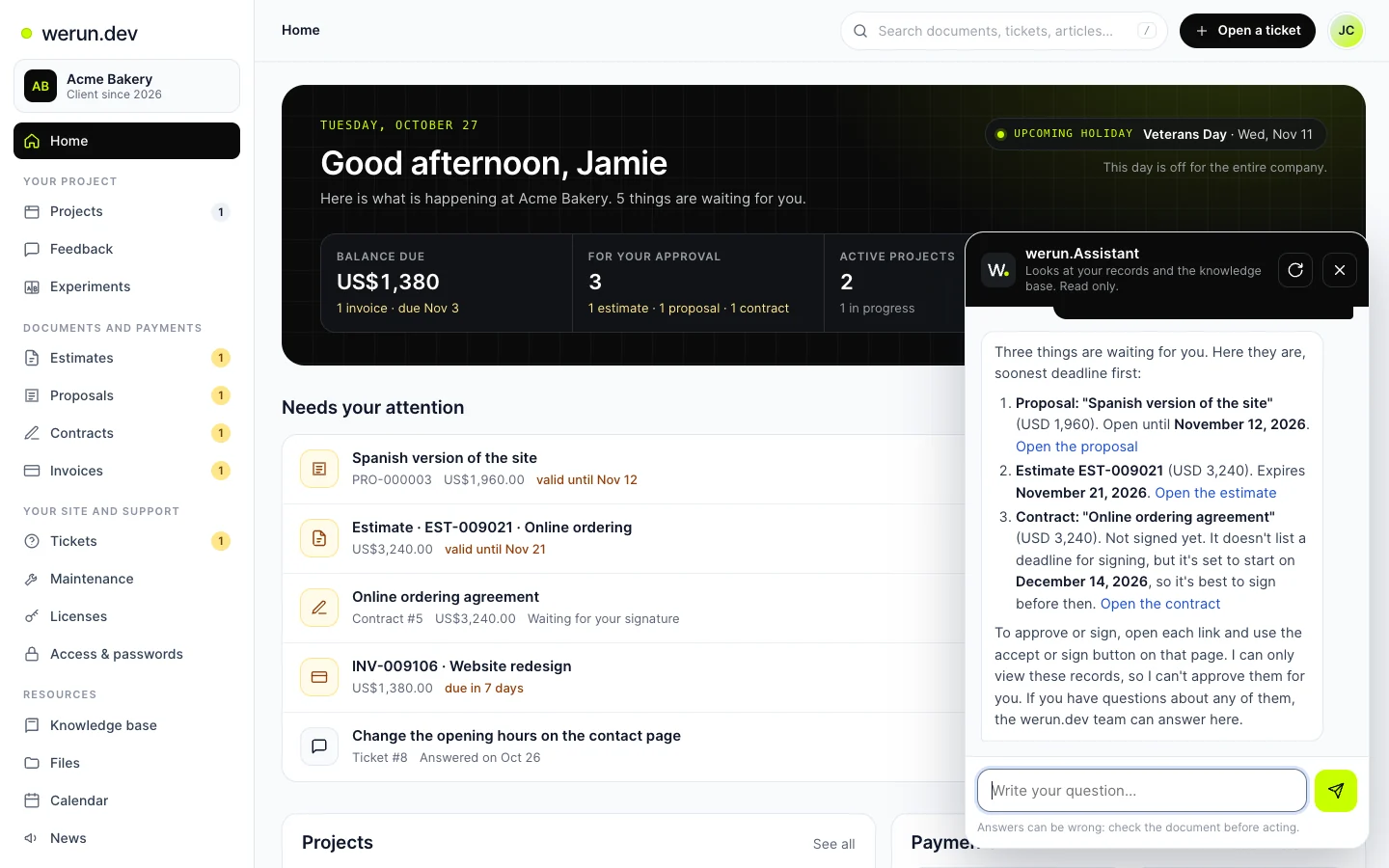
werun.Assistant reads your invoices, estimates, proposals, contracts, projects and tickets. It answers with the figures, the dates and a link to each document.
 Opens at full size.
“Do I have invoices to pay?” “How is my project going?” “What did the team answer on my tickets?”
To pay, accept or sign, it takes you to the right page. The decision stays yours.
It follows the permissions of your sign-in, and it also reads our public help articles.
It sits in the corner of the portal and keeps your conversation as you move around.
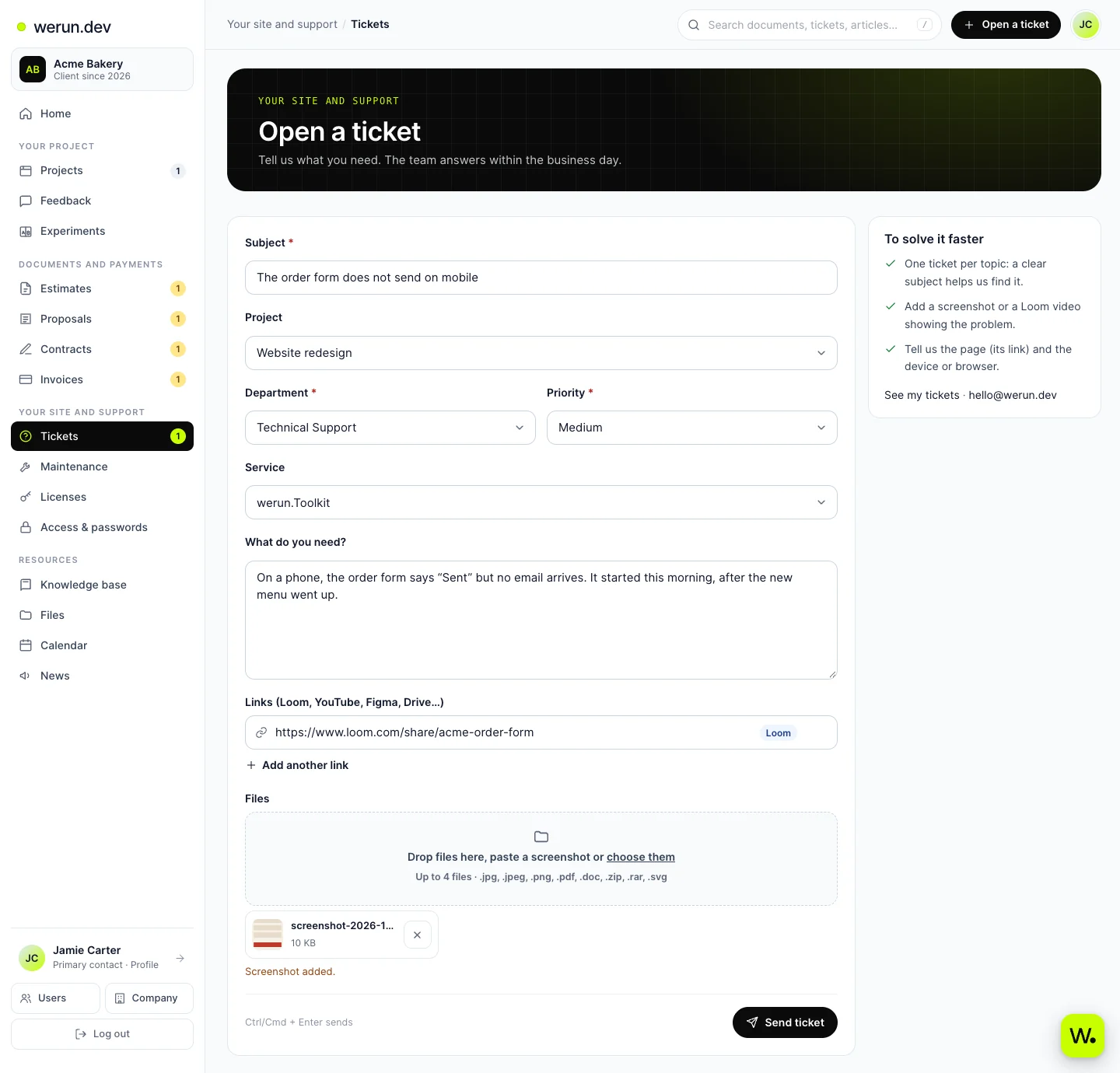
Open a ticket from any page. Paste a screenshot, add a video and choose the project it is about.
Copy it, paste it into the ticket, and it is attached.
Loom, YouTube, Figma or Drive, up to five links per ticket.
Someone on the team answers in under 2 hours on business days.
Every reply stays in the ticket, and your home page tells you when the team answered.
 Opens at full size.
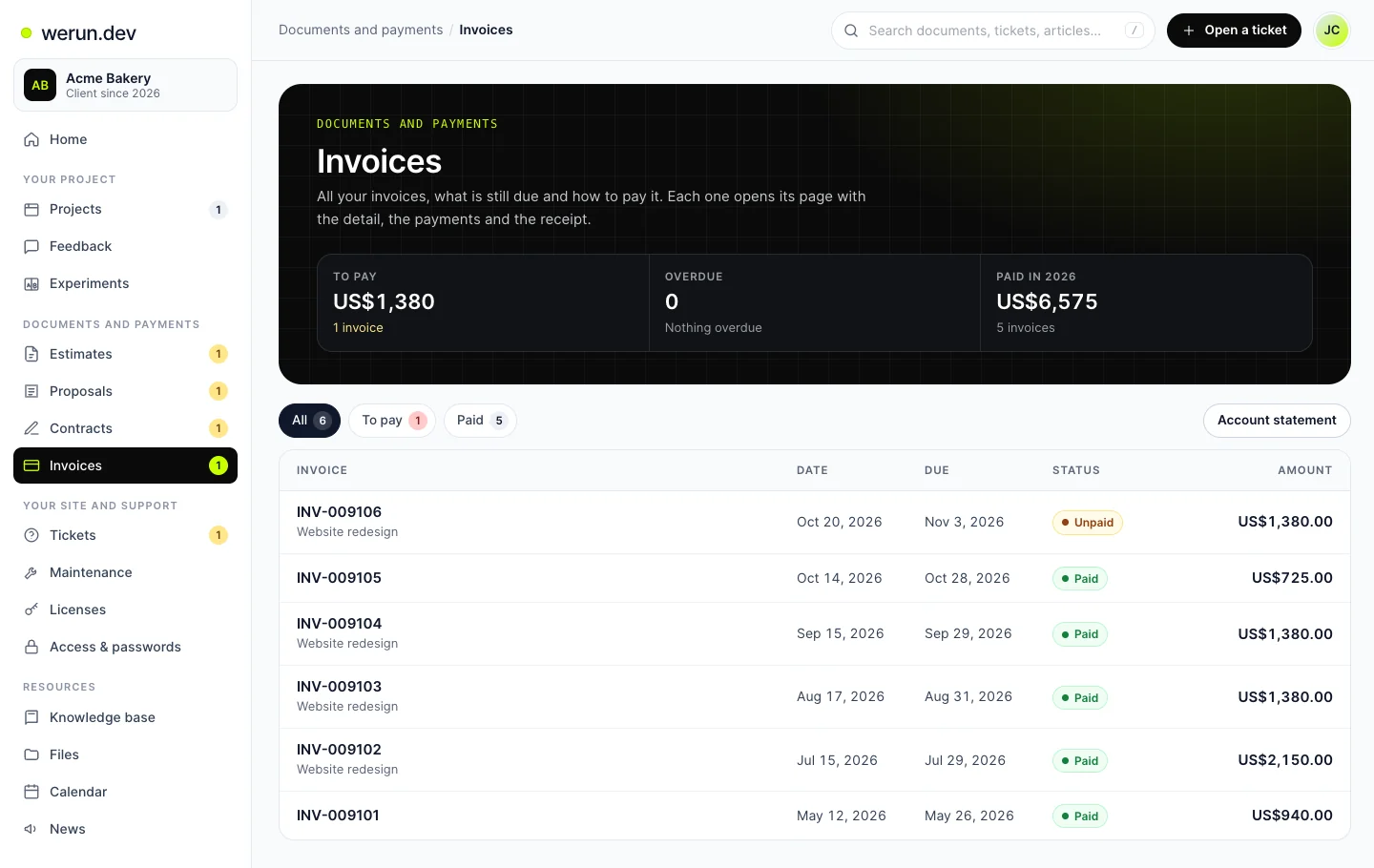
Estimates, proposals, contracts and invoices, each with its status. Open one to accept it, sign it or see how to pay it.
 Opens at full size.
Open an estimate or a proposal to accept it, or tell us what to change.
Read the contract and sign it on the same page.
Each invoice shows the detail, the payments and the receipt. Your account statement is one click away.
Filter by to pay, overdue or paid, and the list shows just that.
A word, a status like “unpaid” or “to sign”, or an amount. Results show up while you type.
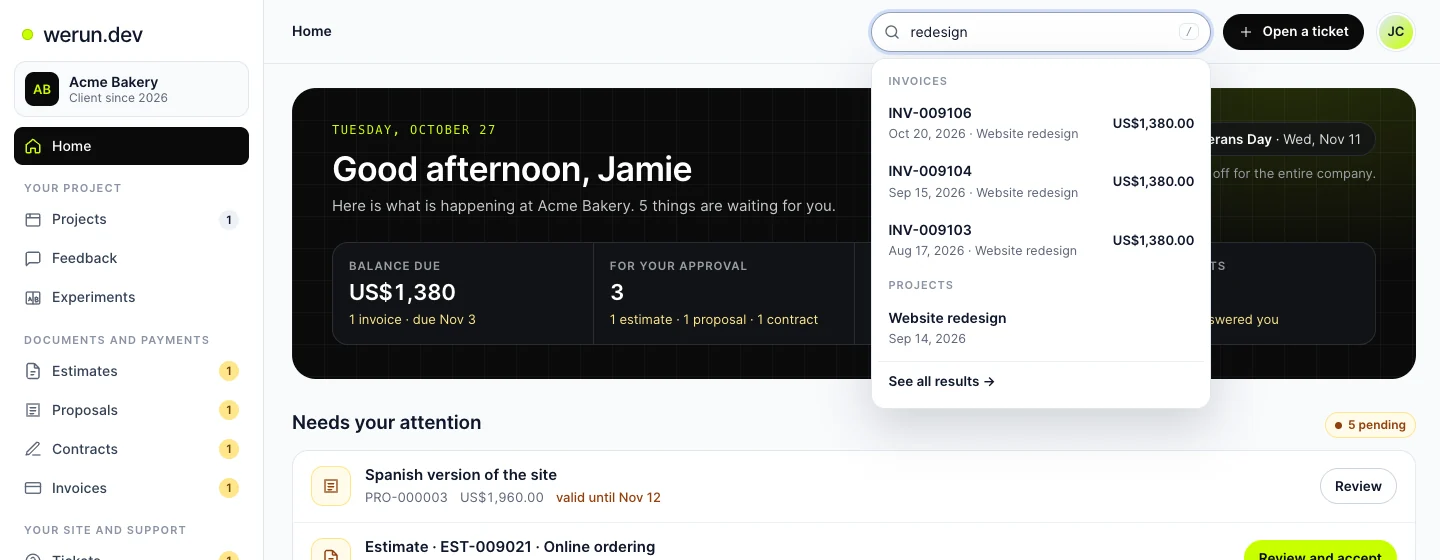 Opens at full size.
It reads the lines of invoices, estimates and proposals, and the text of contracts.
Tickets, the tasks you can see, the files shared with you and the help articles.
It finds an access by its name or its user. Passwords stay hidden.
As the primary contact, you add the people who work with us. You decide what each one sees and which emails they get.
They get their own sign-in and see only what you choose. You can turn them off at any time.
Save the logins we need and see the ones we share with you. A password shows only when you ask for it.
Make a link that lasts a day, a week, a month or until your date. Search engines are told to ignore it.
Feedback rounds, A/B tests, maintenance reports, presentations, sitemaps and prototypes appear in the portal once you have them.
Click anything on your site and say what you want. Your open round and its comments show on your home page.
Your A/B tests and how each version is doing, under Experiments.
With Care, every maintenance report of your site, under Maintenance.
It runs on our own CRM, with one rule for every number, list and answer: your sign-in decides.
Every number, list and answer follows the permissions of your sign-in.
It looks things up. Paying, accepting, signing and replying stay with you.
Saved passwords never reach the assistant. Each time one is shown, it is logged.
Every public link tells search engines to leave it out, and you can stop it at any time.
The assistant reminds you to check the document before you act. The team is one message away.