01
Pre-sale project website
A launch site with renders, the plans, the location and one clear way to reserve.
- —Renders, film and a virtual walk-through
- —The location, the team and the timeline you share
- —A reservation form on every page
“The client portal, the feedback extension and the WordPress security alerts have been very intuitive, pretty turnkey. Just this past week getting comfortable with it, it’s been really helpful. We’re rolling it out to our core team. Nice job.”
 Eric MillerNorth American Director of Sales & Marketing, General Filters & GeneralAire®
Buyers search for the building, the unit and the date. Partners and investors search for the files. Each gets a page.
The problem: Buyers see renders and have no way to say yes.
What changes: Each unit has a plan, a price and a reserve button.
The problem: A buyer asks for a unit and learns it was sold.
What changes: Your sales team keeps availability current in one place.
The problem: Reservations arrive as emails and screenshots of payments.
What changes: A reservation form takes the details and the deposit together.
The problem: Sales partners ask for the same files again and again.
What changes: A partner area holds plans, price lists and the latest news.
The problem: Investors ask for documents by email, one request at a time.
What changes: They open one private room with the files you approved.
The problem: Buyers hear nothing between the deposit and the keys.
What changes: They follow progress, payment dates and documents in their own account.
The site holds each one steady while the sales team talks.
The unit plan goes live with every status you set. Buyers reserve online while your sales team talks to the ones who call.
You grant access to the private room in a few clicks. They open what you approved, and you see what they read.
You mark the last unit as sold and the phase closes on the plan. Anyone on the waiting list hears about the next phase first.
Four directions to start from. Pick the one that feels like you and we shape it around your listings.



Concept designs with sample names and figures. Yours is built around your brand, photos and words.
Start with the date your sales gallery opens. Add the rest when you're ready.
A launch site with renders, the plans, the location and one clear way to reserve.
Buyers see each unit on the plan with its status, size and price, set by your team.
A buyer picks a unit and reserves it with their details and a deposit.
A private room where approved investors open the documents you chose to share.
Brokers who sell your project log in for plans, price lists, news and registrations.
After the deposit, buyers follow construction photos, payment dates and documents for their unit.
The same process for every client. You know what you get and what it costs before anything is built.
What your business does and what is not working. We reply within 2 hours on business days.
We look at what you already have. You get a written plan, a timeline and an estimate.
Everything is built and tested on a private copy before it goes live. What we build is yours.
After launch, one person you know by name looks after it: updates, backups, checks and fixes.
You explain your business once. The people who plan your site build it and look after it.
Updated, monitored, backed up
Websites and web apps
We answer on business days
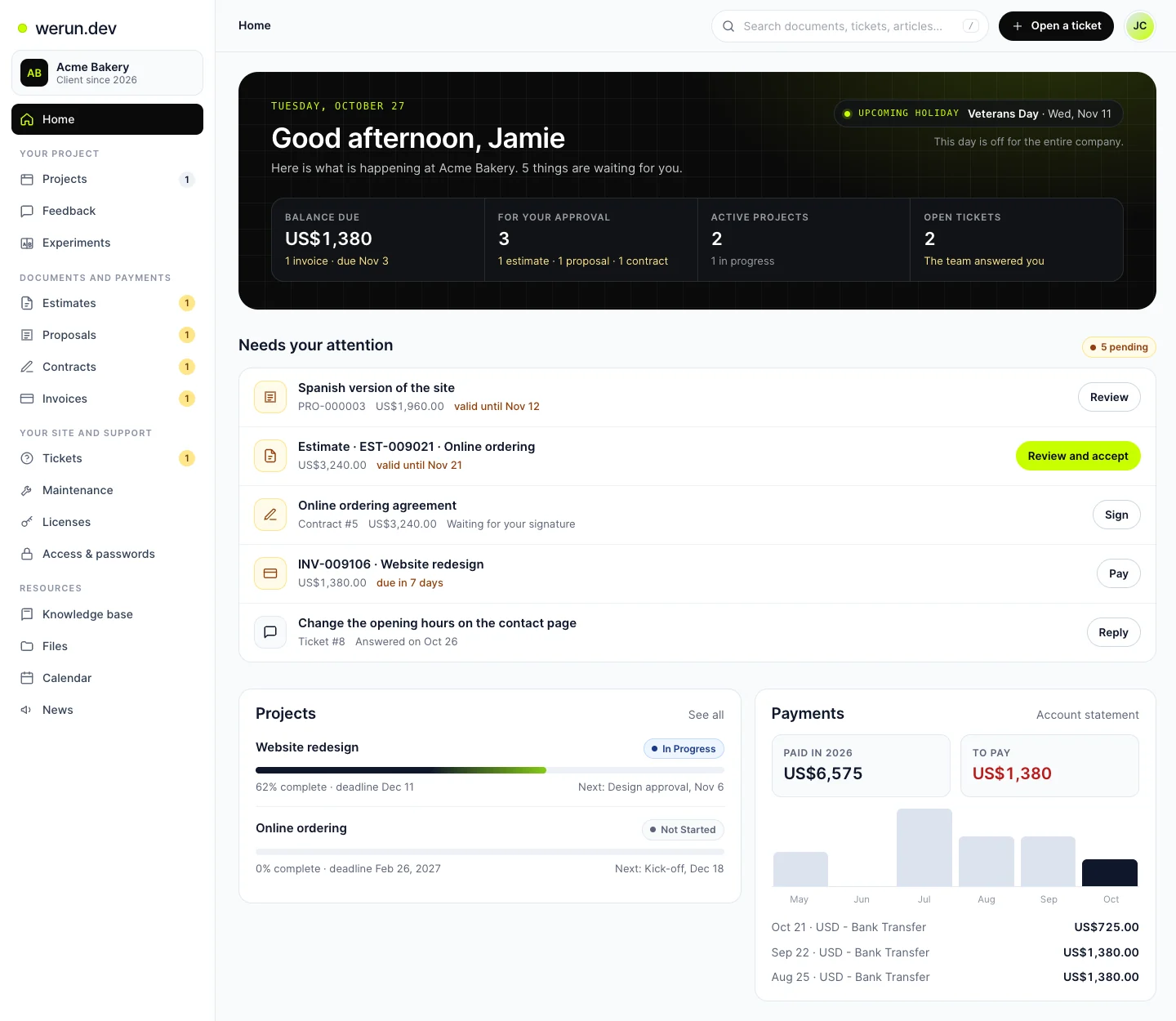
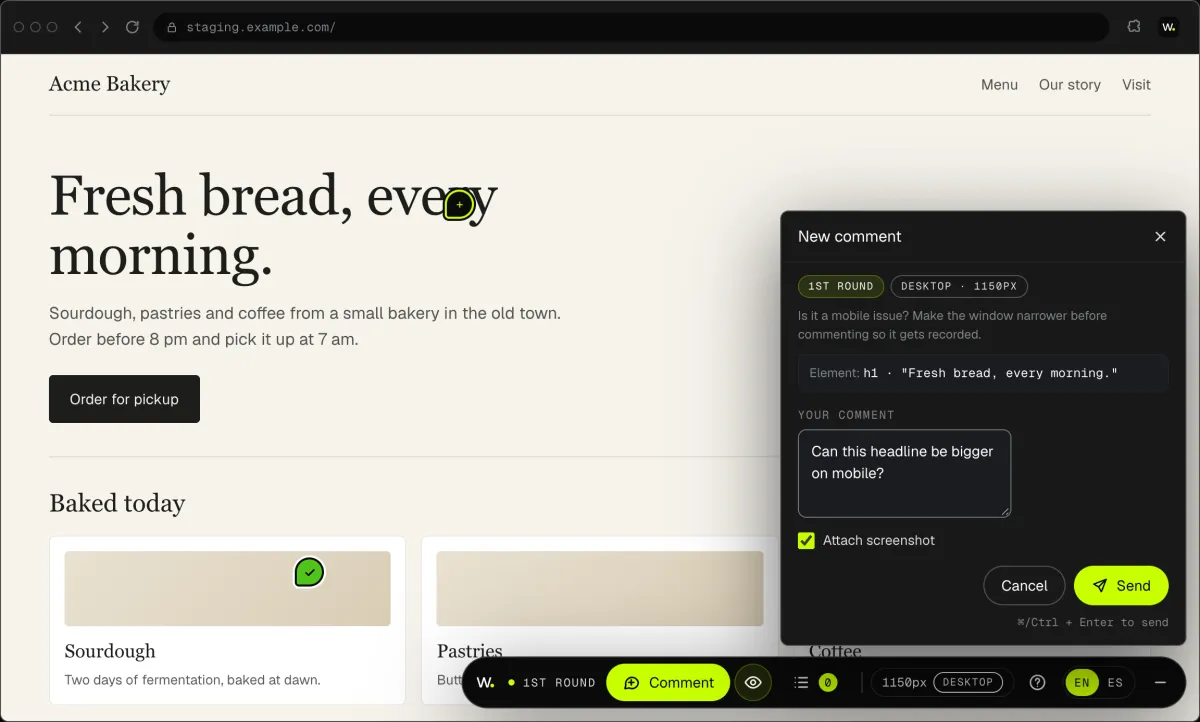
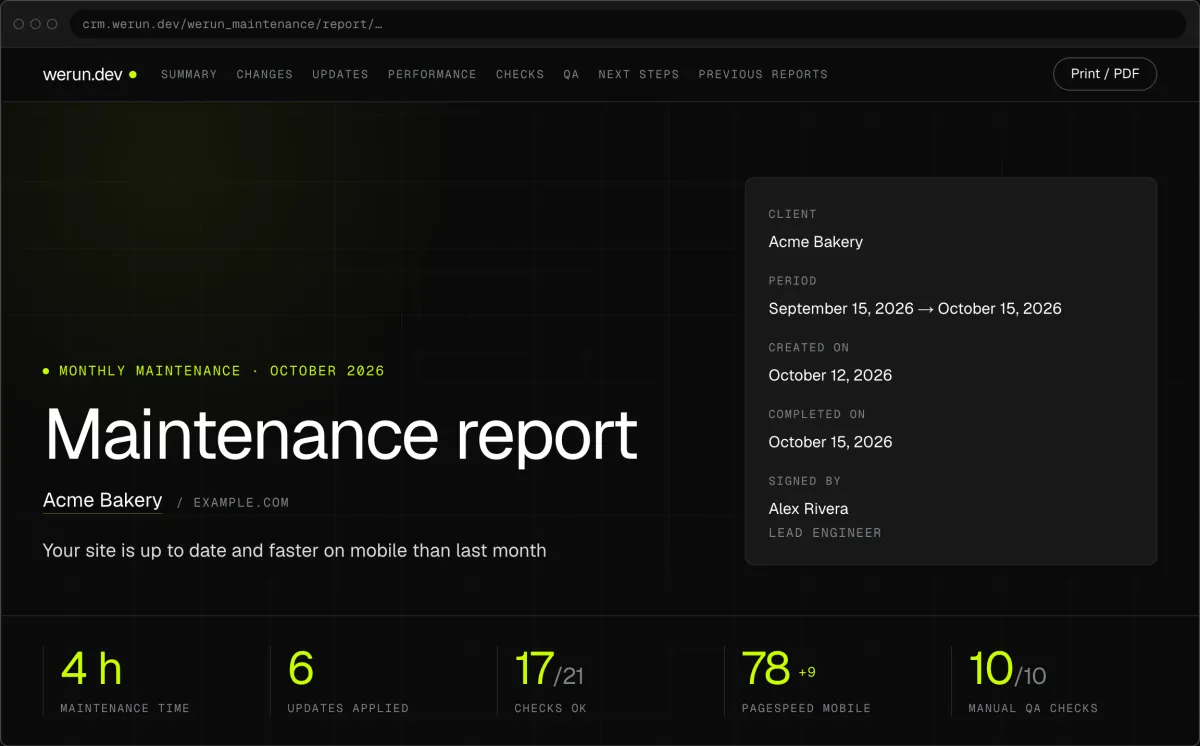
Your project, approvals and invoices live in the Client Portal. You ask for a change by clicking on your own site. With Care, a written report arrives every month.
Projects, requests, invoices, proposals and contracts in one place. Ask it a question and it answers from your own records.
Click anything on your own site and say what you want. That's it: the team gets it as a task with a screenshot, and you watch it get solved.
Every month, in writing: what we changed on your site, what we watched over and what comes next.
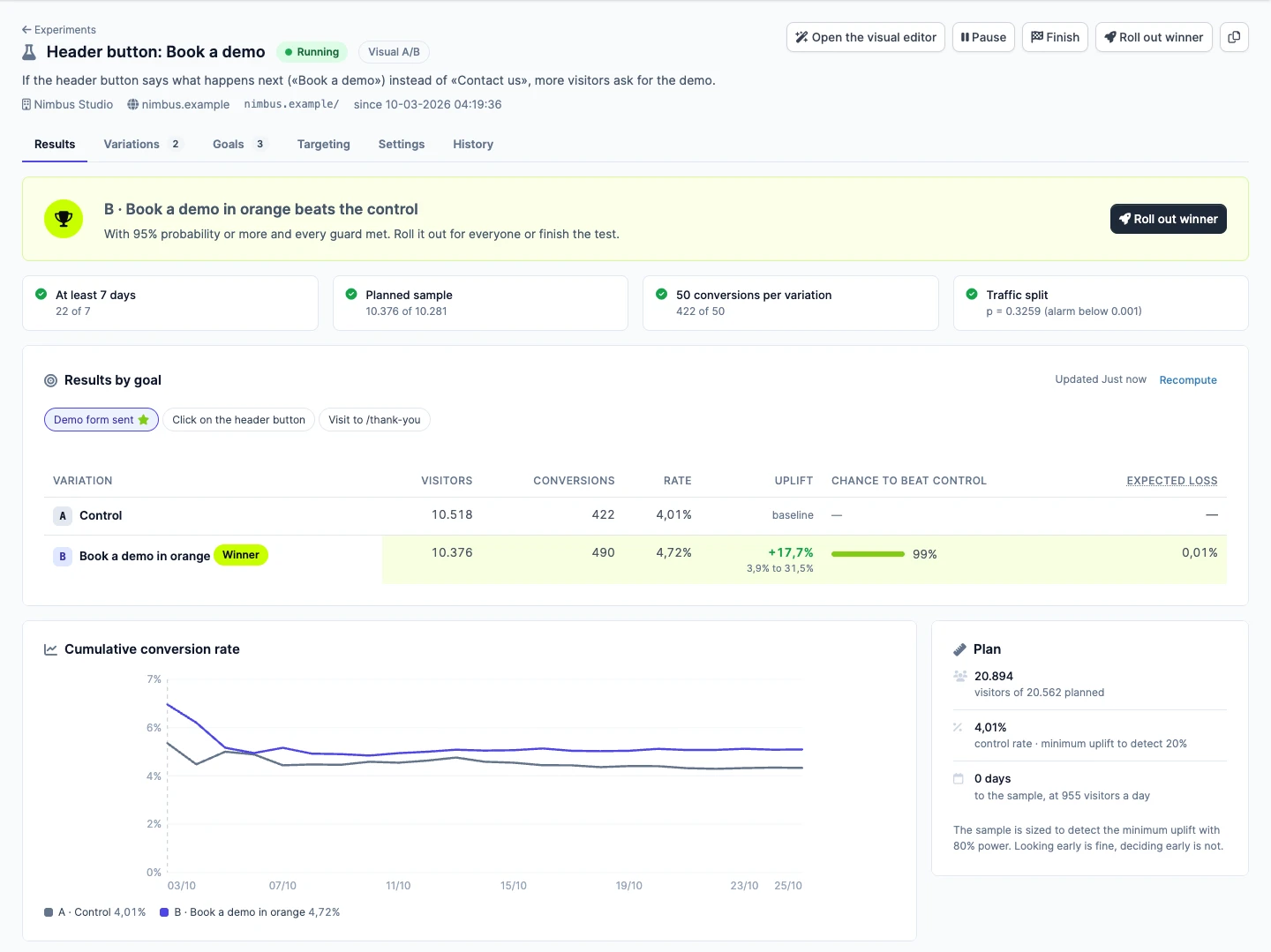
Not sure which version sells more? Try both with real visitors. Tell us the idea in plain words, we set up the test, and you watch the winner from your Client Portal.
Yes. The buyer picks a unit, accepts your terms and pays through the payment company you already use. Your lawyer writes the terms themselves.