01
Appointment requests
Patients ask for a visit at any hour, and the request lands in your schedule.
- —Visit types and providers you choose
- —Built around your practice management software
- —The desk sees every detail the patient gave
“The client portal, the feedback extension and the WordPress security alerts have been very intuitive, pretty turnkey. Just this past week getting comfortable with it, it’s been really helpful. We’re rolling it out to our core team. Nice job.”
 Eric MillerNorth American Director of Sales & Marketing, General Filters & GeneralAire®
Each kind of practice has its own patients, its own worries and its own way of booking. Choose yours to see what we build for it.
The problem: Patients search by symptom and find the practice down the road.
What changes: A page for each treatment and each location, in their words.
The problem: Calls go on hold at lunch and nobody calls back.
What changes: Patients ask for a visit online, at any hour.
The problem: Patients can’t tell whether you take their insurance.
What changes: A plain page for plans, payment and financing.
The problem: Every new patient starts with a clipboard and a pen.
What changes: They fill in the forms at home, before the visit.
The problem: Patients forget the visit and the slot sits empty.
What changes: Reminders by text and email, with a tap to confirm.
The problem: Check-ups and vaccines come due and nobody is reminded.
What changes: A message goes out when it is time to come back.
The problem: Patients phone to ask for a form, a date or a balance.
What changes: They find it in their own account.
The problem: The site still lists a provider who left last year.
What changes: We update the team pages and keep the site backed up.
What happens at the desk once the website and your software work together.
A patient asks for a visit on the website instead of waiting on hold. The request reaches your schedule with the visit type and the time they prefer.
They choose a visit and get the forms to fill in at home. On Monday the desk finds everything waiting.
A message goes out in your words. The patient taps to ask for a time, and the request comes back to your desk.
Four directions to start from. Pick the one that feels like you and we shape it around your patients.







Concept designs with sample names and figures. Yours is built around your brand, photos and words.
Start with the one that loses you the most calls. Add the rest when you're ready.
Patients ask for a visit at any hour, and the request lands in your schedule.
Patients fill in their forms at home, so the first visit starts on time.
A page for every treatment and every office, in the words patients search with.
Reminders before each visit, and a message when a check-up or vaccine is due.
Plain pages for the plans you accept, payment options and financing.
Appointments, forms and statements behind one login for each patient.
The same process for every client. You know what you get and what it costs before anything is built.
What your business does and what is not working. We reply within 2 hours on business days.
We look at what you already have. You get a written plan, a timeline and an estimate.
Everything is built and tested on a private copy before it goes live. What we build is yours.
After launch, one person you know by name looks after it: updates, backups, checks and fixes.
You explain your business once. The people who plan your site build it and look after it.
Updated, monitored, backed up
Websites and web apps
We answer on business days
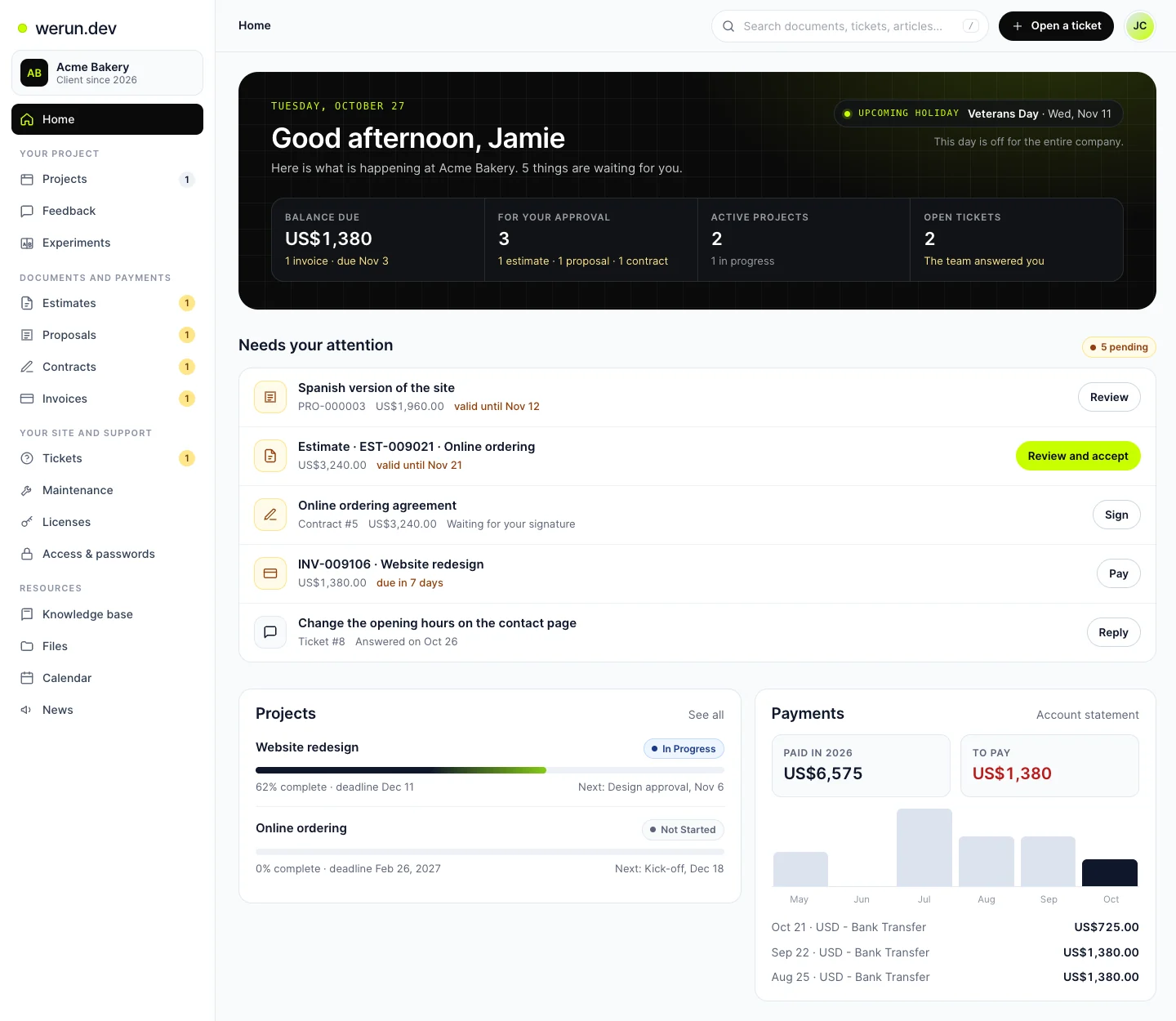
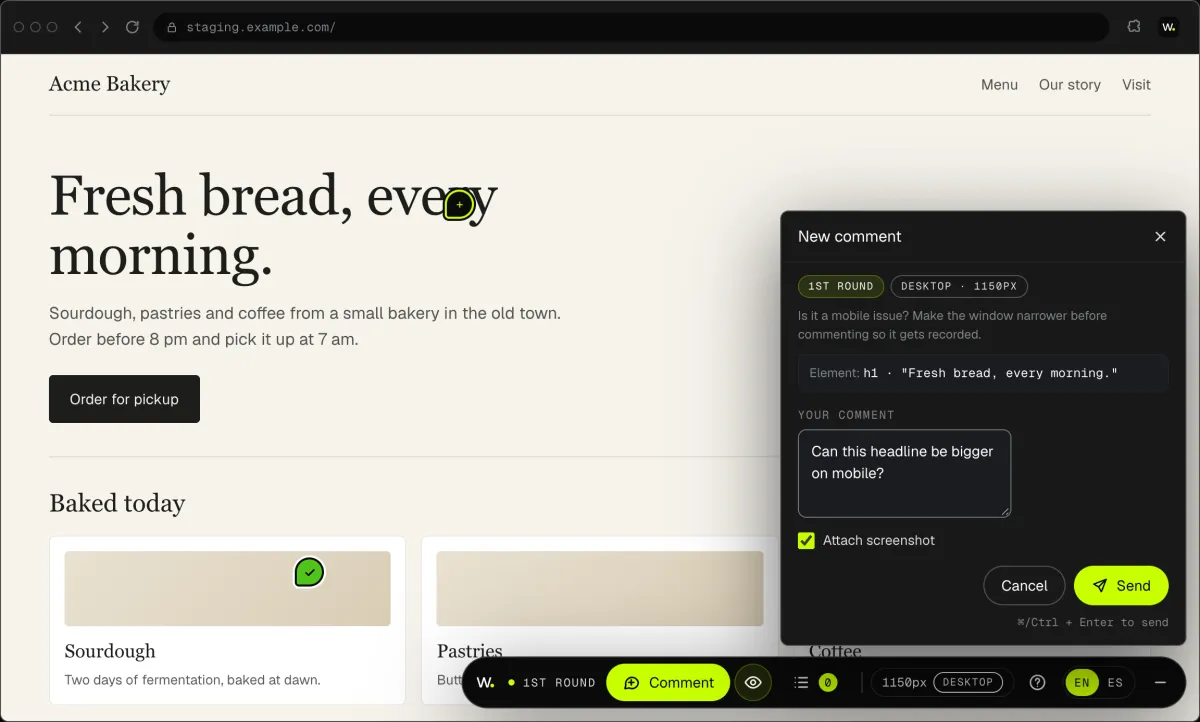
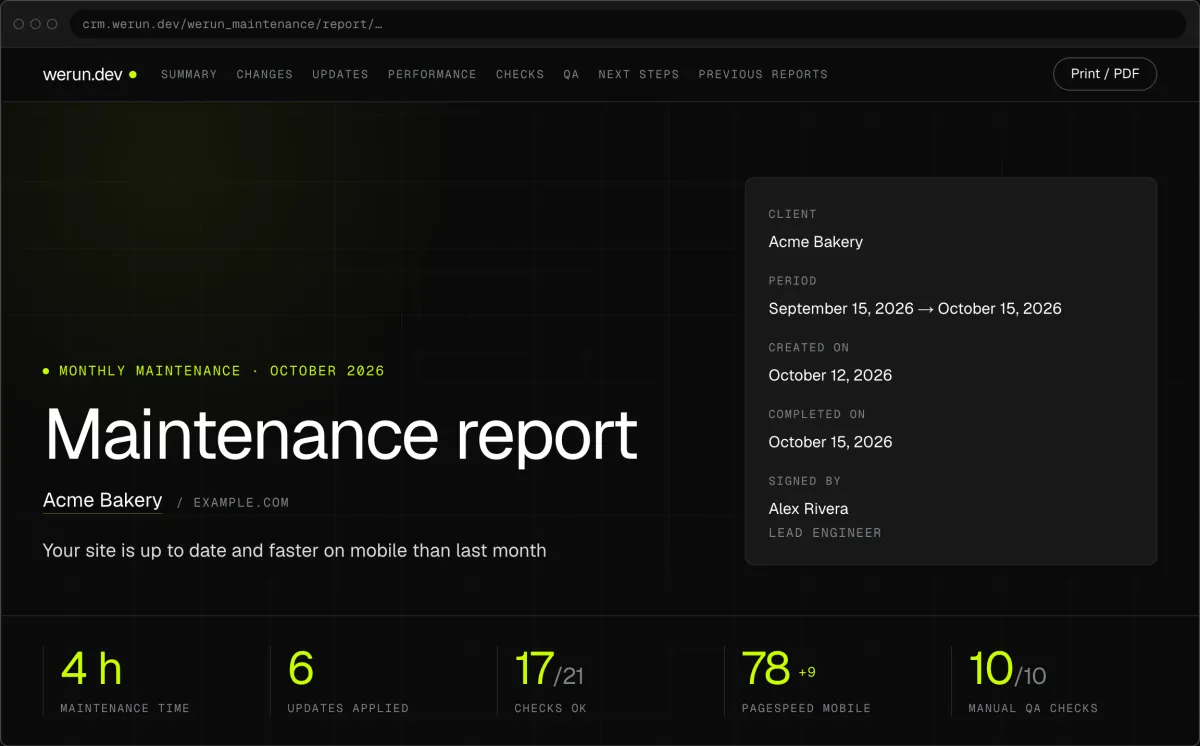
Your project, approvals and invoices live in the Client Portal. You ask for a change by clicking on your own site. With Care, a written report arrives every month.
Projects, requests, invoices, proposals and contracts in one place. Ask it a question and it answers from your own records.
Click anything on your own site and say what you want. That's it: the team gets it as a task with a screenshot, and you watch it get solved.
Every month, in writing: what we changed on your site, what we watched over and what comes next.
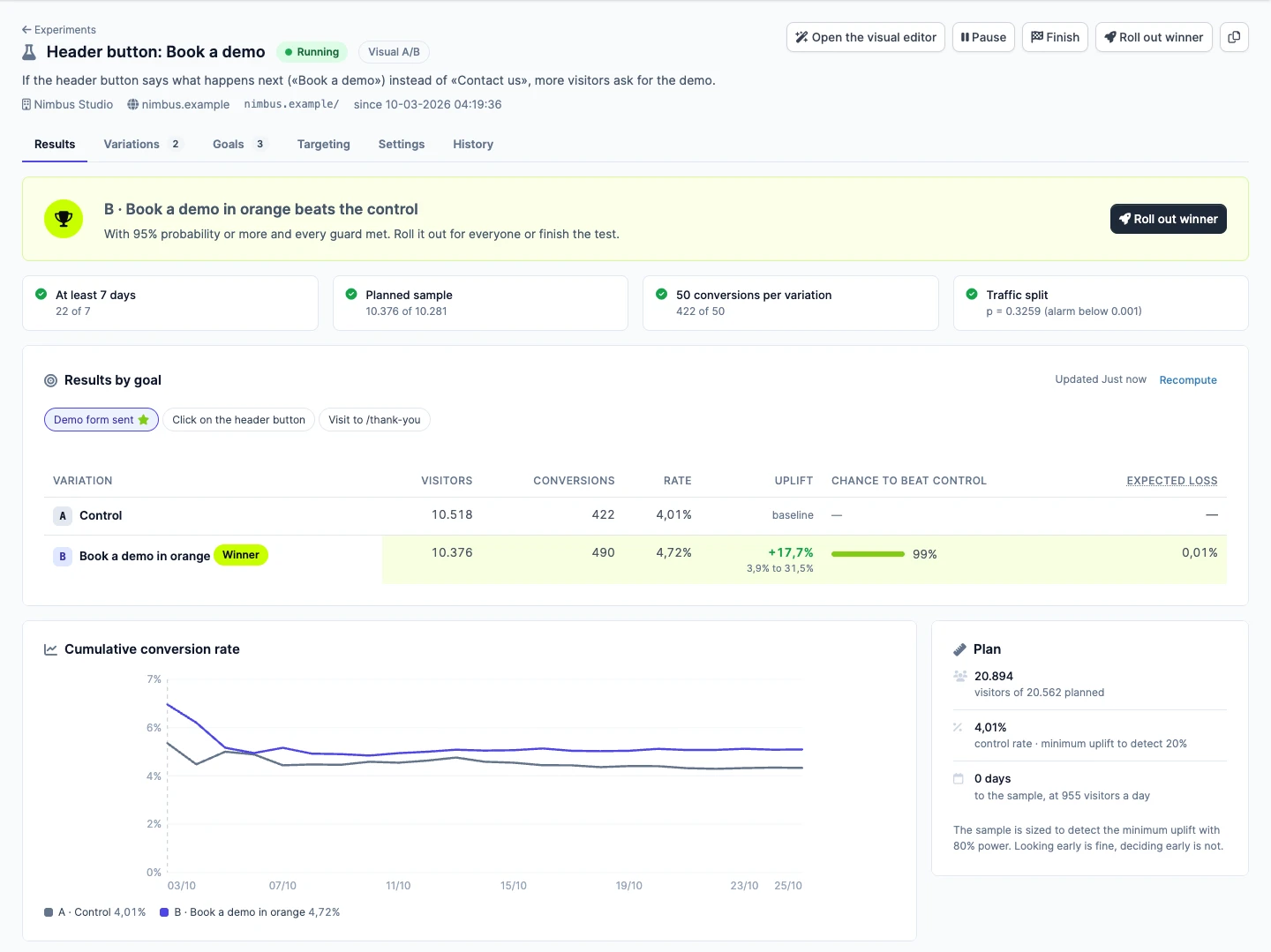
Not sure which version sells more? Try both with real visitors. Tell us the idea in plain words, we set up the test, and you watch the winner from your Client Portal.
No, you keep it for scheduling and billing. The website, the forms and the reminders are built around it. Some systems connect to other tools only on certain plans, so we check what yours allows before we quote.