Gutenberg blocks
Pages your team builds,
safe through every update.
Your team picks a section, writes its own words and publishes. Every section stays readable on any background. Your job openings arrive on their own from your hiring system. Included at no charge on the sites we build and run.
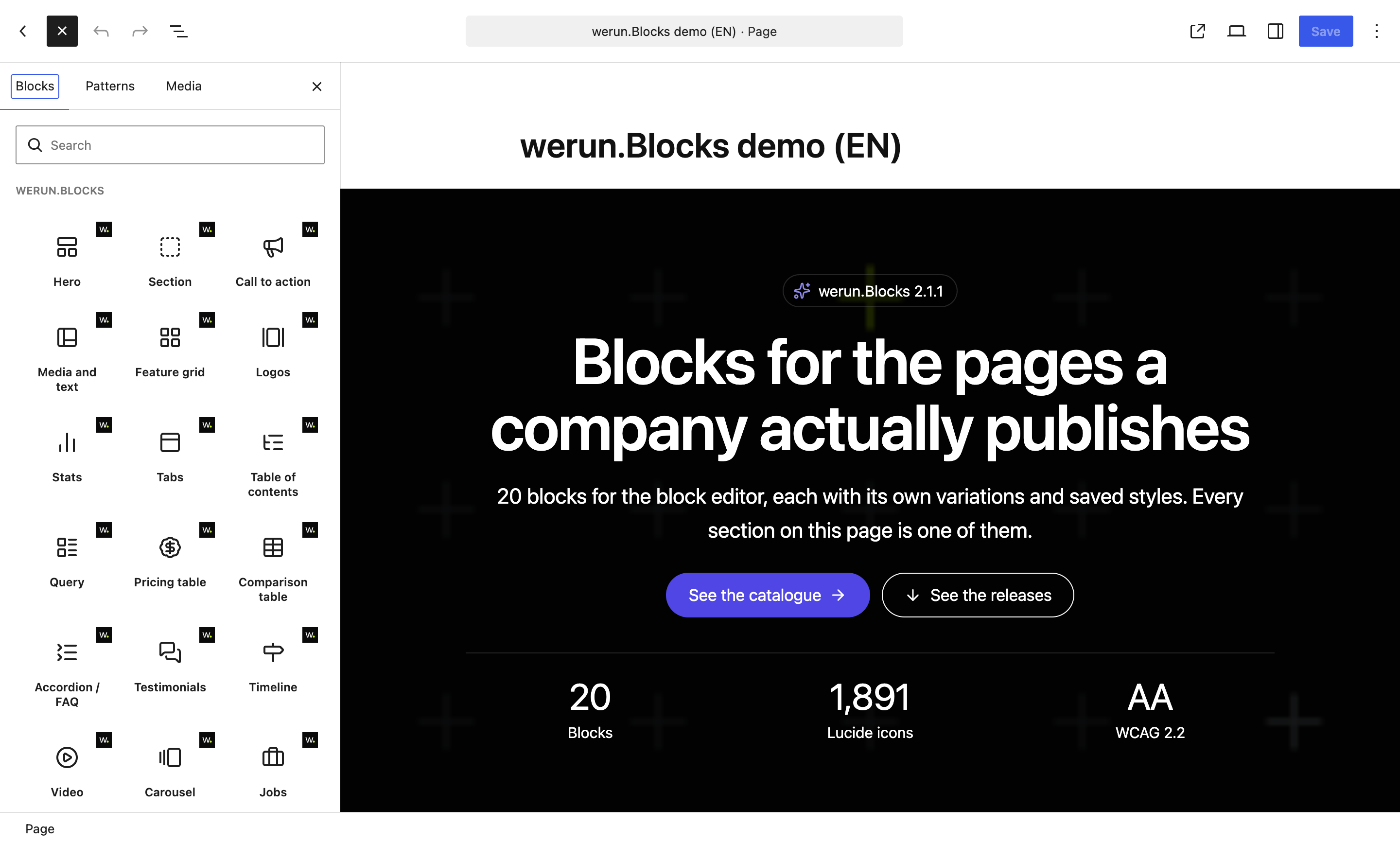 Opens at full size.


























































What changes for you
Your team learns them once, and every block works the same way.
Every block follows the same rules. Your editors learn them once, and a page built today still looks right after the next update.
- 01
Each block once, with its layouts inside
The inserter shows each block once. Its ready-made layouts (image on the right, centred, over a video) are variations. You switch between them from the block itself, without starting again.
- 02
A look saved once, used anywhere
Saved styles keeps a block's colours, layout and options under a name. You apply it to the same block on any other page. Each page keeps its own text, images and links, and your whole team shares the styles.
- 03
Saved pages survive every update
Every block is drawn on the server when the page is served. So an update can change what a block prints without invalidating a single page that uses it.
- 04
One block fits any column
Columns and layouts follow the block's width, not the window's. One block fits a full page, a column or a sidebar, with no setting for each.
- 05
Two of the same block, side by side
Two pricing tables or two carousels on one page leave each other alone, each with its own settings. Nothing clashes with your theme's styles.
- 06
Any icon your page needs, ready to move
1,891 icons to pick from, with no font or script to load. Any icon can animate on hover, once in view or in a loop. Nothing moves for a visitor who asked for less motion.
 Opens at full size.
Accessibility
Readable for every visitor, and the editor warns you first.
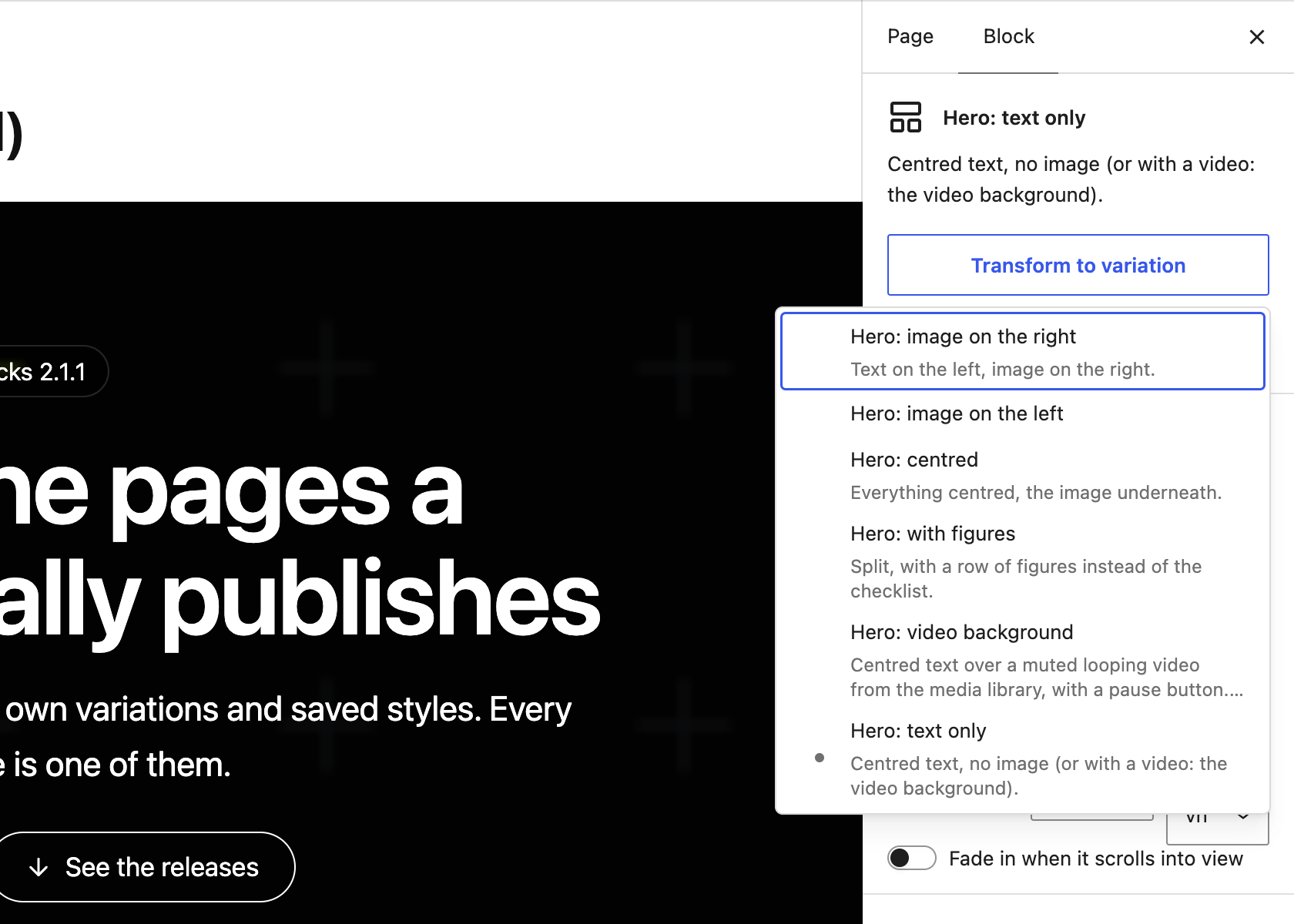
Every visitor can read every block, on light or dark backgrounds, even with your theme's CSS loaded on top. Every block, variation and option meets WCAG 2.2 AA.
 Opens at full size.
- 01
Colours that adapt
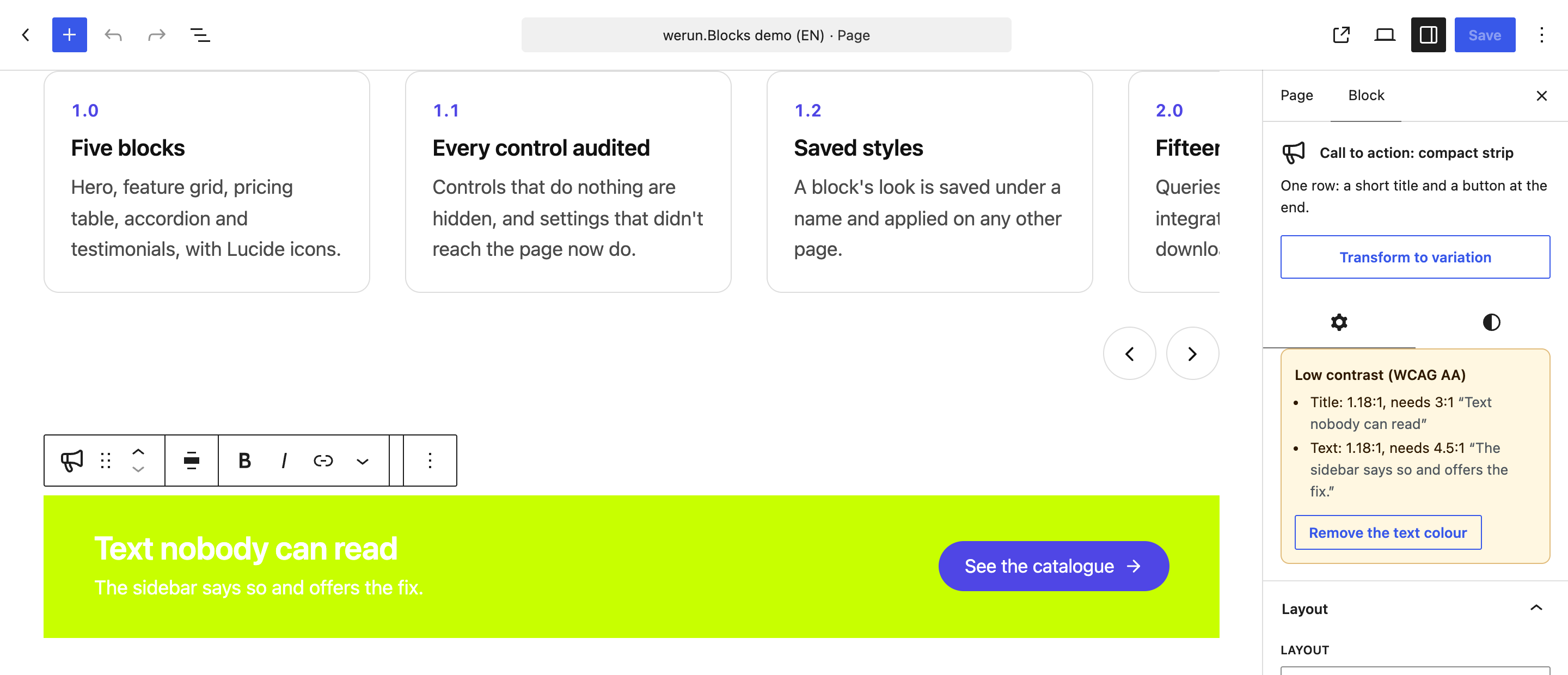
Each block knows what it sits on: its own colour, an image under an overlay or a dark section. Its text, accent and focus ring follow. A colour you pick shows as the closest readable one, and the saved value stays as you chose it.
- 02
The editor flags hard-to-read text
A text or a control under the minimum contrast is listed at the top of the sidebar. The fix is one click away.
- 03
Keyboard and screen readers
Tabs, accordions, carousels and dialogs work from the keyboard and announce themselves to a screen reader. Every target is at least 24 pixels, so a thumb hits it.
- 04
Motion with a pause button
Anything that moves for more than five seconds has a pause button. Nothing moves for a visitor who asked for less motion.
Integrations
Your openings, forms and posts, always current on the page.
Most of a page is written once. These three blocks show what lives somewhere else: your posts, your hiring system and your form provider. Nobody copies anything over.
- 01
Your keys stay on your server
The keys that connect your hiring system or your maps are stored encrypted on the server. No visitor's browser ever receives one.
- 02
Embeds wait for your visitor's consent
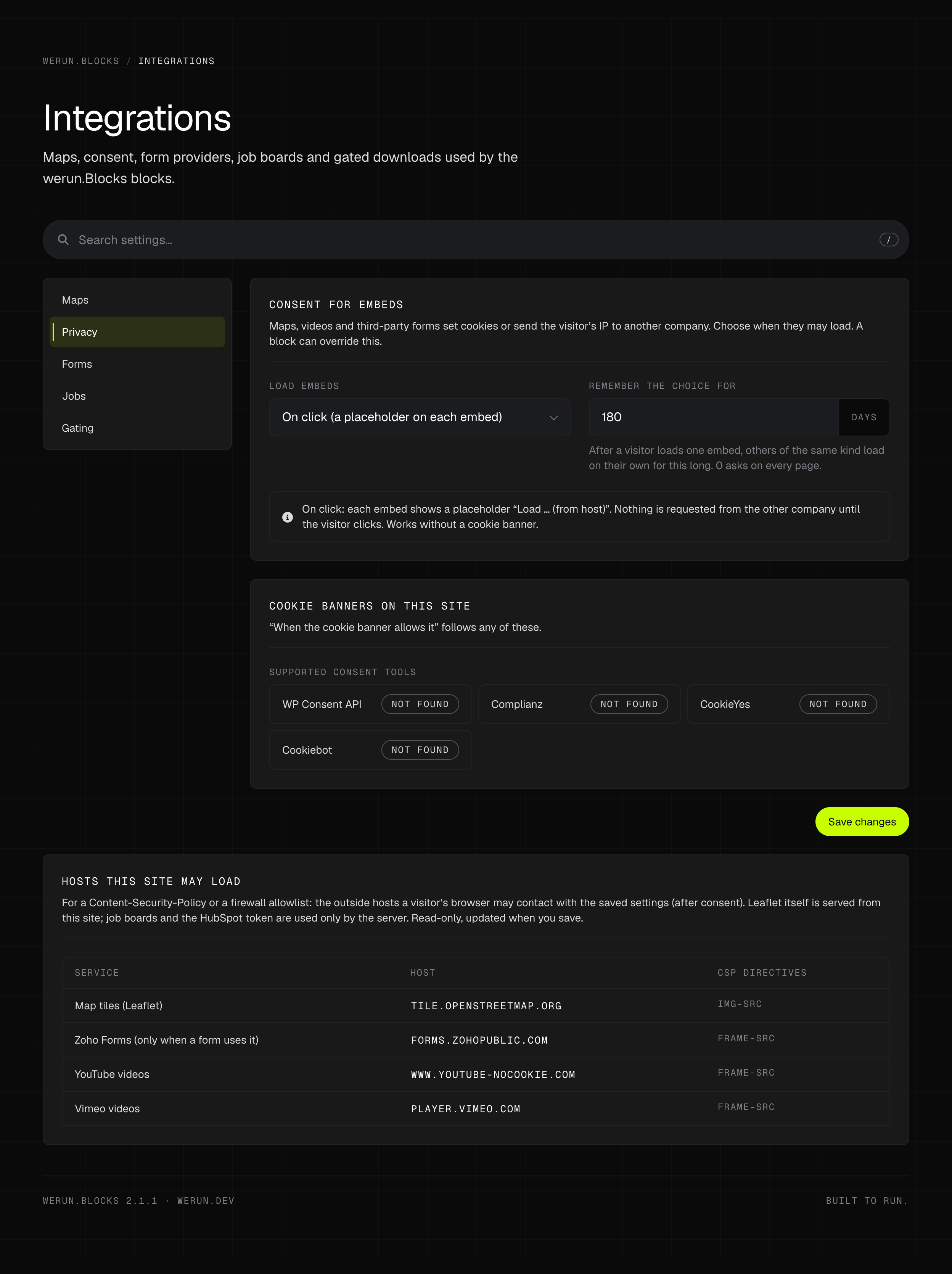
Maps, YouTube, Vimeo and forms hosted elsewhere wait for the visitor's click. Or for your cookie banner: WP Consent API, Complianz, CookieYes or Cookiebot.
- 03
A download that waits for the form
Gated downloads: the file opens only after the form is sent, through a link that expires in minutes. With a form plugin on the site, the send is checked on the server first.
- 04
Maps ready from day one
Maps work the day the site launches, on OpenStreetMap with no account to open. Or on Google Maps, with your own key.
 Opens at full size.
Client savings
What you stop paying for, and what you stop maintaining.
werun.Blocks costs you nothing: it is included on the WordPress sites we build and run. Below is what a site would install instead for the same jobs, one row per plugin. Each row shows what that plugin charges for the part a block does here.
| Plugin you would install | What it charges | With werun.Blocks | Done here by |
|---|---|---|---|
| Spectra | $69 / yearSliders, tabs, accordions and post grids are free. Its Loop Builder and dynamic content are in Pro, sold for up to three sites. | Included | Query · Carousel |
| Stackable | $49 / yearNamed styles to reuse across blocks, dynamic content, and custom post types and pages in its Posts block are in Premium. | Included | Query |
| GenerateBlocks | $99 / yearContainers, grids and a query loop are free. Accordions, tabs, global styles and queries on custom fields are in Pro. | Included | Tabs · Accordion / FAQ · Query |
| MetaSlider | $39.50 / yearImage sliders are free. Thumbnails under the slides are in Pro, shown at half its $79 list price. | Included | Carousel |
| Smart Slider 3 | FreeSliders with thumbnails, arrows and autoplay are free. | Included | Carousel |
| Easy Pricing Tables | $79 / yearPricing tables are free. The monthly and yearly switch is in its Business plan, sold for up to five sites. | Included | Pricing table |
| WP Table Builder | $39 / yearComparison tables are free. A sticky header and a highlighted column are in Pro, at an introductory price. | Included | Comparison table |
| WPFront Notification Bar | FreeA sticky bar with a close button and dates to show it between is free. | Included | Notice |
| Logo Carousel | $29 / yearA logo carousel is free. The grid, the grey effect and the endless marquee are in Pro. | Included | Logos |
| Strong Testimonials | FreeTestimonials as a grid, a list or a slider are free. | Included | Testimonials |
| Counters Block | FreeAnimated counters are free. | Included | Stats |
| Cool Timeline | $29 / yearA vertical timeline is free. The horizontal layout is in Pro, shown at a quarter off its $39 list price. | Included | Timeline |
| Tabby Responsive Tabs | FreeTabs that become an accordion on a narrow screen are free. | Included | Tabs |
| Easy Accordion | $29 / yearAccordions with FAQ structured data are free. Search in the questions and expand all are in Pro. | Included | Accordion / FAQ |
| Ultimate FAQ | FreeQuestions with FAQ structured data and a search that reloads the page are free. | Included | Accordion / FAQ |
| Easy Table of Contents | $49 / yearA table of contents from the headings is free. The sticky one is in Pro. | Included | Table of contents |
| Search & Filter | $49 / yearFilters by category, tag and date are free. Filters on custom fields are in Pro. | Included | Query |
| Content Views | $39 / yearGrids and lists of posts are free. Filters a visitor can use, and filters on custom fields, are in Pro. | Included | Query |
| MapPress | $39 / yearA map per post is free. One map built from all your posts, with filters, is in Pro, sold for up to three sites. | Included | Query |
| Personio Integration | €420 / yearPersonio only. Up to ten open positions are free; more than ten, and every Personio language, are in Pro. | Included | Jobs |
| Download Monitor | $199 / yearManaging downloads is free. Opening a file with a form is only in its Complete plan. That plan is sold for five sites, at half price the first year. | Included | Form |
| WP YouTube Lyte | FreeYouTube only: a poster and a play button, with the player loaded on click. | Included | Video |
| Embed Privacy | FreePlaceholders that load an embed only after the visitor agrees are free. | Included | Video · Form |
| The Icon Block | FreeWordPress's own icon set or any SVG you paste. No Lucide set and no animation. | Included | Every block |
Read on Oct 20, 2026: each plugin's page on wordpress.org and, for the paid ones, the vendor's own pricing page. A price is the cheapest plan that includes what the block does. It covers one year, in the vendor's currency: one site where the vendor sells a plan for one, otherwise its smallest. Where the first year is discounted, it is that first year. A plugin does more than its row says: the row is only the job it shares with a block.
What a client saves in licences, per site and year
- Stackable
- $49 / year
- MetaSlider
- $39.50 / year
- Easy Pricing Tables
- $79 / year
- WP Table Builder
- $39 / year
- Logo Carousel
- $29 / year
- Cool Timeline
- $29 / year
- Easy Accordion
- $29 / year
- Easy Table of Contents
- $49 / year
- Content Views
- $39 / year
- MapPress
- $39 / year
- Personio Integration
- €420 / year
- Download Monitor
- $199 / year
- Up to
- $619.50 + €420
These are the other plugins’ prices, not ours: list prices, and the first year where a vendor discounts it. Where two paid plugins do one job, only the cheaper is counted. Several jobs also have a free plugin in the table. So this is what the paid route costs, not what every site was paying.
What a client saves in upkeep
Time back, every update.
- 19 fewer plugins to install, update and audit one by one
- One update channel and one changelog for every block on the site
- One look across every section, instead of one per plugin's stylesheet
- A quiet editor, with no upgrade prompts, because there is no paid plan
- The blocks themselves: we charge nothing for them
Good to know
Some integrations run on your own account.
Google Maps needs your own API key, and Teamtailor and BambooHR a key from your own account. Whatever those services bill for their use, they bill to you. OpenStreetMap's map tiles need no key and allow light use. A busy site uses a commercial tile provider. We add nothing on top, and none of it is in the sum above.
What stays with other tools
The systems behind the blocks stay where they are.
- Your applicant tracking system
- Your form provider or form plugin
- Your CRM and email marketing
- A video host for a large library
- A page builder, on a site built in one
The Jobs block reads the positions your ATS publishes, and the Form block shows the form your provider hosts. Neither replaces the system it reads from.
What clients say
Teams like yours, in their own words.

“The client portal, the feedback extension and the WordPress security alerts have been very intuitive, pretty turnkey. Just this past week getting comfortable with it, it’s been really helpful. We’re rolling it out to our core team. Nice job.”
What is inside
20 blocks, 87 ready-made layouts.
Each one is a single block in the inserter, with layouts to start from and Saved styles. Sections, carousel slides, tabs and accordion answers hold any other block inside them.
The pieces a page is built from.
6 layouts
Hero
The opening section: eyebrow, heading, text, checklist, two buttons, figures and an image, each one optional. Split or centred, over a background image or a muted looping video.
4 layouts
Section
A section that holds any blocks. It sets its width, padding, a minimum height and an optional header. Its background is a colour, a gradient or an image under an overlay.
4 layouts
Media and text
An image or a video beside a title, text, checklist and button, at a fixed shape, with the media on either side.
4 layouts
Carousel
Slides that hold any blocks, with background images, slides per screen size, arrows, dots, thumbnails and autoplay. Keyboard, swipe and screen readers.
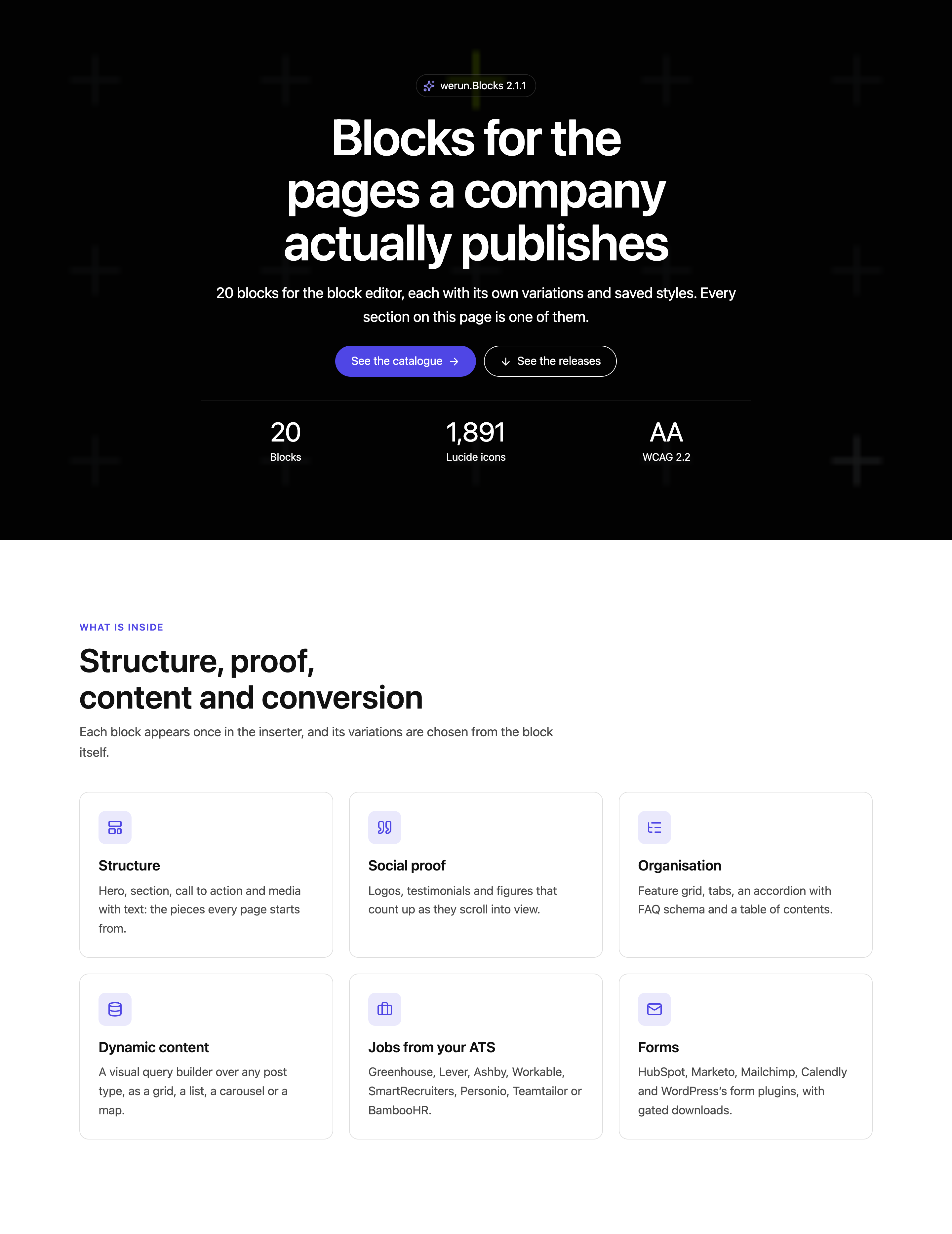 Opens at full size.
What turns a visit into an enquiry, and shows what things cost.
4 layouts
Call to action
A banner that asks for one action: title, text, one or two buttons and an optional image. Centred, split, a compact strip or a floating card.
3 layouts
Pricing table
Plans with a monthly and yearly switch that works, a highlighted plan and lists of what is and is not included.
4 layouts
Comparison table
Plans side by side against a list of features, with checks, crosses, group headings, a featured plan and a sticky header. On a phone, one card per plan.
4 layouts
Notice
A message in the content, or a bar at the top or bottom of the window. With a link, a close button that remembers, and dates to show it between.
Who you work with, what they say and what you have done.
4 layouts
Logos
Client and partner logos as a grid, an endless marquee or a carousel. In grey with full colour on hover, or all in one flat colour.
4 layouts
Testimonials
Quotes with name, role, photo and rating, written by hand or taken from a post type, as a carousel or a grid.
4 layouts
Stats
Key figures that count up as they scroll into view: a row, cards or large figures with a description.
4 layouts
Timeline
A company history or a process, step by step: vertical, on alternating sides or along a horizontal track.
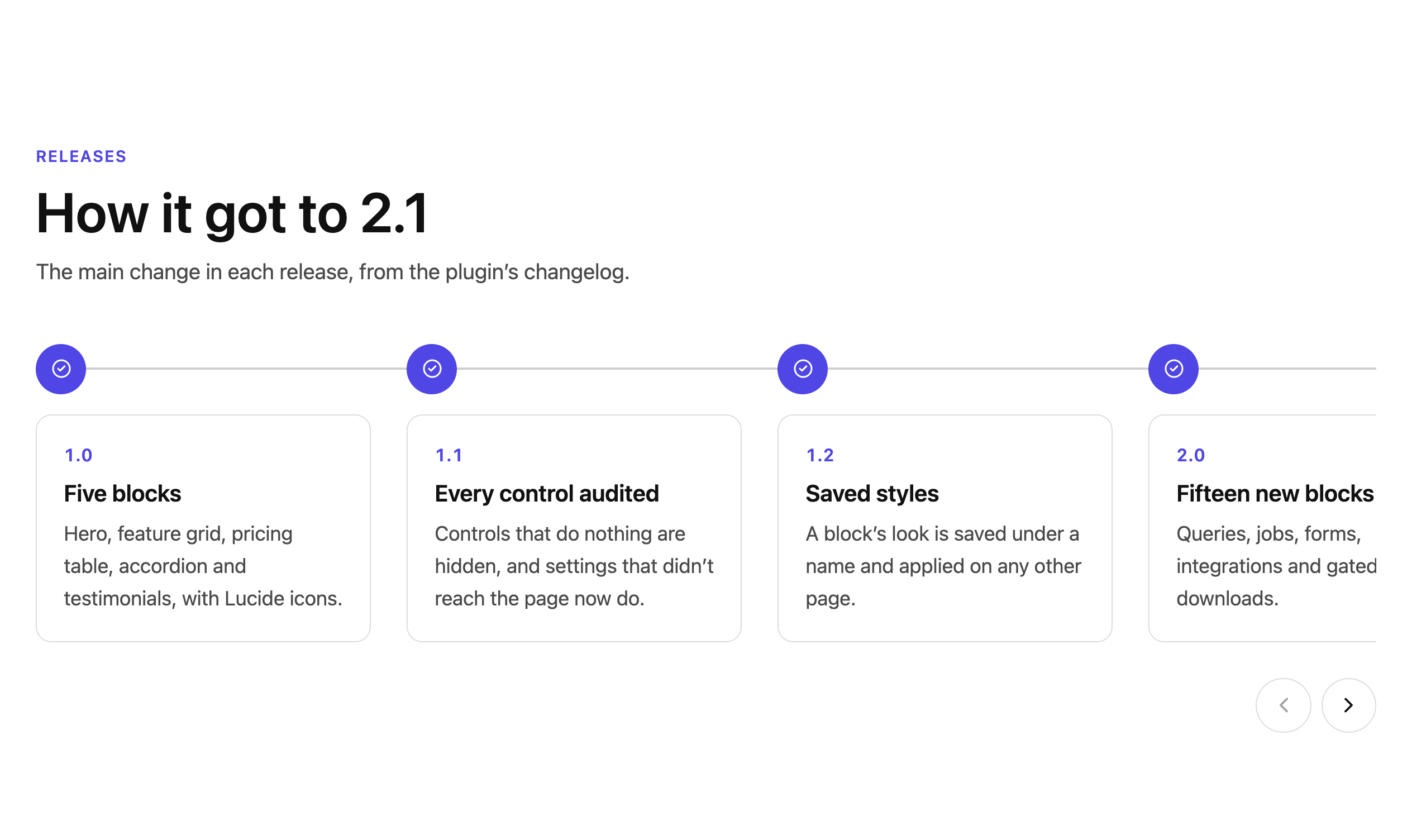 Opens at full size.
Long pages your reader can find their way through.
4 layouts
Feature grid
Cards with an icon, title, text and link, in one to six columns per screen size. Any part of a card switches off for the whole grid or for one card.
5 layouts
Tabs
Content in tabs, horizontal or vertical, in four styles, with links to a tab and tabs that become an accordion on a phone.
3 layouts
Accordion / FAQ
Questions that open and close without JavaScript, with search, expand all, links to a question and FAQ structured data.
5 layouts
Table of contents
Links to the page's headings, built from its content: sticky beside a long page, a dropdown on a phone, the section being read highlighted.
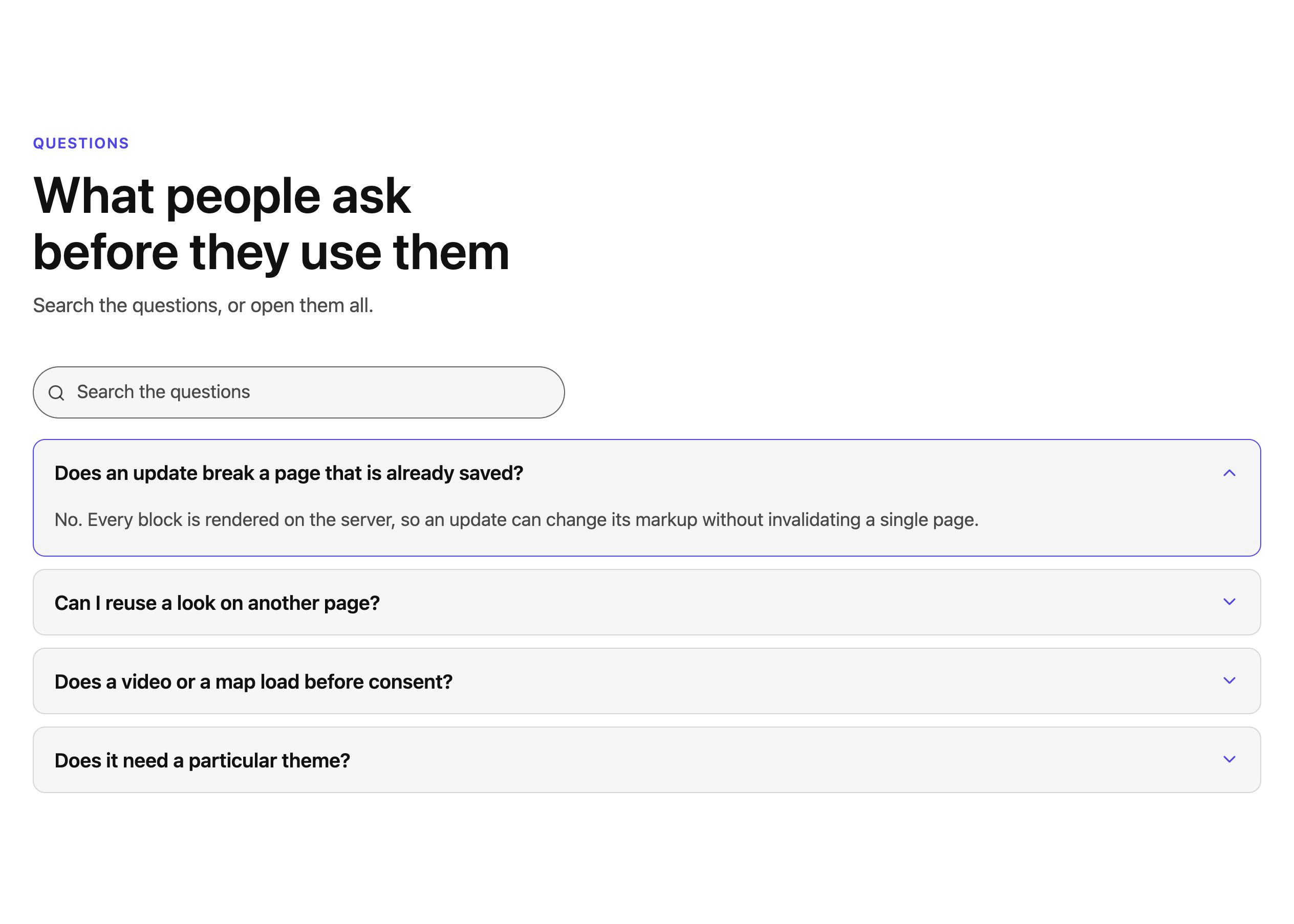 Opens at full size.
Your posts, your hiring system, your form provider and your videos, on the page.
8 layouts
Query
Cards from any post type: latest or related posts, a team, upcoming events, offices on a map, a resource library or case studies. Visitors can filter them. Only published content ever shows.
4 layouts
Jobs
Your open positions, read from your hiring system, so a slow system never slows the page. Greenhouse, Lever, Ashby, Workable, SmartRecruiters, Personio, Teamtailor and BambooHR are read today. Grouped by department, as cards or a table, with search and filters.
5 layouts
Form
A form from HubSpot, Marketo, Mailchimp, Calendly and the other usual providers, or from a form plugin on the site. It waits for consent before it loads, and can gate a download.
4 layouts
Video
YouTube, Vimeo or a file from the media library, loaded only when played. A poster and a play button, in the page or in a window, with captions and a transcript.
Community edition
werun.Blocks.Community: the same blocks, free for any WordPress site.
A public edition of werun.Blocks is now in the WordPress.org plugin directory. Anyone can install it on any WordPress site, at no cost. The same 20 blocks and 87 layouts, with no licence, no key and no account.
The same as werun.Blocks
The whole catalogue.
- All 20 blocks and their 87 layouts
- Saved styles on every block
- Contrast that fixes itself, to WCAG 2.2 AA
- Maps, videos and third-party forms that wait for consent
- The 1,891 Lucide icons, bundled
- The Integrations screen: maps, privacy, forms, jobs and gated downloads
You can also search for it in your own WordPress, under Plugins → Add New. It needs WordPress 6.6 and PHP 7.4 or newer.
For our clients
werun.Blocks on your site: the same blocks, with our team beside you.
Both editions give you the same 20 blocks and 87 layouts. What changes is who looks after them. On the sites we build and run, that is our team, beside you.
| What changes | werun.Blocks, for our clients | werun.Blocks.Community |
|---|---|---|
| Who it is for | The WordPress sites we build and run | Any WordPress site |
| Cost | Included at no charge | Free |
| Setting it up | It comes installed on your site | You install it from WordPress.org |
| Updates | From our own server, with your site's licence key | From WordPress.org, with no key |
| Help | The team that runs your site | Its documentation, in English and Spanish, and GitHub issues |
| Blocks just for you | We write them into werun.Blocks for your site, and they reach it in an update | Available as custom work: tell us what you need |
| If we stop working together | The blocks keep working. Without the key, only the updates stop | It keeps working and updating from WordPress.org |
How it is built
Drawn on the server, so a page you built today still looks right tomorrow.
- 01
Rendered when the page is served
Every block is rendered on the server, from block.json. An update can change what a block prints without invalidating a page that uses it. When a release changes markup that custom CSS might target, its changelog says so.
- 02
Blocks that leave each other alone
Each block on a page carries its own id, settings and script, and every class is prefixed. Icons are inline SVG: no icon font, no CDN, no script. Maps run on OpenStreetMap through Leaflet, which ships inside the plugin.
- 03
A list for your security policy
The Integrations screen lists every outside host your settings let a browser contact, each with its directive. Ready for a Content-Security-Policy or a firewall allowlist.
- 04
Yours to read
GPL and readable. WordPress 6.6 and PHP 7.4 or later, tested on WordPress 7.1.3 in the editor and on the page. The Community edition's code is public on GitHub.
Our tooling
What else comes with your site, at no extra cost.
A plugin, blocks, a theme, A/B tests and a feedback extension come with the sites we build and run. You pay nothing for any of them.
- —werun.ToolkitComes with every WordPress site we run. Your sign-in wears your brand, your emails arrive and help is one click away.
- —werun.BlocksThemeThe base theme we build sites on. Your colours, fonts and spacing live on one screen, and updates leave your work alone.
- —werun.ExperimentsKnow which version sells more before you switch. Tell us the idea, we set up the test and you watch the winner from your Client Portal.
- —werun.dev - Client FeedbackClick anything on your site and say what you want. The team gets it as a task with a screenshot, and you watch it solved on the same page.
Blocks questions
What does werun.Blocks cost?
Nothing. We do not charge for it: it is included on the WordPress sites we build and on the ones we take over to run. The only costs that can appear are not ours. A service you connect on your own account, such as Google Maps, bills you for what you use.
Is there a version anyone can install?
Yes. werun.Blocks.Community, a free edition with the same 20 blocks, is in the WordPress.org plugin directory. It needs no licence or account and never contacts werun.dev, and its code is public on GitHub.
What is the difference between werun.Blocks and the Community edition?
The blocks are the same. On the sites we build and run, werun.Blocks comes installed and updates from our own server. You have our team behind it, and we can write blocks just for your site. The Community edition installs and updates from WordPress.org, with its documentation and GitHub issues for help.
Does it need a particular theme?
No. It was tested with Twenty Twenty-Five and works with Hello Elementor. On the sites we build, it runs on werun.BlocksTheme, our base theme. Columns follow the block's width, so it fits whatever layout the theme gives it.
Does an update break the pages already built?
No. Every block is drawn on the server, so an update can change what a block prints without invalidating a saved page. When a release changes markup that custom CSS might target, its changelog says so.
What happens if we stop working with you?
The blocks keep working. The site's licence key only decides whether it receives updates: it never switches a block off and never touches a page. The code is GPL and readable, like everything we write for you.
Is the editor in Spanish?
Not yet: its interface ships in English, ready to be translated. What you write in the blocks can be in any language.
Do videos, maps and forms respect cookie consent?
Yes. Nothing from YouTube, Vimeo, a map provider or a hosted form loads until the visitor allows it. They can do it with a click, or through the site's cookie banner.
Can you build a block just for our site?
Yes. It is written into werun.Blocks to the same rules as the 20 that ship today, with its variations, Saved styles and the accessibility checks. It reaches your site in an update.
Which versions of WordPress and PHP does it need?
WordPress 6.6 or later and PHP 7.4 or later. It was tested on WordPress 7.1.3, in the editor and on the page.
Want these blocks on your WordPress site?
Tell us what your pages need to say and where the content lives today. You hear back within 2 hours on business days: which blocks cover it, and which do not.