Client portals and members areas
Your clients sign in and find what is theirs.
Each client signs in and finds their own projects, files and invoices. It goes on the platform you have when that platform can carry it, and custom when it cannot. Then the same team keeps it running.
Short answer
Who builds a client portal for my business website?
werun.dev builds client portals where each client signs in and sees only their own projects, files and invoices. It lives on your WordPress or Webflow site if they can carry it, or as a custom app. Projects start from $5.5k, with the rules for who sees what written first and every page tested. A Retainer at $4,800 a month keeps it running. To start, tell us who signs in and what each person needs.
- Price
- Projects from $5.5k
- Built on
- WordPress, Webflow or custom code
- After launch
- Kept running by the same team
- Reply
- Under 2 hours on business days


























































In this guide
Three kinds of portal, one page for each.
Pick the one closest to what you want to build. Each page says how it works, what it costs and how to start.
How do I add a members area to my WordPress or Webflow site?
How a members area fits your WordPress or Webflow site, who sees what and what it costs.Who builds a custom web app or SaaS that scales with users?
Who builds a web app or SaaS with accounts, plans and billing, in code any good team can maintain.Who can build a custom internal tool or CRM for my team?
Who builds a back office, a CRM or a portal shaped around how your team works, with permissions set once.
In your words
What sharing work by email feels like, and what a portal changes.
What happens: A client asks for last month’s invoice, and you dig through your inbox for it.
What changes: Each client signs in and finds their own invoices, files and projects.
What happens: You send the same file to three people and lose track of the latest one.
What changes: Every file lives in one place, and everyone with access opens the same version.
What happens: You worry that one client could open another client’s work.
What changes: Every page and file checks who is signed in before it shows anything.
What happens: A plugin covers half of what you need, and a spreadsheet covers the rest.
What changes: The portal follows your rules, on your platform or in custom code where it has to.
How it works
From your first message to launch, you see every step.
Each step lights up in turn, with what you receive at that point. Above them, what travels between your website and your records.
- Their open invoices
- Their project files
- A client signs in
- Estimate approved
- A new request
A client signs in on your website and sees only their invoices and files, read from your records. Their approvals and requests go back the same way, so your team stops emailing files and retyping requests.
You tell us who signs in
Clients, partners or your own team, and what each kind should open. We write it down as rules.
You getA written list of who sees what, for you to check
Your records stay where they are
The portal reads clients, projects and invoices from the CRM or billing tool you use. Nobody types them twice.
You getA map of which system holds each record
You see where it lives and what it costs
Your WordPress or Webflow site when it can hold the rules, or a custom app when it cannot.
You getA proposal with the platform, the hours and the price
You try it as each kind of user
Every page is tested before launch, including what each sign-in can open. You try it before your clients do.
You getA link to try the portal before your clients see it
Your clients sign in, and the same team stays
Each client gets an account of their own. A Retainer then keeps the portal updated, backed up and growing.
You getA guide for your team and a week of support
What changes for you
What changes once your clients sign in.
You notice it first in the emails that stop arriving.
Fewer “where is it” emails
Clients find their files and invoices on their own, at any hour.
Each client sees their own
One set of rules decides what each sign-in can open, on every page and every file.
A person answers
When something breaks, the team that built it replies in under 2 hours on business days.
What it costs
What a client portal costs, in writing before you start.
Every figure comes from the price list our proposals use.
Project
From $5.5k one project
Your portal designed, built, tested and explained to your team.
- Rules for who sees what, written first
- Built on your platform or custom
- Every page tested before launch
- A guide for your team and a week of support
Retainer
$4,800 a month
Your own web team: the portal kept running, plus new features every month.
- 40 development hours a month
- One engineer who knows your portal
- Updates and backups handled
- Replies in under 2 hours on business days
Ad hoc
$120 per hour
A change to a portal you already have, with no monthly plan.
- Minimum task length: 30 minutes
- Every hour logged against its task
- No monthly commitment
The price depends on the kinds of users, what each one sees and the systems the portal reads. See every engagement
Your next step
Tell us your goal, we reply within 2 hours.
Write it the way you would tell a colleague. A person reads it and answers on business days.
- A written answer with what it takes and what it costs
- You decide before anything starts
- We sign an NDA if you need one
Free first look
Tell us what you need.
Proof
What you can open before you decide.
All three are ours, built and run by the same team.
Client Portal
The portal our own clients sign in to: projects, approvals, invoices and tickets, each client seeing only their own.
See itWelcomeAI
Our own product. Each customer signs in to a workspace of their own, kept apart from every other.
See itThis website
A custom app we wrote and run. Every private page checks who is signed in, and an account turned off loses access at once.
See itWorking with us
You stay on the job, we keep you in the loop.
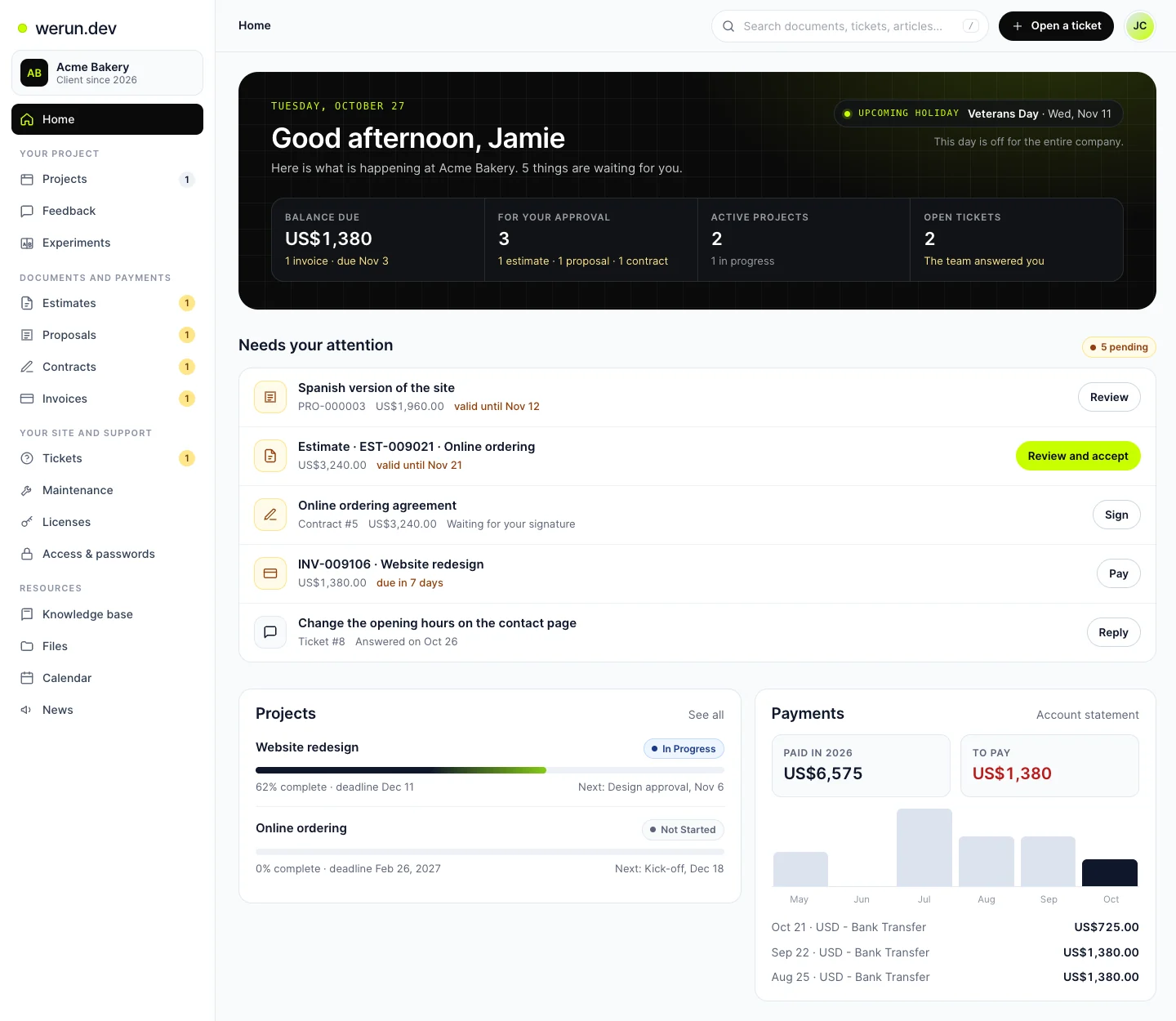
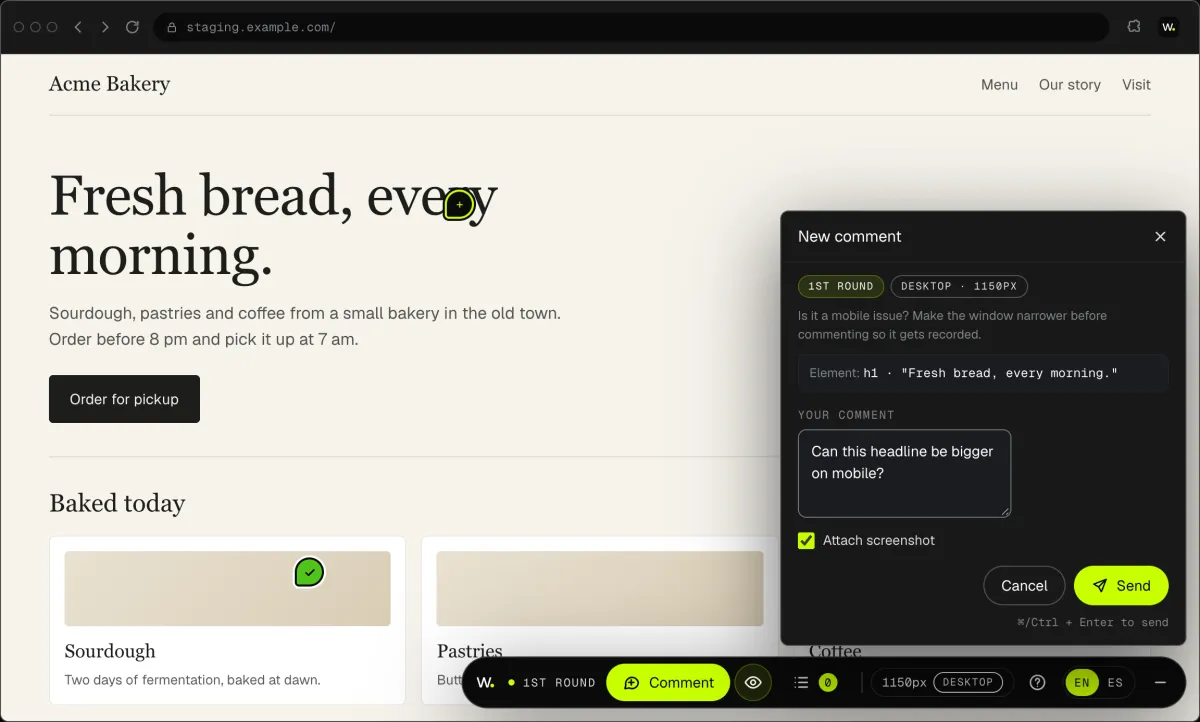
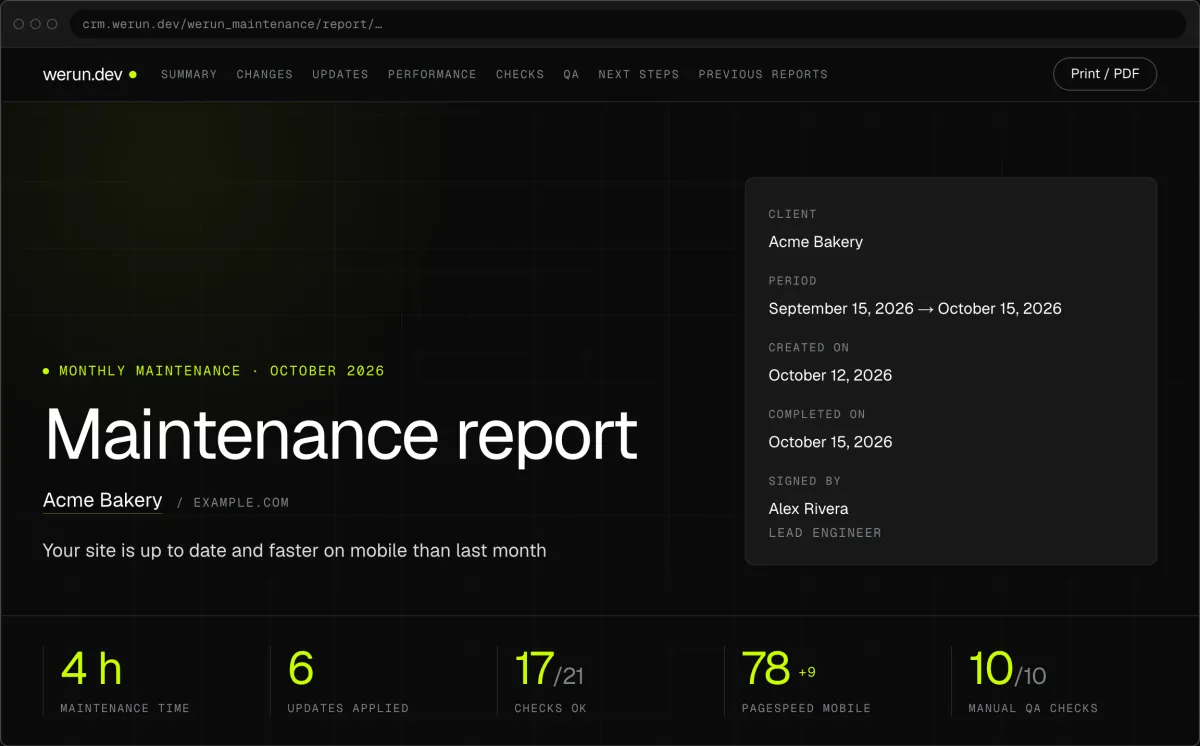
Your project, approvals and invoices live in the Client Portal. You ask for a change by clicking on your own site. With Care, a written report arrives every month.
01Client Portal
Projects, requests, invoices, proposals and contracts in one place. Ask it a question and it answers from your own records.
02Client Feedback
Click anything on your own site and say what you want. That's it: the team gets it as a task with a screenshot, and you watch it get solved.
03Monthly report
Every month, in writing: what we changed on your site, what we watched over and what comes next.
What clients say
Teams like yours, in their own words.

“The client portal, the feedback extension and the WordPress security alerts have been very intuitive, pretty turnkey. Just this past week getting comfortable with it, it’s been really helpful. We’re rolling it out to our core team. Nice job.”
Client portal questions
How much does a client portal cost?
A client portal project starts at $5.5k. A small one runs to $11k, a medium one to $22k and a large one to $44.1k. The price follows the kinds of users, what each one sees and how many systems the portal reads. Keeping it running is a Retainer at $4,800 a month for 40 development hours. Your written proposal states the hours and the total before you sign.
How long does it take to build a client portal?
It depends on how many kinds of users the portal has and how many systems it reads. One kind of client seeing files and invoices on a site you already have is the short end. Several roles and a CRM behind sign-in take longer. Your proposal gives the hours before any work starts. On a Retainer, the portal can launch small and grow every month.
What features should a client portal have?
The ones your clients ask you for by email today. Usually that means their files, invoices, project status and a way to send a request. Our own Client Portal also has approvals, contracts signed online, file links that expire and a sign-in per colleague. Each feature follows one rule: a sign-in sees only its own records. You choose the list, and we write it down before the build.
Should I buy client portal software or build a custom portal?
Buy one when its rules match yours, and we will tell you so. Building pays off when it must read your CRM or billing data, follow your rules or carry your brand. Often the build goes on the WordPress or Webflow site you already have. A custom app is for rules or data a platform cannot hold. You hear which one, and why, before you sign.
Is a client portal secure enough for client documents?
Yes, when every request checks who is asking. Each person signs in with their own account, and every page, list and file checks that sign-in first. A role change applies on the next click, and turning off an account ends its access at once. Files sit behind the same check, never at a public address. If your documents carry health or legal data, we plan it with whoever handles your compliance.
Can a client portal connect to my CRM and billing tool?
Yes. The portal reads clients, projects and invoices from the systems that already hold them, so nobody types them twice. Before any code, you get a written map of which system owns each record and which way it travels. Records are matched on their IDs, never on an email that can change. You read a test run before anything is written to your data.
What do I need to prepare before a client portal is built?
Three things: who signs in, what each kind of user should see, and where that data lives today. A list of your client types and a sample of what you email them is enough to start. Add your brand guidelines, since design on them is included. We turn it into written rules you check before the build starts.
Who owns the client portal and the data in it?
You do. On a custom build, the code lives in your repository under your licence, and the database is yours. On WordPress, the plugin written for your portal belongs to you. Your client records stay in your own CRM or billing tool. If you ever leave, the portal and its data stay with you.
Keep reading
More answers on this topic.
Want your clients to find everything in one place?
Tell us who should sign in and what each person needs to see. We reply within 2 hours on business days with where we would build it and what it costs.