AI & automation
Get hours back. The busywork runs on its own.
We automate the tasks your team repeats every day and put AI to work inside the tools you use. Your customers get answers at any hour. A person on your team approves what goes out, and the workflows stay in your account.


























































Visual references
A site that answers at any hour.
Pages from the industries we work with, on a desktop and a phone. They show what your site can have when you work with us.
References, not templates
We design your site for your business and build it from scratch, with your brand, your photos and your words.



Visual references with sample names and figures.
What clients say
Teams like yours, in their own words.

“The client portal, the feedback extension and the WordPress security alerts have been very intuitive, pretty turnkey. Just this past week getting comfortable with it, it’s been really helpful. We’re rolling it out to our core team. Nice job.”
What changes for you
Hours back every week, answers at any hour.
Start with what matters most today. The rest can come later.
01Workflows that do the busywork
The copying, sending and updating your team repeats each day now happens on its own. Each workflow lives in your account, where anyone can open it, read it and run it again.
- Starts when an order, a form or a date says so
- Tries again on its own when a step fails
- A log your team can read
- In your own n8n account, so you can open it and change it
02Assistants that answer your customers
Your customers get an answer from your own material, day or night. When the assistant cannot help, it hands the conversation to a person on your team. You decide what it may say before you decide how it sounds.
- You set what it may answer
- A widget for your site
- The source on every answer
- English and Spanish
- Conversations you can review
03Answers from your own documents
Your assistant answers with your own policy and shows the passage it used. It is how WelcomeAI works, our own platform. The assistant on this page runs on it.
- Your PDFs, pages and policies, read as they are
- The passage it used, under every answer
- Your documents never mixed with another company’s
- Edit a document and the next answer uses it
04AI inside the tools you already use
Tickets sorted as they arrive, a first draft inside your CMS, a summary written back to your CRM. Anything that goes out waits for a person on your team to approve it.
- Inside your CMS, CRM or help desk, where your team is
- A spend ceiling you set, never passed
- Every version of a prompt kept, so you can go back
- A person approves anything that goes out
How it works
What you see at each step.
- 01
You send us the steps
List the tasks your team repeats and how often each one happens. We count the hours each takes by hand, and reply within 2 hours on business days.
You getThe hours each task takes by hand, counted before anything is built
- 02
Your documents go first
The first week goes on your documents, before the prompt. A correct policy page means a correct answer, and every answer shows the passage it used.
You getAn assistant that answers from your documents and cites them
- 03
You approve what goes out
Automations draft, sort and route. A person on your team approves anything that reaches a customer. The workflows end up in your own account, with a note on each.
You getWorkflows and prompts in your account, a note on each, a handover call
What you get
Your documents. Your keys. Our responsibility.
In writing
Workflows you can read, in your account
The workflows and prompts end up in your own account. They come with a note on what each one does and when it runs. Then a handover call walks your team through them.
- 01
Your documents decide what it says
The assistant answers from what you wrote, so a correct policy page means a correct answer. That is why the first week usually goes on your documents, before the prompt.
- 02
Every answer shows where it came from
Each answer points to the passage it used. If one is wrong, you see the sentence to fix in your document, instead of guessing at a prompt.
- 03
You approve what goes out in your name
Automations draft, sort and route. A person on your team approves anything that reaches a customer or changes a record that matters.
From the blog
Read this before you automate
Where AI earns its place on a site, and how to keep a model running when the API pushes back. Then what pricing looks like when software sets it.
 AI & automation
AI in web development: chatbots, dynamic personalization, and copilots that actually move the needle
Build smarter web apps with AI chatbots, dynamic personalization, and in-app copilots. Practical architecture for WordPress, Webflow, and Shopify teams.
 AI & automation
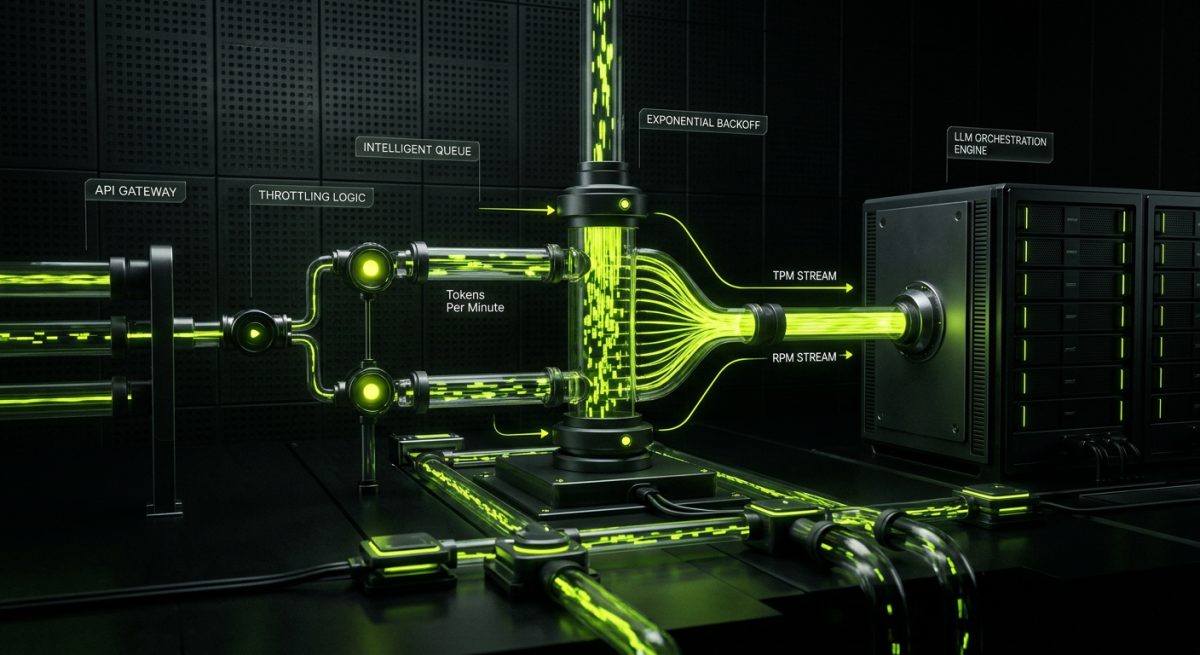
How to handle LLM API rate limits in production
Handle LLM API rate limits in production with exponential backoff, request queuing, caching, and multi-provider fallback routing.
 AI & automation
Intelligent pricing engines: how AI is reshaping dynamic pricing strategies
Optimize revenue with AI-driven dynamic pricing. Learn how intelligent engines automate price adjustments to maximize B2B and eCommerce margins.
Which task takes up most of your team’s week?
Send us the steps and how often they happen. We reply within 2 hours on business days. You hear which ones are worth automating, and the hours they could give back.
AI & automation questions
How many hours will my team get back?
It depends on your tasks, so we count them with you first. How often does each one happen, and how long does it take by hand? That count is your estimate, before anything is built. Once it runs, the logs show each time it did the work for you.
Do you train a model on our data?
Almost never. Your own documents answer the same questions at a fraction of the cost. Edit a document and the next answer uses it; a trained model waits for the next training run.
What happens when the assistant does not know?
It says so. An assistant that guesses is worse than a search box. Before launch you decide what it does instead. A cited answer, or an honest no that names what it can help with.
Can it run on our own infrastructure?
n8n is self-hostable and its workflows export as JSON, so they can run wherever you run things. The model is an API call, on your own key if you prefer. That way the spend ceiling and the logs stay on your side.