Members areas
Your members area, right inside your site.
Members sign in on the site you already have and see what is meant for them. You set the rules for who sees what. Sign-in links to the systems that already know your members.
Short answer
How do I add a members area to my WordPress or Webflow site?
werun.dev adds members areas to WordPress and Webflow sites, with an account for each member. You set the rules for who sees what, and sign-in can read the member list you already keep. On WordPress it runs on a plugin written for your rules. It is tried on a copy of your site before launch. Projects start from $5.5k, and Care keeps it updated for $1,200 a month. To start, send your site address and your kinds of members.
- Price
- Projects from $5.5k
- Works on
- WordPress and Webflow
- Sign-in
- Linked to your systems
- Care
- $1,200 a month per site


























































In your words
What a members area run by hand feels like, and what rules change.
What happens: Members share one password to a private page, and you have no idea who used it.
What changes: Each member signs in with their own account, and you can turn one off at any time.
What happens: A member who left can still open the private pages.
What changes: Access follows your member list, so leaving the list closes the door.
What happens: Every new member gets copied from your CRM into the website by hand.
What changes: Sign-in reads from the system that already holds your members.
What happens: A plugin update broke the login, and your members found out first.
What changes: Updates run on a staging copy first, and the login is checked before they reach your site.
How it works
A members area comes together in steps, and you see each one.
Each step lights up in turn, with what you receive at that point. It starts with your members, and the platform comes second.
You list your kinds of members
Who they are, what each kind sees and what happens when someone leaves. We write it down as rules.
You getA written list of which pages each kind of member sees
You hear how it fits your site
On WordPress, a plugin written for your rules. On Webflow, a sign-in linked to your member list. A custom app when the rules need one.
You getA proposal with the hours and the price, before any work
Your member list stays in one place
Sign-in reads the CRM or list that already knows your members. Nobody copies a new member in by hand.
You getOne member list, read by your site
You try it on a copy of your site
The members area runs first on a private copy, called staging. You sign in there as each kind of member.
You getA link to the copy, to try before your members do
Care keeps the login working
Each month, updates are tried on the copy first, backups are checked and the site is watched.
You getA monthly report of what was updated and checked
What changes for you
What your members notice from the first sign-in.
A good members area shows in the access questions you stop answering.
One account per member
Each member has a sign-in of their own, and the shared password goes away.
The right pages for each member
Rules decide what each kind of member sees, on every page you mark as private.
One member list
New members arrive from the system you already use, without anyone retyping them.
What it costs
What a members area costs, priced before you begin.
Every figure comes from our price list, the one each proposal is built from.
Project
From $5.5k one project
A members area added to your site, or a new site that has one.
- Rules for who sees what, written down
- Built on your WordPress or Webflow site
- Sign-in linked to your systems
- Tested on staging, with a week of support
Care
$1,200 a month per site
Your site and its members area updated, backed up and watched.
- 10 hours of work a month
- Every update tried on a staging copy first
- Backups checked, so a restore works
- A written report every month
Ad hoc
$120 per hour
A change to a members area you already have, with no monthly plan.
- Minimum task length: 30 minutes
- Every hour logged against its task
- No monthly commitment
Each extra piece, like a new kind of member, is sized from XS (2 hours) to L (20 hours). See every engagement
Side by side
An add-on you set up alone, or a members area built with you.
Both can work. The difference shows when your rules get specific or the login breaks.
| Side by side | An add-on you set up alone | A members area built with werun.dev |
|---|---|---|
| Who sees what | The rules the add-on offers | Your rules, written down before the build |
| Member list | One more list to keep by hand | Read from the system that already has it |
| Updates | Up to you to test | Tried on a staging copy first |
| When the login breaks | The add-on’s support queue | A reply in under 2 hours on business days |
| The code | Inside the add-on | In your repository, and yours to keep |
Your next step
Tell us your goal, we reply within 2 hours.
Write it the way you would tell a colleague. A person reads it and answers on business days.
- A written answer with what it takes and what it costs
- You decide before anything starts
- We sign an NDA if you need one
Free first look
Tell us what you need.
Proof
What you can see working before you start.
They are ours, and they run on the sites and accounts we look after.
Client Portal
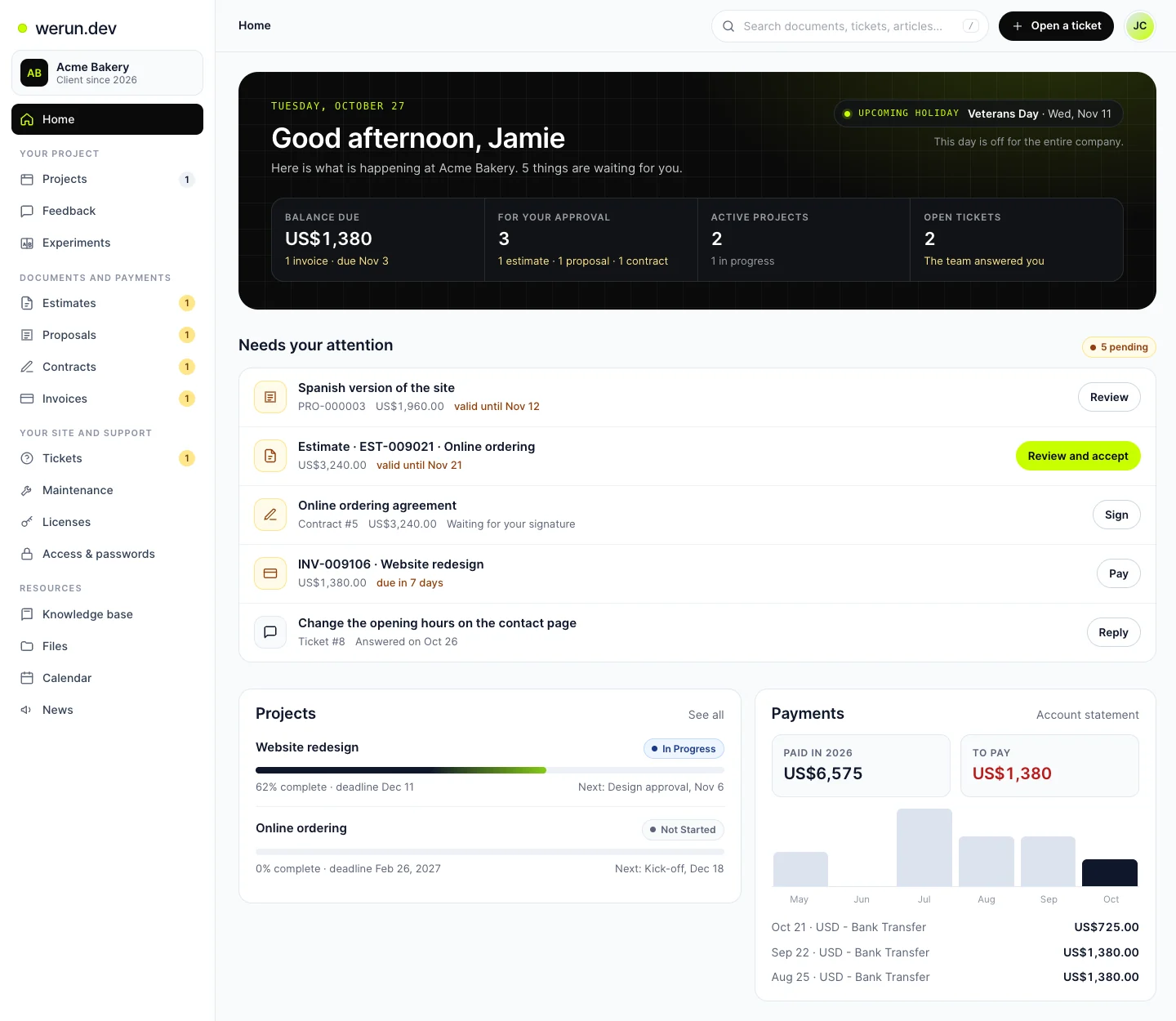
Where our own clients sign in. The primary contact adds colleagues and chooses what each one sees.
See itwerun.
Try two versions of the page where people join, with real visitors, and keep the better one.
See itClient Feedback
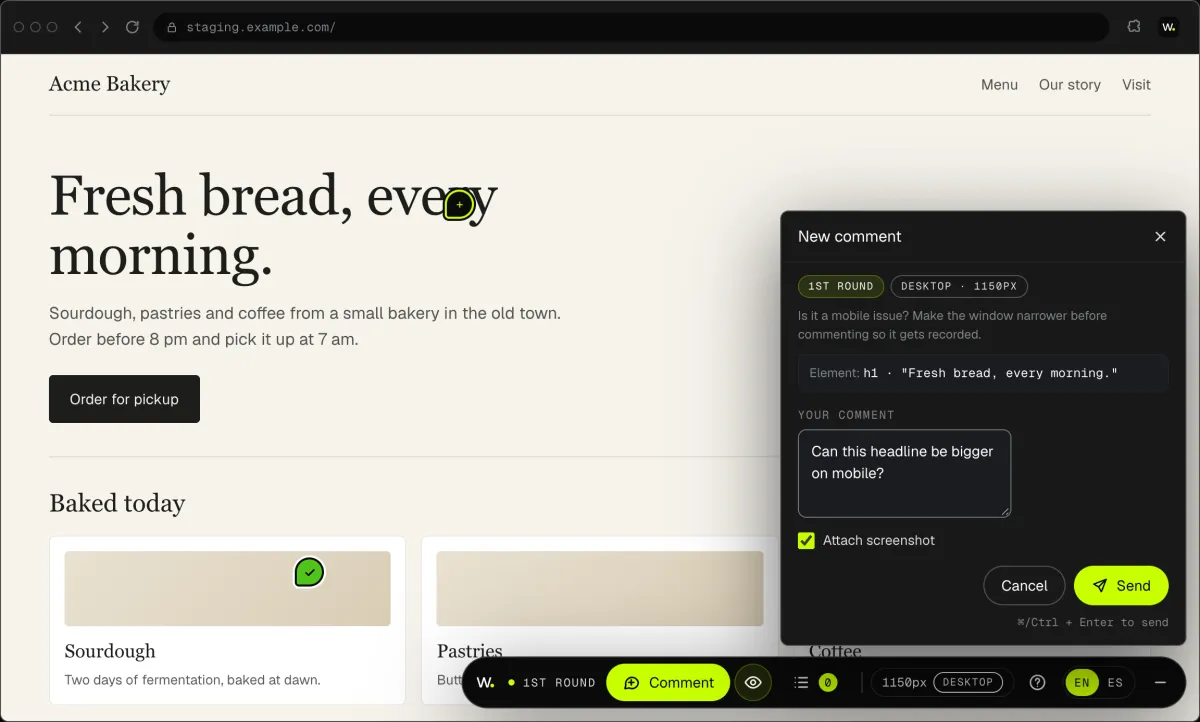
Want a change in the members area? Click it on your site, say what you want, and it reaches us as a task.
See itWorking with us
You stay on the job, we keep you in the loop.
Your project, approvals and invoices live in the Client Portal. You ask for a change by clicking on your own site. With Care, a written report arrives every month.
01Client Feedback
Click anything on your own site and say what you want. That's it: the team gets it as a task with a screenshot, and you watch it get solved.
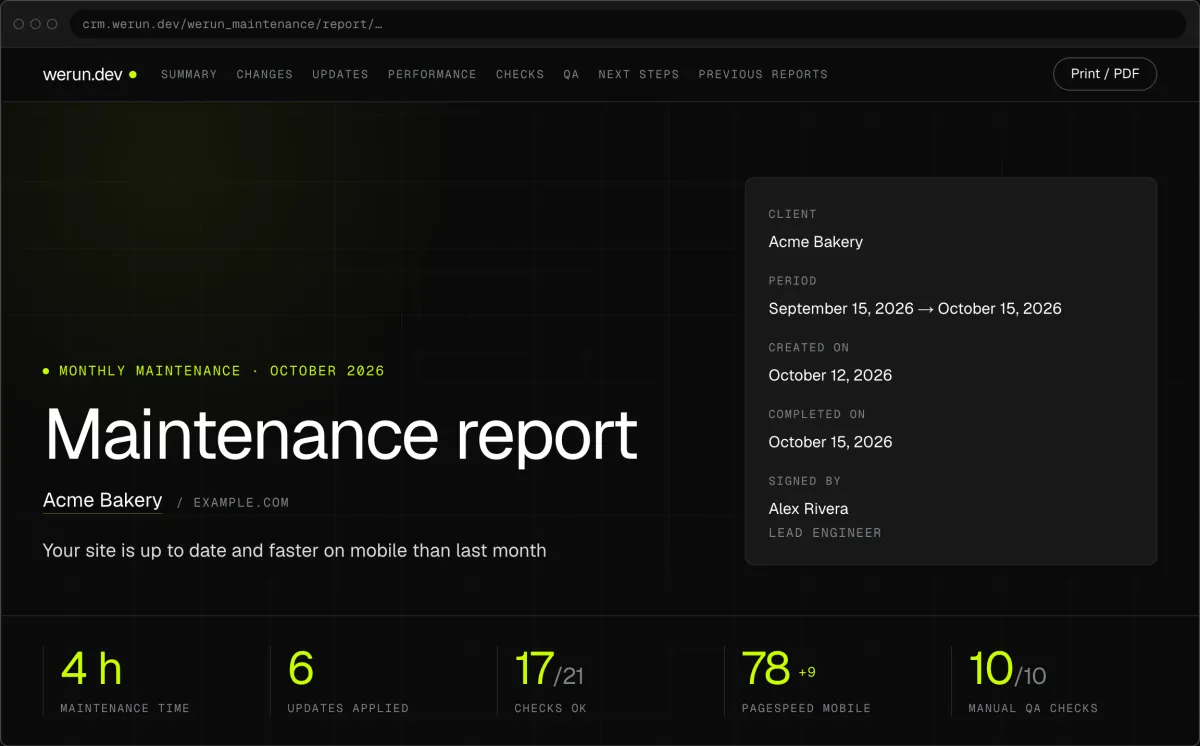
02Monthly report
Every month, in writing: what we changed on your site, what we watched over and what comes next.
03Client Portal
Projects, requests, invoices, proposals and contracts in one place. Ask it a question and it answers from your own records.
What clients say
Teams like yours, in their own words.

“The client portal, the feedback extension and the WordPress security alerts have been very intuitive, pretty turnkey. Just this past week getting comfortable with it, it’s been really helpful. We’re rolling it out to our core team. Nice job.”
Members area questions
How much does it cost to add a members area to a website?
As a project, from $5.5k, priced in writing before you begin. Each extra piece, like another kind of member, is sized from XS at $240 to L at $2,400. After launch, Care looks after the site and its login for $1,200 a month. That covers 10 hours, updates tried on a copy first and a report every month.
How long does it take to add a members area?
It follows your rules more than your platform. One kind of member on a site you already have is the short end. Several kinds of members, or a CRM behind sign-in, take longer. Your proposal states the hours before any work starts. The members area then runs on a copy of your site, so you try it before your members do.
Is a shared password enough, or do members need their own accounts?
Own accounts, once you care who opened what. A shared password works for one private page, but anyone can pass it on. With an account per member you can turn one off without telling everyone a new password. Each sign-in can see different pages, and a member who leaves your list loses access. It also ends the “what is the password again” emails.
Can I add a members area to a Webflow site?
Yes. The private pages stay in Webflow, where your team already edits them. Sign-in is linked to the system that already knows your members, so the list lives in one place. When your rules outgrow Webflow, the members area becomes a custom app that reads your Webflow content. Either way, every change is reviewed on a staging copy before your members see it.
Should I use a WordPress membership plugin or a custom one?
A ready-made plugin, when its rules already match yours. When they do not, we write a plugin for your rules, and it belongs to you. We have written 80+ plugins, each owned by the client who asked for it. A plugin of your own carries only what your members area needs. Care then tries each update on a copy before it reaches your members.
Can different members see different pages?
Yes. You decide the kinds of members, such as partners, clients or staff, and each kind gets its own pages. One rule covers every page you mark as private, so marking a new page is all it takes. Move a member to another kind, and the pages they see follow. The rules are written down with you before the build.
What happens to access when a member leaves?
Their access ends with their place on your member list. When sign-in reads your CRM or member list, removing them there closes the door on the site too. You can also turn off a single account from the site at any time. Nobody else needs a new password, and nobody copies the change by hand.
Where are my members’ details stored, and who owns them?
You own them. On WordPress, they live in your own site’s database. When sign-in reads your CRM, that CRM stays the home of the list and the site only checks it. If you ever change teams, the list and the code stay with you.
Want a members area on the site you have?
Tell us your site address and who your members are. We reply within 2 hours on business days with how it fits your platform and what it costs.